LinkedIn Business Manager Connector
Integrate LinkedIn Business Manager metrics into your favorite data destinations with Windsor.ai in an easy-to-use format
About Google My Business
LinkedIn Business Manager refers to a platform or tool designed to assist businesses in managing and organizing their presence on LinkedIn.
It provides a centralized hub for businesses to oversee various aspects of their LinkedIn activities, including company pages, advertising, and analytics.
It is especially beneficial for larger organizations or those with complex LinkedIn strategies.

Start analyzing LinkedIn Business Manager data
Do you plan to connect and visualize your LinkedIn Business Manager in data visualisation, data storage, data warehouse or BI tool?
Follow the Tutorial Below:
Step 1:
Register or log in if you already have an account.
You need to select LinkedIn Business Manager as a Data Source and grant access to Windsor.ai.
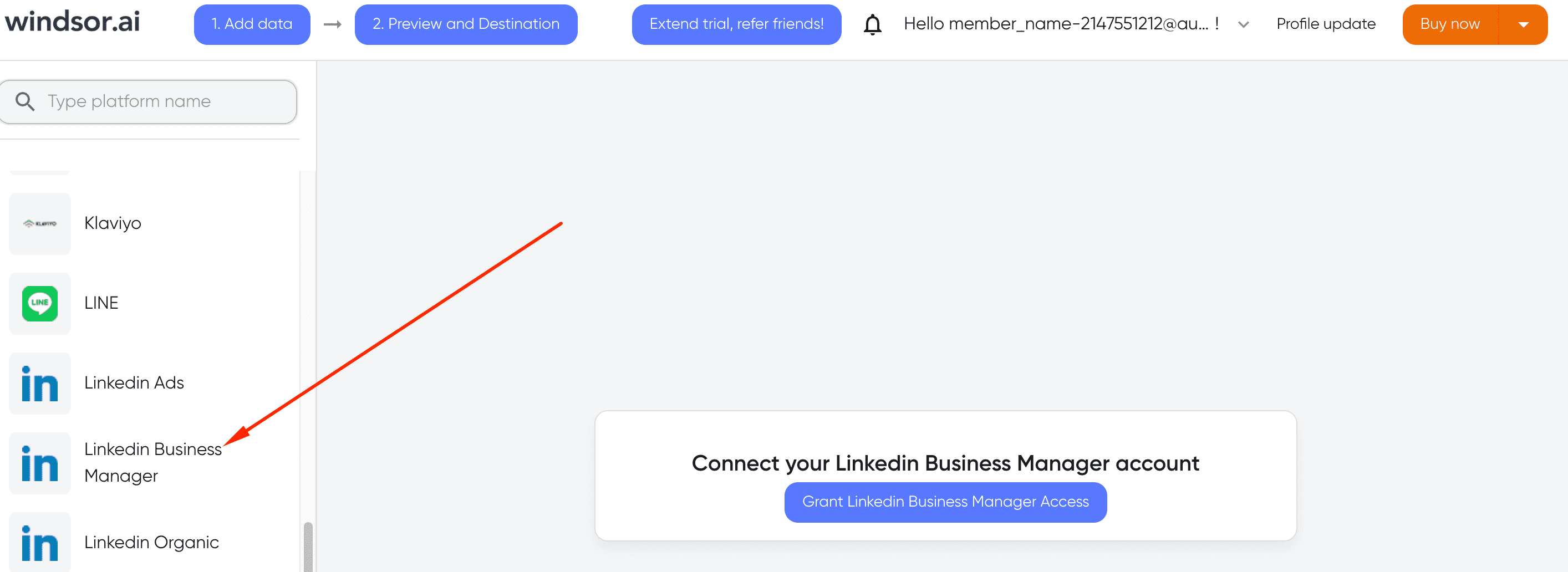
Step 2:
Select the fields on the right to later use in your data source. For example, you can include metrics such as Cost per Click, Cost per Action or Total Spend.
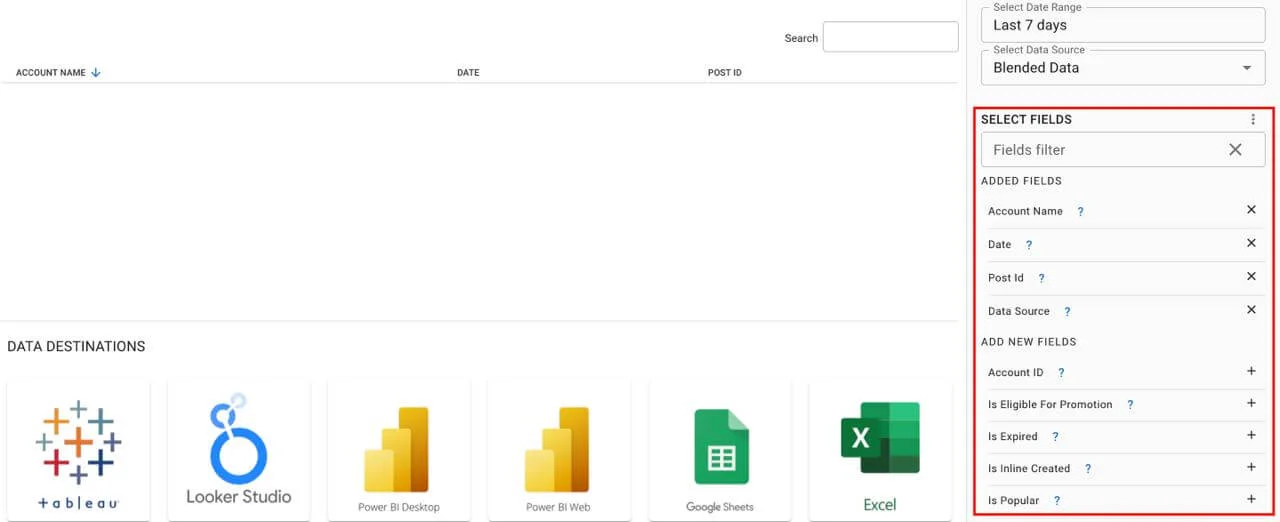
Step 3:
Select a destination to get Google My Business data into
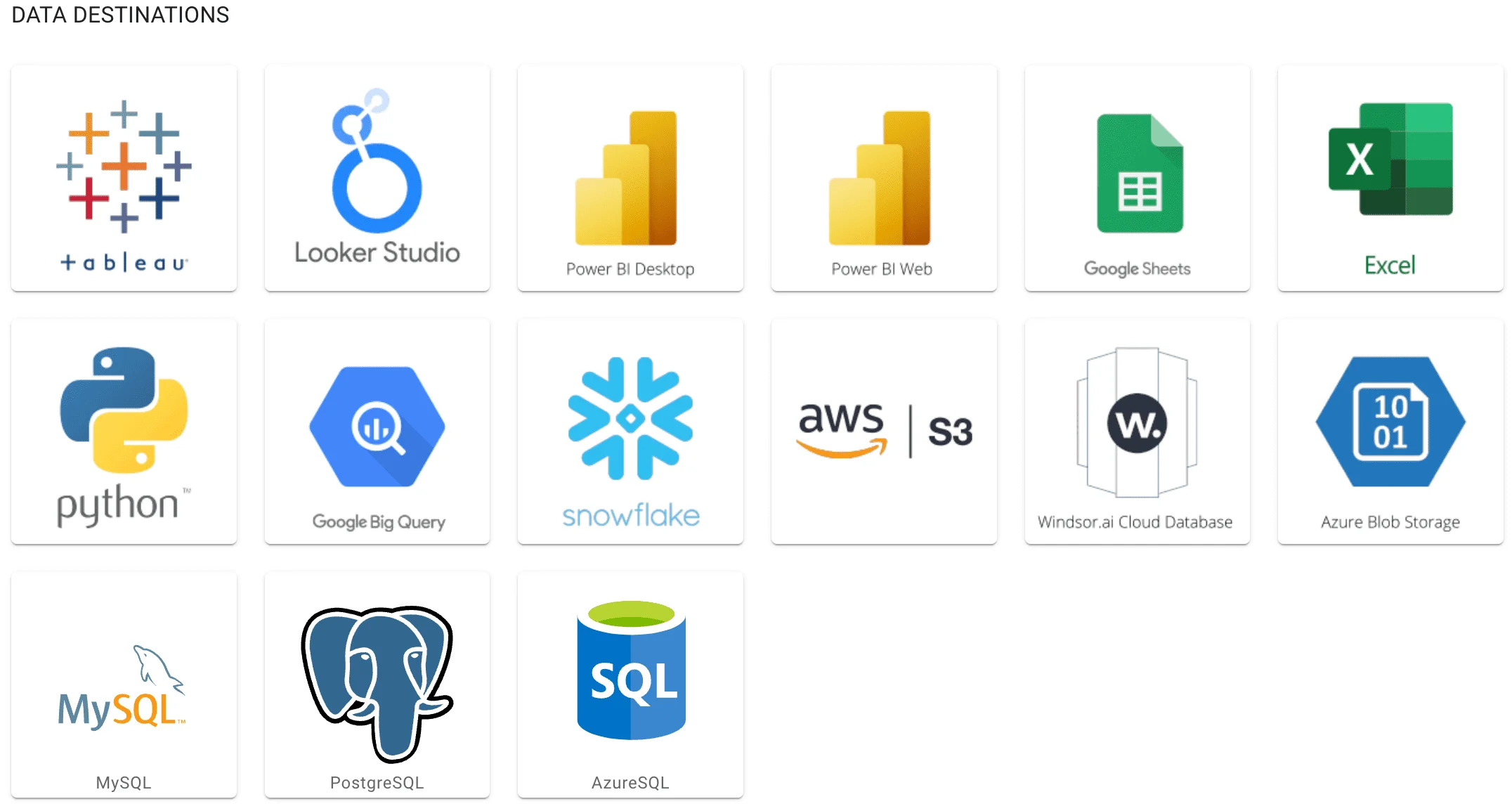
Access all your data from your favorite sources in one place. 
Try Windsor.ai today
Get started for free with a 30 - day trial.
LinkedIn Business Manager metrics and dimensions available
Extract All Your Marketing Data from LinkedIn Business Manager
See the value and return on every marketing touchpoint

Providing 70+ marketing data streams, we make sure that all the data we integrate is fresh and accessible by marketers, whenever they want.

Spend less time on manual data loading and spreadsheets. Focus on delighting your customers.


