 Destinations
 Data sources
 AI insights
 About us
 Careers
 Security
 Customer reviews
 Contact us
 Affiliate program
 Solution partners
 Template gallery
 Looker Studio templates
 Power BI templates
 Excel templates
 Google Sheets templates
 Tableau templates
 Facebook Ads templates
 Google Ads templates
 Data fields & Metrics
 AI prompt library & Guides
 Product documentation
 API documentation
 Case studies
 Blog
 Data models
 Windsor vs Supermetrics
 Windsor vs Funnel.io
 Windsor vs Fivetran
 Windsor vs Rivery
 Windsor vs Portermetrics
 Windsor vs Coupler.io
Facebook Ads (Meta Ads) Connector
Windsor.ai’s Facebook Ads connector moves your Meta Ads data into your BI tool, spreadsheet, data warehouse or AI assistant, with no manual exports. You get campaigns, ad sets and ads with spend, results and breakdowns for Facebook, Instagram, Messenger and Audience Network placements.
Warehouses and reports refresh on a schedule. Claude and ChatGPT read the data when you ask, and can also pause ads or change budgets after you confirm.
No code. Free forever plan for one data source, no credit card.
 Free forever plan
No credit card needed





Make the most out of your Facebook Ads data with Windsor.ai
All 858 Meta Ads fields: 656 metrics, from spend and frequency to results for each conversion event, and 202 dimensions, including placement, age, gender, country and the account's change history.

Start from a ready-made Facebook Ads report in Data Studio, Power BI, Sheets or Excel and connect it to your own ad accounts.
Send your Facebook Ads data to any destination
Import your Facebook Ads data into any destination using Windsor.ai.





















What the Facebook Ads connector gives you
Windsor.ai reads your ad accounts through Meta’s Marketing API and loads the rows into the destination you choose. Compared with exporting from Ads Manager:
- Every level in one table, by day. Campaign, ad set and ad names in the same rows as spend, impressions, reach, frequency, clicks, results and cost per result. Ads Manager exports each level separately.
- Results by conversion event. Leads, purchases, registrations and your custom conversions are separate fields, each with its cost and value. The attribution window is a setting: by default 7-day click and 1-day view, and you can choose another window, such as 1-day click, for a request.
- Breakdowns. Placement, age and gender, country and device. Meta does not allow every breakdown with every field in one request; our guide to Facebook Ads field errors lists the combinations it rejects.
- Paused and idle campaigns. Meta returns only objects that had impressions or spend in the date range. Turn on “Include objects without insights” to list paused and new campaigns, ad sets and ads with their status.
- Next to your other data. Google Ads, GA4, TikTok Ads, Shopify, HubSpot and 350+ other sources go through the same Windsor.ai account and can be combined with Meta Ads in one report.
Sample output. Our own remarketing campaign, 18 September to 17 October 2026, by ad set, as the connector returned it:
- chatgpt ad set: $26.78 spent, 41 leads, $0.65 per lead, 4,411 impressions, reach 2,450, frequency 1.80, 56 clicks.
- claude ad set: $32.77 spent, 41 leads, $0.80 per lead, 5,325 impressions, reach 2,991, frequency 1.78, 58 clicks.
The totals ($59.55 spent, 9,736 impressions) match Ads Manager for the same dates. Split by placement, Facebook feed brought 47 of the 82 leads from 58% of the spend.
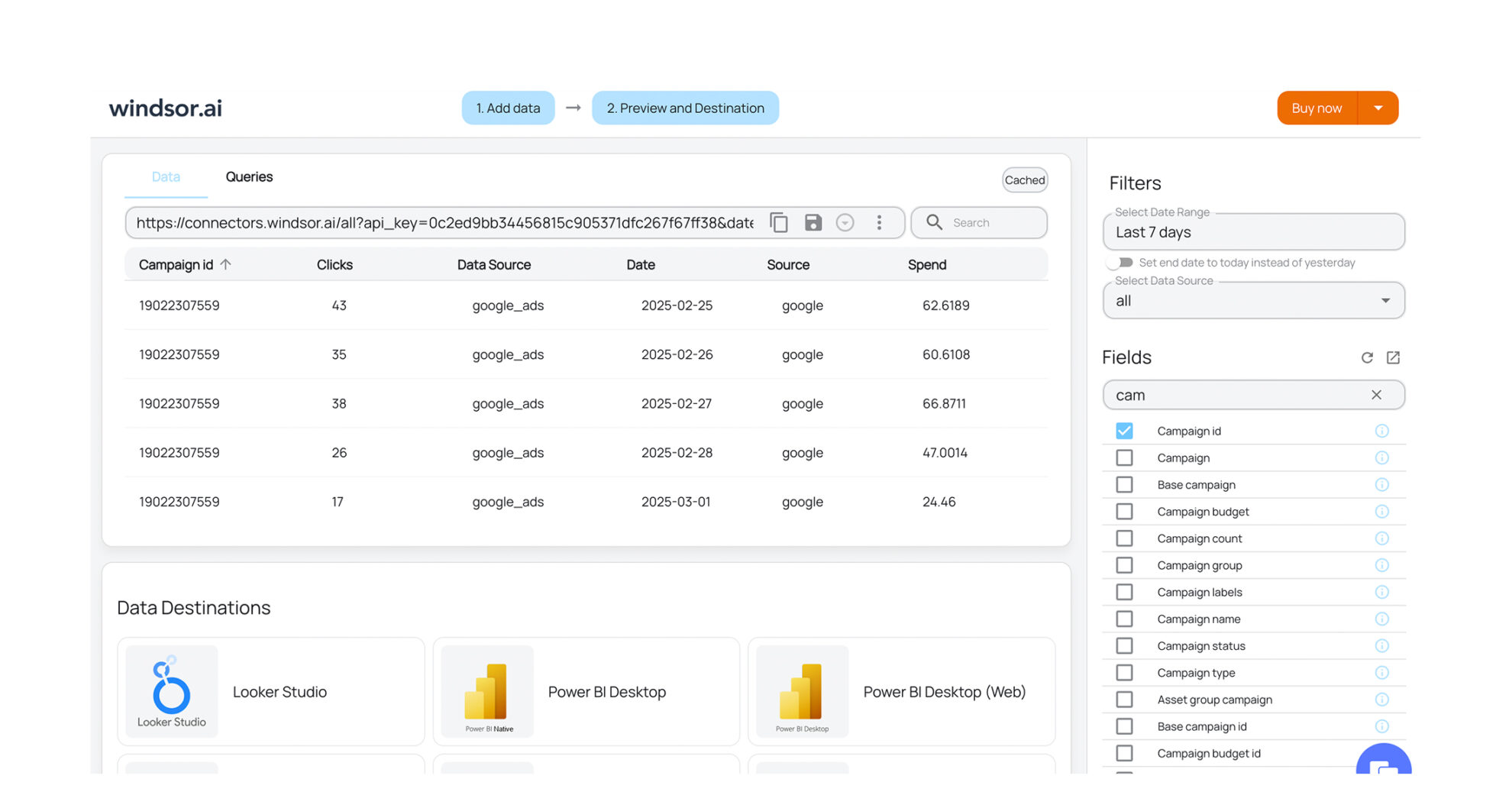


How to export Facebook Ads data with the Windsor.ai connector
Sign up and start for free
Create your Windsor.ai account and log in.
Select Facebook Ads as a data source
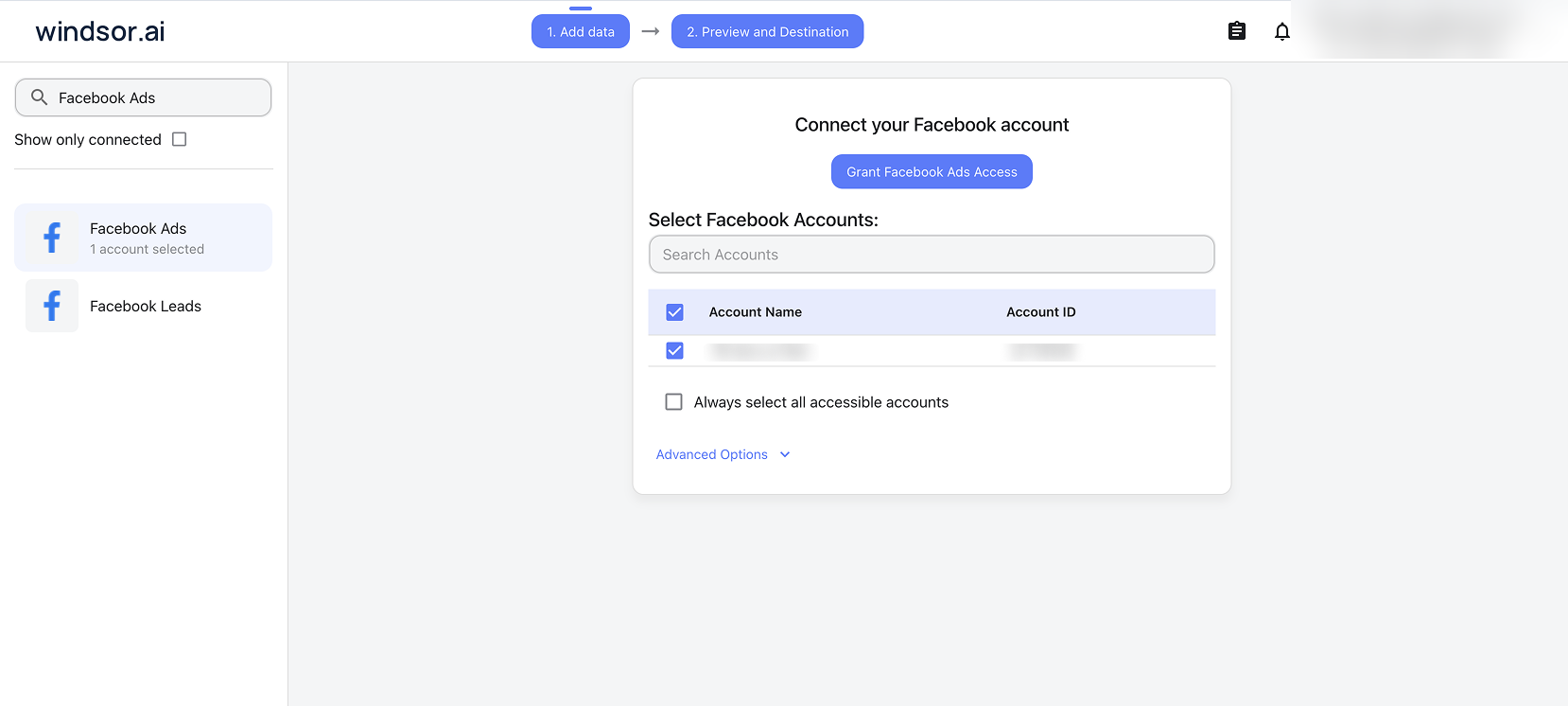
Choose Facebook Ads and sign in with the Facebook account that has access to your ad accounts. Analyst access on an ad account is enough to read it; changing campaigns from Claude or ChatGPT needs Advertiser or Admin access. Then select the ad accounts.
Choose report fields
Pick the fields for your report, for example Campaign, Amount Spent, Leads and Cost per Leads, or start from a template.

Select a destination
Choose where the data goes: a warehouse, a BI tool, Google Sheets, or Claude and ChatGPT.

FAQs
Is the Windsor.ai Facebook Ads connector free?
Yes. The free forever plan includes one data source and one account, with no credit card, and reaches back 30 days. For more ad accounts, longer history or Facebook Ads next to other sources, paid plans start at $19 a month for 3 data sources and 75 accounts, billed annually. See pricing.
Which Facebook Ads metrics and dimensions can I export?
All 858 fields: 656 metrics and 202 dimensions. They include spend, impressions, reach, frequency, clicks, CTR, CPC and CPM; results, cost and value for each conversion event, including custom conversions; video plays and watch percentages; placement, age, gender, country and device breakdowns; ad creative fields such as headline, body and image URL; and the ad account’s change history. The Facebook Ads field reference lists every field.
Can Windsor.ai make changes to my Facebook Ads campaigns?
Yes, from Claude or ChatGPT. The Meta Ads connector has 20 write actions: pause and enable campaigns, ad sets and ads; set campaign and ad set budgets; create campaigns, ad sets and ads (image and video); duplicate an ad set; edit campaign, ad set, ad and creative settings; boost an organic post; and set a click-to-message welcome message. New campaigns, ad sets and ads are created paused, and there is no delete action. The assistant shows each change and waits for your confirmation. Reports in BI tools and warehouses are read-only. See the write actions list.
How is Windsor.ai different from Meta ads AI connectors?
Meta ads AI connectors are Meta’s own Ads MCP server and Ads CLI, in open beta since April 2026. The MCP server connects one person’s Meta ad accounts to ChatGPT, Claude, Perplexity and some data platforms, and adds Meta-only tools such as the opportunity score, industry benchmarks and catalog management. Meta says not every ad account has access yet. Windsor.ai sends Meta Ads data to BI tools, spreadsheets and warehouses as well as AI assistants, puts it next to 350+ other sources, and installs in Claude from the connector directory. Our Meta Ads MCP comparison covers when each fits.
Does the Facebook Ads connector include Facebook Page or Instagram organic data?
No. Organic Page reach and post results come through the Facebook Page Insights connector, and Instagram account and post results through the Instagram connector. All three can go to the same report or the same Claude chat.
Which attribution window does the data use?
By default, 7-day click and 1-day view. You can choose another window for a request, for example 1-day click or 28-day click, or use each ad set’s own attribution setting. Results match Ads Manager when both use the same attribution setting.
Why are some campaigns missing from my report?
Meta’s reporting API returns only campaigns, ad sets and ads that had impressions or spend in the date range. Paused and new ones are left out. Turn on “Include objects without insights” to list them with their names and status; their metrics stay empty. Deleted and archived objects are not returned.
Do you have links to get started?
Yes. The Facebook Ads field reference lists every field with its ID and description. The Facebook Ads report templates give you ready-made Data Studio, Power BI and Sheets reports. If Meta rejects a field or breakdown combination, the guide to Facebook Ads field and breakdown errors explains the fix. For how the Marketing API itself works, read our guide to the Meta Ads API, and for setup in each destination, the destination setup guides.
Other popular Windsor.ai connectors

Klaviyo

TikTok Organic
Facebook Page Insights (Meta)
Google Ads
Magento
Get your Meta Ads data into reports and AI assistants. Start with Windsor.ai


