 Destinations
 Data sources
 AI insights
 About us
 Careers
 Security
 Customer reviews
 Contact us
 Affiliate program
 Solution partners
 Template gallery
 Looker Studio templates
 Power BI templates
 Excel templates
 Google Sheets templates
 Tableau templates
 Facebook Ads templates
 Google Ads templates
 Data fields & Metrics
 AI prompt library & Guides
 Product documentation
 API documentation
 Case studies
 Blog
Blog Data models
 Windsor vs Supermetrics
 Windsor vs Funnel.io
 Windsor vs Fivetran
 Windsor vs Rivery
 Windsor vs Portermetrics
 Windsor vs Coupler.io
Salesforce Marketing Cloud Connector
Automatically sync your Salesforce Marketing Cloud data with your BI tool, data warehouse, or database using Windsor.ai’s ELT connectors.
Perform in-depth analysis of your Salesforce Marketing Cloud data to boost engagement, conversions, and drive revenue.
Forget CSVs. Stop copy/paste. Connect data in minutes. No code required.
 Free forever plan
No credit card needed
Free forever plan
No credit card needed



Make the most out of your Salesforce Marketing Cloud data with Windsor.ai
Focus on the data that matters by choosing from our extensive documentation or easily creating custom fields.

Leverage our pre-built, customizable Salesforce Marketing Cloud dashboard templates for a comprehensive performance overview tailored to your data needs.
Send your Salesforce Marketing Cloud data to any destination
Import your Salesforce Marketing Cloud data into any destination using Windsor.ai.
























Extract and load Salesforce Marketing Cloud data effortlessly with Windsor.ai’s connector
Many Salesforce Marketing Cloud integrations are complex, time-consuming, and require technical expertise.
Windsor.ai eliminates these barriers with a no-code ELT connector that automatically streams Salesforce Marketing Cloud data to your chosen destination within minutes.
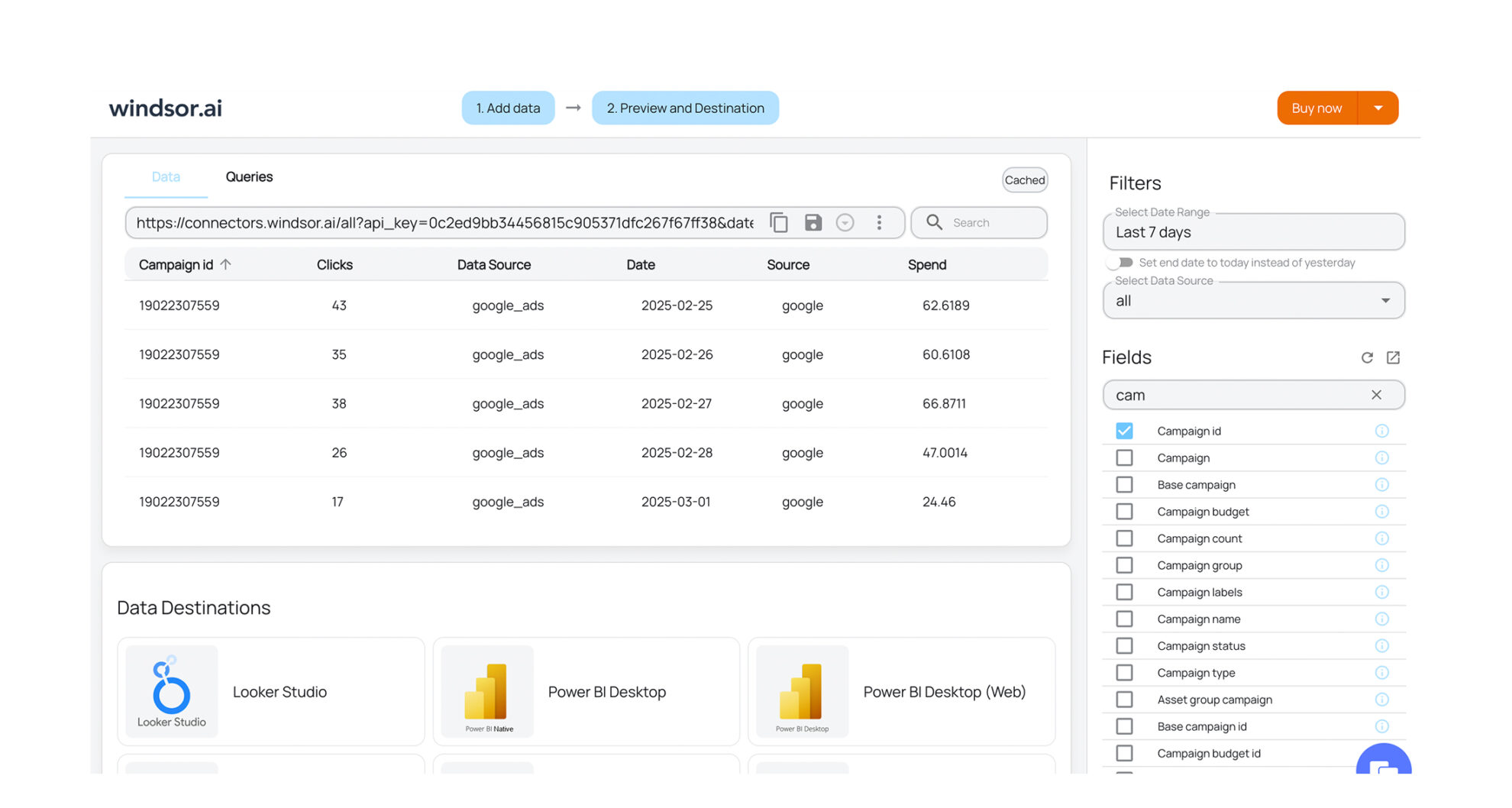














How to export Salesforce Marketing Cloud data with the Windsor.ai connector
Sign up and start for free
Create your Windsor.ai account and log in.
Select Salesforce Marketing Cloud as a data source
In your dashboard, connect Salesforce Marketing Cloud data source, select the necessary account(s), and grant access to Windsor.ai.

Choose report fields and metrics
Select the fields that you’d like to add to your report. For example, you can include metrics such as Campaign ID, Email Bounces, Emails Delivered, and many more.

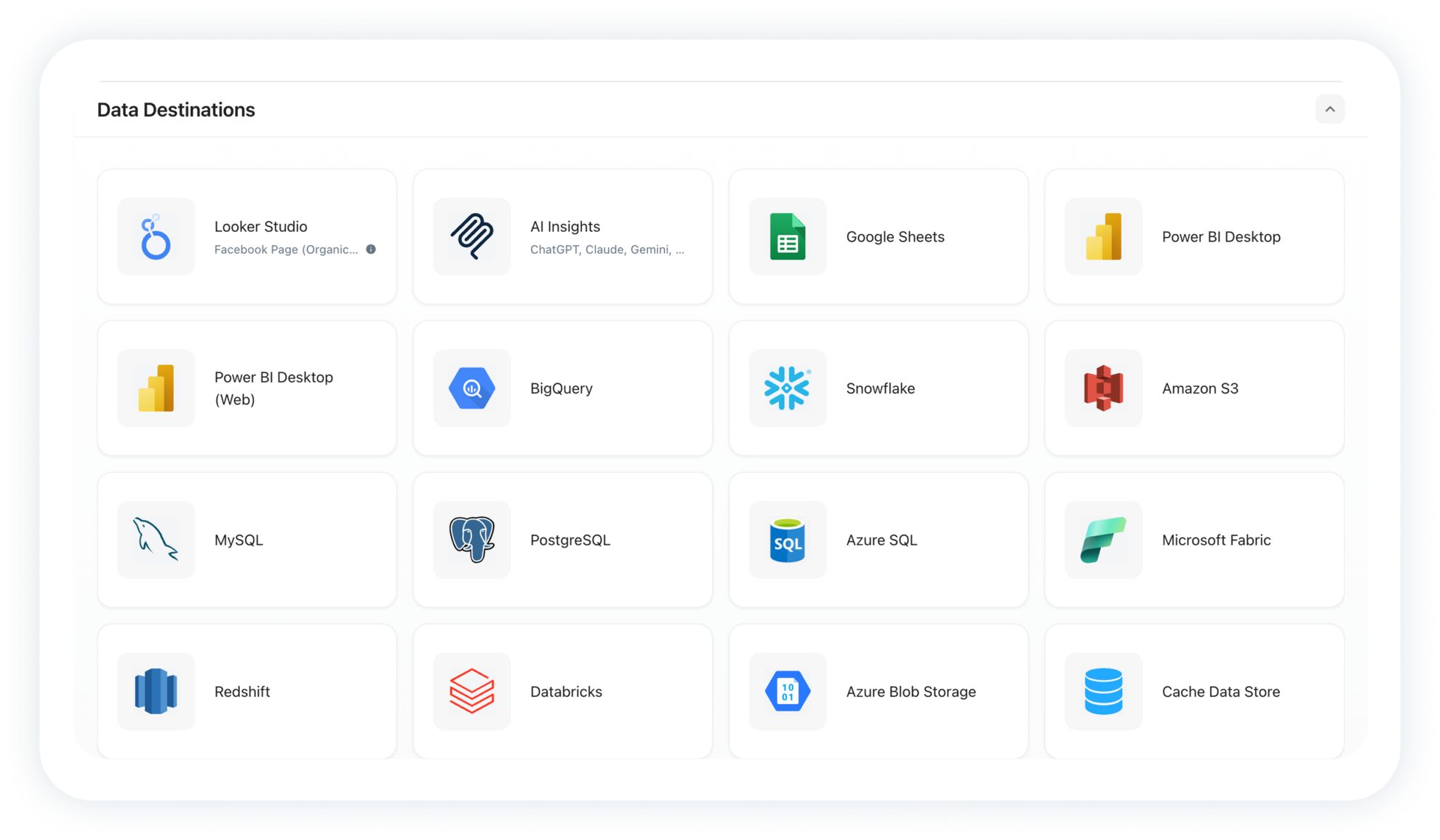
Select a data destination
Choose a destination where you want to stream your Salesforce Marketing Cloud data.
FAQs
Why use Windsor.ai’s Salesforce Marketing Cloud connector?
Windsor.ai’s Salesforce Marketing Cloud connector automates data integration, eliminating manual exports and complex API work. Instantly sync your Marketing Cloud data with multiple destinations, cutting data preparation time by over 50%.
With Windsor.ai, you can combine email, campaign, and customer engagement metrics with 350+ other sources, all delivered directly to your analytics platform for deeper insights into marketing and business performance.
How long does it take to sync Salesforce Marketing Cloud to a destination using Windsor.ai?
With Windsor.ai’s intuitive interface, the integration process takes a few minutes. No technical expertise is required. Connecting Salesforce Marketing Cloud data is simple, straightforward, and completely code-free.
What data can I extract from Salesforce Marketing Cloud?
With Windsor.ai, you can access a wide range of Salesforce Marketing Cloud metrics to optimize customer journeys and campaign performance. Key data points include:
- Campaign details: Campaign ID, name, code, description, and creation or modification dates.
- Email delivery metrics: Number of emails sent, delivered, bounced, invalid addresses, and delivery rates.
- Engagement metrics: Opens, unique opens, clicks, unique clicks, forwards, unsubscribes, and opt-outs for standard and triggered sends.
- Subscriber and list data: Subscriber lists, list type, classification, and folder/category data.
- Triggered send performance: Queued, sent, not sent due to errors or opt-outs, conversions, survey responses, and multipart email status.
Plus, other essential metrics and dimensions for accurate reporting and decision-making.
Do you have helpful links to get started with integrating Salesforce Marketing Cloud and Windsor.ai?
Yes, we have helpful resources to help you get started. You can explore our official documentation for Salesforce Marketing Cloud data integration into a chosen destination, available Salesforce Marketing Cloud data fields, and ready-to-use templates:
Other popular Windsor.ai connectors

TikTok Organic

Snapchat Ads

Google Search Console

Facebook Ads (Meta)

LinkedIn Pages
Tired of manual Salesforce Marketing Cloud data exports? Get started with Windsor.ai today to automate your reporting


