 Destinations
 Data sources
 AI insights
 About us
 Careers
 Security
 Customer reviews
 Contact us
 Affiliate program
 Solution partners
 Template gallery
 Looker Studio templates
 Power BI templates
 Excel templates
 Google Sheets templates
 Tableau templates
 Facebook Ads templates
 Google Ads templates
 Data fields & Metrics
 AI prompt library & Guides
 Product documentation
 API documentation
 Case studies
 Blog
Blog Data models
 Windsor vs Supermetrics
 Windsor vs Funnel.io
 Windsor vs Fivetran
 Windsor vs Rivery
 Windsor vs Portermetrics
 Windsor vs Coupler.io
SendGrid Connector
Automatically sync your SendGrid email data with your BI tool, data warehouse, database, or visualization platform using Windsor.ai’s ELT connectors. Turn delivery, open, and engagement data into automated reports and unlock insights into your email marketing performance.
Forget CSVs. Stop copy/paste. Connect data in 2 minutes. No code required.
 Free forever plan
No credit card needed
Free forever plan
No credit card needed



Make the most out of your SendGrid data with Windsor.ai
Focus on the data that matters by choosing from our extensive documentation or easily creating custom fields.

Leverage our pre-built, customizable dashboard templates for a comprehensive performance overview tailored to your data needs.
Send your SendGrid data to any destination
Import your SendGrid data into any destination using Windsor.ai.




























Extract and load SendGrid data effortlessly with Windsor.ai's connector
Most SendGrid integration methods are complex, requiring technical expertise, manual exports, or costly software.
Windsor.ai overcomes these challenges with a no-code ELT connector, letting you sync your SendGrid data in just a few clicks.
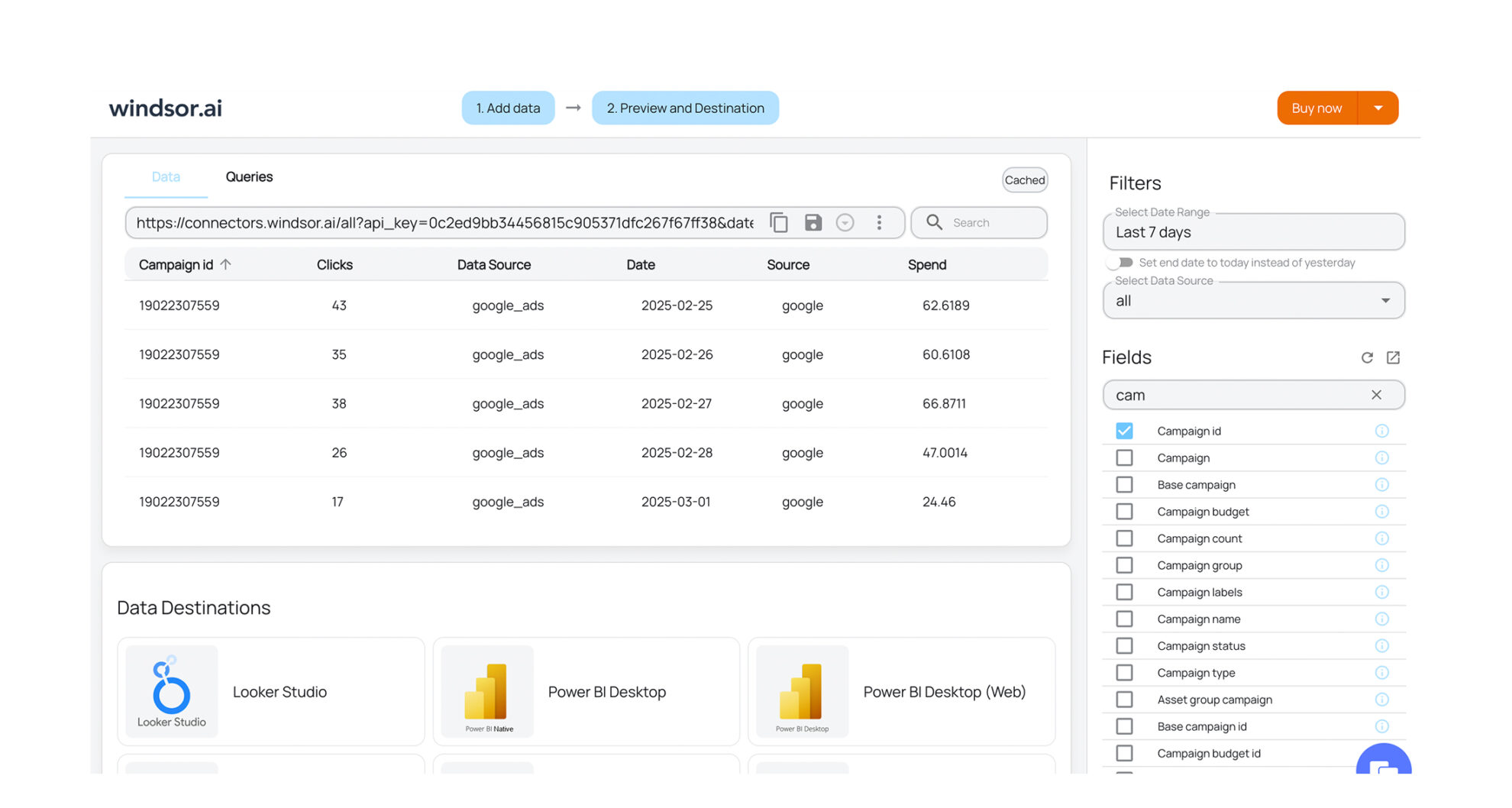














How to export SendGrid data with the Windsor.ai connector
Sign up and start for free
Create your Windsor.ai account and log in.
Select SendGrid as a data source
In your dashboard, connect the SendGrid data source, select the necessary account(s), and grant access to Windsor.ai.

Choose report fields and metrics
Select the fields you’d like in your report. For example, you can include metrics such as Account Name, Blocks, or Total Spend.

Select a data destination
Choose a destination where you want to stream your SendGrid data.

FAQs
Why use Windsor.ai's connector to integrate SendGrid data?
Windsor.ai’s ELT connectors automate the entire data-integration workflow, syncing your SendGrid data to the destinations you already use and cutting data-prep time significantly.
You eliminate manual exports and get consistent, blended reporting across your email and other marketing data out of the box.
How much does it cost to integrate SendGrid with Windsor.ai?
Windsor.ai is freemium, with a free-forever plan and no credit card required. Paid plans start at $19/mo and scale with your data volume. See our pricing plans.
How long does it take to connect SendGrid to a destination?
Just a few minutes. No technical expertise is required, connecting SendGrid data is simple, straightforward, and completely code-free.
What data can I extract from SendGrid?
You can access a wide range of SendGrid metrics and dimensions, including:
- Account details
- Email blocks and bounce data
- Delivery, open, and click events
- Plus hundreds of other metrics and dimensions.
Do you have helpful links to get started with SendGrid and Windsor.ai?
Yes. Explore our documentation and available data fields to get started:
Other popular Windsor.ai connectors

Facebook Page Insights (Meta)

Youtube

HubSpot

WooCommerce

LinkedIn Pages
Tired of manual SendGrid data exports? Get started with Windsor.ai today to automate your reporting


