 Destinations
 Data sources
 AI insights
 About us
 Careers
 Security
 Customer reviews
 Contact us
 Affiliate program
 Solution partners
 Template gallery
 Looker Studio templates
 Power BI templates
 Excel templates
 Google Sheets templates
 Tableau templates
 Facebook Ads templates
 Google Ads templates
 Data fields & Metrics
 AI prompt library & Guides
 Product documentation
 API documentation
 Case studies
 Blog
Blog Data models
 Windsor vs Supermetrics
 Windsor vs Funnel.io
 Windsor vs Fivetran
 Windsor vs Rivery
 Windsor vs Portermetrics
 Windsor vs Coupler.io
Connect Aimwel to Claude
Automatically sync your Aimwel recruitment marketing data to Claude using the Windsor.ai connector.
Query your Aimwel data in Claude using natural language to catch overspending campaign groups and weak job ads before they waste budget, with AI-driven insights on applies, spend, and cost per application across every channel.
Forget CSVs. Stop copy/paste. Connect in minutes. No code required.
 Sign up with Google
 Free forever plan
No credit card needed
Free forever plan
No credit card needed










Get instant AI insights from your Aimwel job campaigns in Claude
Windsor MCP streams your live Aimwel recruitment marketing data into Claude, so you skip the dashboard exports and go straight to the analysis. Explore key use cases:

Cut cost-per-application waste
Ask Claude to flag which campaign groups have the highest CPA or CPAC this week, so you can shift budget away from underperforming channels.

Catch budget pacing issues early
Compare Spent against Monthly Budget by campaign group to see which ones are on track to overspend before the month ends.

Spot weak job ads fast
Break down Job Views against Apply Clicks by job title to find postings that get seen but don’t convert into applications.

Compare performance across brands
Ask Claude to rank brands by F Applies and Apply Clicks, so you know which employer brand is pulling its weight in a shared campaign.

Track application trends by week
Break down Apply Clicks and F Applies by week or month to see whether recruitment marketing response is building or fading.
Using Windsor.ai to connect data from Aimwel to Claude
Bringing Aimwel recruitment marketing data into Claude usually means manual exports, data cleanup, or costly reporting tools, especially when tracking cost per application across campaign groups and brands by hand to catch one that’s overspending. Windsor.ai removes that friction with an MCP connector that automatically collects, structures, and streams your Aimwel data directly into Claude.
Connect in minutes and start asking natural-language questions about applies, spend, and cost per application.
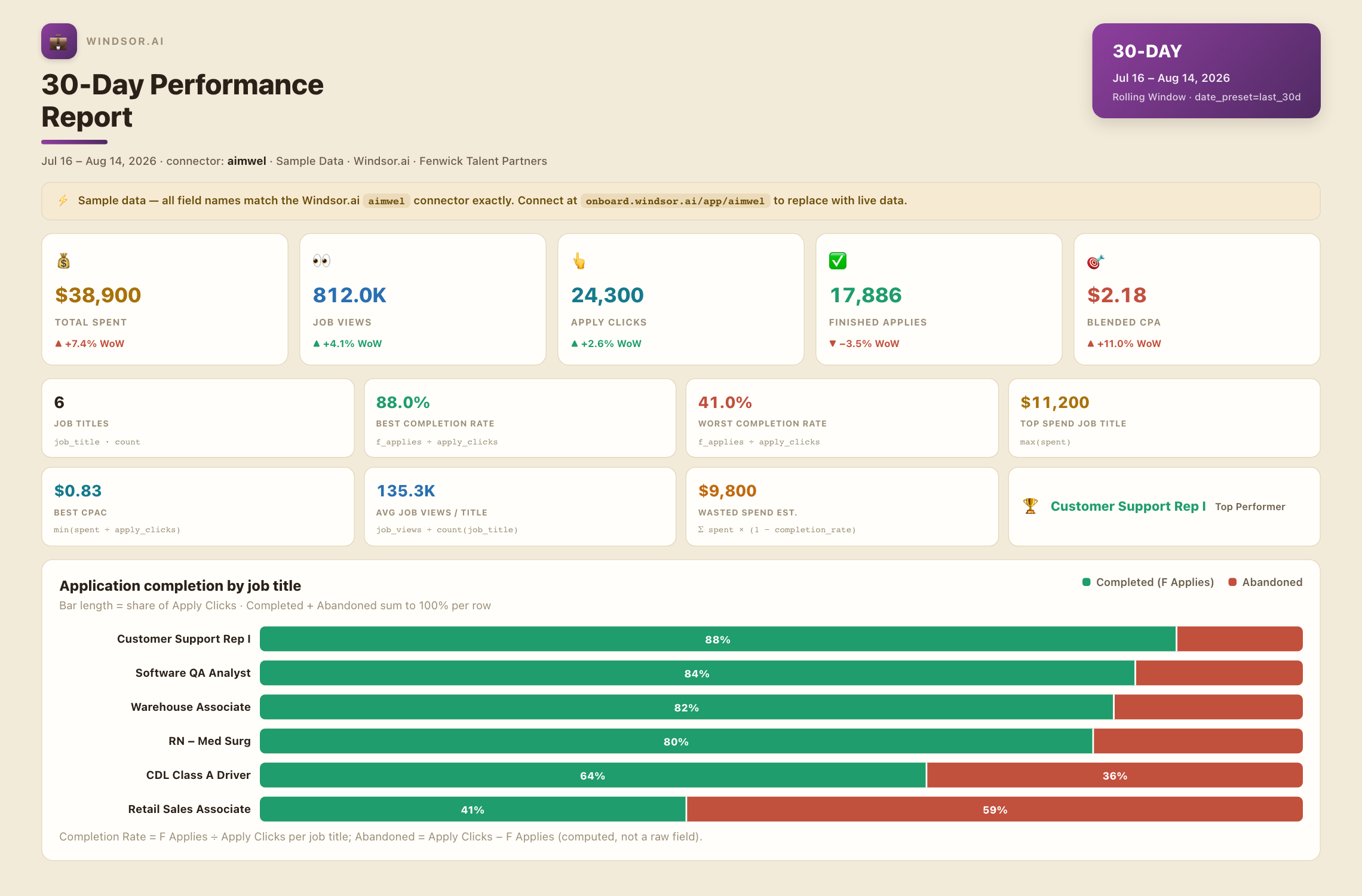














How to connect Aimwel to Claude with Windsor.ai
Explore a step-by-step guide to integrate your Aimwel data into Claude with the Windsor.ai connector.
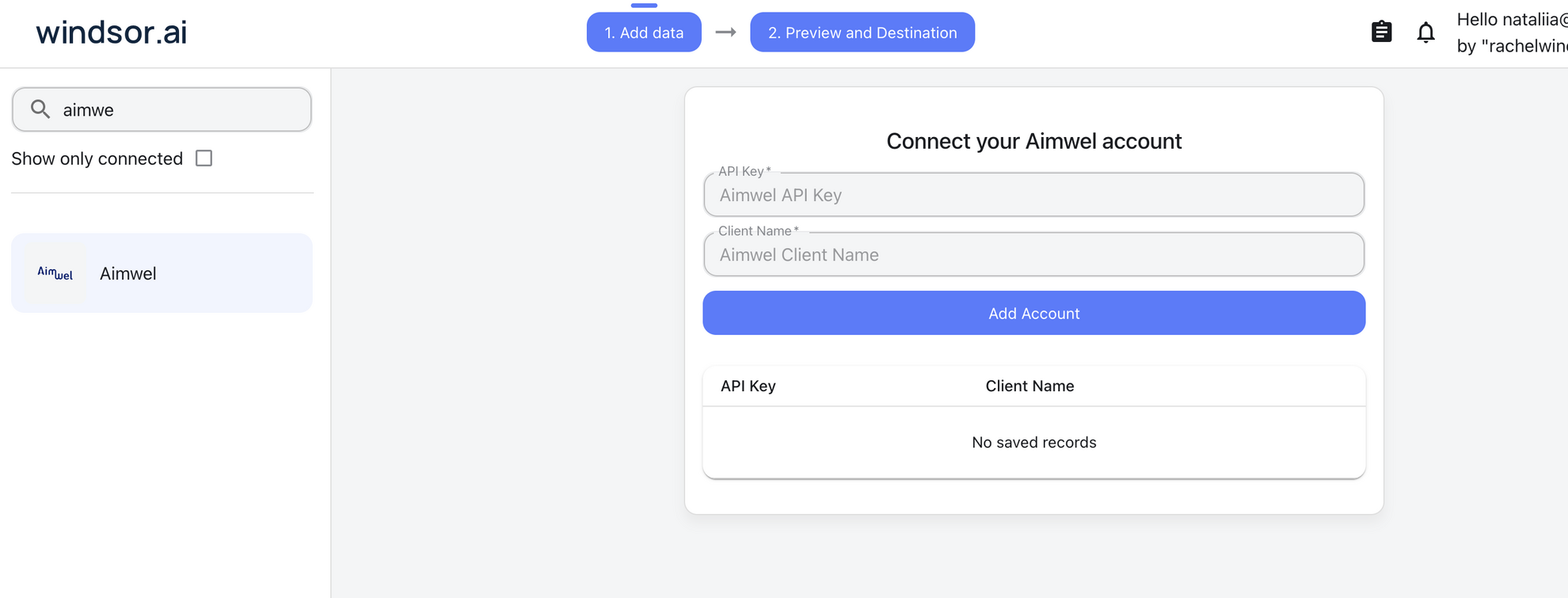
Connect Aimwel in the Windsor.ai dashboard
Choose Aimwel as your data source and grant access to Windsor.ai.
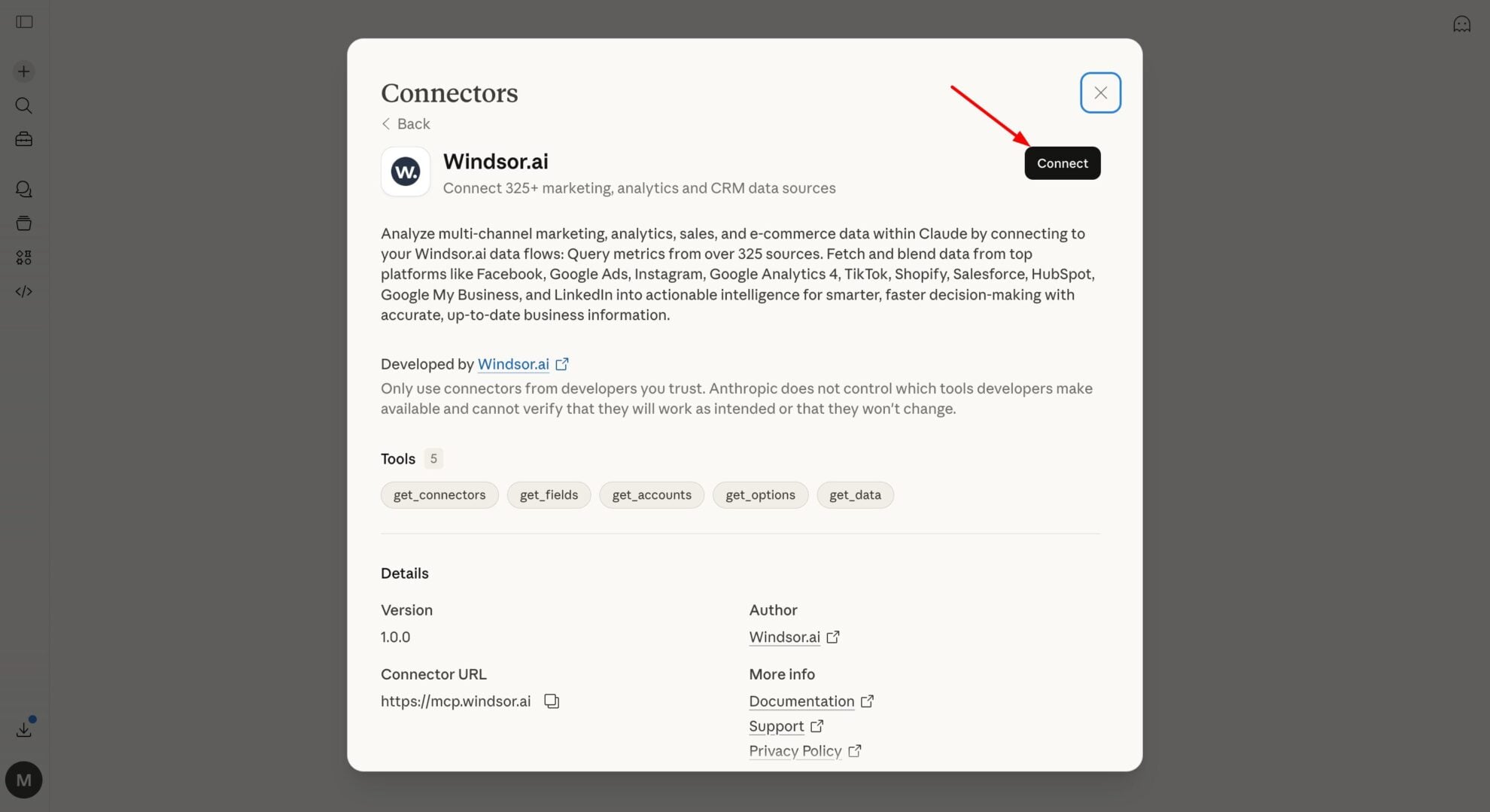
Install the Windsor.ai connector
In Claude, open Customize, then Connectors, search for Windsor and click Add. Sign in to your Windsor.ai account when prompted, and the connector appears in your Connectors list. You can also open the Windsor.ai listing in the Claude directory and click Connect.
Query your Aimwel data in Claude
Start a new chat and ask Claude about your Aimwel data: summarize application performance, compare campaign groups, or run advanced analyses.
FAQs
What Aimwel data can I analyze in Claude?
Windsor.ai gives Claude access to all 41 Aimwel fields (10 metrics, 31 dimensions), organized into groups such as:
- Application performance (5 fields): Apply Clicks, F Applies, Job Views, CPA, CPAC.
- Budget & spend (4 fields): Spent, Spent Uncorrected, Monthly Budget, Campaign Group Max Budget.
- Job & campaign identification (4 fields): Job Title, Job ID, Brand, Channel.
- Date & time breakdowns (12 fields): Date, Week, Month, Year, Day of month, Weekday, Year month name, and more.
Can Claude tell me which Aimwel campaigns are overspending?
Yes. Windsor.ai streams Spent and Monthly Budget for every campaign group, so Claude can flag the ones pacing ahead of budget before the month closes.
Can Claude track my Aimwel performance trends over time?
Yes. Windsor.ai streams date, week, month, and year breakdowns alongside every metric, so Claude can show whether applies, spend, and CPA are trending up or down over any period you ask about.
What prompts can I use to analyze Aimwel data in Claude?
-
Rank campaign groups by Apply Clicks and flag any that are exceeding their monthly budget.
-
How does CPAC differ between brands running the same job title?
-
Which channel generates the most Job Views relative to spend?
-
Show me the F Applies trend by month to see if recruitment marketing ROI is improving.
How much does it cost to integrate Aimwel into Claude using Windsor.ai?
Windsor.ai is free to start, no credit card required. Paid plans start at $19/month and scale by the number of sources and accounts. See the pricing page.
Can I combine Aimwel data with other channels in Claude?
Yes. Windsor.ai supports 350+ data sources, so you can connect Aimwel alongside Google Ads or LinkedIn Ads to see blended recruitment marketing spend and conversions across every channel in one place.
Do you have helpful links to get started with integrating Aimwel and Claude using Windsor.ai?
Yes, we have helpful resources to help you get started. You can explore our official documentation for seamless Aimwel to Claude integration with Windsor.ai:
Tired of manual Aimwel data exports? Try Windsor.ai today to automate your reporting


