 Destinations
 Data sources
 AI insights
 About us
 Careers
 Security
 Customer reviews
 Contact us
 Affiliate program
 Solution partners
 Template gallery
 Looker Studio templates
 Power BI templates
 Excel templates
 Google Sheets templates
 Tableau templates
 Facebook Ads templates
 Google Ads templates
 Data fields & Metrics
 AI prompt library & Guides
 Product documentation
 API documentation
 Case studies
 Blog
Blog Data models
 Windsor vs Supermetrics
 Windsor vs Funnel.io
 Windsor vs Fivetran
 Windsor vs Rivery
 Windsor vs Portermetrics
 Windsor vs Coupler.io
How to integrate data into Gemini with Windsor MCP
Windsor MCP lets you stream large-scale data from over 350+ sources into Gemini, so you can explore your business data in natural language and unlock AI-powered insights with no manual file uploads.
Follow these step-by-step instructions to connect your data to Gemini through Windsor MCP in just a few minutes.
Prerequisites
To use Windsor MCP with Gemini, make sure you have the following:
- An active Windsor.ai account (free or paid plan) with at least one connected data source
- Installed Gemini CLI (requires Node.js version 18 or higher)
🚀 Get started with Windsor MCP on the free forever plan, no credit card needed: https://onboard.windsor.ai/
Steps to configure Windsor MCP for Gemini
1. Install Gemini CLI (command line interface).
npm install -g @google/gemini-cli
2. Run Gemini once so it generates its directories:
gemini
It can be closed with CTRL+C (or ⌘+C on macOS).
3. Configure Gemini to use Windsor MCP:
- Navigate to the Gemini config directory using the command:
cd ~/.gemini
nano settings.json
- Add the following configuration inside the JSON object:
{
 "mcpServers": {
  "windsor": {
   "httpUrl": "https://mcp.windsor.ai/"
  }
 }
}
Note: Make sure the overall file remains valid JSON (no trailing commas or syntax errors).
4. Start Gemini with Windsor MCP:
gemini
5. Run the command:
/mcp auth windsor
It will open the browser window to authenticate windsor.ai.
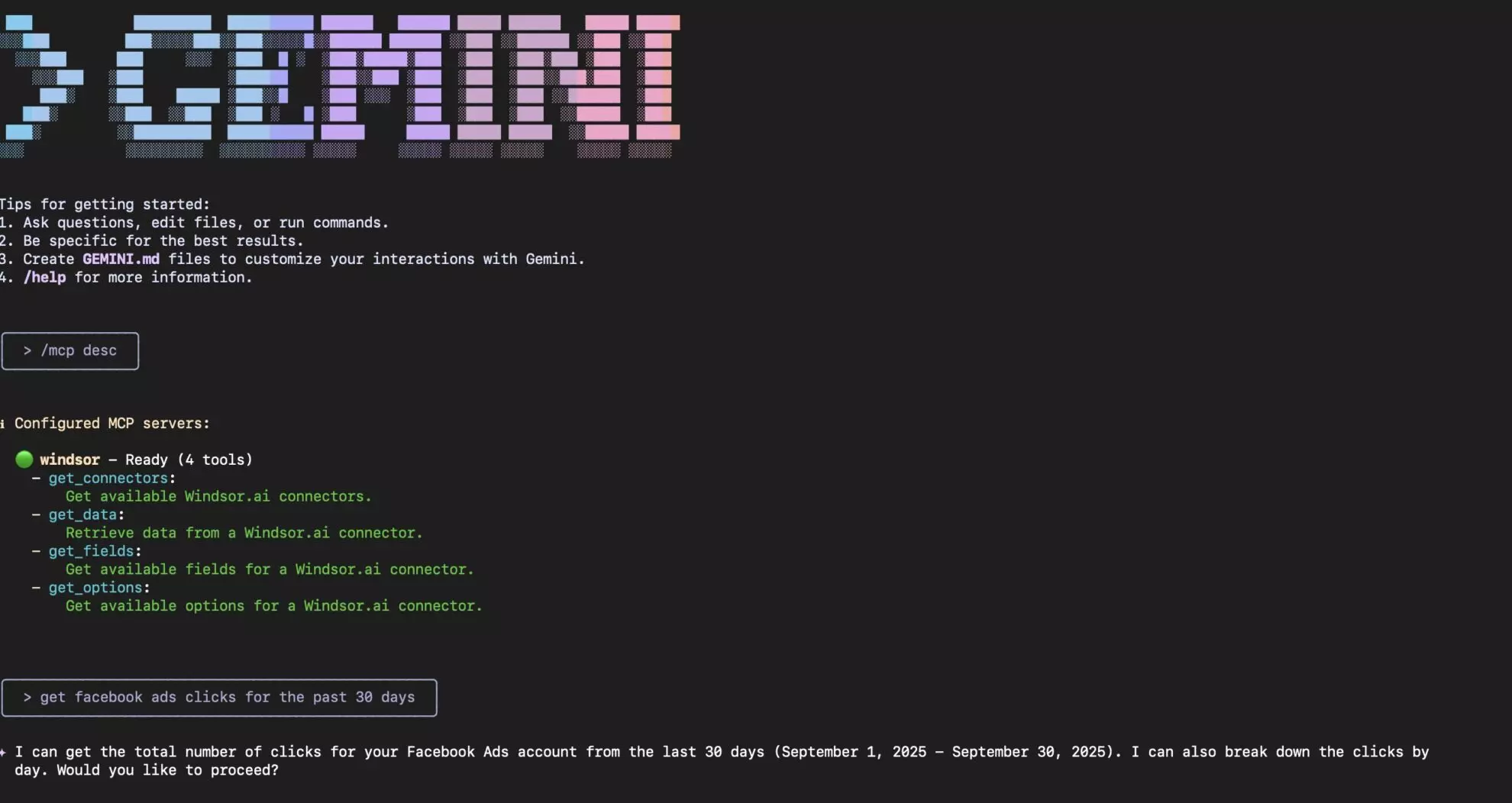
Once connected, you can start asking Gemini questions about your data. Windsor’s MCP will securely route your queries and return intelligent insights from your connected sources.
❗ Important: With Windsor MCP for Gemini, your data is only accessed for analysis and is never modified in the original platforms.
Helpful links
- About Windsor MCP – Explore general info about Windsor MCP: supported data sources and LLMs, benefits, use cases, etc.
- Windsor MCP use cases & examples (30+ prompts inside) – If you don’t know what to ask or are looking for advanced Windsor MCP use cases, read this guide for a batch of practical examples and useful prompts to make your data analysis with Gemini even more effective and deeper.
Tired of manual data reporting and analysis? Get started with Windsor MCP today to unlock instant AI insights


