 Destinations
 Data sources
 AI insights
 About us
 Careers
 Security
 Customer reviews
 Contact us
 Affiliate program
 Solution partners
 Template gallery
 Looker Studio templates
 Power BI templates
 Excel templates
 Google Sheets templates
 Tableau templates
 Facebook Ads templates
 Google Ads templates
 Data fields & Metrics
 AI prompt library & Guides
 Product documentation
 API documentation
 Case studies
 Blog
Blog Data models
 Windsor vs Supermetrics
 Windsor vs Funnel.io
 Windsor vs Fivetran
 Windsor vs Rivery
 Windsor vs Portermetrics
 Windsor vs Coupler.io
Connect Apify Dataset to Claude
Automatically sync your Apify data to Claude using the Windsor.ai connector.
Stream Apify datasets into Claude to instantly uncover competitor pricing, extract and qualify leads, and spot market shifts across web and social channels.
Forget CSVs. Stop copy/paste. Connect data in minutes. No code required.
 Sign up with Google
 Free forever plan
No credit card needed
Free forever plan
No credit card needed










Streamline analytics with Apify Dataset to Claude integration
Connect Apify to Claude via Windsor MCP to analyze your scraped datasets using natural language and get instant AI-powered insights in seconds. Discover key use cases:

Monitor competitor pricing shifts
Analyze your scraped pricing data over time to spot which competitors are frequently discounting or raising prices. Claude can then suggest a dynamic pricing strategy to ensure you remain competitive without sacrificing margin.

Compare global product availability
Look at inventory levels across different regional scraping runs to see where competitors are running out of stock. Use these insights to shift your marketing budget to the specific geographic areas where your products are the only ones available.

Uncover high-engagement social trends
Let Claude analyze social media posts to see which specific hashtags or topics are driving the most likes and comments. It can identify rising trends that are just beginning to gain traction, allowing you to create content that rides the wave early.
Using Windsor.ai to connect data from Apify to Claude
Getting Apify data into Claude typically requires manual exports, custom scripts, and time-consuming data prep. Windsor.ai removes that friction by automatically collecting, normalizing, and streaming your Apify datasets directly into Claude.
Connect in minutes and start querying your scraped web data via natural language.
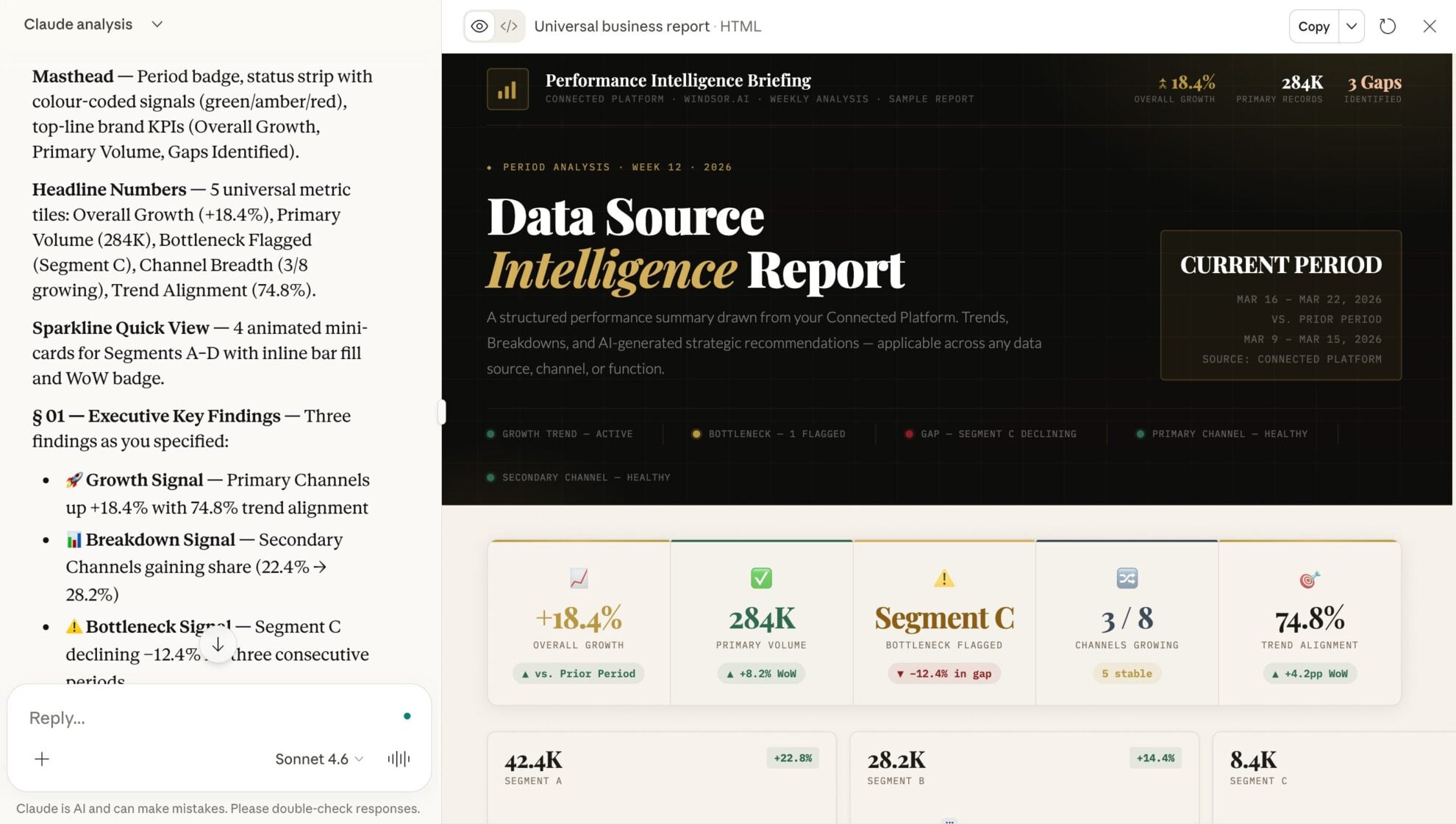














How to connect Apify Dataset to Claude with Windsor.ai
Explore our video tutorial and a step-by-step guide to integrate your data from any source into Claude with the Windsor.ai connector.
Select your data source
Choose Apify Dataset as your data source and grant access to Windsor.ai.

Install the Windsor.ai connector in Claude
In Claude, open Customize, then Connectors, search for Windsor and click Add. Sign in to your Windsor.ai account when prompted, and the connector appears in your Connectors list. You can also open the Windsor.ai listing in the Claude directory and click Connect.

Query your data in Claude
Start a new chat and ask Claude questions about your connected data: summarize KPIs, create client reporting dashboards, or run advanced analyses.
FAQs
Does Claude handle large datasets from Apify?
Yes. Claude can process large contexts to identify patterns, outliers, and trends across thousands of scraped records, such as product prices or social media mentions.
Can I combine multiple Apify datasets in one Claude session?
Yes, you can pull data from different Apify Actors (e.g., one for Instagram and one for TikTok) to perform cross-platform sentiment or trend analysis.
Can I use this for lead generation?
Yes. Claude can analyze scraped business data to identify and prioritize high-fit leads based on your ICP, helping you focus on prospects most likely to convert.
Can Claude write SEO content based on scraped data?
Yes. You can scrape top-ranking search results via Apify and ask Claude to analyze the common headings, keywords, and topics to draft a superior content outline.
What prompts can I use when analyzing Apify Dataset data in Claude?
Use more specific, advanced prompts to extract deeper insights from your Apify data. For example:
-
Analyze the 'features_list' from these 50 scraped competitor product pages. Identify any high-demand customer needs mentioned in the 'reviews' section that are not currently listed as features by any of the competitors. Describe this 'white space' opportunity.
-
Look at the search results dataset for [Keyword]. Identify any 'low-authority' domains (low backlink count) that are successfully ranking in the top 5. Analyze their 'content_structure' and 'media_types' to explain why they are outranking the giants. What can we pivot in our strategy to mimic this?
-
Using the datasets from Twitter, Reddit, and Amazon Reviews, identify discrepancies in how users talk about our brand. Do the complaints on Reddit (technical) match the reviews on Amazon (usability)? Surface inconsistencies between perception and product reality to guide fixes.
-
Analyze the 'inventory_levels' and 'discount_percentage' of these 10 major retailers over the last 30 days. Based on the rate of discounting vs. stock depletion, predict which product categories are likely to go into 'clearance mode' in the next 2 weeks and recommend our ad spend adjustment for those categories.
How much does it cost to integrate Apify Dataset into Claude using Windsor.ai?
Windsor.ai’s pricing for Claude data integration varies depending on the number of connected accounts and data sources. We offer absolutely transparent pricing plans for diversified business needs and budgets.
How long does it take to connect Apify Dataset to Claude?
With Windsor.ai’s easy-to-use connector, the integration process takes just a few minutes. No technical expertise is needed; syncing Apify Dataset to Claude is simple, straightforward, and completely code-free.
Do you have helpful links to get started with integrating Apify Dataset and Claude using Windsor.ai?
Yes, we have helpful resources to help you get started. You can explore our official documentation and tutorials for seamless Apify Dataset to Claude integration with Windsor.ai:
Tired of manual Apify data exports? Try Windsor.ai today to automate your reporting


