 Destinations
 Data sources
 AI insights
 About us
 Careers
 Security
 Customer reviews
 Contact us
 Affiliate program
 Solution partners
 Template gallery
 Looker Studio templates
 Power BI templates
 Excel templates
 Google Sheets templates
 Tableau templates
 Facebook Ads templates
 Google Ads templates
 Data fields & Metrics
 AI prompt library & Guides
 Product documentation
 API documentation
 Case studies
 Blog
Blog Data models
 Windsor vs Supermetrics
 Windsor vs Funnel.io
 Windsor vs Fivetran
 Windsor vs Rivery
 Windsor vs Portermetrics
 Windsor vs Coupler.io
Connect Azure Table Storage to Claude
Automatically sync your Azure Table Storage data to Claude using the Windsor.ai connector.
Ask any business question across years of your Azure Table Storage data and uncover patterns, anomalies, and growth opportunities with AI-powered insights in Claude.
Forget CSVs. Stop copy/paste. Connect data in minutes. No code required.
 Sign up with Google
 Free forever plan
No credit card needed
Free forever plan
No credit card needed









Streamline analytics with Azure Table Storage to Claude integration
By linking Azure Table Storage to Claude via Windsor MCP, you can query and explore your data on demand and generate insights in seconds. Key benefits include:

Query your data with natural language
Ask complex questions and explore your Azure Table Storage data without writing queries or scripts. Claude lets you analyze entities, attributes, and patterns using simple prompts.

Interpret schemaless data
Claude reads and adapts to your semi-structured data automatically, so you can work with varying attributes across entities without predefined schemas or data modeling.

Run cross-channel analysis
With Windsor.ai, you can combine Azure Table Storage with platforms like Google Ads, Meta Ads, CRMs, and analytics tools to unlock cross-channel insights without manual data merging.

Get instant business insights
With massive volumes of historical data in Azure Table Storage, you can ask a wide range of business questions on demand, from user behavior and system performance to anomalies and growth trends, and get clear, precise answers in seconds.
Using Windsor.ai to connect data from Azure Table Storage to Claude
Connecting Azure Table Storage data to Claude often involves manual exports, data prep, or additional tools. Windsor.ai removes that friction by connecting your storage account directly to Claude in one minute.
Turn raw, schemaless entities into clear answers. Analyze user behavior, investigate anomalies, or compare data across partitions using simple natural language prompts.
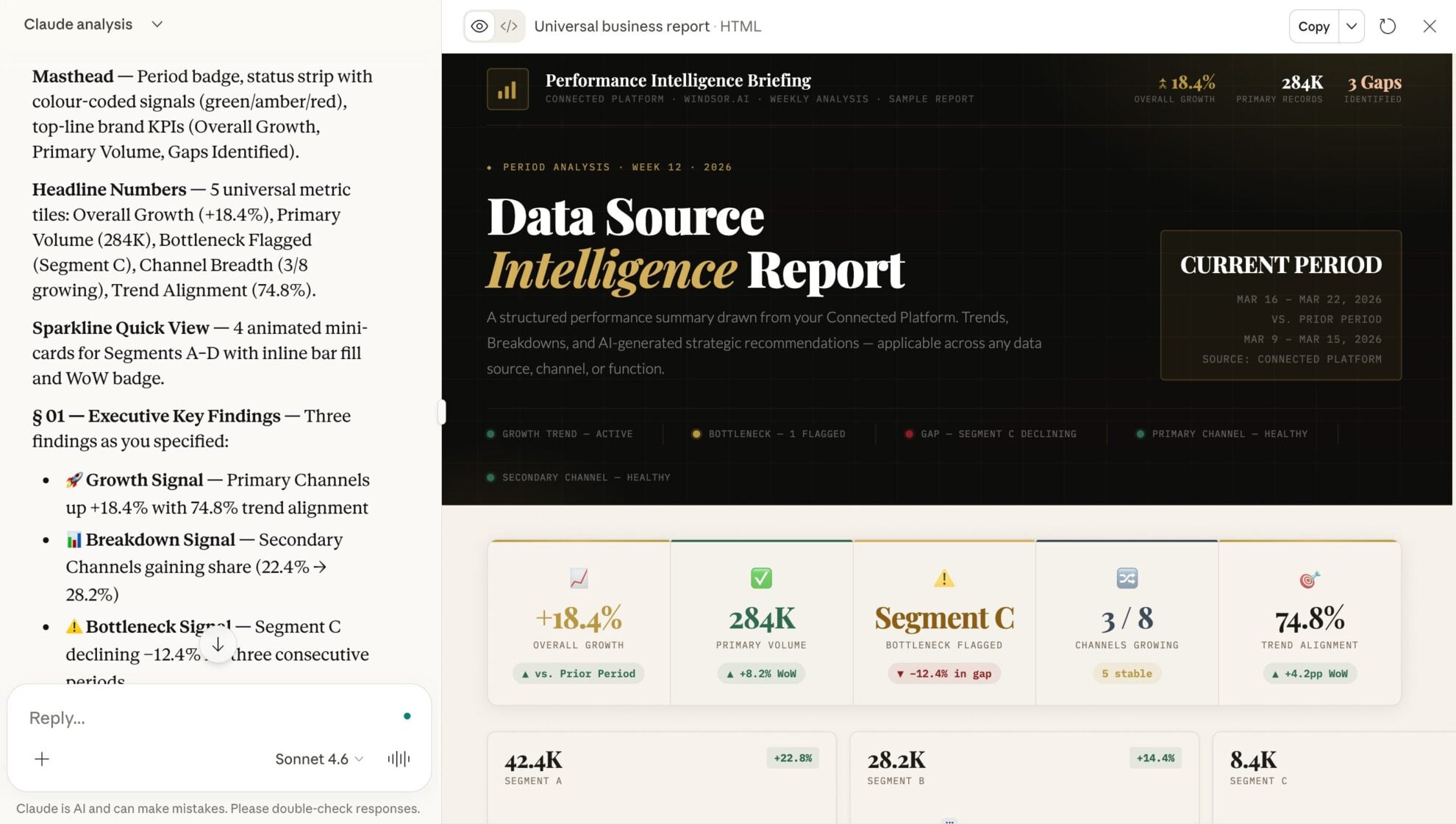














How to connect Azure Table Storage to Claude with Windsor.ai
Explore our video tutorial and a step-by-step guide to integrate your data from any source into Claude with the Windsor.ai connector.
Select your data source
Choose Azure Table Storage as your data source and grant access to Windsor.ai.

Install the Windsor.ai connector in Claude
In Claude, open Customize, then Connectors, search for Windsor and click Add. Sign in to your Windsor.ai account when prompted, and the connector appears in your Connectors list. You can also open the Windsor.ai listing in the Claude directory and click Connect.

Query your data in Claude
Start a new chat and ask Claude questions about your connected data: summarize KPIs, create client reporting dashboards, or run advanced analyses.
FAQs
Does Claude understand PartitionKeys and RowKeys?
Yes. Claude uses PartitionKeys and RowKeys to navigate your Azure Table Storage data and isolate specific segments instantly. This lets you compare performance across partitions (e.g., regions, time periods, or categories) and get precise answers without manually filtering or restructuring your data.
Can Claude help identify unused or incomplete data in my tables?
Yes. Claude can surface outdated, inactive, or incomplete records, such as entities that haven’t been updated recently or are missing key attributes, so you can clean up and optimize your data.
Can Claude analyze JSON data stored inside table fields?
Yes. Claude can parse and extract values from JSON stored within table attributes, allowing you to analyze nested data without preprocessing or transformation.
What prompts can I use when analyzing Azure Table Storage data in Claude?
Use more specific, advanced prompts to extract deeper insights from your Azure Table Storage data. For example:
-
Analyze the 'UserActivity' table and compare the activity levels of users who signed up 3 months ago versus those who signed up last month. Identify patterns of 'declining engagement' and list the UserIDs most at risk of churning.
-
Scan the 'Transactions' table for any outliers in the 'Amount' field that are 3x higher than the average for that specific 'UserID'. Flag these as potential fraud and explain why they stand out compared to the user's historical 'Timestamp' patterns.
-
Analyze the last 500 rows of my 'CustomerData' table. Identify all variations of the 'Country' field (e.g., USA, U.S., United States) and provide a clean-up mapping I can use to standardize this data for a future migration.
-
Combine Azure Table Storage user activity data with Google Ads and Meta Ads campaign data to identify which campaigns drive users who complete key product actions (e.g., activation events, repeat usage). Compare cost-per-acquired user vs cost-per-activated user, and highlight where high spend is generating low-quality engagement.
Can I combine Azure Table Storage data with other data sources?
Yes. With Windsor.ai, you can combine your Azure Table Storage data with 350+ other sources like Google Ads, Meta Ads, HubSpot, or GA4. This lets you connect product activity with acquisition and revenue data, so you can identify which channels drive engaged users, high-value customers, or churn risk, all in one Claude session.
How much does it cost to integrate Azure Table Storage into Claude using Windsor.ai?
Windsor.ai’s pricing for Claude data integration varies depending on the number of connected accounts and data sources. We offer absolutely transparent pricing plans for diversified business needs and budgets.
How long does it take to connect Azure Table Storage to Claude?
With Windsor.ai’s easy-to-use connector, the integration process takes just a few minutes. No technical expertise is needed; syncing Azure Table Storage to Claude is simple, straightforward, and completely code-free.
Do you have helpful links to get started with integrating Azure Table Storage and Claude using Windsor.ai?
Yes, we have helpful resources to help you get started. You can explore our official documentation and tutorials for seamless Azure Table Storage to Claude integration with Windsor.ai:
Tired of manual Azure Table Storage data exports? Try Windsor.ai today to automate your reporting


