 Destinations
 Data sources
 AI insights
 About us
 Careers
 Security
 Customer reviews
 Contact us
 Affiliate program
 Solution partners
 Template gallery
 Looker Studio templates
 Power BI templates
 Excel templates
 Google Sheets templates
 Tableau templates
 Facebook Ads templates
 Google Ads templates
 Data fields & Metrics
 AI prompt library & Guides
 Product documentation
 API documentation
 Case studies
 Blog
Blog Data models
 Windsor vs Supermetrics
 Windsor vs Funnel.io
 Windsor vs Fivetran
 Windsor vs Rivery
 Windsor vs Portermetrics
 Windsor vs Coupler.io
Connect ClickUp to Claude
Automatically sync your ClickUp data to Claude using the Windsor.ai connector.
Stream your ClickUp data into Claude and generate actionable insights that help you spot delays early, optimize workflows, and deliver projects on time.
Forget CSVs. Stop copy/paste. Connect data in minutes. No code required.
 Sign up with Google
 Free forever plan
No credit card needed
Free forever plan
No credit card needed










Improve project management with ClickUp data in Claude
Use Windsor.ai MCP to skip manual work and quickly bring your tasks, projects, and team goals into your AI workspace for advanced analysis. Explore the key benefits and use cases below:

Identify bottlenecks early
Claude identifies tasks that haven’t been updated for over 72 hours but are still active. It then analyzes the comments to explain why the work has stalled (e.g., ‘waiting on client’), helping you catch delays early.

Monitor resource and burnout
By analyzing the ratio of time_tracking__time to the number of task__id completions, Claude can spot inefficiencies. It alerts managers when a team member’s hours are rising while their output is falling, signaling potential burnout. This helps managers step in early, rebalance workloads, and keep the team productive.

Analyze data in seconds
Skip manual analysis, dashboards, and guesswork and get clear answers in seconds. Just ask Claude a question, and it will analyze your data, uncover patterns, and suggest next steps to improve your workflows.
Using Windsor.ai to connect data from ClickUp to Claude
Syncing ClickUp data with Claude usually requires manual exports, data cleanup, or costly add-ons. Windsor MCP removes this friction with a connector that automatically sends your ClickUp data to Claude.
Connect in minutes and start analyzing your project data using natural language.
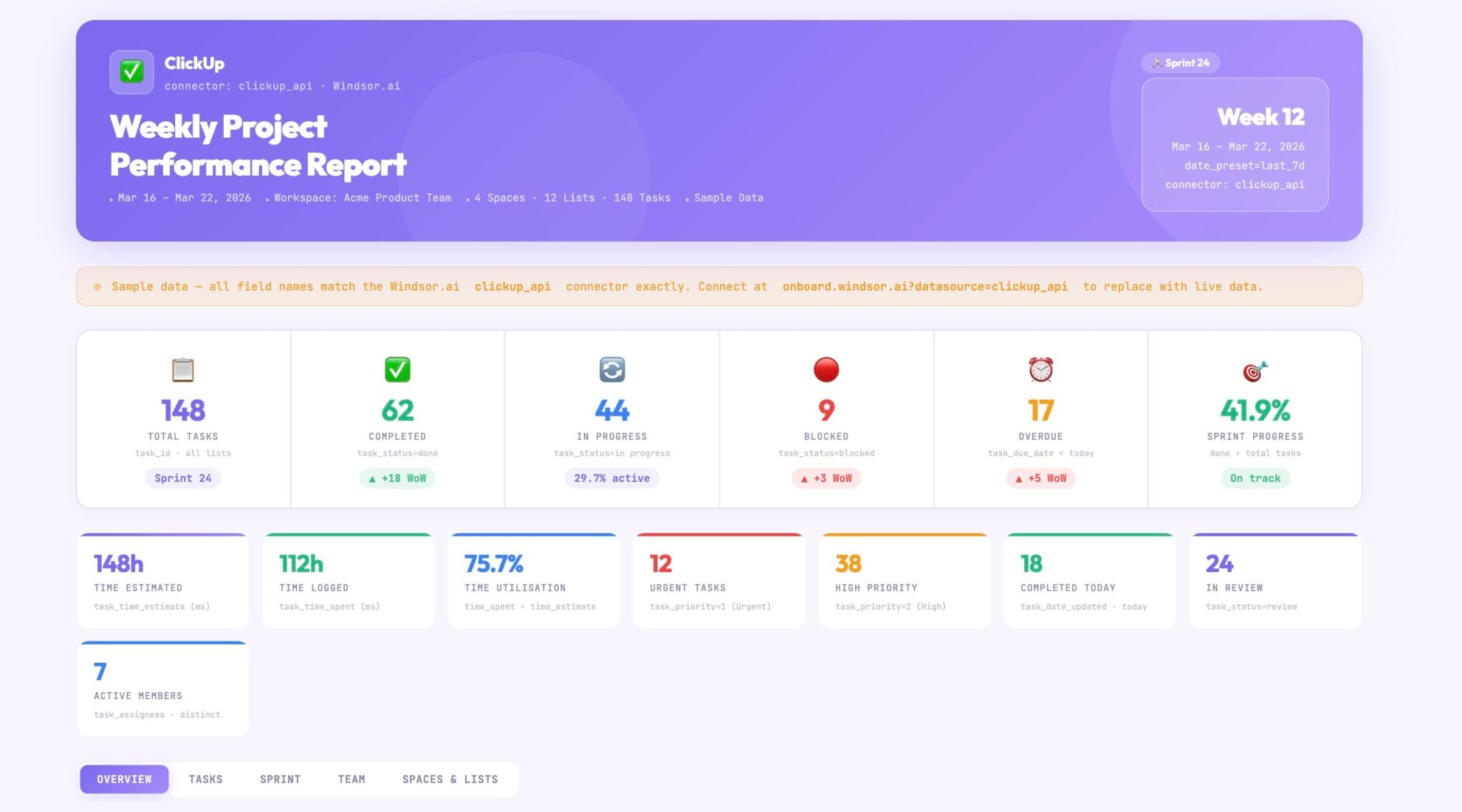














How to connect ClickUp to Claude with Windsor.ai
Explore our video tutorial and a step-by-step guide to integrate your data from any source into Claude with the Windsor.ai connector.
Select your data source
Choose ClickUp as your data source and grant access to Windsor.ai.

Install the Windsor.ai connector in Claude
In Claude, open Customize, then Connectors, search for Windsor and click Add. Sign in to your Windsor.ai account when prompted, and the connector appears in your Connectors list. You can also open the Windsor.ai listing in the Claude directory and click Connect.

Query your data in Claude
Start a new chat and ask Claude questions about your connected data: summarize KPIs, create client reporting dashboards, or run advanced analyses.

FAQs
How do I connect ClickUp to Claude using Windsor MCP?
With Windsor MCP, setup takes just a few minutes:
- Connect your ClickUp account in the Windsor.ai dashboard.
- Add the Windsor.ai connector to your Claude.ai settings (Connectors menu).
- Authorize access and start querying your ClickUp data using natural language.
Can Claude analyze data across multiple ClickUp Spaces?
Yes. With Windsor MCP, you can query data across your entire ClickUp workspace in one place. For example, you can ask Claude to: ‘Summarize all high-priority tasks across the Marketing and Sales spaces.’
How can Claude help me identify project bottlenecks?
By analyzing task statuses and ‘Time in Status’ data, Claude can identify exactly where work is getting stuck, whether it’s in the design phase, awaiting approval, or stalled by a specific dependency.
What prompts can I use when analyzing ClickUp data in Claude?
Use more specific prompts to extract deeper insights from your ClickUp data. For example:
-
Analyze how each team member’s workload and output have changed over the last 30 days. Identify cases where someone is spending more time but completing fewer tasks, and highlight potential signs of burnout or reduced efficiency.
-
Compare how much time is spent on tasks versus their assigned budget or cost. Which projects or areas require the most effort relative to their budget and may not be efficient?
-
Find tasks that depend on work from another team or space. Where delays in one team could block progress in another, and highlight the highest-risk dependencies.
-
Analyze comments on high-priority tasks and identify common issues like confusion, waiting, or rework. Show which teams or projects experience the most friction.
How much does it cost to integrate ClickUp into Claude using Windsor.ai?
Windsor.ai has a free forever plan, no credit card needed, and the Claude connector is included. Paid plans depend on how many accounts and data sources you connect. See the pricing page for details.
How long does it take to connect ClickUp to Claude?
With Windsor.ai’s easy-to-use connector, the integration process takes just a few minutes. No technical expertise is needed; syncing ClickUp to Claude is simple, straightforward, and completely code-free.
Do you have helpful links to get started with integrating ClickUp and Claude using Windsor.ai?
Yes, we have helpful resources to help you get started. You can explore our documentation and tutorials for the ClickUp to Claude integration with Windsor.ai:
ClickUp has an official Claude connector and MCP server. Should I use that or Windsor.ai?
Both have a place. ClickUp’s official connector, installed from Claude’s connector directory, operates your workspace from Claude: it creates and updates tasks, manages docs, tracks time, and posts in Chat. The Windsor.ai connector reads ClickUp as data for analysis and puts tasks, time entries, and goals next to 350+ other sources in the same conversation, such as your CRM or ad platforms. It never changes anything in ClickUp. Claude supports multiple connectors at once, so you can run both.
Tired of manual ClickUp data exports? Try Windsor.ai today to automate your reporting


