 Destinations
 Data sources
 AI insights
 About us
 Careers
 Security
 Customer reviews
 Contact us
 Affiliate program
 Solution partners
 Template gallery
 Looker Studio templates
 Power BI templates
 Excel templates
 Google Sheets templates
 Tableau templates
 Facebook Ads templates
 Google Ads templates
 Data fields & Metrics
 AI prompt library & Guides
 Product documentation
 API documentation
 Case studies
 Blog
Blog Data models
 Windsor vs Supermetrics
 Windsor vs Funnel.io
 Windsor vs Fivetran
 Windsor vs Rivery
 Windsor vs Portermetrics
 Windsor vs Coupler.io
Connect Close.com to Claude
Automatically sync your Close.com data to Claude using the Windsor.ai connector.
Send your CRM data to Claude to uncover stalled deals, accelerate the sales cycle, and increase win rates with AI-driven insights.
Forget CSVs. Stop copy/paste. Connect data in minutes. No code required.
 Sign up with Google
 Free forever plan
No credit card needed
Free forever plan
No credit card needed









Boost sales and revenue with Close.com to Claude integration
With Windsor MCP, you can quickly connect Close.com to Claude and query your CRM data using natural language. Here are a few high-impact use cases:

Identify stalled deals
Ask Claude to find high-value opportunities that have seen zero activity or status changes in the last two weeks. It flags these specific ‘at-risk’ deals and suggests a custom re-engagement plan based on the historical notes and previous conversations.

Profile winning lead sources
Cross-reference your Close.com pipeline with Meta, Google Ads, or TikTok data to measure the conversion rate from ‘New Lead’ to ‘Closed-Won’ by channel. Identify which sources actually generate revenue, not just leads, and reallocate budget toward high-converting segments.

Find the closing formula
Analyze the number of activity_calls and activity_emails recorded before an opportunity moves to a won status. Claude can determine the ‘Golden Ratio’ of touches required to close a deal, helping your reps know when to persist or move on.
Surface recurring sales objections
Claude can process the raw notes from every ‘Closed-Lost’ deal to identify the most common reasons prospects say no. It categorizes these into themes like ‘Price,’ ‘Competitor,’ or ‘Timing’ to help you refine your pitch or product roadmap.
Using Windsor.ai to connect data from Close.com to Claude
Sending Close.com data to Claude typically requires manual exports, data cleanup, or costly tools. Windsor.ai eliminates this friction with a connector that automatically collects, normalizes, and streams your leads, opportunities, and sales activity metrics into Claude.
Connect in minutes and start analyzing your sales performance data in plain language.














How to connect Close.com to Claude with Windsor.ai
Explore our video tutorial and a step-by-step guide to integrate your data from any source into Claude with the Windsor.ai connector.
Select your data source
Choose Close.com as your data source and grant access to Windsor.ai.

Install the Windsor.ai connector in Claude
In Claude, open Customize, then Connectors, search for Windsor and click Add. Sign in to your Windsor.ai account when prompted, and the connector appears in your Connectors list. You can also open the Windsor.ai listing in the Claude directory and click Connect.

Query your data in Claude
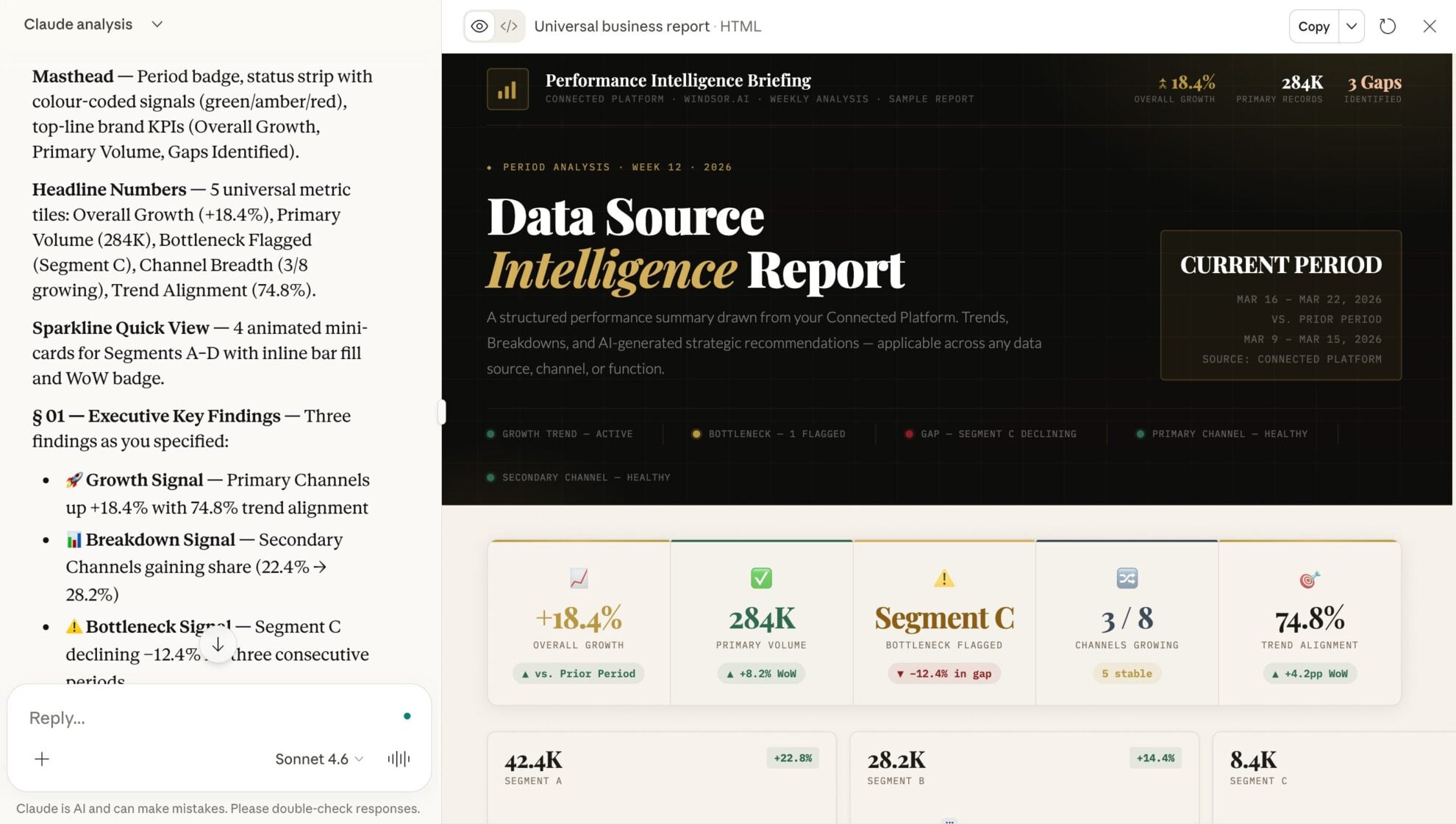
Start a new chat and ask Claude questions about your connected data: summarize KPIs, create client reporting dashboards, or run advanced analyses.
FAQs
Can Claude help me with sales forecasting?
Yes. By analyzing your historical ‘Closed-Won’ data and current pipeline probability, Claude can generate weighted revenue forecasts for the month or quarter.
Can I merge Close.com with marketing sources in Claude?
Absolutely. Windsor.ai supports integration with 350+ data sources. By blending Close revenue data with marketing spend, Claude can tell you which lead sources (e.g., LinkedIn or Google Ads) have the lowest CAC.
Can Claude help me identify stalled deals?
Yes. Claude can automatically surface stalled deals by scanning your Close pipeline activity, stage progression, and time-in-stage across opportunities.
What prompts can I use when analyzing Close.com data in Claude?
Use more specific, advanced prompts to extract deeper insights from your sales data. For example:
-
Compare our ad spend from Google and Meta with the 'Closed-Won' revenue in Close. Which campaign has the highest ROI?
-
Calculate the average 'Days in Stage' for all deals won in the last quarter. Identify which stage has the highest friction (longest duration) and suggest three ways to accelerate it.
-
Identify leads in our database that match our 'Closed-Won' profile (same industry and company size) but haven't been contacted in over 90 days. Draft a re-engagement email for the top 5.
-
Analyze the correlation between 'Call Duration' and 'Win Rate.' Do leads with calls longer than 10 minutes have a higher probability of closing? Provide the data to back this up.
How much does it cost to integrate Close.com into Claude using Windsor.ai?
Windsor.ai’s pricing for Claude data integration varies depending on the number of connected accounts and data sources. We offer absolutely transparent pricing plans for diversified business needs and budgets.
How long does it take to connect Close.com to Claude?
With Windsor.ai’s easy-to-use connector, the integration process takes just a few minutes. No technical expertise is needed; syncing Close.com to Claude is simple, straightforward, and completely code-free.
Do you have helpful links to get started with integrating Close.com and Claude using Windsor.ai?
Yes, we have helpful resources to help you get started. You can explore our official documentation and tutorials for seamless Close.com to Claude integration with Windsor.ai:
Tired of manual Close.com data exports? Try Windsor.ai today to automate your reporting


