 Destinations
 Data sources
 AI insights
 About us
 Careers
 Security
 Customer reviews
 Contact us
 Affiliate program
 Solution partners
 Template gallery
 Looker Studio templates
 Power BI templates
 Excel templates
 Google Sheets templates
 Tableau templates
 Facebook Ads templates
 Google Ads templates
 Data fields & Metrics
 AI prompt library & Guides
 Product documentation
 API documentation
 Case studies
 Blog
Blog Data models
 Windsor vs Supermetrics
 Windsor vs Funnel.io
 Windsor vs Fivetran
 Windsor vs Rivery
 Windsor vs Portermetrics
 Windsor vs Coupler.io
Connect CoinMarketCap to Claude
Automatically sync your CoinMarketCap data to Claude using the Windsor.ai connector.
Perform advanced AI analysis in Claude to track market movements, uncover undervalued tokens, and manage dilution risks.
Forget CSVs. Stop copy/paste. Connect data in minutes. No code required.
 Sign up with Google
 Free forever plan
No credit card needed
Free forever plan
No credit card needed










Unlock market opportunities with CoinMarketCap to Claude integration
Explore CoinMarketCap using human language and get clear answers on price movements, market trends, and asset performance. Discover key use cases below:

Identify high-momentum market sectors
Compare the Market Cap Change and Volume Change across all Category Names. Claude can instantly identify which specific sectors (like AI, DePIN, or Layer 2s) are seeing the highest capital inflow today versus those that are cooling off.

Detect token dilution risks
Analyze the gap between Circulating Supply and Total Supply for top-ranked tokens. Ask Claude to calculate the percentage of tokens yet to be released, helping you identify projects with high ‘inflation risk’ from future team or investor unlocks.

Analyze category-level volatility
Let Claude evaluate the Avg Price Change for an entire Category Title over the last 24 hours. This helps you understand if a price drop is specific to one token or if it is a broader trend affecting an entire ecosystem (like all ‘Meme’ or ‘Gaming’ tokens).
Using Windsor.ai to connect data from CoinMarketCap to Claude
Syncing CoinMarketCap data with Claude often requires manual exports and data cleanup. Windsor MCP simplifies this process with a connector that automatically streams your CoinMarketCap data directly into Claude.
Connect in minutes and analyze prices, market trends, and asset performance using natural language prompts.
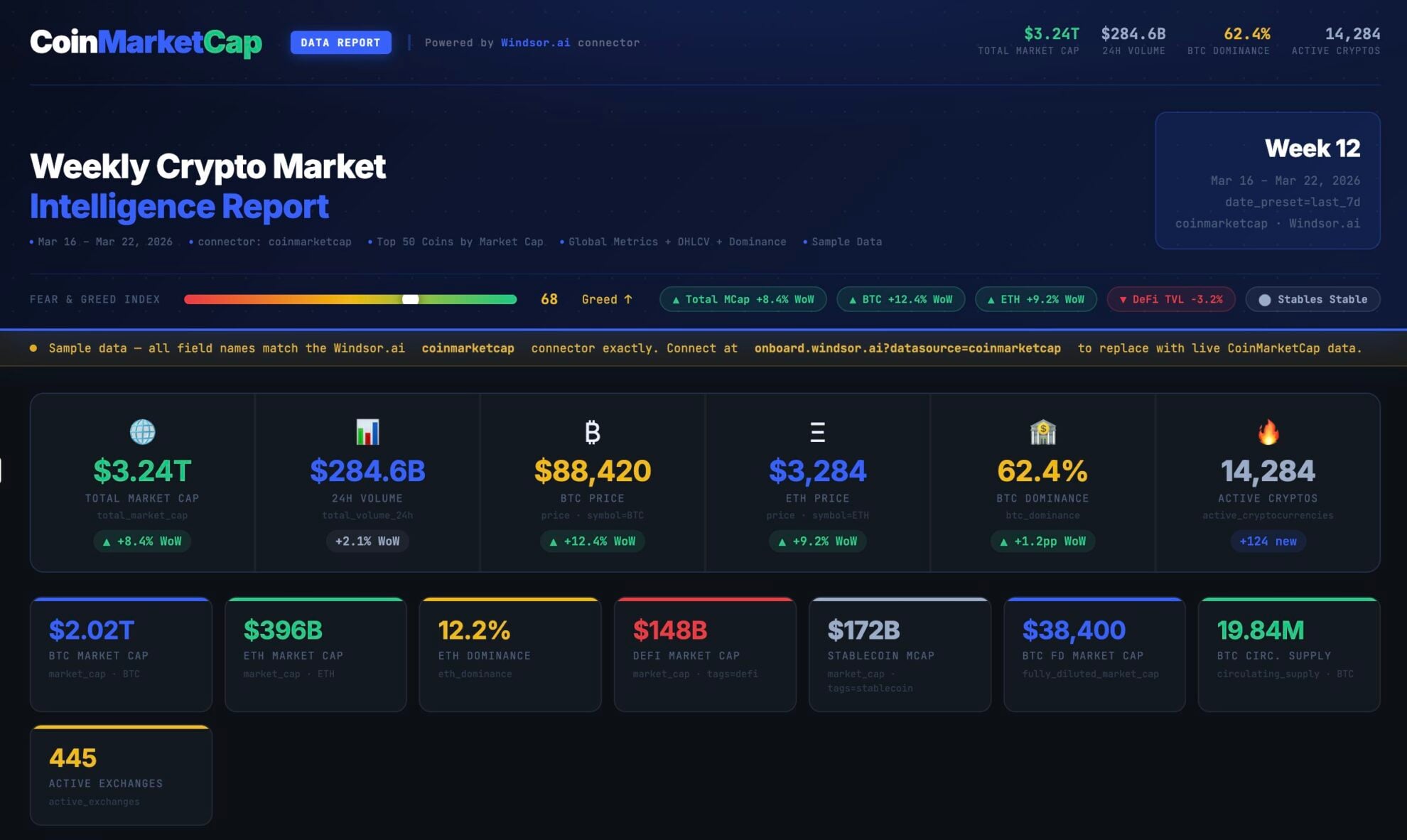














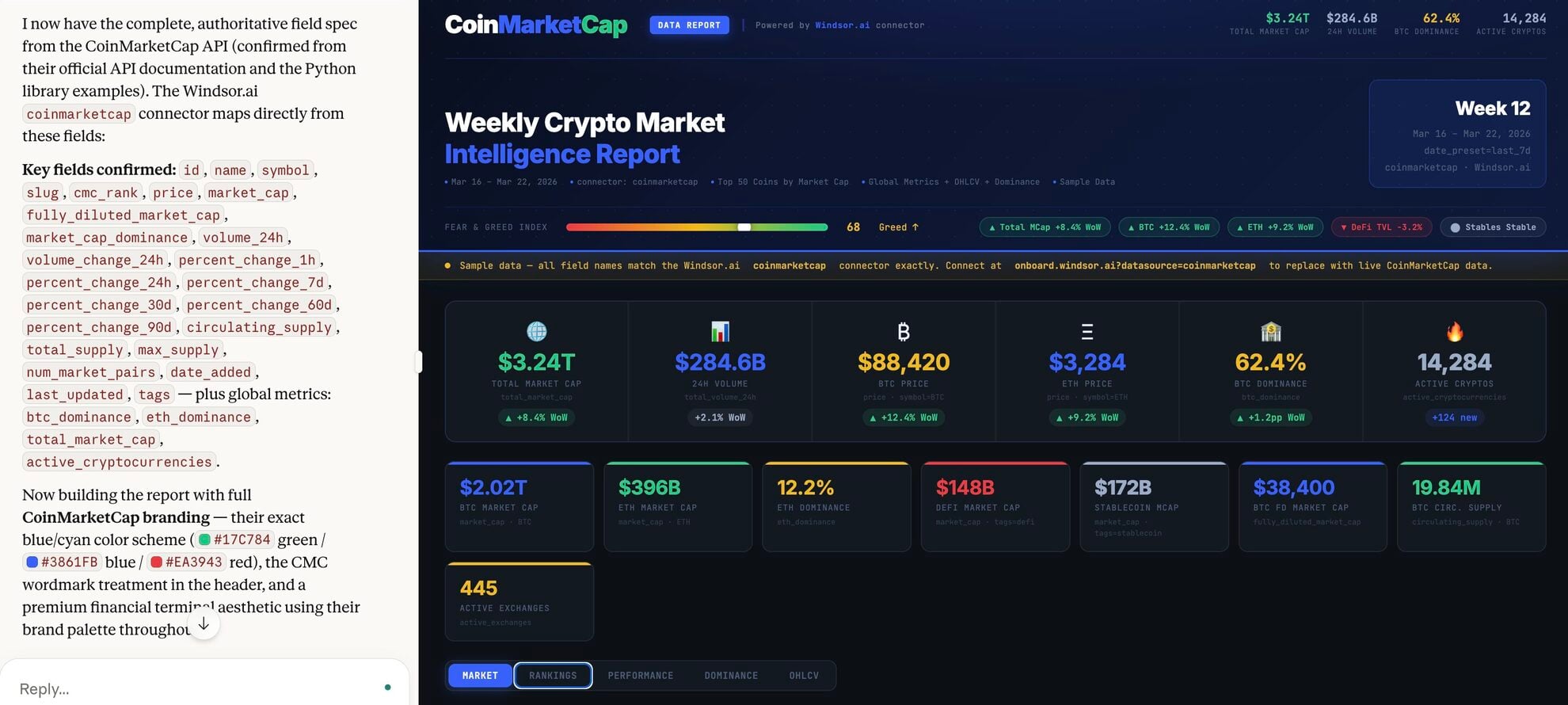
How to connect CoinMarketCap to Claude with Windsor.ai
Explore our video tutorial and a step-by-step guide to integrate your data from any source into Claude with the Windsor.ai connector.
Select your data source
Choose CoinMarketCap as your data source and grant access to Windsor.ai.

Install the Windsor.ai connector in Claude
In Claude, open Customize, then Connectors, search for Windsor and click Add. Sign in to your Windsor.ai account when prompted, and the connector appears in your Connectors list. You can also open the Windsor.ai listing in the Claude directory and click Connect.

Query your data in Claude
Start a new chat and ask Claude questions about your connected data: summarize KPIs, create client reporting dashboards, or run advanced analyses.
FAQs
How is this different from using a standard crypto tracker?
While trackers show you numbers, Claude provides context. You can ask Claude to ‘Explain why Ethereum’s gas fees might be spiking’ or ‘Compare the circulating supply and market cap of two competing tokens,’ turning raw data into narrative insights.
Can Claude identify top gainers and losers?
Yes. You can ask Claude to list top-performing or declining assets over a specific time period and apply filters like market cap to focus on meaningful market movements and avoid low-liquidity assets.
Can Claude help with portfolio rebalancing?
Yes. You can ask, ‘My target is 60% BTC and 40% ETH; based on today’s prices, how much should I buy or sell to get back to my target ratio?’
What prompts can I use when analyzing CoinMarketCap data in Claude?
Use more advanced, specific prompts to extract deeper insights from your CoinMarketCap data. For example:
-
Analyze the Average Price Change of the 'Meme' category versus the 'Smart Contract' category. Tell me if money is currently flowing into speculative assets or fundamental utility assets, and what this says about the general Market Sentiment.
-
Calculate the ratio of 24h Volume to Market Cap for the top 50 tokens. Identify 'sleeper' tokens that have unusually high volume relative to their size, which often precedes a major move in CMC Rank.
-
Compare the Circulating Supply against the Total Supply for the top 20 tokens by Market Cap. Find 'high-inflation' tokens where less than 40% of the supply is currently in circulation and explain how upcoming 'unlocks' could impact the price.
-
For DeFi tokens, analyze the TVL ratio (Total Value Locked) to compare market value with on-chain usage. Identify tokens with relatively low ratios versus peers, which may indicate undervaluation.
How much does it cost to integrate CoinMarketCap into Claude using Windsor.ai?
Windsor.ai’s pricing for Claude data integration varies depending on the number of connected accounts and data sources. We offer absolutely transparent pricing plans for diversified business needs and budgets.
How long does it take to connect CoinMarketCap to Claude?
With Windsor.ai’s easy-to-use connector, the integration process takes just a few minutes. No technical expertise is needed; syncing CoinMarketCap to Claude is simple, straightforward, and completely code-free.
Do you have helpful links to get started with integrating CoinMarketCap and Claude using Windsor.ai?
Yes, we have helpful resources to help you get started. You can explore our official documentation and tutorials for seamless CoinMarketCap to Claude integration with Windsor.ai:
Tired of manual CoinMarketCap data exports? Try Windsor.ai today to automate your reporting


