 Destinations
 Data sources
 AI insights
 About us
 Careers
 Security
 Customer reviews
 Contact us
 Affiliate program
 Solution partners
 Template gallery
 Looker Studio templates
 Power BI templates
 Excel templates
 Google Sheets templates
 Tableau templates
 Facebook Ads templates
 Google Ads templates
 Data fields & Metrics
 AI prompt library & Guides
 Product documentation
 API documentation
 Case studies
 Blog
Blog Data models
 Windsor vs Supermetrics
 Windsor vs Funnel.io
 Windsor vs Fivetran
 Windsor vs Rivery
 Windsor vs Portermetrics
 Windsor vs Coupler.io
Connect Customer.io to ChatGPT
Automatically sync your Customer.io data to ChatGPT using the Windsor.ai connector.
Stream your messaging data into ChatGPT to instantly spot high-performing campaigns, audit channel efficiency, and build a more personalized customer journey.
Forget CSVs. Stop copy/paste. Connect data in minutes. No code required.
 Sign up with Google
 Free forever plan
No credit card needed
Free forever plan
No credit card needed










Make the most out of your data with Customer.io to ChatGPT integration
Bring your Customer.io data into ChatGPT to uncover AI-driven insights, spot opportunities, and generate next steps recommendations, without relying on dashboards. Explore key use cases below:

Find messaging bottlenecks
Pinpoint exactly which email or SMS in a multi-step sequence is causing users to stop engaging. This helps you decide which specific message needs a complete rewrite to keep the momentum going.

Balance communication frequency
Ask AI to determine the ‘sweet spot’ of how many messages a customer should receive before they feel overwhelmed. With these insights you can scale your outreach while keeping unsubscribe rates at a minimum.

Optimize send timing
Analyze your historical engagement patterns to find the specific hours of the week when your audience is most likely to click. You can then adjust your delivery schedules to maximize real-time visibility.
Using Windsor.ai to connect data from Customer.io to ChatGPT
Skip the manual exports, data prep, and API work. Windsor.ai’s connector handles the entire process by automatically collecting, normalizing, and delivering your Customer.io data to ChatGPT.
Connect in minutes and start analyzing your customer communication across campaigns.















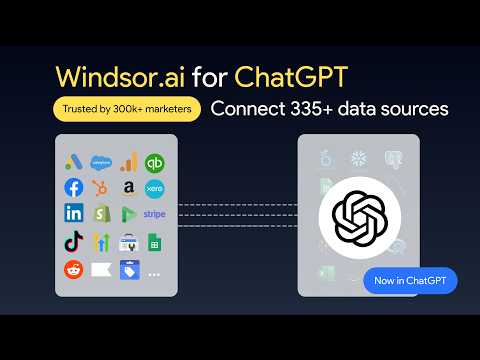
How to connect Customer.io to ChatGPT data with Windsor.ai
Explore our video tutorial and a step-by-step guide to seamlessly integrate your data from any source into ChatGPT with the Windsor.ai connector.
Select your data source
Choose Customer.io as your data source and grant access to Windsor.ai.

Install the Windsor.ai connector
Log in to your ChatGPT account and open this Windsor.ai connector page.
Click Connect, then authorize access.

Query your Customer.io data in ChatGPT
Open a new chat and start asking questions about your connected Customer.io data using natural language.
Make sure that the Windsor.ai connector is enabled (click the + sign → More → Windsor.ai.)
FAQs
Can I compare the performance of newsletters vs. automated journeys?
Absolutely. By querying the campaign_type field, ChatGPT can group your data and show you which delivery method is driving better engagement.
Does this integration support SMS and Push notifications?
Yes. All messaging channels tracked in Customer.io (Email, SMS, Push, In-App) are available for analysis through the Windsor connector.
Can I blend Customer.io data with Google Ads or Meta in ChatGPT?
Yes. If both sources are connected in Windsor.ai, you can analyze them together in ChatGPT to connect acquisition (Google Ads/Meta) with lifecycle engagement (Customer.io).
What prompts can I use to analyze Customer.io data in ChatGPT?
Use more advanced prompts in ChatGPT to uncover deeper insights from your Customer.io data. For example:
-
Analyze the interaction data for our 'At-Risk' segment. Based on their last
clickedandopenedtimestamps, identify the average number of days since their last engagement. Suggest a 3-step re-engagement sequence using a mix of Email and Push notifications. -
Using the
parent_action_idfield, map out the flow of our 'Onboarding' journey. Identify the specific step where the largest drop-off in engagement occurs. Is it a timing issue (frequency) or a content issue (low clicks)? -
Examine users who have engaged with more than 5 messages in the last 14 days. What are the common attributes or 'Action IDs' associated with this high-intensity group? Recommend a strategy to move these users into a 'Brand Advocate' workflow.
-
Retrieve the message body and metrics for our top 5 performing automated messages. Identify the common power words and CTAs used in these successful campaigns, and then rewrite our 3 worst-performing messages to align with these patterns.
How much does it cost to integrate Customer.io into ChatGPT using Windsor.ai?
Windsor.ai is free to start, no credit card required. Paid plans start at $19/month and scale by the number of sources and accounts. See the pricing page.
How long does it take to connect Customer.io to ChatGPT?
With Windsor.ai’s intuitive connector, the integration process takes just a few minutes. No technical expertise is required; connecting Customer.io to ChatGPT is simple, straightforward, and completely code-free.
Do you have helpful links to get started with integrating Customer.io and ChatGPT using Windsor.ai?
Yes, we have helpful resources to help you get started. You can explore our official documentation and tutorials for seamless Customer.io to ChatGPT integration with Windsor.ai:
Tired of manual Customer.io data exports? Try Windsor.ai today to automate your reporting


