 Destinations
 Data sources
 AI insights
 About us
 Careers
 Security
 Customer reviews
 Contact us
 Affiliate program
 Solution partners
 Template gallery
 Looker Studio templates
 Power BI templates
 Excel templates
 Google Sheets templates
 Tableau templates
 Facebook Ads templates
 Google Ads templates
 Data fields & Metrics
 AI prompt library & Guides
 Product documentation
 API documentation
 Case studies
 Blog
Blog Data models
 Windsor vs Supermetrics
 Windsor vs Funnel.io
 Windsor vs Fivetran
 Windsor vs Rivery
 Windsor vs Portermetrics
 Windsor vs Coupler.io
Connect EmailOctopus to ChatGPT
Automatically sync your EmailOctopus campaign and list data to ChatGPT using the Windsor.ai connector.
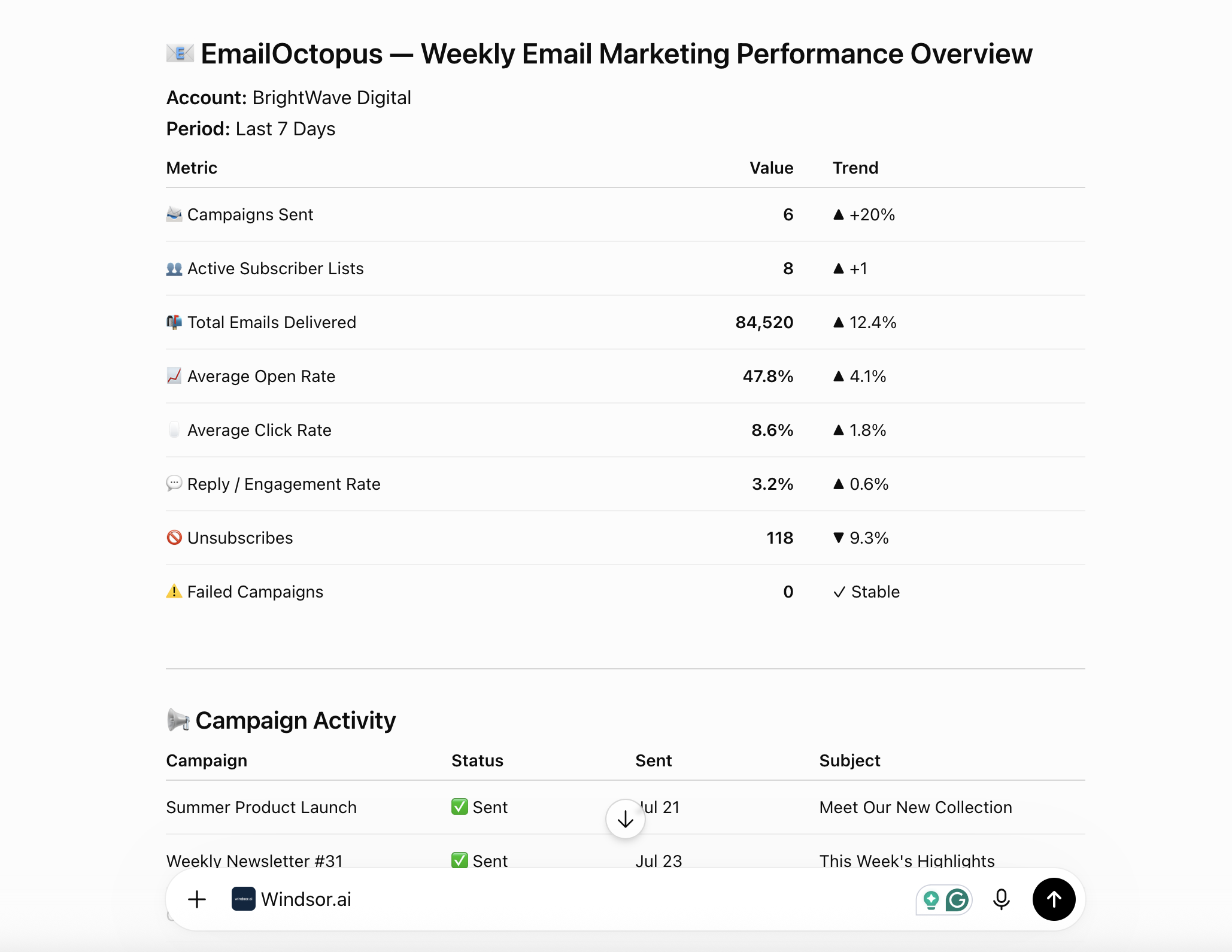
Chat with your email marketing data in plain language to check campaign status, subject lines, and list health instead of clicking through the EmailOctopus dashboard.
Forget CSVs. Stop copy/paste. Connect in minutes. No code required.
 Sign up with Google
 Free forever plan
No credit card needed
Free forever plan
No credit card needed










Get instant AI insights from your EmailOctopus data in ChatGPT
Windsor MCP streams your live EmailOctopus campaign and list data into ChatGPT, so you skip the exports and go straight to what’s driving engagement. Explore key use cases:

See what's live vs. queued
Ask ChatGPT to group every campaign by campaigns.status so you always know what’s live, what’s scheduled, and what’s still sitting in draft.

Audit your subject line patterns
Pull every campaigns.subject you’ve sent to spot repeated phrasing, length patterns, or ideas worth testing again.

Compare list sizes at a glance
Ask ChatGPT to rank your lists by lists.counts to see which audience is actually your biggest and which ones have stalled.

Track how your list roster has grown
Compare lists.created_at across every list to see how often you’re spinning up new segments versus relying on a few core lists.
Using Windsor.ai to connect data from EmailOctopus to ChatGPT
Sending EmailOctopus data into ChatGPT usually means manual exports, spreadsheet prep, or costly integration tools, especially when you’re checking send status and list health campaign by campaign. Windsor.ai removes that friction with an MCP connector that automatically collects, structures, and streams your EmailOctopus data directly into ChatGPT.
Connect in minutes and start asking natural-language questions about send status, subject lines, and list health.














How to connect EmailOctopus to ChatGPT with Windsor.ai
Explore our video tutorial and a step-by-step guide to integrate your EmailOctopus data into ChatGPT with the Windsor.ai connector.
Connect EmailOctopus in the Windsor.ai dashboard
Choose EmailOctopus as your data source and grant access to Windsor.ai.

Install the Windsor.ai connector
Log in to your ChatGPT account and open this Windsor.ai connector page.
Click Connect, then authorize access.

Query your EmailOctopus data in ChatGPT
Open a new chat and start asking questions about your connected EmailOctopus data using natural language.
Make sure that the Windsor.ai connector is enabled (click the + sign → More → Windsor.ai).
FAQs
What EmailOctopus data can I analyze in ChatGPT?
Windsor.ai gives ChatGPT access to all 19 EmailOctopus fields, across two tables plus standard system fields:
- Campaigns (8 fields): campaign name and ID, subject line, status, created_at, sent_at, and the from/to sender-recipient objects.
- Lists (6 fields): list name and ID, created_at, double_opt_in setting, subscriber counts, and custom list fields.
Plus the standard date and source fields (today, now, datasource, data_fetched_at) available on every Windsor.ai connector.
Can ChatGPT flag lists that still allow single opt-in?
Yes. Windsor.ai streams the double_opt_in setting for every list, so ChatGPT can filter your account down to the lists still on single opt-in and suggest which ones to review first for deliverability.
Can ChatGPT track my campaign sending activity over time?
Yes. Every campaign carries a created_at and sent_at timestamp, so ChatGPT can chart how often you’re sending, spot gaps in your schedule, and compare send frequency month over month.
Does Windsor.ai track individual EmailOctopus subscribers?
No. Windsor.ai’s EmailOctopus connector reports at the campaign and list level, including aggregate list counts, but it does not expose individual subscriber records. For subscriber-level questions, ChatGPT works from list-level totals rather than a per-contact breakdown.
What prompts can I use to analyze EmailOctopus data in ChatGPT?
Use advanced prompts in ChatGPT to uncover deeper insights from your EmailOctopus data. For example:
-
Show me every campaign's subject line and sent_at date from the last 6 months, sorted most recent first.
-
Which of my lists have double_opt_in turned off? List their names and creation dates.
-
Break down my lists by counts and tell me which list is my largest and which is smallest.
-
Compare campaigns.created_at to campaigns.sent_at for my last 10 campaigns and flag any that sat in draft for more than a week before sending.
How much does it cost to integrate EmailOctopus into ChatGPT using Windsor.ai?
Windsor.ai is free to start, no credit card required. Paid plans start at $19/month and scale by the number of sources and accounts. See the pricing page.
Can I combine EmailOctopus data with other channels in ChatGPT?
Yes. Windsor.ai supports 350+ data sources, so you can connect EmailOctopus alongside Shopify, GA4, or your ad platforms to see how email campaigns line up with site traffic and sales.
Do you have helpful links to get started with integrating EmailOctopus and ChatGPT using Windsor.ai?
Yes, we have helpful resources to help you get started. You can explore our official documentation for seamless EmailOctopus to ChatGPT integration with Windsor.ai:
Tired of manual EmailOctopus data exports? Try Windsor.ai today to automate your reporting


