 Destinations
 Data sources
 AI insights
 About us
 Careers
 Security
 Customer reviews
 Contact us
 Affiliate program
 Solution partners
 Template gallery
 Looker Studio templates
 Power BI templates
 Excel templates
 Google Sheets templates
 Tableau templates
 Facebook Ads templates
 Google Ads templates
 Data fields & Metrics
 AI prompt library & Guides
 Product documentation
 API documentation
 Case studies
 Blog
Blog Data models
 Windsor vs Supermetrics
 Windsor vs Funnel.io
 Windsor vs Fivetran
 Windsor vs Rivery
 Windsor vs Portermetrics
 Windsor vs Coupler.io
Connect Freshsales to Claude
Automatically sync your Freshsales data to Claude using the Windsor.ai connector.
Bring your CRM data into Claude to identify high-value prospects, flag at-risk deals, and optimize your pipeline to drive more revenue.
Forget CSVs. Stop copy/paste. Connect data in minutes. No code required.
 Sign up with Google
 Free forever plan
No credit card needed
Free forever plan
No credit card needed










Drive revenue growth with Freshsales to Claude integration
Get quick insights into your pipeline performance with Freshsales data in Claude. Explore the key benefits and use cases below:

Marketing source ROI audit
Claude correlates won_deal_amount with contacts_first_source to reveal which marketing channels drive the highest actual revenue. This moves your reporting beyond simple lead counts to true bottom-line attribution.

Lost deal post-mortem
Using the lost_deals_reason_id and note fields, Claude categorizes why deals are failing (e.g., price, features, or timing). It provides a monthly summary of ‘Lost Revenue Drivers’ to help product and sales teams pivot.

High-intent lead recovery
Claude filters your contacts by lead_score and last_contacted to find hot prospects that have slipped through the cracks. It then drafts a personalized re-engagement email based on their recent note history.

Quick AI analysis
Get pipeline summaries, deal status updates, and performance reports in seconds with just one prompt. Claude interprets your CRM metrics to highlight risks, opportunities, and next steps instantly.
Using Windsor.ai to connect data from Freshsales to Claude
Syncing Freshsales data with Claude can be time-consuming and technically challenging. Windsor MCP simplifies this process with a connector that automatically streams your Freshsales data directly into Claude.
Connect in minutes and start analyzing your sales performance via natural language.
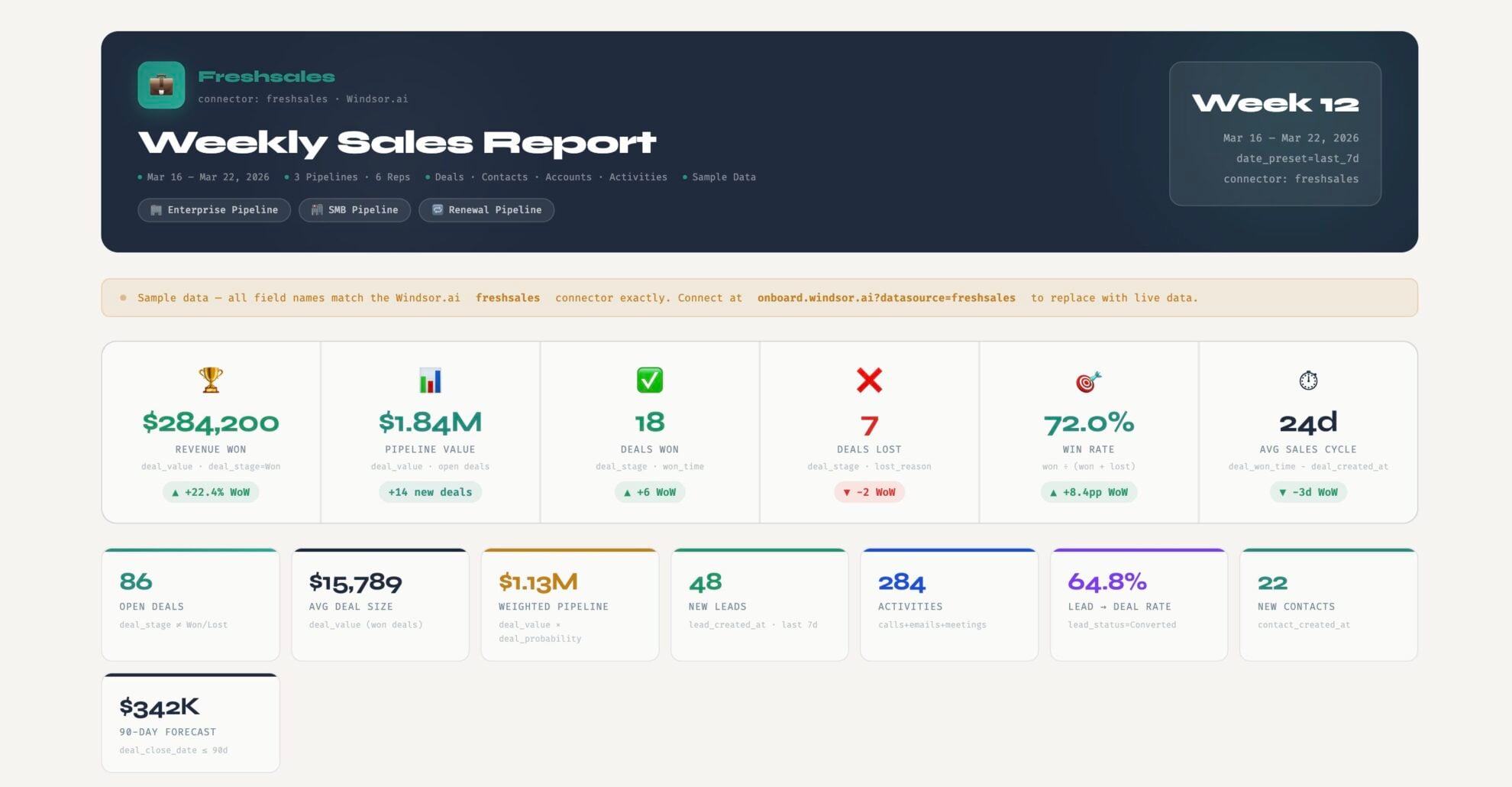














How to connect Freshsales to Claude with Windsor.ai
Explore our video tutorial and a step-by-step guide to integrate your data from any source into Claude with the Windsor.ai connector.
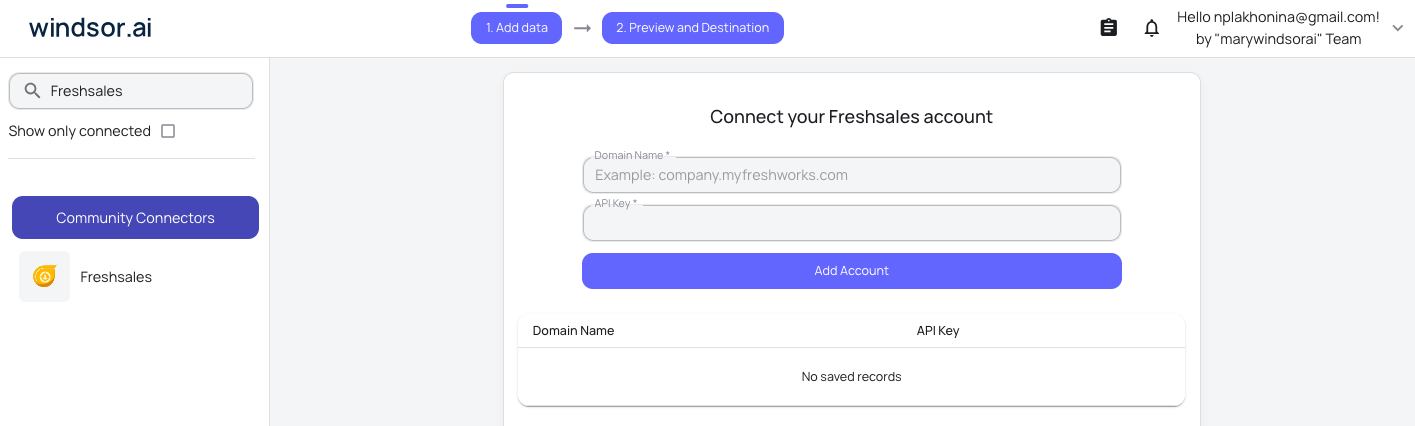
Select your data source
Choose Freshsales as your data source and grant access to Windsor.ai.
Install the Windsor.ai connector in Claude
In Claude, open Customize, then Connectors, search for Windsor and click Add. Sign in to your Windsor.ai account when prompted, and the connector appears in your Connectors list. You can also open the Windsor.ai listing in the Claude directory and click Connect.

Query your data in Claude
Start a new chat and ask Claude questions about your connected data: summarize KPIs, create client reporting dashboards, or run advanced analyses.

FAQs
Can I monitor sales team performance using this integration?
Yes. You can prompt Claude to ‘Compare the win rates and average response times across our sales reps’ to identify top performers and uncover coaching opportunities.
Can I see which marketing campaigns are driving the most Freshsales revenue?
Absolutely. By blending marketing data with Freshsales (via Windsor.ai), Claude can report on which specific ad channels (Instagram, Google Ads, or Meta) resulted in the highest-value closed-won deals.
How can Claude help me identify warm leads in Freshsales?
You can ask Claude to analyze lead activity scores and recent interactions to highlight which prospects are most likely to convert this week.
What prompts can I use when analyzing Freshsales data in Claude?
Use more specific prompts to extract deeper insights from your Freshsales data. For example:
-
Claude, analyze past lost deals to identify common patterns such as long inactivity or deal age. Then compare these patterns with current open deals to find opportunities that may be at risk of stalling or being lost.
-
Look at our biggest wins from the last six months. What do they have in common? Tell me their average company size, annual revenue, and typical job titles so we can find more like them.
-
Look at our active sales sequences. For the deals we actually won, how many emails or calls did it usually take? Flag any sequences that aren't hitting that 'sweet spot'.
-
Analyze how communication methods like LinkedIn, email, and calls impact deal progress. Do deals move faster or close more often when multiple channels are used?
How much does it cost to integrate Freshsales into Claude using Windsor.ai?
Windsor.ai’s pricing for Claude data integration varies depending on the number of connected accounts and data sources. We offer absolutely transparent pricing plans for diversified business needs and budgets.
How long does it take to connect Freshsales to Claude?
With Windsor.ai’s easy-to-use connector, the integration process takes just a few minutes. No technical expertise is needed; syncing Freshsales to Claude is simple, straightforward, and completely code-free.
Do you have helpful links to get started with integrating Freshsales and Claude using Windsor.ai?
Yes, we have helpful resources to help you get started. You can explore our official documentation and tutorials for seamless Freshsales to Claude integration with Windsor.ai:
Tired of manual Freshsales data exports? Try Windsor.ai today to automate your reporting


