 Destinations
 Data sources
 AI insights
 About us
 Careers
 Security
 Customer reviews
 Contact us
 Affiliate program
 Solution partners
 Template gallery
 Looker Studio templates
 Power BI templates
 Excel templates
 Google Sheets templates
 Tableau templates
 Facebook Ads templates
 Google Ads templates
 Data fields & Metrics
 AI prompt library & Guides
 Product documentation
 API documentation
 Case studies
 Blog
Blog Data models
 Windsor vs Supermetrics
 Windsor vs Funnel.io
 Windsor vs Fivetran
 Windsor vs Rivery
 Windsor vs Portermetrics
 Windsor vs Coupler.io
Connect Google Business Profile to Perplexity
Automatically sync your Google Business Profile data to Perplexity using the Windsor.ai connector.
See what makes customers call, visit your website, or ask for directions, and use these insights to drive more actions from your Google Business Profile.
Forget CSVs. Stop copy/paste. Connect in minutes. No code required.
 Sign up with Google
 Free forever plan
No credit card needed
Free forever plan
No credit card needed










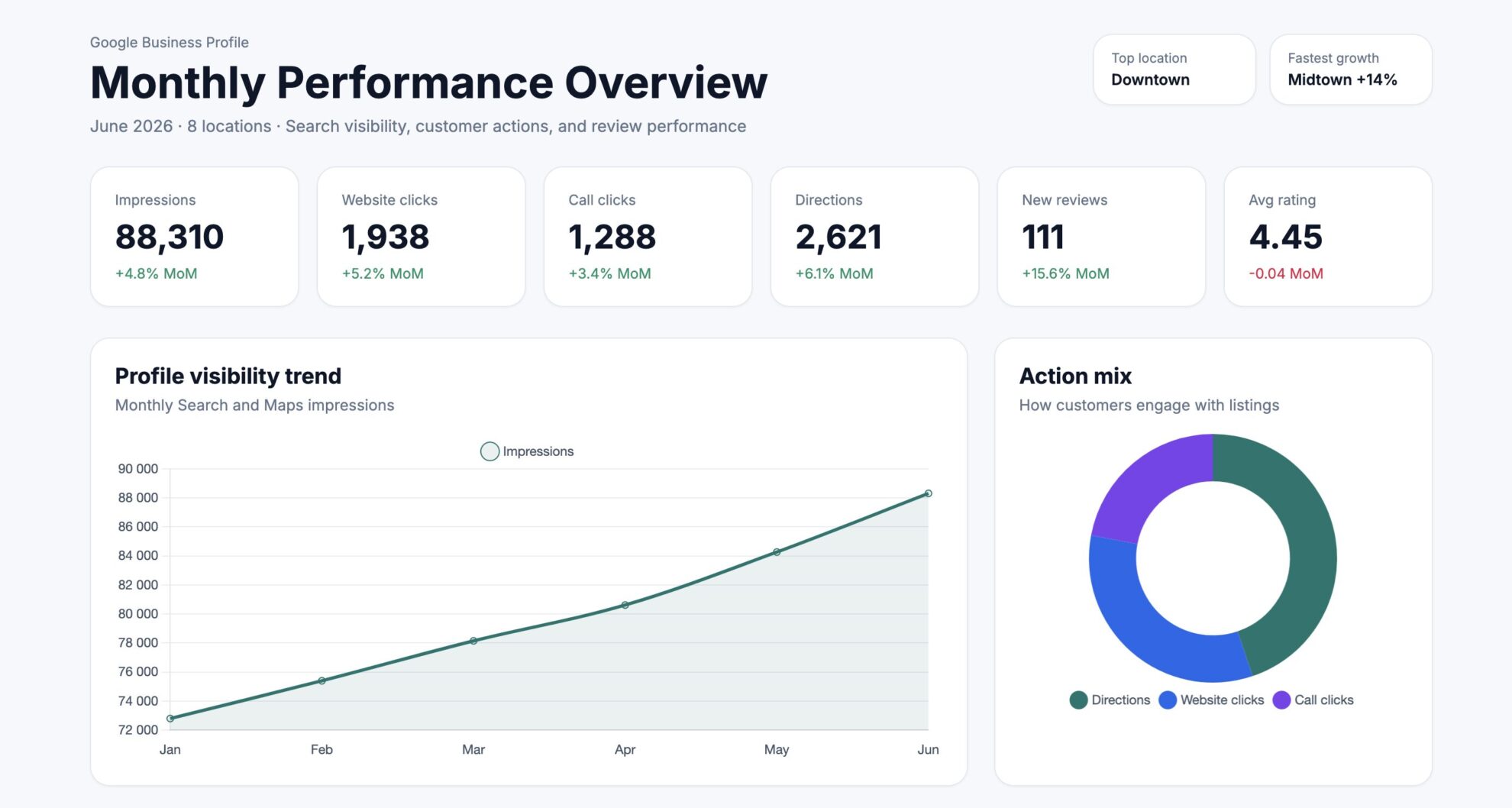
Improve your local visibility with AI-powered analysis in Perplexity
Connect Google My Business to Perplexity using Windsor.ai and skip the manual analysis entirely. Here’s what you can do:

Find visibility gaps
Perplexity analyzes your impressions, website_clicks, call_clicks, and direction_requests to reveal where profile views are not turning into actions.
Understand whether visibility in Search and Maps is actually driving calls, website visits, and in‑store visits.

Protect review reputation
Perplexity evaluates review_count, review_average_rating, review_star_rating, and review_reply_comment to pinpoint rating drops and reply gaps.
This enables faster interventions on negative feedback and helps maintain a strong, consistent public rating.

Uncover search demand
See which search terms bring customers to your profile and how often. This guides which services, messages, and topics to emphasize across your profile, posts, and content.

Optimize post impact
See which post types, topics, and calls-to-action actually drive clicks and customer actions. Focus your efforts on what works and stop guessing which content format performs best.
Using Windsor.ai to connect data from Google Business Profile to Perplexity
Most ways to get Google Business Profile data into an AI tool are manual, fragile, or expensive. Windsor.ai makes this effortless with an MCP connector that automatically syncs your GBP data into Perplexity in under a minute.
Connect once and start extracting AI‑powered insights using natural language prompts.














How to connect Google Business Profile to Perplexity with Windsor.ai
Explore our video tutorial and a step-by-step guide to integrate your data from any source into Perplexity with the Windsor.ai connector.
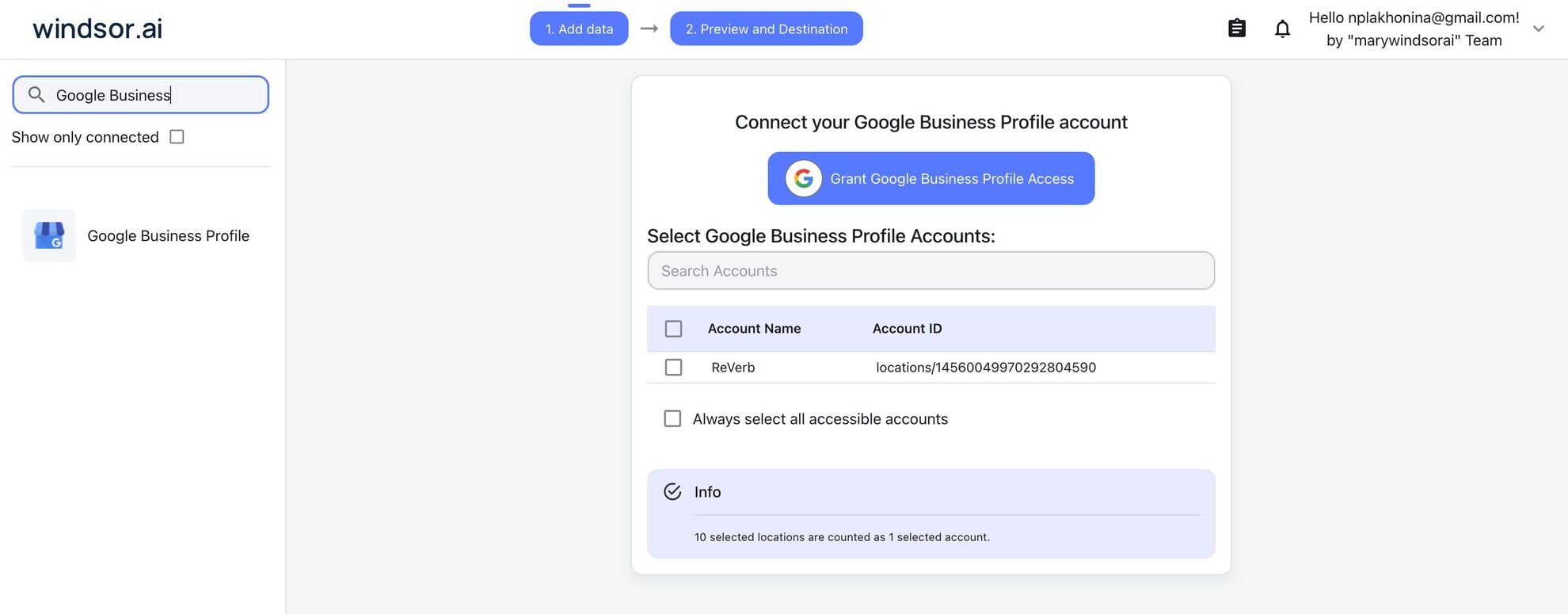
Connect data source in Windsor.ai dashboard
Connect your Google Business Profile to Windsor.ai. Select the necessary account(s) you want to pull data from and click “Next.”
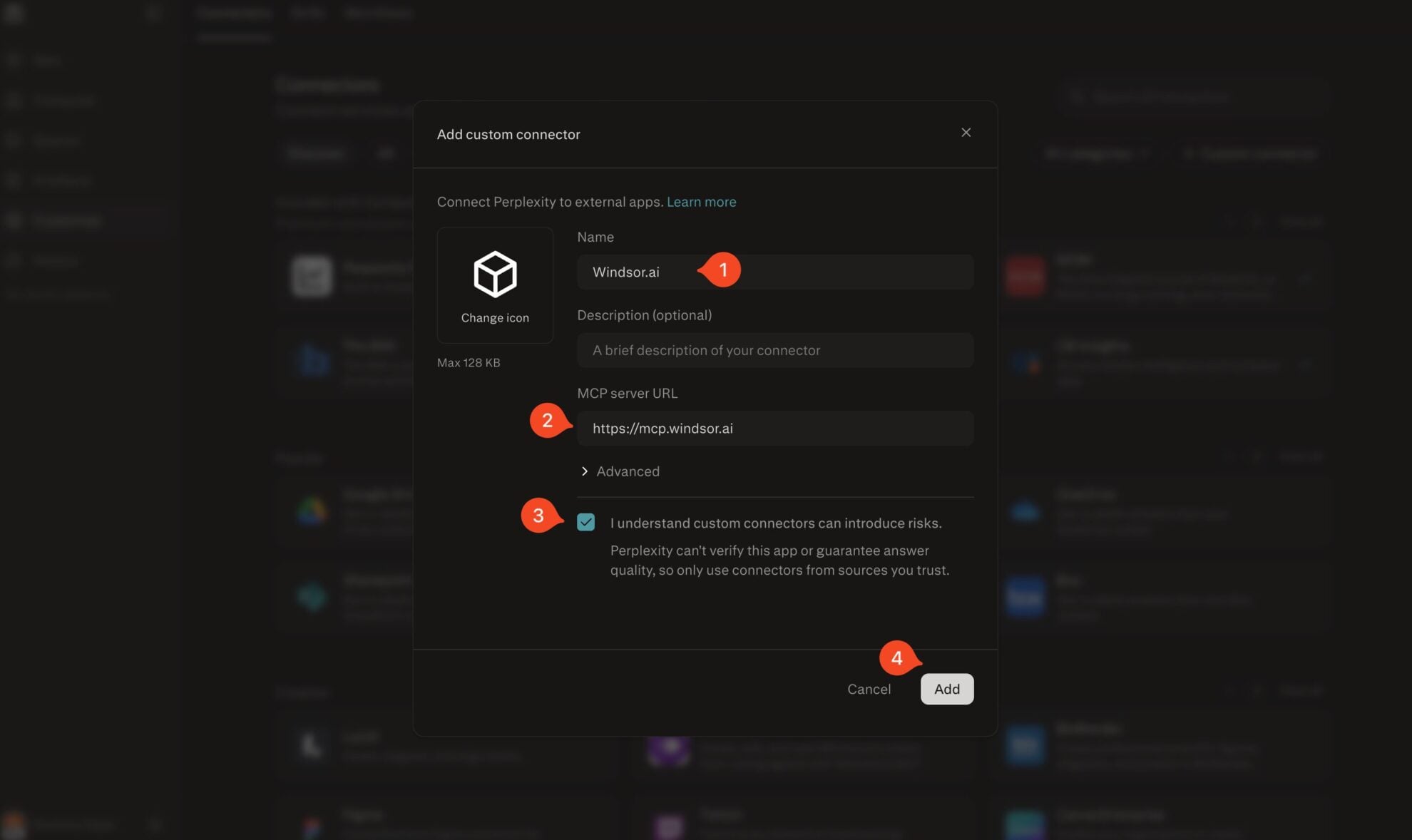
Add Windsor.ai as a custom connector
Go to perplexity.ai/computer/connectors and click + Custom connector. Fill in the details:
- Name: Windsor.ai
- MCP server URL: https://mcp.windsor.ai
Tick ‘I understand custom connectors can introduce risks’ and click Add.
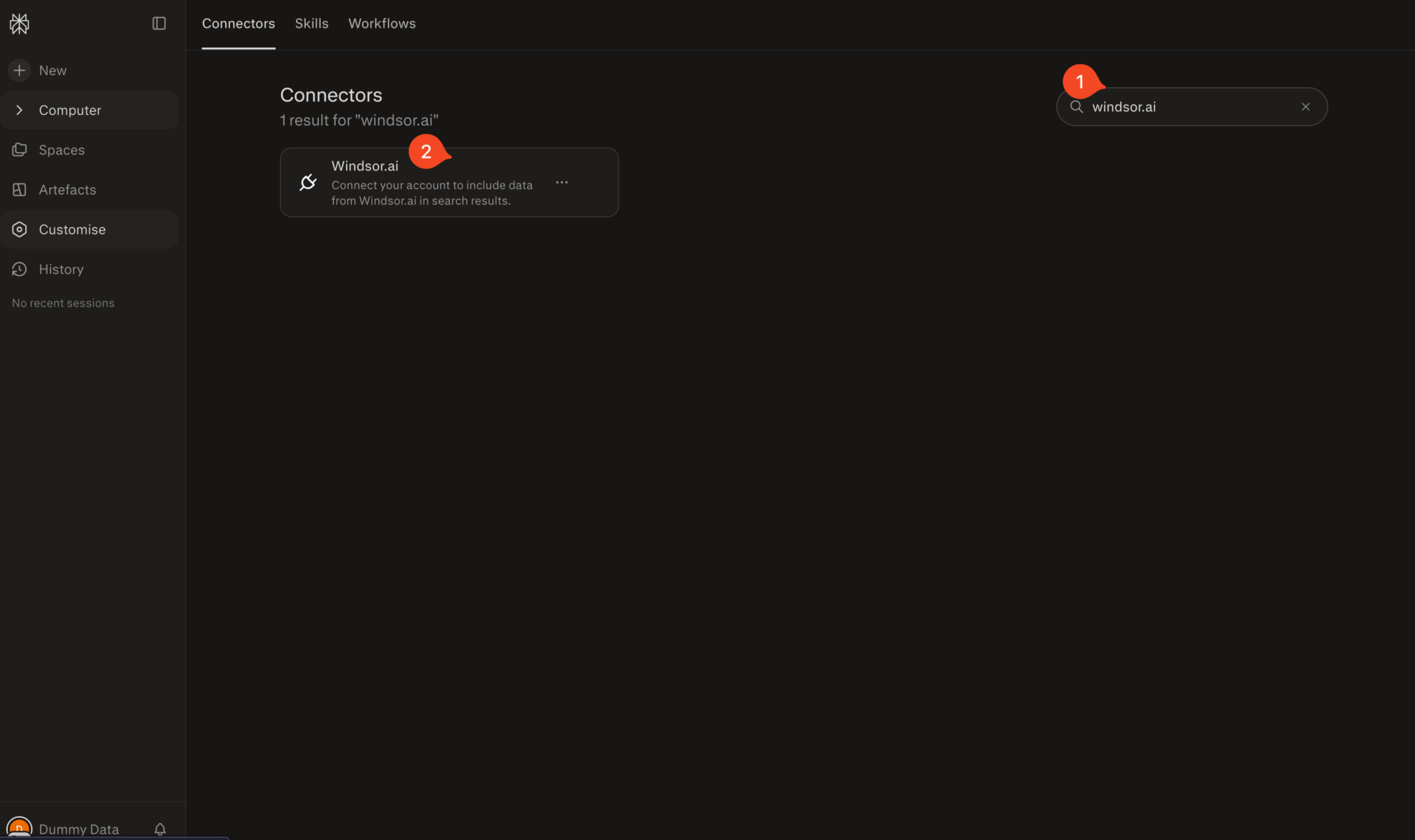
Install the connector
Search for Windsor.ai in the connectors list, click the card, then click Add connector.
Confirm by clicking Allow Access in the pop-up.
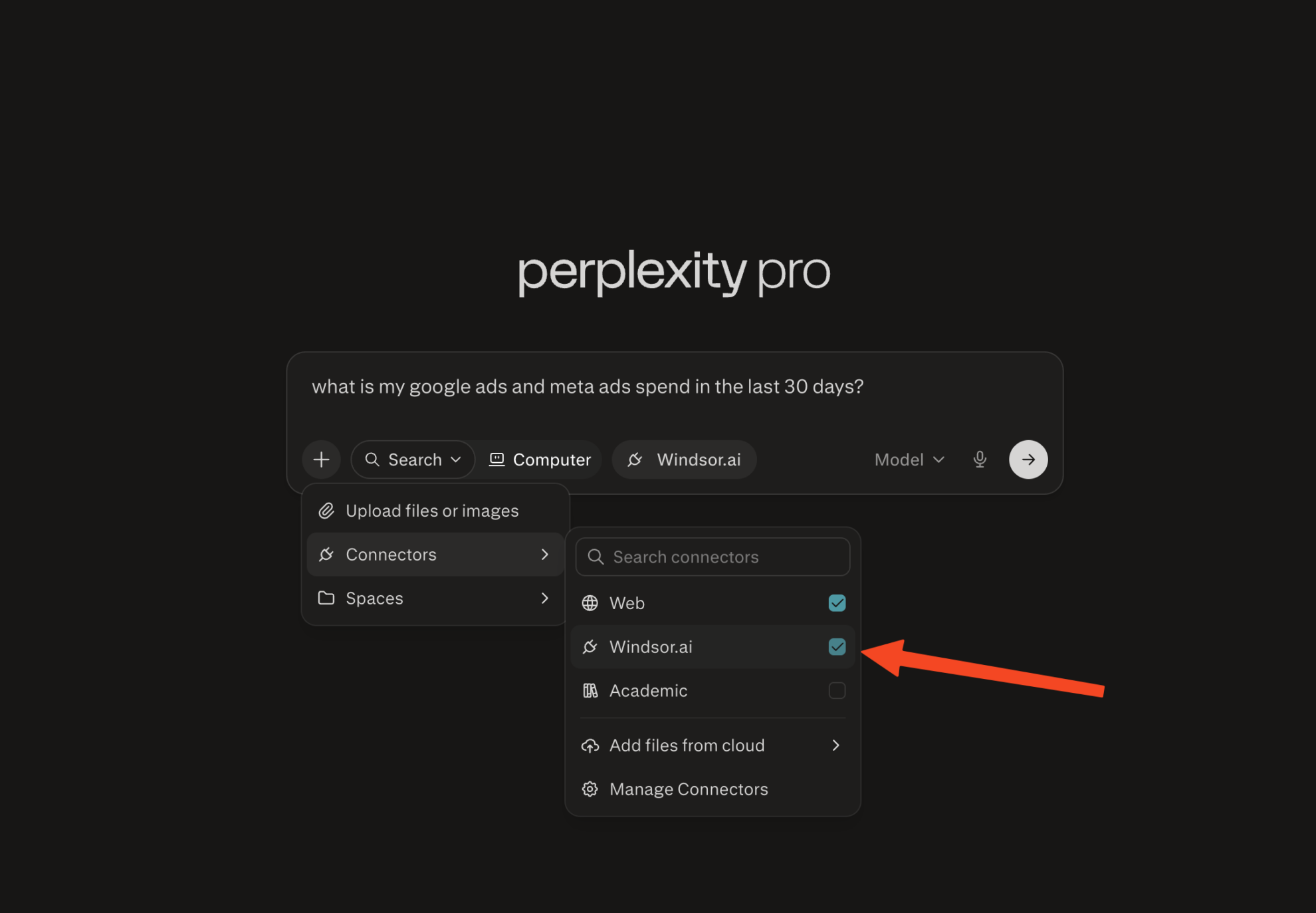
Enable Windsor.ai in your chat
In a new chat, click +, choose Connectors, and check Windsor.ai.
Start querying your data
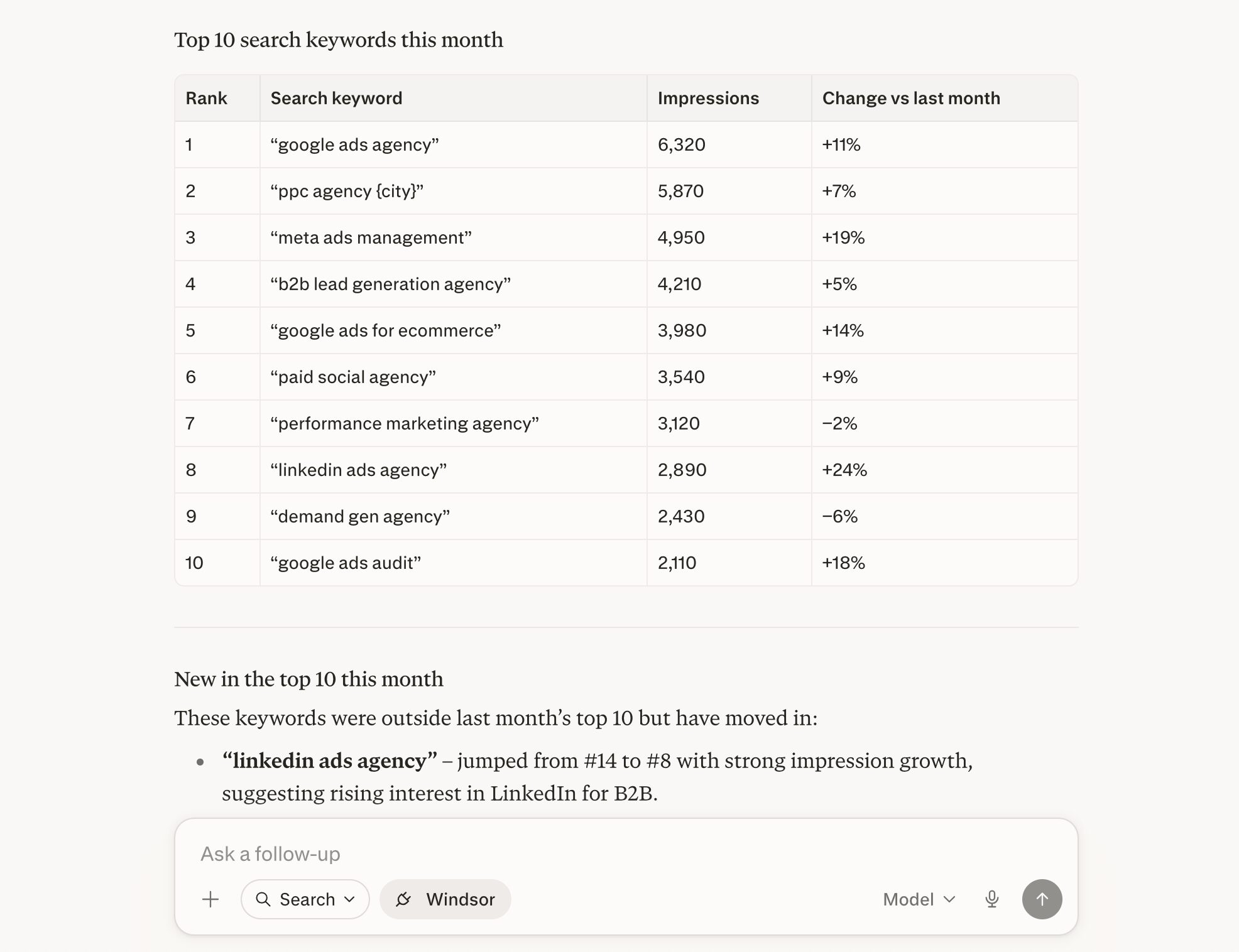
You can now ask questions about your integrated Windsor.ai data.
FAQs
How far back does Google My Business data go through Windsor.ai?
The Google Business Profile API makes up to 18 months of historical performance data available. Windsor.ai queries the API directly, so you get access to that full window from day one.
What Google My Business data can I analyze in Perplexity?
Windsor.ai gives Perplexity access to 19 metrics and 95 dimensions across four main data areas:
- Profile engagement: total impressions, impressions broken down by Google Maps vs. Google Search and by desktop vs. mobile, call clicks, website clicks, direction requests, and total clicks.
- Conversions and actions: business bookings, food orders, and food menu clicks for eligible business types.
- Reviews: review count and total count, average star rating (within a period and overall), individual review text, star ratings, reviewer details, reply content, and timestamps.
- Search keywords: the actual search terms customers used to find your business in a given month, with impression values and thresholds.
- Local posts: post content, topic type (STANDARD, EVENT, OFFER, ALERT), CTA action type, post state (LIVE, REJECTED, PROCESSING), scheduled publish time, and media format.
- Location metadata: address, primary and additional categories, opening hours, service areas, store codes, and labels across all connected locations.
Can Perplexity help me draft review replies?
Yes. Perplexity can read your reviews and then draft replies that match your tone of voice, policies, and branding.
Can I combine Google My Business data with other sources in Perplexity?
Yes. Windsor.ai connects Google My Business with 350+ data sources. Useful combinations include:
- GMB + Google Ads: See whether locations with lower organic profile engagement have higher paid search costs, and whether improving the profile reduces reliance on paid traffic.
- GMB + GA4: Correlate direction requests or call clicks from your profile with actual website sessions, goal completions, and revenue to understand which profile actions drive real business outcomes.
- GMB + Google Search Console: Compare branded search query performance in GSC with your GMB search keyword triggers to identify where your local and organic search presence overlap or conflict.
What prompts can I use when analyzing Google Business Profile data in Perplexity?
Use these prompts to uncover in-depth insights into your Google Business Profile data and cross-channel performance:
-
For each of my locations, calculate the impression-to-action rate for the last 60 days. Rank locations from highest to lowest conversion rate, and flag any location where impressions grew more than 20% but actions stayed flat or declined.
-
Pull my Google Business Profile and Google Search Console keyword data for the last 3 months. Group queries into semantic clusters (brand, service type, location‑based, problem‑based). For each cluster, show monthly impressions and month‑over‑month trend, and flag clusters with strong growth so I know which topics to prioritize.
-
Show me all locations where the average star rating in the last 30 days is below 4.0, or where review count dropped by more than 20% compared to the previous 30 days. For those locations, list the most recent 5 reviews and whether each has a reply.
-
Compare my GMB impressions and direction requests with Google Ads spend and clicks for the same locations over the last 90 days. For locations with high paid spend but low organic profile visibility, calculate how much of the paid traffic might be captured organically with a stronger profile.
Do you have helpful links to get started with integrating Google Business Profile and Perplexity using Windsor.ai?
Yes, we have helpful resources to help you get started. You can explore our official documentation and tutorials for seamless Google Business Profile to Perplexity integration with Windsor.ai:
Tired of manual Google Business Profile data exports? Try Windsor.ai today to automate your reporting


