 Destinations
 Data sources
 AI insights
 About us
 Careers
 Security
 Customer reviews
 Contact us
 Affiliate program
 Solution partners
 Template gallery
 Looker Studio templates
 Power BI templates
 Excel templates
 Google Sheets templates
 Tableau templates
 Facebook Ads templates
 Google Ads templates
 Data fields & Metrics
 AI prompt library & Guides
 Product documentation
 API documentation
 Case studies
 Blog
Blog Data models
 Windsor vs Supermetrics
 Windsor vs Funnel.io
 Windsor vs Fivetran
 Windsor vs Rivery
 Windsor vs Portermetrics
 Windsor vs Coupler.io
Connect Harness to Data Studio
Easily integrate Harness with Data Studio using Windsor.ai’s ETL connector.
Gain actionable insights with real-time Data Studio dashboards to streamline DevOps workflows and drive faster, higher-quality releases.
Forget CSVs. Stop copy/paste. Connect your data in 2 minutes. No code required.
 Sign up with Google
 Free forever plan
No credit card needed
Free forever plan
No credit card needed










Accelerate software delivery with Harness to Data Studio integration
By integrating Harness with Data Studio via Windsor.ai, you can track deployments, release performance, and delivery efficiency in one place, unlocking these key benefits:

Track metrics in real time
With Windsor.ai, Harness data is automatically extracted and loaded into Data Studio, eliminating manual updates. Dashboards refresh on schedule, ensuring teams always work with accurate, real-time metrics on deployments, build performance, and release frequency.

Optimize release timelines
Analyze deployment cycles and failure points in Data Studio to identify where delays occur. With these insights, teams can resolve bottlenecks, enhance handoffs, and expedite delivery schedules while maintaining software quality.

Enable cross-team transparency
Developers, product managers, and executives can access the same dashboards in Data Studio, ensuring everyone works from a single source of truth. This transparency aligns teams on priorities and supports faster, more confident decisions on delivery performance.
Using Windsor.ai connector to import data from Harness into Data Studio
Most methods for connecting Harness to Data Studio require manual setup, technical expertise, or costly third-party tools. Windsor.ai simplifies the process with a no-code ELT connector that’s fast, reliable, and scalable.
In just a few clicks, Windsor.ai syncs your Harness data with Data Studio, enabling in-depth analytics of your DevOps performance data.
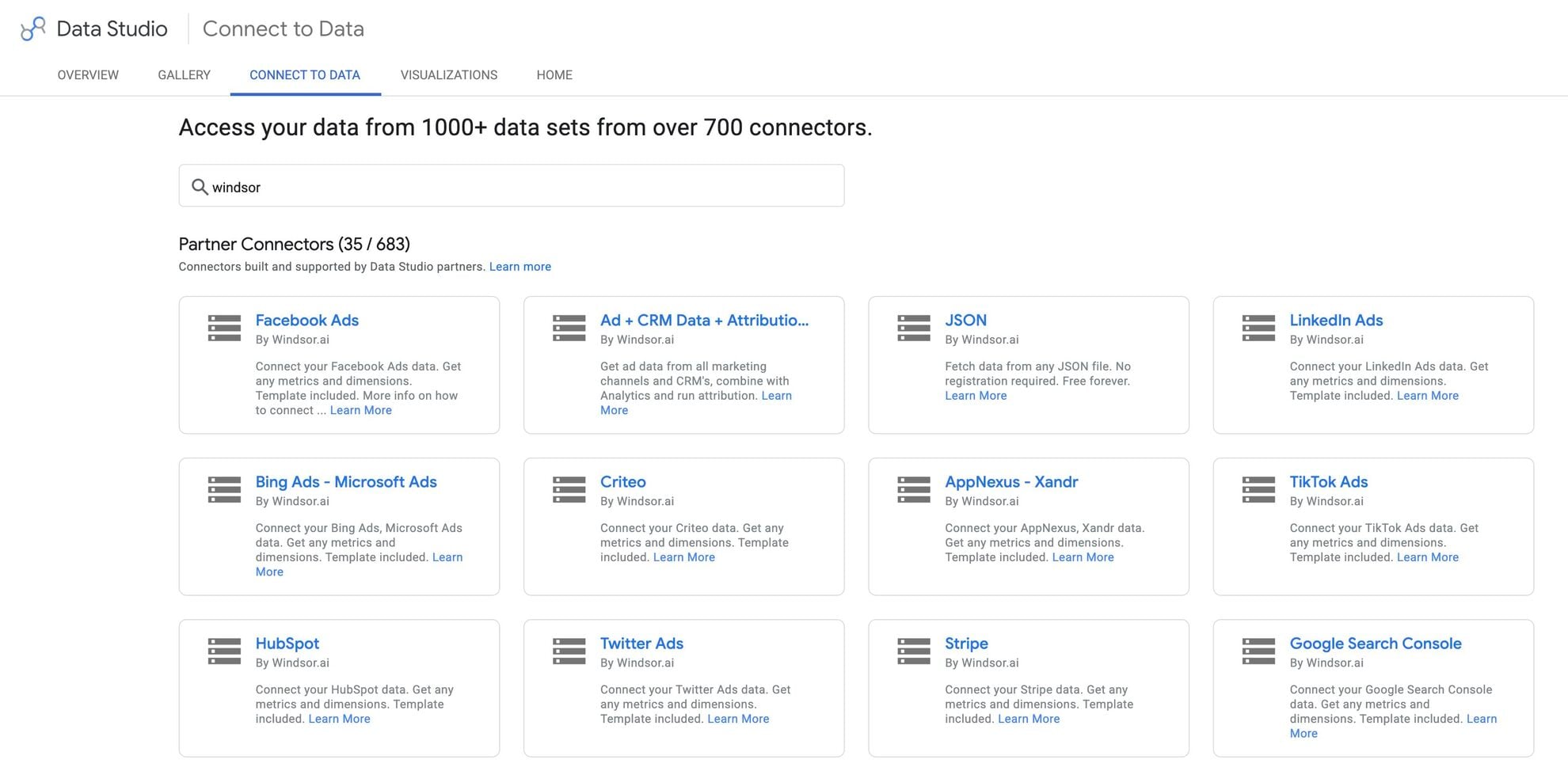














How to connect Harness to Data Studio in Windsor.ai
Make sure you have the following prerequisites before setting up the connector:
- Harness account (Visit our privacy policy and terms of use)
- Google account for Data Studio integration
- Active Windsor.ai account
Register and log in to Windsor.ai
Create a new Windsor.ai account or log in if you already have one.

Select your data source
Choose Harness as your data source and grant access to Windsor.ai.

Select the reporting metrics and dimensions
Choose the Harness fields you want to import into Data Studio on the right side.
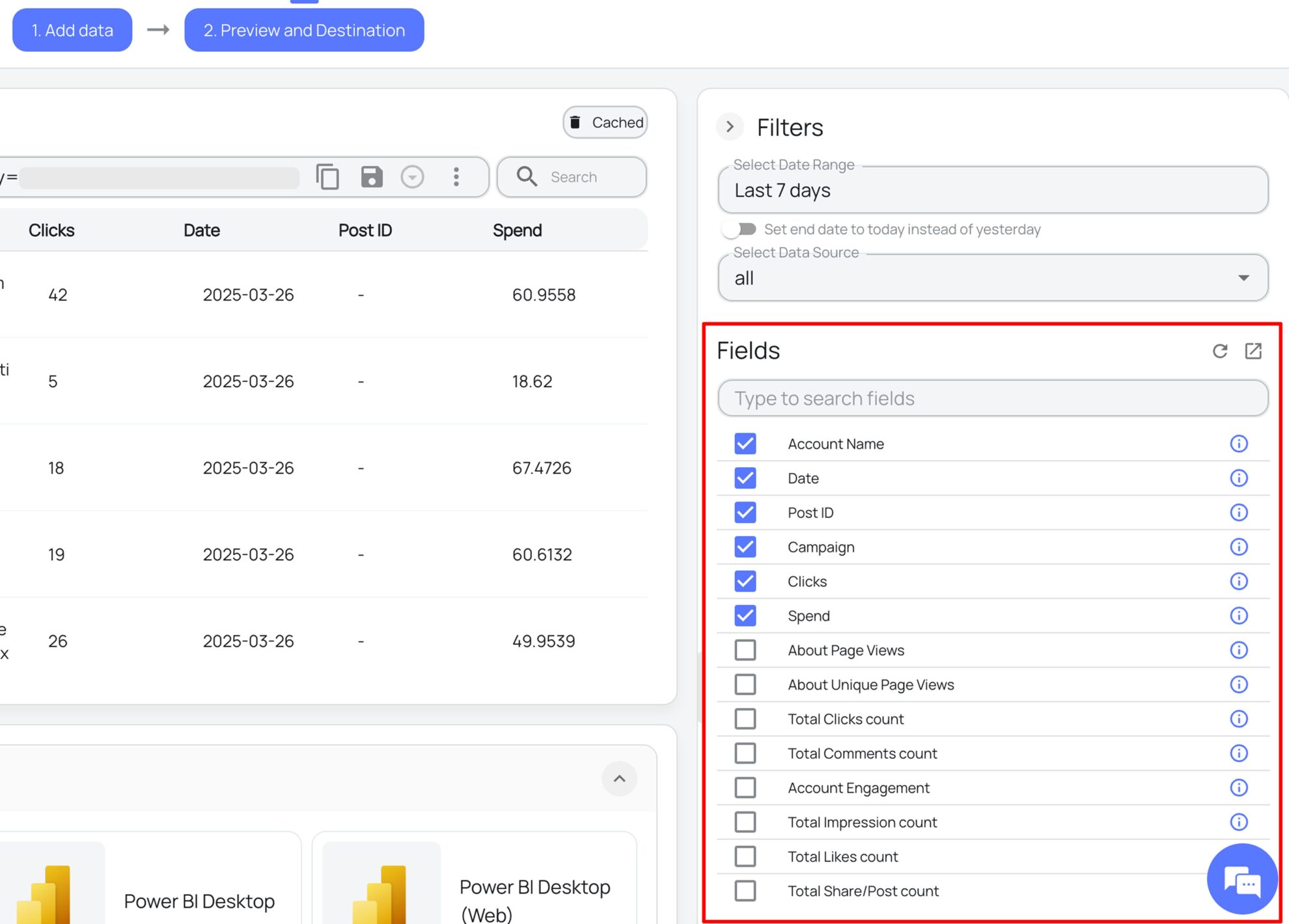
Select Data Studio as your data destination
Scroll down to the list of data destinations and click Data Studio. Install the Windsor.ai connector by authorizing your account, selecting the required Harness account(s), and clicking Connect → Create Report.

FAQs
What is Data Studio?
Data Studio (Looker Studio), developed by Google, is a free data visualization and business intelligence platform designed to help businesses manage and analyze large datasets. It allows you to blend, visualize, and create insightful reports from multiple data sources. Offering sophisticated dashboards and automated dataflows, Data Studio simplifies reporting and empowers data-driven decisions.
Do you have helpful links to get started with integrating Harness and Data Studio using Windsor.ai?
Yes, we have helpful resources to help you get started. You can explore our official documentation and ready-to-use templates for seamless Harness to Data Studio integration with Windsor.ai:
How much time do I need to create the Harness and Data Studio integration?
With Windsor.ai’s no-code ELT connector, you can integrate Harness with Data Studio in under 2 minutes, making the process quick and stress-free.
How much does it cost to integrate Harness into Data Studio with Windsor.ai?
Windsor.ai’s pricing for Harness to Data Studio data integration can vary depending on your use case and data volume. We offer absolutely transparent, volume-based event pricing plans to meet diverse business needs and budgets.
Tired of manual Harness data exports? Get started with Windsor.ai today to automate your reporting


