Destinations
 Data sources
 AI insights
 About us
 Careers
 Security
 Customer reviews
 Contact us
 Affiliate program
 Solution partners
 Template gallery
 Looker Studio templates
 Power BI templates
 Excel templates
 Google Sheets templates
 Tableau templates
 Facebook Ads templates
 Google Ads templates
 Data fields & Metrics
 AI prompt library & Guides
 Product documentation
 API documentation
 Case studies
 Blog
 Data models
 Windsor vs Supermetrics
 Windsor vs Funnel.io
 Windsor vs Fivetran
 Windsor vs Rivery
 Windsor vs Portermetrics
 Windsor vs Coupler.io
Connect Impact.com to Antigravity
Connect your Impact.com data to Antigravity with the Windsor.ai connector, and ask about partner revenue, actions and clicks in plain language.
Ask which partners bring the most revenue, how many actions were reversed, or which promo codes sell best, built on your own Impact.com data.
Forget CSVs. Stop copy/paste. Connect in minutes. No code required.
 Sign up with Google
 Free forever plan










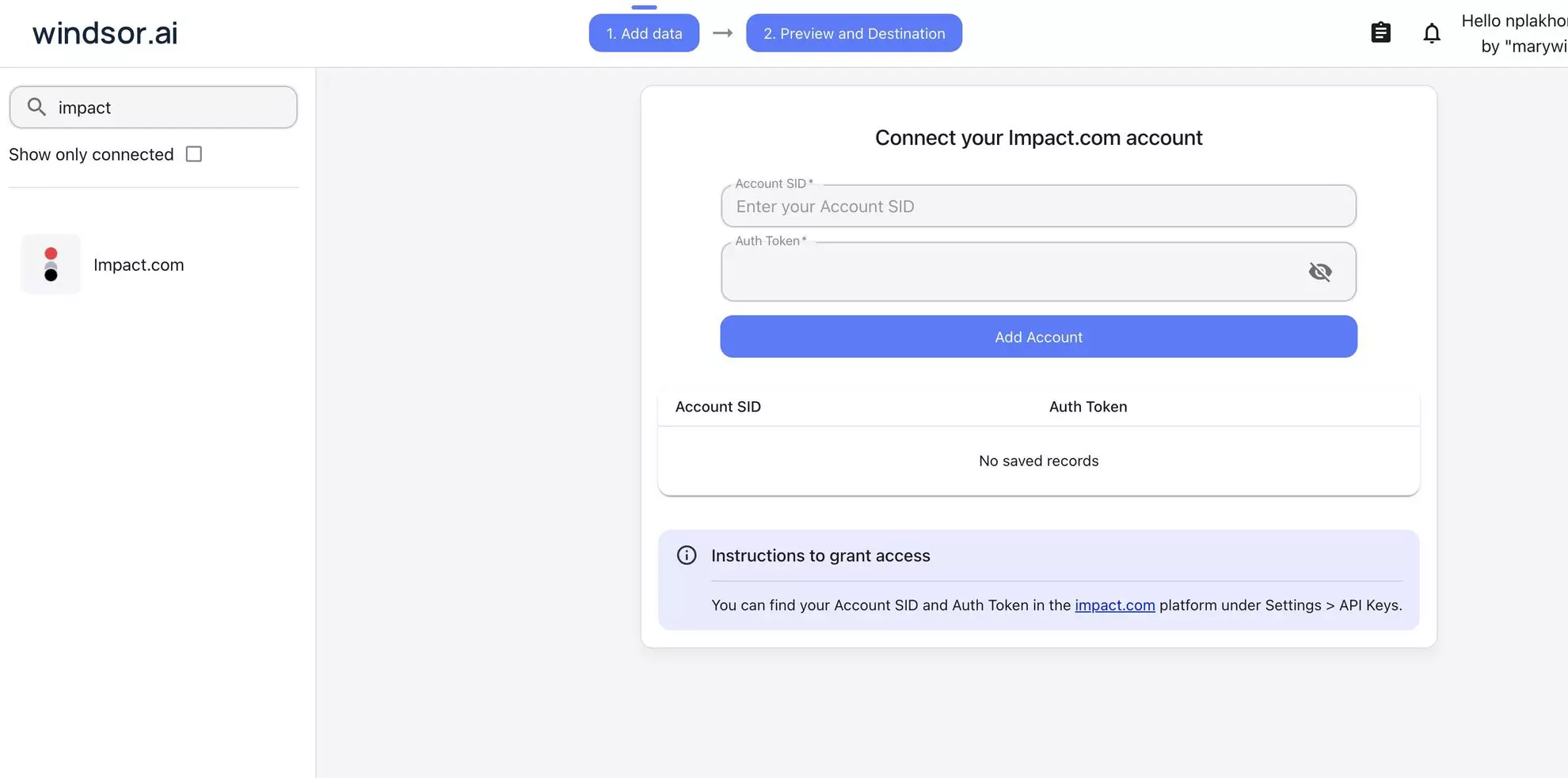
Get your Impact.com data into Antigravity
Impact.com is connected once in Windsor.ai, and these are the use cases the fields support:

Rank partners by revenue
Action Revenue and Action Cost per Action Partner Name show which partners bring the most revenue and what they cost.

Check action status
Action Status per Action Partner Name shows how many actions are Approved, Pending or Reversed.

Compare new and returning customers
Action Customer Status with Action Revenue shows how much partner revenue comes from new customers.

Review click quality
Click Referring Domain, Click Device Type and Click Customer Country per Click Partner Name show where partner clicks come from.
Using Windsor.ai to connect data from Impact.com to Antigravity
Without Windsor.ai, Antigravity answers about Impact.com data come from a file you exported and pasted in. Through the Windsor.ai connector, Antigravity reads the live records with their real field names, so the answers match what is in Impact.com today.
Connect in minutes, then ask about your action, partner, program and click data.






How to connect Impact.com to Antigravity with Windsor.ai
Watch the video tutorial, or follow the step-by-step guide to connect your Impact.com data to Antigravity with Windsor.ai.
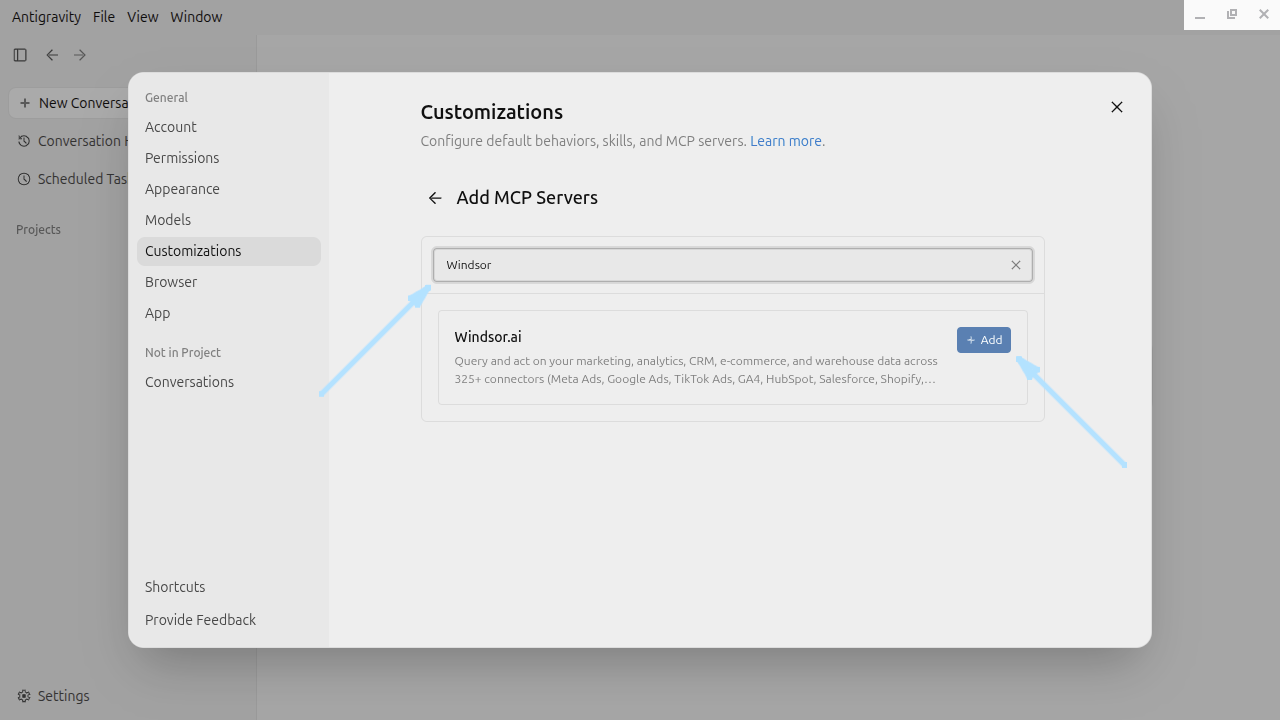
Add Windsor MCP in Antigravity
Open the Antigravity desktop app. At the bottom left of the main window, click Settings, then Customizations, then the Add MCP button. Type Windsor in the search bar and click Add.
Finish the Windsor.ai sign-in
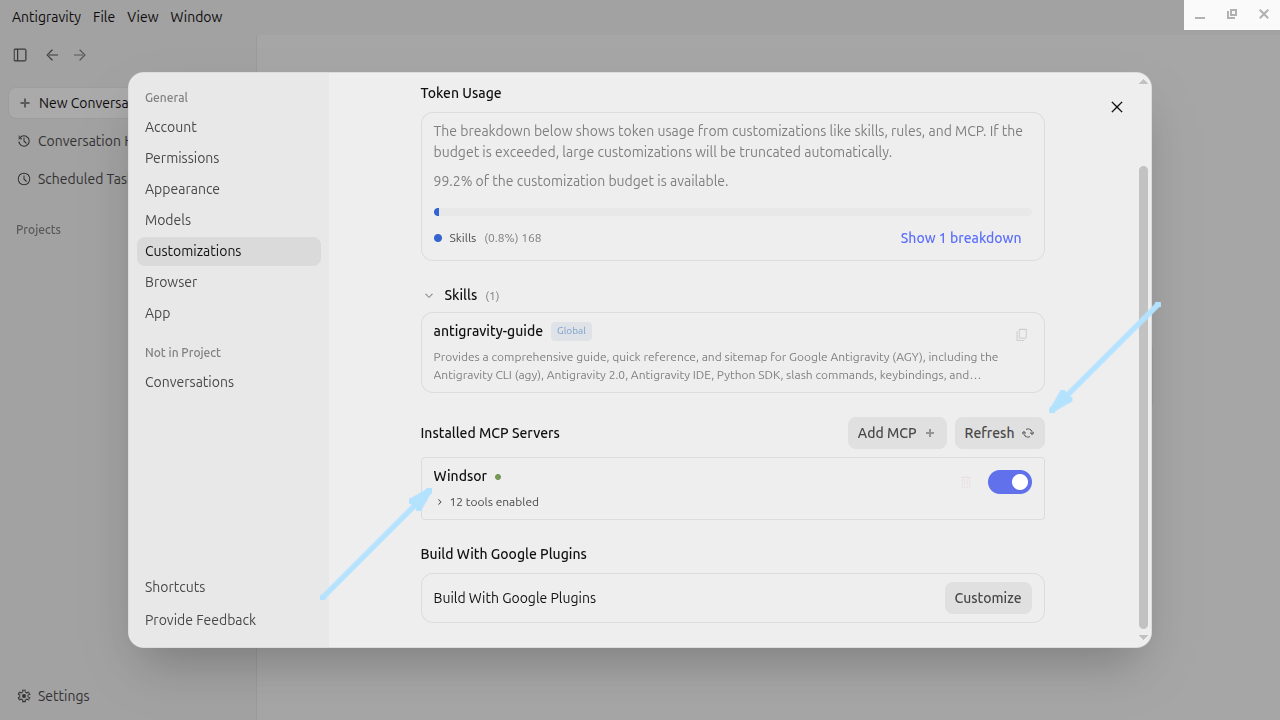
The Windsor.ai window opens. Click Finish to complete the sign-in, then click Refresh. Windsor appears in the list of installed MCP servers.
Ask Antigravity about your Impact.com data
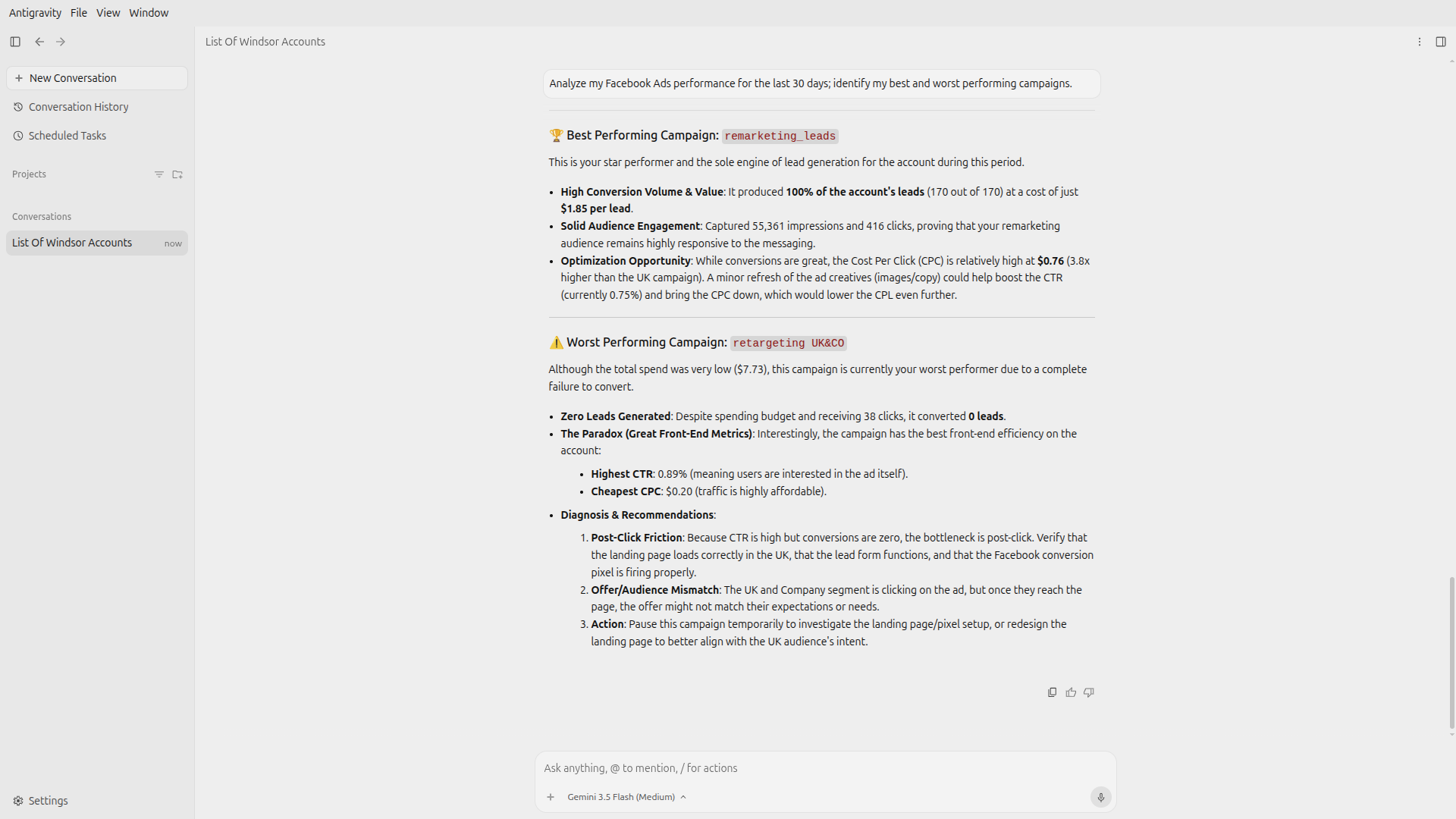
Close the Customizations window, return to the main window and ask about your Impact.com data.
FAQs
What Impact.com data can Antigravity use?
Windsor.ai gives access to 74 Impact.com fields. These are the groups; the Impact.com field reference lists all of them:
- Action results: Action Revenue, Action Cost, Rate, Indirect Tax (VAT), Action Currency.
- Action details: Action Status, Action Event Type, Action Customer Status, Action Channel, Promo Code, OID, Action Date.
- Partners and programs: Action Partner Name, Partner Group, Action Program Name, Click Partner Name, Click Program Name.
- Clicks: Click ID, Click Is Unique, Click Payout, Click Referring Domain, Click Landing Page URL, Click Device Type, Click Customer Country.
- Sub IDs: Sub ID 1, Sub ID 2, Sub ID 3, Click Sub ID 1, Shared ID.
- Date and account: Date, Week, Month, Account name, Account ID.
What can I ask Antigravity about my Impact.com data?
These prompts name the fields to use, so the answer comes back on your own records:
-
Show Action Revenue, Action Cost and Rate by Action Partner Name for the last 30 days, sorted by revenue.
-
How many actions per Action Status did each partner have in the last 30 days? List the partners with the most Reversed actions.
-
Compare Action Revenue from New and Returning customers by Action Customer Status for the last 30 days.
-
Which Promo Code values brought the most Action Revenue in the last 30 days, and through which partners?
Can Antigravity change my Impact.com data?
No. The Impact.com connector is read-only. Antigravity can read your Impact.com records through Windsor.ai and cannot create, edit or delete anything in Impact.com. The write actions list shows the sources Windsor.ai can make changes in.
Can I combine Impact.com data with other sources in Antigravity?
Yes. Windsor.ai supports 350+ data sources, so you can connect Impact.com alongside tools such as Shopify, GA4 or Google Ads and ask about them together. For example, put Impact.com Action Revenue by Date next to Shopify Order Net Sales for the same days, to see what share of your store sales came through partners.
Do I need to code to connect Impact.com to Antigravity?
No. Connect Impact.com in Windsor.ai, add Windsor to Antigravity, and sign in. After that you ask in plain language.
How much does it cost to integrate Impact.com with Antigravity using Windsor.ai?
The free forever plan covers 1 data source, so connecting Impact.com on its own costs nothing and needs no credit card. Combining Impact.com with other sources needs a paid plan: $19/month for 3 sources or $99/month for 7. Antigravity is billed separately by Google. See the pricing page.
Do you have helpful links to get started with Impact.com and Antigravity?
Yes. These are the resources to start with for the Impact.com to Antigravity integration:
Tired of manual Impact.com data exports? Try Windsor.ai today to work on live data