 Destinations
 Data sources
 AI insights
 About us
 Careers
 Security
 Customer reviews
 Contact us
 Affiliate program
 Solution partners
 Template gallery
 Looker Studio templates
 Power BI templates
 Excel templates
 Google Sheets templates
 Tableau templates
 Facebook Ads templates
 Google Ads templates
 Data fields & Metrics
 AI prompt library & Guides
 Product documentation
 API documentation
 Case studies
 Blog
Blog Data models
 Windsor vs Supermetrics
 Windsor vs Funnel.io
 Windsor vs Fivetran
 Windsor vs Rivery
 Windsor vs Portermetrics
 Windsor vs Coupler.io
Connect Instatus to Claude
Automatically sync your Instatus incident and status page data to Claude using the Windsor.ai connector.
Chat with your Instatus data in plain language to see how well your team communicates during downtime, with AI-driven insights on subscriber notifications, maintenance windows, and incident complexity.
Forget CSVs. Stop copy/paste. Connect in minutes. No code required.
 Sign up with Google
 Free forever plan
No credit card needed
Free forever plan
No credit card needed










Get instant reliability insights with Instatus to Claude integration
Windsor MCP streams your live Instatus data into Claude, so you skip the manual cross-referencing and go straight to what needs attention. Explore key use cases:

Verify subscribers were actually notified
Ask Claude to cross-reference incidents against subscriber notification failures to confirm customers actually heard about an outage.

Audit maintenance window communication
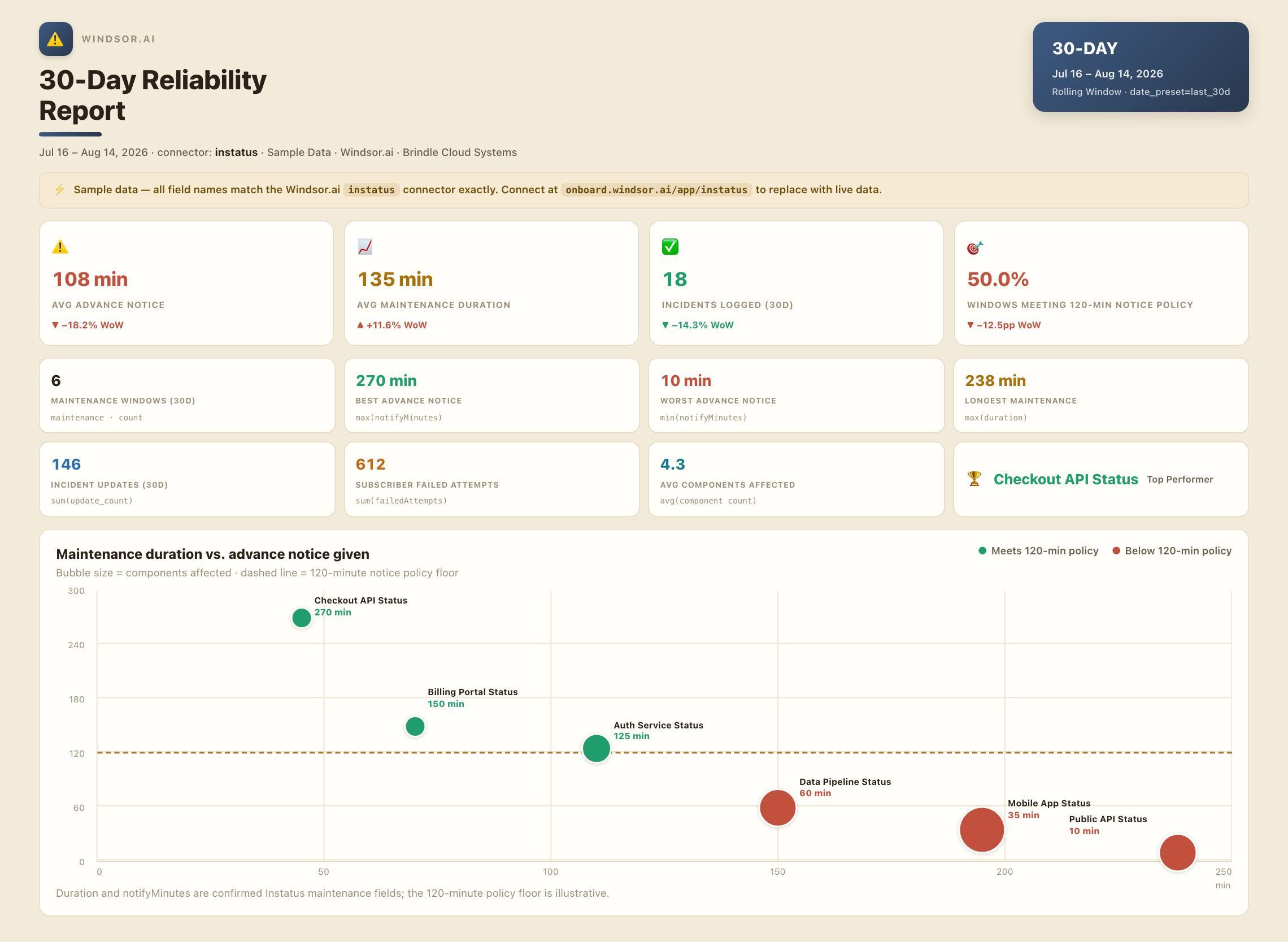
Compare maintenance duration against advance notice given to subscribers to see if warnings are actually timely.

Track incident resolution complexity
See which incidents needed the most follow-up updates before resolution to spot recurring communication gaps.

Connect downtime to support ticket spikes
Pair Instatus incident data with your CRM or support platform to see how outages actually affect ticket volume.
Using Windsor.ai to connect data from Instatus to Claude
Knowing whether subscribers were actually notified during an outage, not just that an incident was logged, means cross-referencing Instatus’s incidents and subscriber notification-failure data incident by incident. Windsor MCP streams both directly into Claude so the correlation takes one prompt.
Connect once and start asking questions about notification reliability, maintenance communication, and incident complexity in plain English.














How to connect Instatus to Claude with Windsor.ai
Explore a step-by-step guide to integrate your Instatus data into Claude with the Windsor.ai connector.
Connect Instatus in the Windsor.ai dashboard
Choose Instatus as your data source and grant access to Windsor.ai.

Install the Windsor.ai connector
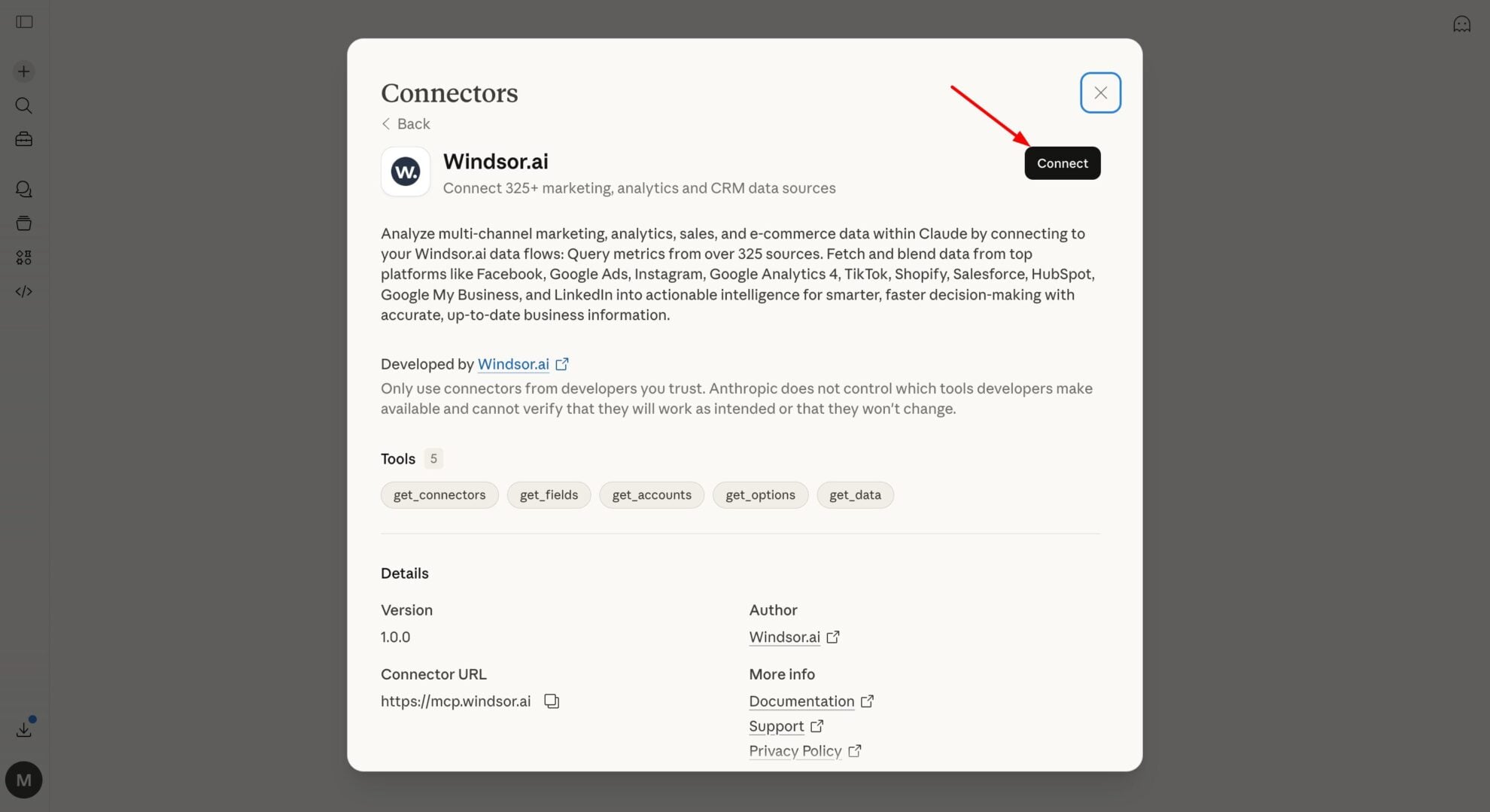
In Claude, open Customize, then Connectors, search for Windsor and click Add. Sign in to your Windsor.ai account when prompted, and the connector appears in your Connectors list. You can also open the Windsor.ai listing in the Claude directory and click Connect.
Query your Instatus data in Claude
Start a new chat and ask Claude about your Instatus data: verify subscriber notifications, audit maintenance communication, or run advanced analyses.
FAQs
What Instatus data can I analyze in Claude?
Windsor.ai gives Claude access to all 149 Instatus fields (5 metrics, 139 dimensions), organized into groups such as:
- Incidents and updates (15 fields): incident status, update counts, timestamps.
- Maintenances (13 fields, plus 7 update fields): duration, notifyMinutes.
- Subscribers (32 fields): failedAttempts, subscription status.
- Status pages and components (43 fields), templates (16 fields).
Can Claude tell me if subscribers were actually notified during an outage?
Yes. Windsor.ai streams subscriber failedAttempts alongside incident data, so Claude can show whether notification failures are concentrated on specific status pages or subscriber groups.
Can Claude check if maintenance windows give enough advance notice?
Yes. Maintenance duration and notifyMinutes stream together, so Claude can flag maintenance windows where subscribers weren’t warned far enough in advance relative to how long the maintenance lasted.
What prompts can I use to analyze Instatus data in Claude?
-
Find maintenances where duration exceeded 2 hours in the last 90 days. Were subscribers given enough advance notice (notifyMinutes)?
-
Which status pages have the highest subscriber failedAttempts rate? Is there a notification delivery problem specific to one page?
-
Compare incident update counts across incidents in the last 30 days. Which incidents required the most communication before resolution?
-
Break down page component ordering and status page component counts to see which status pages are most complex to monitor.
How much does it cost to integrate Instatus into Claude using Windsor.ai?
Windsor.ai is free to start, no credit card required. Paid plans start at $19/month and scale by the number of sources and accounts. See the pricing page.
Do you have helpful links to get started with integrating Instatus and Claude using Windsor.ai?
Yes, we have helpful resources to help you get started. You can explore our official documentation for seamless Instatus to Claude integration with Windsor.ai:
Tired of manual Instatus data exports? Try Windsor.ai today to automate your reporting


