 Destinations
 Data sources
 AI insights
 About us
 Careers
 Security
 Customer reviews
 Contact us
 Affiliate program
 Solution partners
 Template gallery
 Looker Studio templates
 Power BI templates
 Excel templates
 Google Sheets templates
 Tableau templates
 Facebook Ads templates
 Google Ads templates
 Data fields & Metrics
 AI prompt library & Guides
 Product documentation
 API documentation
 Case studies
 Blog
 Data models
 Windsor vs Supermetrics
 Windsor vs Funnel.io
 Windsor vs Fivetran
 Windsor vs Rivery
 Windsor vs Portermetrics
 Windsor vs Coupler.io
Iterable MCP for AI Insights
Send your Iterable data to the AI chat you already use with Windsor MCP.
Windsor.ai connects Iterable once, and your campaign and engagement data become available to ask about in ChatGPT, Claude, Gemini and other MCP-compatible clients.
Forget CSVs. Stop copy/paste. Connect in minutes. No code required.
 Sign up with Google
 Free forever plan
No credit card needed








Get your Iterable data into the AI chat you already use
Iterable is connected once in Windsor.ai, and these are the use cases the fields support:

Compare campaigns
Sends, opens and clicks per campaign show which campaigns people open and click.

Find the links people click
Email clicks grouped by email_click.url show which links in each campaign get clicked.

Watch unsubscribes and bounces
Unsubscribe and bounce events by campaign and email_unsubscribe.unsubSource show which sends cost you subscribers.

Check every channel
Send and open events for email, SMS, push and in-app show how each channel performs.
Using Windsor.ai MCP to connect data from Iterable to LLMs
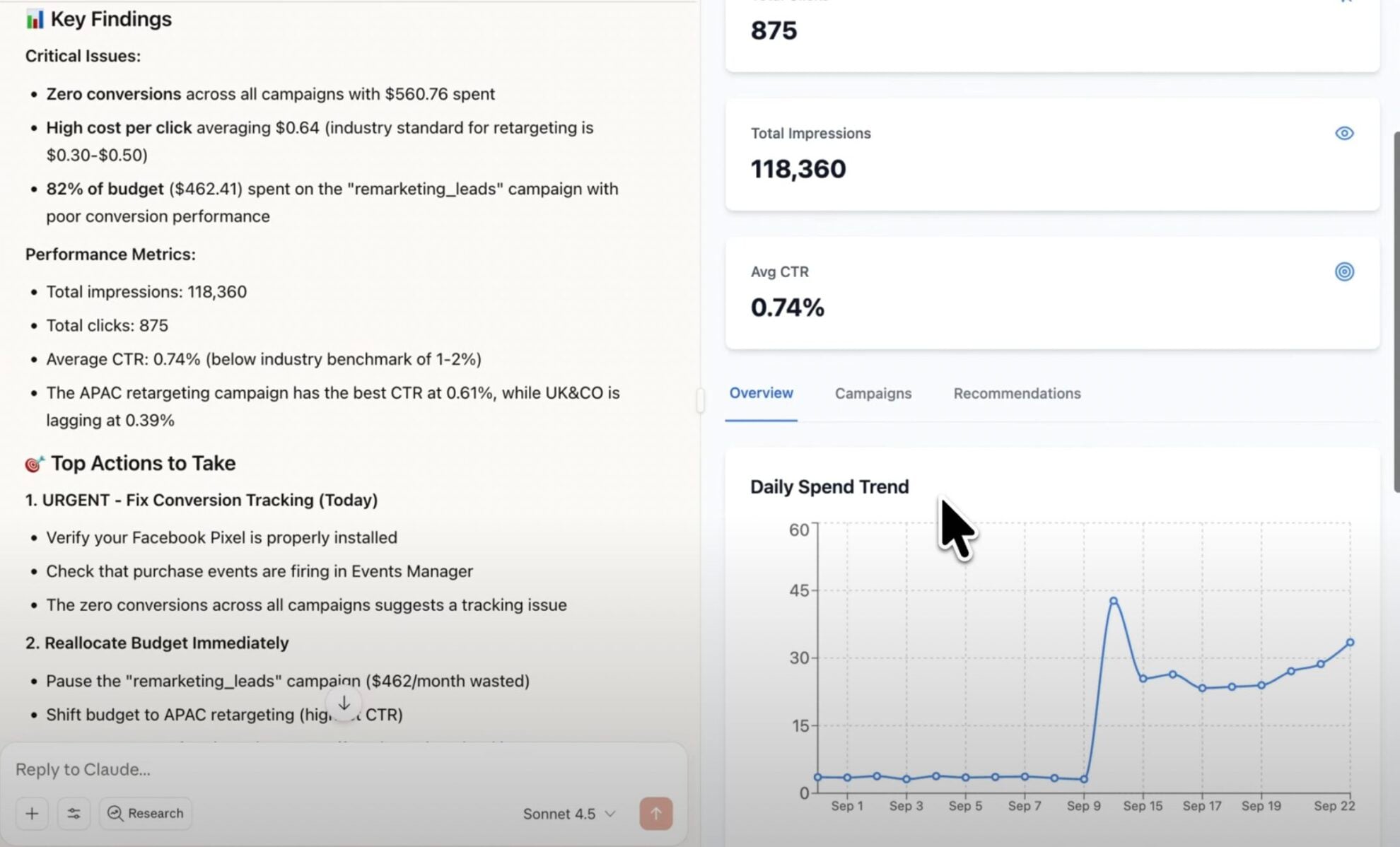
Without Windsor.ai, getting Iterable records into an AI chat means an export and an upload every time you want to ask something. Windsor MCP connects Iterable once and the AI chat reads the live records instead.
Connect in minutes, then ask about your campaigns and their email, SMS and push events.


How to connect Iterable MCP by Windsor.ai
Explore a step-by-step guide to connect your Iterable data to the AI chat you use with Windsor MCP.
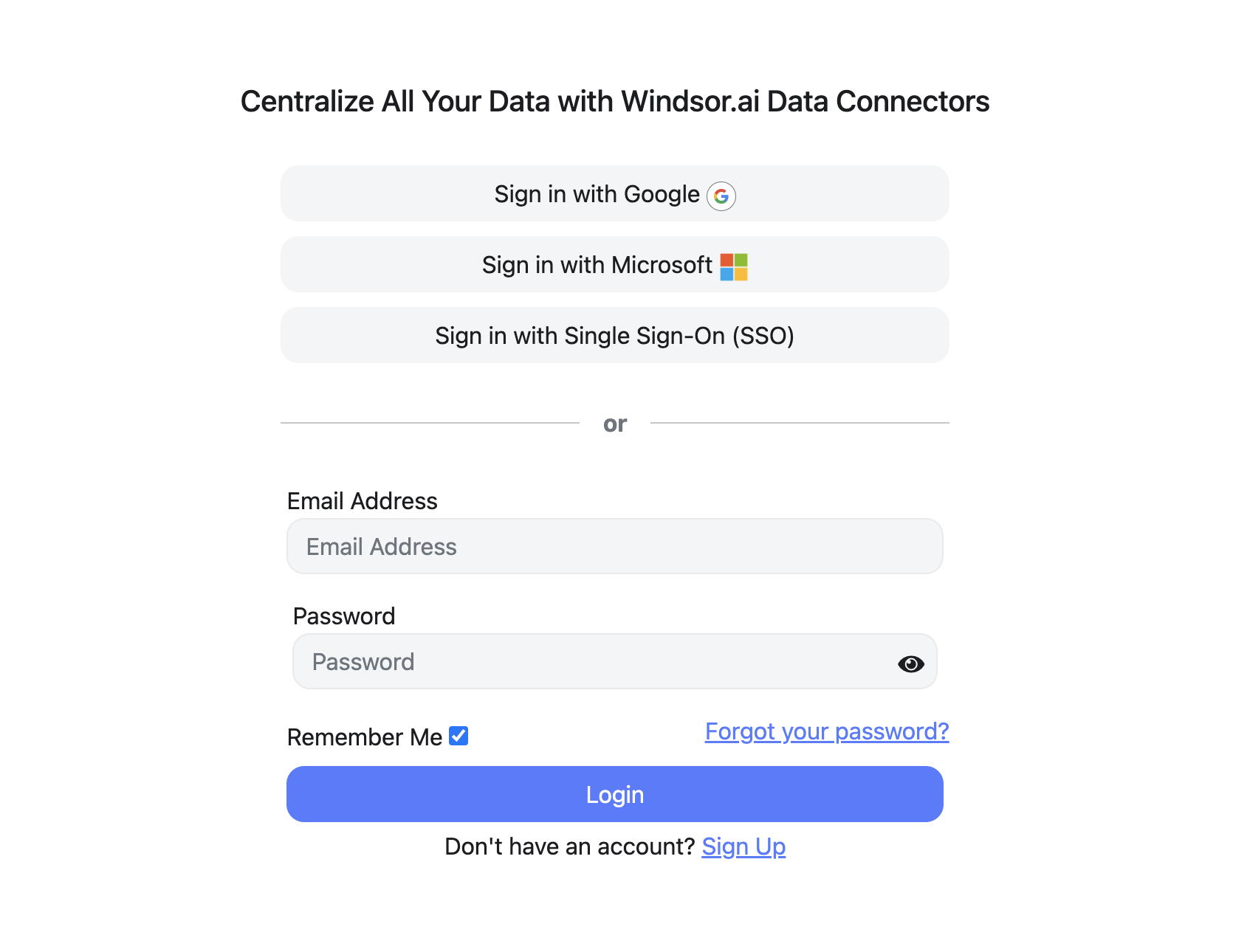
Register and log in to Windsor.ai
Create a new Windsor.ai account or log in if you already have one.
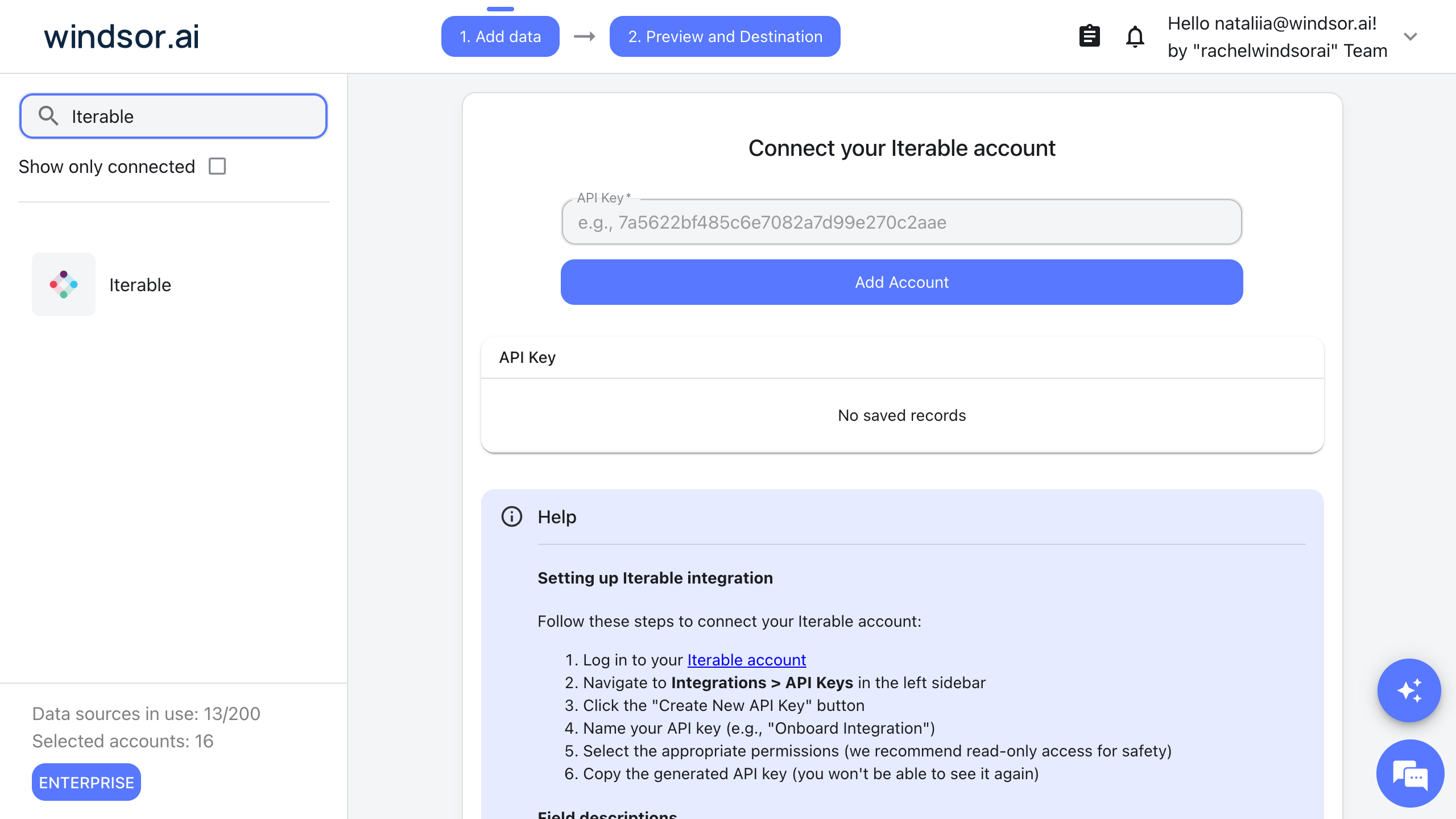
Connect your Iterable account
Choose Iterable as your data source and enter an Iterable API key. In Iterable, go to Integrations, then API Keys, and create a new key; read-only access is enough.
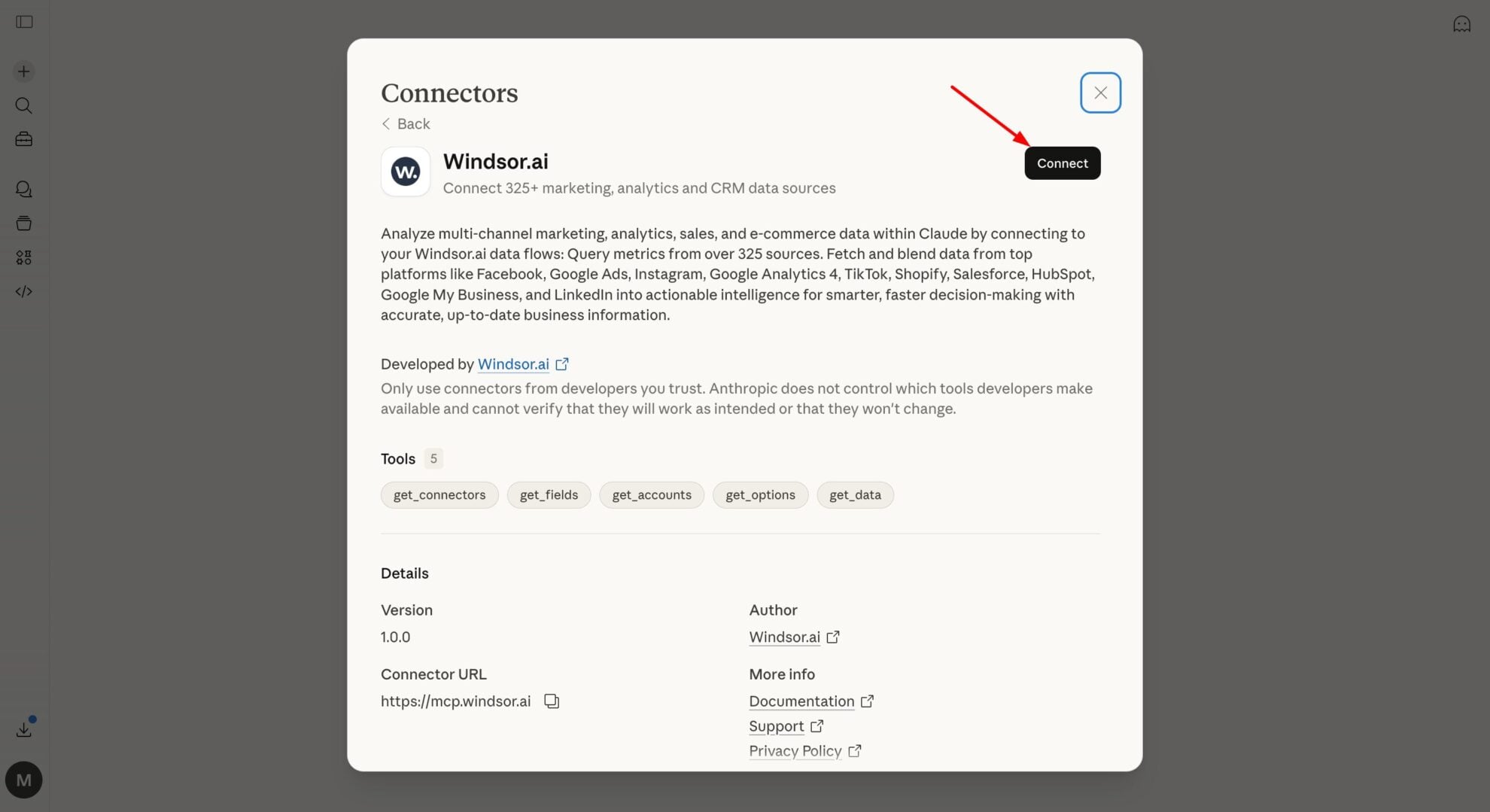
Connect Windsor MCP to your favorite LLM
Connect Windsor MCP to the AI chat you use. Open the Windsor MCP documentation and follow the instructions for your platform.
Start analyzing your Iterable data in the LLM
You can now ask questions about your Iterable data in the AI chat you connected.
FAQs
What Iterable data can my AI chat use through Windsor MCP?
Windsor.ai gives access to 378 Iterable fields. These are the groups; the Iterable field reference lists all of them:
- Campaigns: campaigns.name, campaigns.Id, campaigns.type, campaigns.campaignState, campaigns.messageMedium, campaigns.sendSize, campaigns.startAt.
- Email events: sends, opens, clicks, bounces, complaints and unsubscribes, each with its campaign ID, template ID and time, for example email_open.campaignId, email_click.url and email_unsubscribe.unsubSource.
- Other channels: send, delivery, open and click events for SMS, push, in-app and web push.
- Templates and channels: templates.name, templates.templateId, channels.name, channels.messageMedium.
- Users: user profile fields such as users.email, users.signupDate and users.emailListIds.
- Time: Date, Week, Month, Year.
What can I ask my AI chat about my Iterable data?
These prompts name the fields to use, so the answer comes back on your own records:
-
Count email sends, opens and clicks per campaign for the last 30 days, using campaigns.name for the names.
-
Which links had the most clicks last month? Group email clicks by email_click.url and campaign.
-
Show email unsubscribes and bounces per campaign this quarter, with email_unsubscribe.unsubSource.
-
List campaigns that started this month with their campaigns.messageMedium, campaigns.sendSize and campaigns.campaignState.
Can my AI chat change my Iterable data?
No. The Iterable connector is read-only. Your AI chat can read your Iterable records through Windsor MCP and cannot create, edit or delete anything in Iterable.
Does the Iterable connector include contact details?
Yes. Event rows carry the recipient’s email address, for example email_open.email, and open and click events also have the city, region and country. The users table has profile fields such as users.email. Pick only the fields you need when you set up a report or ask a question.
Can I combine Iterable data with other sources through Windsor MCP?
Yes. Windsor.ai supports 350+ data sources, so you can connect Iterable alongside tools such as Google Ads, GA4 or Shopify and ask about them together. For example, put Iterable email clicks by email_click.url and GA4 Sessions and Engaged sessions by Landing page in one table.
Do I need to code to connect Iterable to Windsor MCP?
No. Connect Iterable in Windsor.ai, add Windsor MCP to your AI chat, and sign in. After that you ask in plain language.
How much does it cost to integrate Iterable with Windsor MCP using Windsor.ai?
The free forever plan covers 1 data source, so connecting Iterable on its own costs nothing and needs no credit card. Combining Iterable with other sources needs a paid plan: $19/month for 3 sources or $99/month for 7. The AI chat you connect is billed separately by its own provider. See the pricing page.
Do you have helpful links to get started with Iterable and Windsor MCP?
Yes. These are the resources to start with for the Iterable to Windsor MCP integration:
Tired of manual Iterable data exports? Try Windsor.ai today to work on live data


