 Destinations
 Data sources
 AI insights
 About us
 Careers
 Security
 Customer reviews
 Contact us
 Affiliate program
 Solution partners
 Template gallery
 Looker Studio templates
 Power BI templates
 Excel templates
 Google Sheets templates
 Tableau templates
 Facebook Ads templates
 Google Ads templates
 Data fields & Metrics
 AI prompt library & Guides
 Product documentation
 API documentation
 Case studies
 Blog
Blog Data models
 Windsor vs Supermetrics
 Windsor vs Funnel.io
 Windsor vs Fivetran
 Windsor vs Rivery
 Windsor vs Portermetrics
 Windsor vs Coupler.io
LinkedIn Ads MCP for AI Insights
Send your LinkedIn Ads data to leading LLMs with Windsor MCP.
Bring LinkedIn Ads into ChatGPT, Claude, Copilot, and Gemini to turn data into AI-driven insights so you can refine targeting, optimize ad spend, and elevate your marketing strategy.
Forget CSVs. Stop copy/paste. Connect data in 2 minutes. No code required.
 Sign up with Google
 Free forever plan
No credit card needed
Free forever plan
No credit card needed










Unlock AI-powered LinkedIn Ads insights and actions with Windsor MCP
Stream LinkedIn Ads into AI conversations with Windsor MCP for conversational analysis of your B2B campaign data, unlocking the following benefits:

Get instant AI answers
Send your LinkedIn Ads data to ChatGPT, Claude, Copilot, Gemini, and more, with no engineering or SQL. Get AI-generated summaries, clear visuals, and practical recommendations without building dashboards.

Analyze data in natural language
Use short prompts about audiences, CPL, CTR, CVR, spend, and pacing. Windsor MCP transforms these metrics into clear takeaways and actionable guidance.

Refine targeting
Refine your targeting by asking: “Which exclusions cut low-intent clicks?” and “Which segments (industry/title/size) deliver the lowest CPL and highest MQL rate this month?” Leverage these AI-driven insights to tighten audiences and exclude low-quality segments.

Take actions from the chat
Pause a campaign burning budget on a high CPL, bump spend on your best performer, or turn a paused creative back on. All from your chat with Claude, ChatGPT, or Copilot. No Campaign Manager tab, no context switch.
Using Windsor.ai MCP to connect data from LinkedIn Ads to LLMs
Instead of exporting CSVs and using expensive tools, leverage Windsor MCP to collect, normalize, and deliver your LinkedIn Ads data to your chosen LLM platform.
Connect your advertising data in minutes and query it in natural language for AI-powered insights.














How to connect LinkedIn Ads MCP by Windsor.ai
Follow this quick setup guide to connect your LinkedIn Ads data to your preferred AI chat.
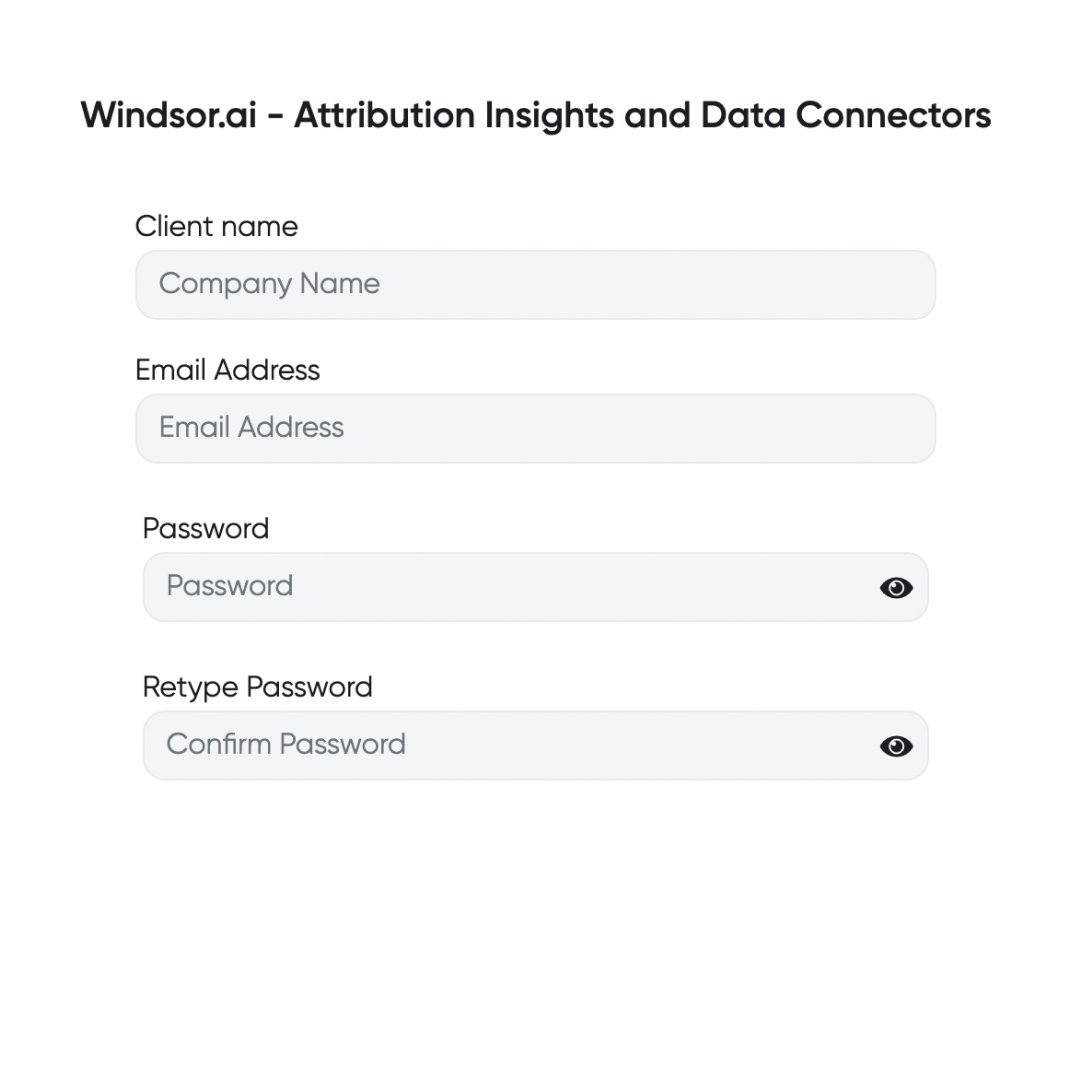
Register and log in to Windsor.ai
Create a new Windsor.ai account or log in if you already have one.
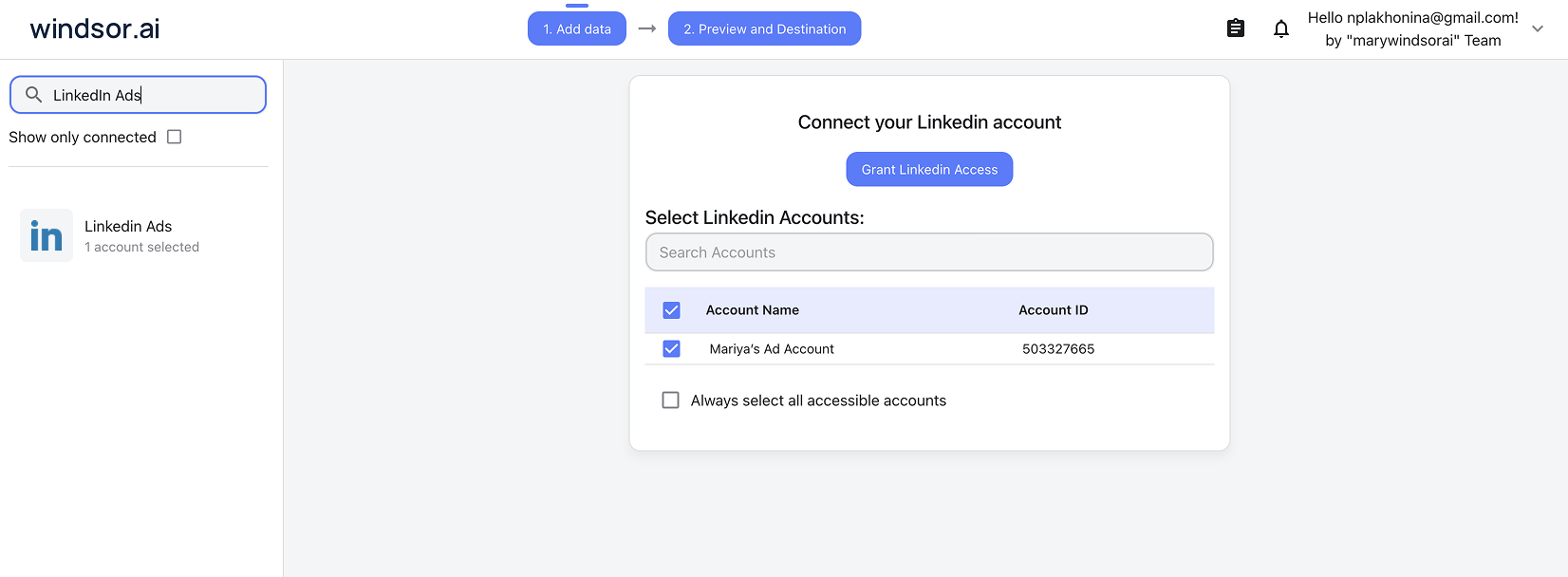
Select your data source
Choose LinkedIn Ads as your data source and grant access to Windsor.ai.
Connect Windsor MCP to your favorite LLM
If a native connector is available for your platform, connect in one click. Otherwise, visit this guide and follow the instructions for your platform of choice.

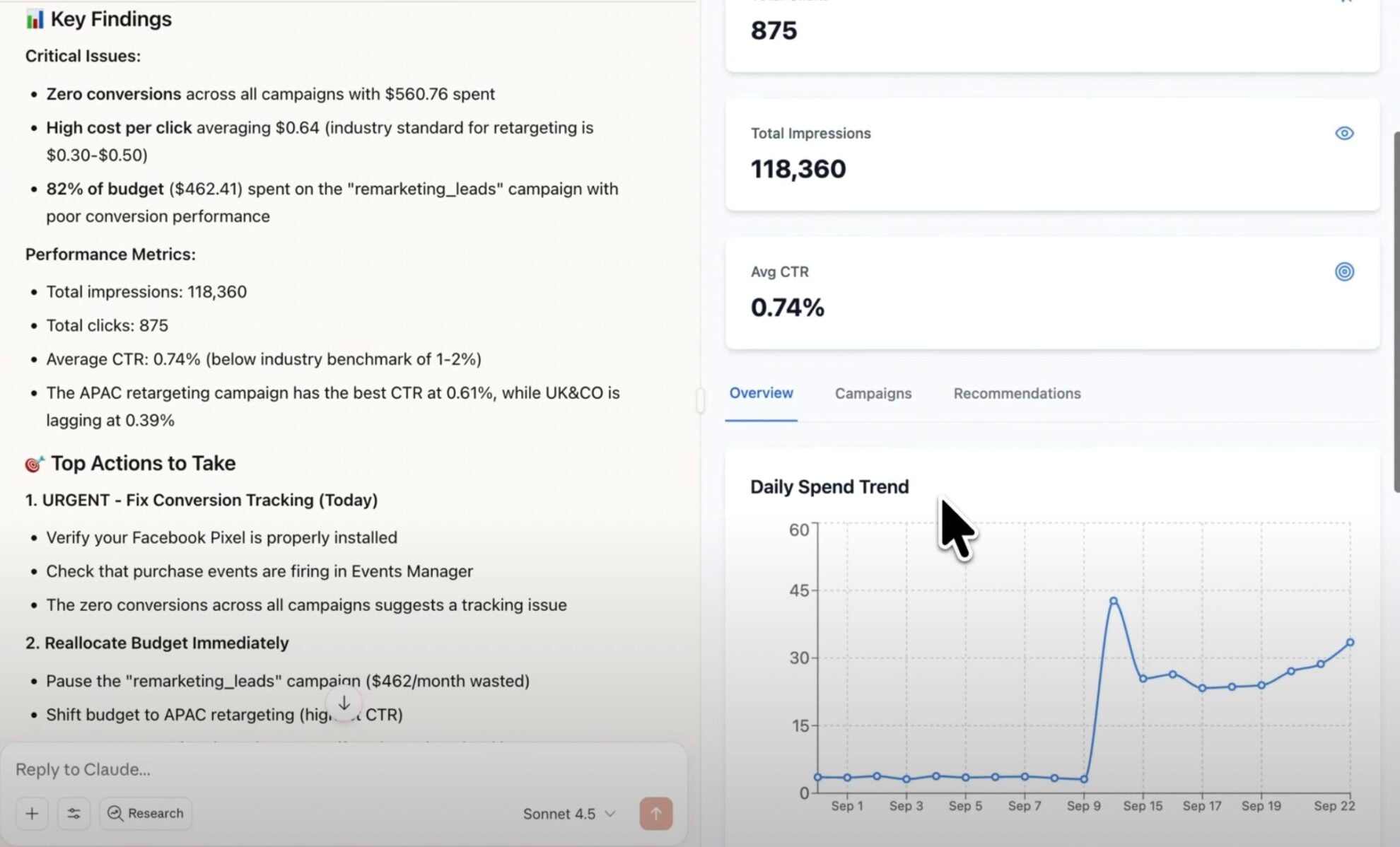
Start analyzing your data in the LLM
Now you’re ready to ask anything about your data. Claude, ChatGPT, and Copilot can also pause campaigns and adjust budgets straight from the chat.
FAQs
What is Windsor MCP?
Windsor MCP (Model Context Protocol) is an AI-powered tool that connects your integrated Windsor.ai data with LLM platforms like Claude, ChatGPT, Copilot, Cursor, Gemini, and others. It allows you to ask natural language questions about your data and receive actionable insights without writing SQL or building dashboards from scratch.
For LinkedIn Ads, Claude, ChatGPT, and Microsoft Copilot can also execute changes directly from the chat.
What can I do with Windsor MCP?
Windsor MCP lets you interact with your business data directly in your favorite LLM tools. Instead of writing SQL queries, you can ask questions like “Which campaigns have the lowest CPL this week?” or “Do Lead Gen Forms or Website Conversions perform better?”
MCP automatically collects and normalizes data from all sources connected to your Windsor account, generating instant summaries, deep insights, and optimization recommendations.
Can I manage LinkedIn Ads campaigns directly from AI chats?
Yes. Windsor MCP gives Claude, ChatGPT, and Microsoft Copilot write access to LinkedIn Ads. You can:
- Enable or pause campaign groups, campaigns, and creatives
- Set campaign group and campaign budgets, daily or total
Which AI agents support write actions for LinkedIn Ads?
Claude (Web, Desktop, and Code), ChatGPT, and Microsoft Copilot support write actions today. Other MCP-compatible tools, including Perplexity, Cursor, and Gemini, get full read access to your LinkedIn Ads data through the same connection.
Is Windsor MCP free to use?
Yes, you can use Windsor MCP at every Windsor’s plan, even during a free trial. But keep in mind that Claude Desktop and ChatGPT allows you to add external connectors only on the paid plans.
What agents does it work with?
You can connect Windsor MCP to any AI agent compatible with MCP, including Claude Desktop, ChatGPT, Perplexity, Cursor, Gemini, etc. All get full read access. Claude, ChatGPT, and Microsoft Copilot also support write actions, so you can pause campaigns, creatives, and adjust budgets directly from the chat.
Tired of manual LinkedIn Ads data exports? Try Windsor.ai today to automate your reporting


