 Destinations
 Data sources
 AI insights
 About us
 Careers
 Security
 Customer reviews
 Contact us
 Affiliate program
 Solution partners
 Template gallery
 Looker Studio templates
 Power BI templates
 Excel templates
 Google Sheets templates
 Tableau templates
 Facebook Ads templates
 Google Ads templates
 Data fields & Metrics
 AI prompt library & Guides
 Product documentation
 API documentation
 Case studies
 Blog
Blog Data models
 Windsor vs Supermetrics
 Windsor vs Funnel.io
 Windsor vs Fivetran
 Windsor vs Rivery
 Windsor vs Portermetrics
 Windsor vs Coupler.io
Connect Microsoft Dynamics 365 to ChatGPT
Automatically sync your Dynamics 365 data to ChatGPT using the Windsor.ai connector.
Send Dynamics 365 data to ChatGPT and generate AI-powered insights into your sales pipeline, customer relationships, and financial performance.
Forget CSVs. Stop copy/paste. Connect data in minutes. No code required.
 Sign up with Google
 Free forever plan
No credit card needed
Free forever plan
No credit card needed










Streamline analytics with Microsoft Dynamics 365 data in ChatGPT
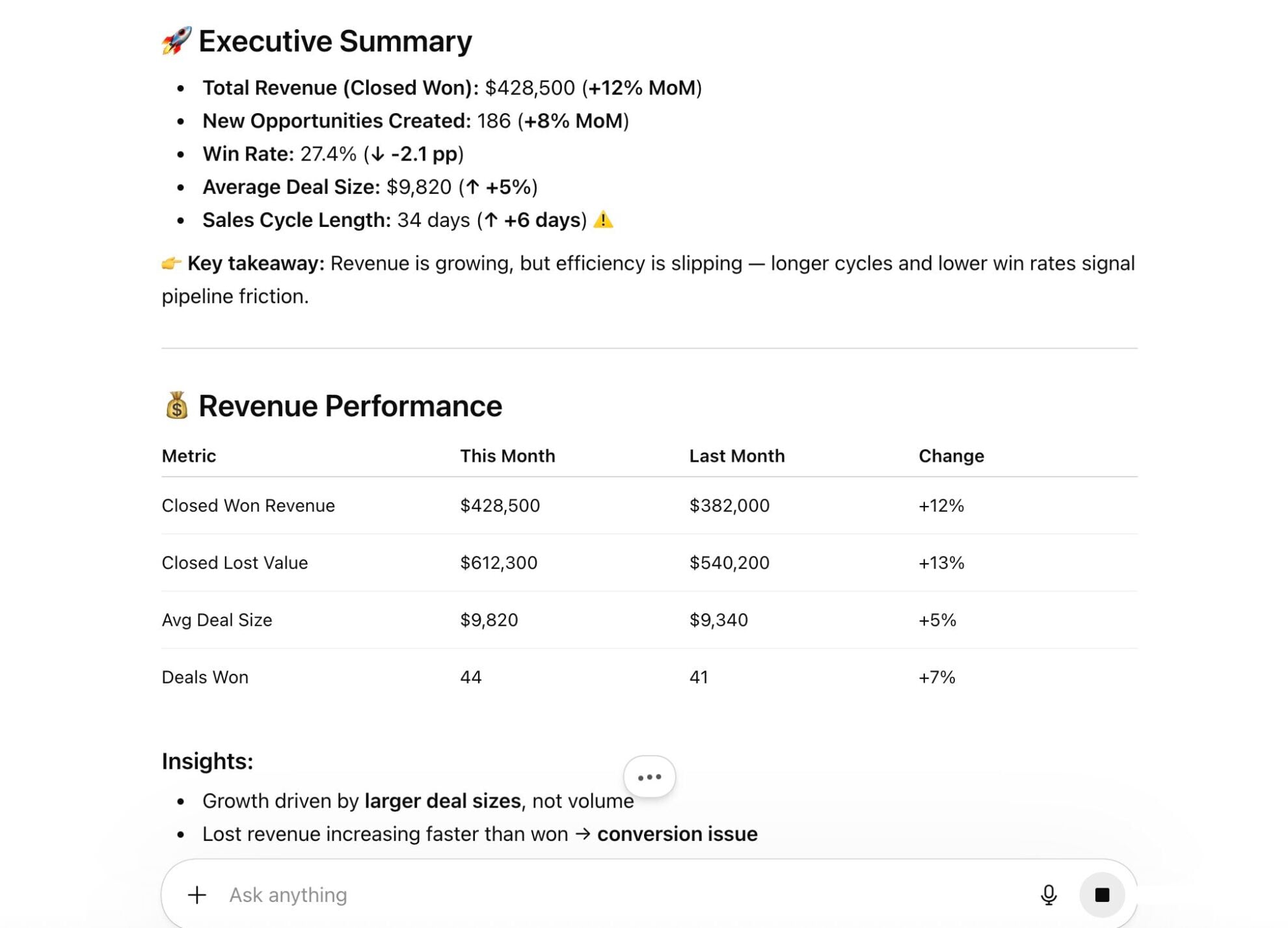
Windsor.ai makes your Dynamics 365 data instantly available in ChatGPT, so you can jump straight to analysis and get AI-driven insights in seconds. Explore key use cases:

Find stalled deals
ChatGPT identifies opportunities that have sat in the same sales stage too long by combining stage name, last activity date, and deal value. It helps you prioritize deals that need immediate attention before they go cold.

Monitor overdue invoices
Pull open invoice status, due dates, and account names to get an instant view of outstanding payments. ChatGPT can rank accounts by overdue amount and flag those requiring follow-up.

Link marketing spend to revenue
Combine Dynamics 365 closed-won data with Google Ads or Meta Ads spend to calculate true customer acquisition cost. See which campaigns generate the highest-value deals, not just the most leads.

Review order profitability
Ask AI to match order values and product line data with operational costs to calculate true margin per completed deal. Understand which customers and products are actually driving profitable growth.

Audit contact engagement
Review communication history and activity logs across key contacts to identify relationships that have gone quiet. Ensure high-value contacts are receiving consistent outreach from your team.
Using Windsor.ai to connect data from Microsoft Dynamics 365 to ChatGPT
Sending Microsoft Dynamics 365 data to ChatGPT usually requires manual exports, data formatting, or costly tools. Windsor.ai’s connector handles it automatically by collecting, structuring, and delivering your data to ChatGPT in minutes.
Connect your Dynamics 365 account and start analyzing your sales and customer data via natural language.















How to connect Microsoft Dynamics 365 to ChatGPT data with Windsor.ai
Explore our video tutorial and a step-by-step guide to seamlessly integrate your data from any source into ChatGPT with the Windsor.ai connector.
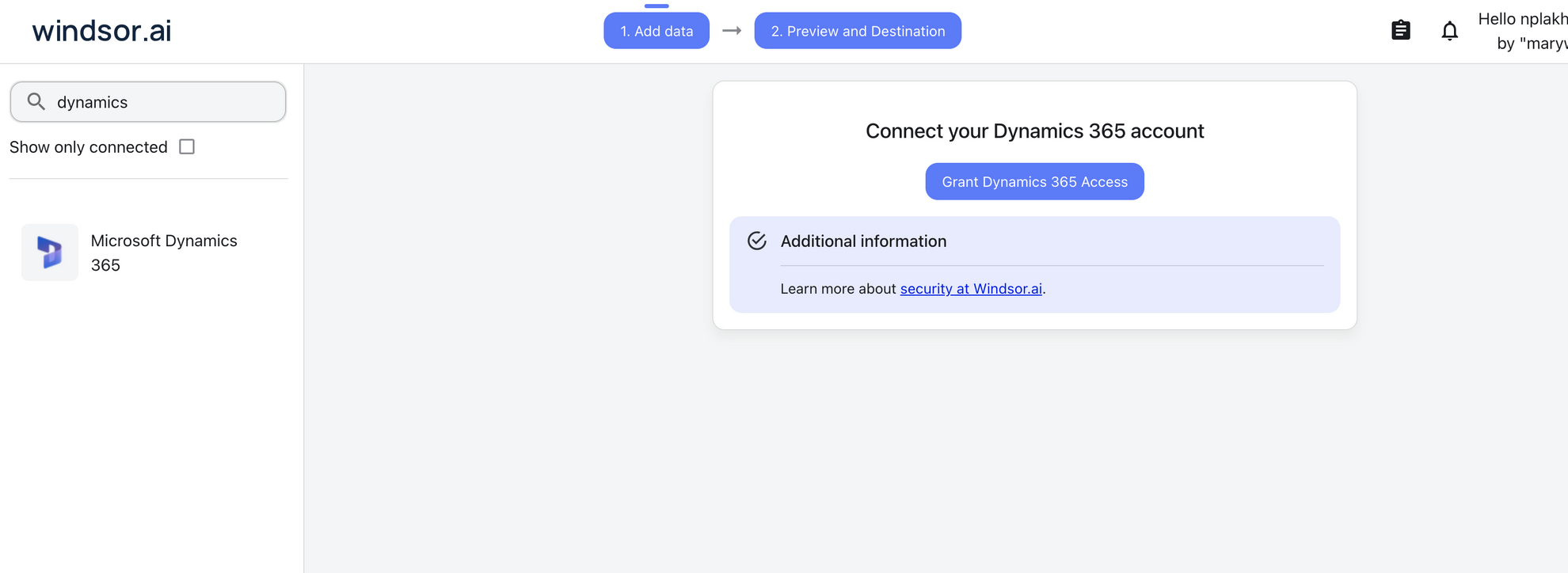
Select your data source
Choose Microsoft Dynamics 365 as your data source and grant access to Windsor.ai.
Install the Windsor.ai connector
Log in to your ChatGPT account and open this Windsor.ai connector page.
Click Connect, then authorize access.

Query your Microsoft Dynamics 365 data in ChatGPT
Open a new chat and start asking questions about your connected Microsoft Dynamics 365 data using natural language.
Make sure that the Windsor.ai connector is enabled (click the + sign → More → Windsor.ai.)
FAQs
What can I do with Microsoft Dynamics 365 data in ChatGPT?
Once Microsoft Dynamics 365 is connected to ChatGPT, you can:
- Analyze your sales pipeline. Get instant summaries of open opportunities, deal values, and sales stages (broken down by rep, region, or product line).
- Track lead performance. Identify which lead sources are generating the highest-quality prospects and where leads are dropping off in the funnel.
- Monitor customer health. Spot high-value accounts that haven’t had recent activity and flag accounts at risk of churn.
- Review financial performance. Track invoice status, order values, and actual revenue versus forecast by account, team, or period, without opening a single report in Dynamics.
- Run cross-channel analysis. Combine Dynamics 365 data with ad platforms like Google Ads or Meta Ads to see which campaigns are actually driving closed-won revenue.
- Generate reports. ChatGPT can produce formatted summaries, tables, and recommended next steps, exportable as CSV, Excel, or PDF.
Can I track customer service performance from Dynamics 365 in ChatGPT?
Yes. You can ask ChatGPT to summarize open cases by priority, identify support agents handling the most tickets, measure average case resolution times, or flag cases that have been open too long.
Does Windsor.ai support custom fields and entities from Microsoft Dynamics 365?
Yes. The Windsor.ai connector can recognize and pull data from both standard and custom entities within your Dynamics 365 environment.
Can ChatGPT help me forecast sales using Microsoft Dynamics 365 data?
Yes. ChatGPT analyzes your current open opportunities alongside historical win rates to generate data-driven sales projections. You can also ask it to flag deals at risk based on inactivity, probability scores, or deal age, helping your team prioritize the right accounts at the right time.
What prompts can I use to analyze Microsoft Dynamics 365 in ChatGPT?
Use advanced prompts to gain deeper insights from your Dynamics 365 data, for example:
-
Calculate the average lead-to-close cycle time for deals won in the last 90 days. Break it down by lead source and sales rep, and identify which combination produces the fastest and highest-value closes.
-
Identify opportunities that have been in the same sales stage for more than 21 days and have an estimated value above $20k. Cross-reference with the last logged activity date and suggest which deals should be prioritized or escalated.
-
Compare actual revenue against forecast for this quarter, broken down by product line and account segment. Highlight where we are most behind and which accounts are responsible for the largest gaps.
-
Combine our Dynamics 365 closed-won data with Google Ads and Meta Ads spend. Which campaigns generated the highest-value deals, and what is the true cost of acquisition per closed customer?
-
Match our closed-won opportunities with order and invoice data. Which customers have the highest lifetime value when both deal size and repeat purchase history are factored in?
How much does it cost to integrate Microsoft Dynamics 365 into ChatGPT using Windsor.ai?
Windsor.ai is free to start, no credit card required. Paid plans start at $19/month and scale by the number of sources and accounts. See the pricing page.
How long does it take to connect Microsoft Dynamics 365 to ChatGPT?
With Windsor.ai’s intuitive connector, the integration process takes just a few minutes. No technical expertise is required; connecting Microsoft Dynamics 365 to ChatGPT is simple, straightforward, and completely code-free.
Do you have helpful links to get started with integrating Microsoft Dynamics 365 and ChatGPT using Windsor.ai?
Yes, we have helpful resources to help you get started. You can explore our official documentation and tutorials for seamless Microsoft Dynamics 365 to ChatGPT integration with Windsor.ai:
Tired of manual Microsoft Dynamics 365 data exports? Try Windsor.ai today to automate your reporting


