 Destinations
 Data sources
 AI insights
 About us
 Careers
 Security
 Customer reviews
 Contact us
 Affiliate program
 Solution partners
 Template gallery
 Looker Studio templates
 Power BI templates
 Excel templates
 Google Sheets templates
 Tableau templates
 Facebook Ads templates
 Google Ads templates
 Data fields & Metrics
 AI prompt library & Guides
 Product documentation
 API documentation
 Case studies
 Blog
Blog Data models
 Windsor vs Supermetrics
 Windsor vs Funnel.io
 Windsor vs Fivetran
 Windsor vs Rivery
 Windsor vs Portermetrics
 Windsor vs Coupler.io
Connect Square to Claude
Automatically sync your Square data to Claude using the Windsor.ai connector.
Audit labor costs, prevent stockouts, and improve profitability with AI-powered insights in Claude.
Forget CSVs. Stop copy/paste. Connect data in minutes. No code required.
 Sign up with Google
 Free forever plan
No credit card needed
Free forever plan
No credit card needed










Optimize sales and financial performance with Square to Claude integration
Windsor MCP enables fast Square-to-Claude integration, transforming raw data into actionable insights. Key benefits and use cases include:

Analyze processing fees and margins
Claude pulls your Processing Fees and Refunded Money to calculate your ‘True Net’ profit per transaction. This reveals if high-volume days are actually less profitable due to specific payment types or high return rates.

Optimize labor costs against sales
Ask Claude to compare your Shift durations and Wages against Order timestamps to see if you are overstaffed during slow hours. It identifies specific windows where payroll costs reduce your gross revenue.

Prevent churn among your top customers
Scan Loyalty Balance and Lifetime Points to find your top 5% of spenders who haven’t had a transaction in 30+ days. Claude can draft a personalized re-engagement message based on their favorite Item Categories.

Generate a clear action plan
Claude identifies operational gaps by cross-referencing your Shifts, Inventory, and Sales data to build a prioritized task list for your team. It transforms raw financial metrics into a step-by-step roadmap for reducing labor costs, restocking high-velocity items, and recovering lost revenue.
Using Windsor.ai to connect data from Square to Claude
Eliminate manual setup, spreadsheets, and middleware when connecting Square with Claude. Windsor.ai automatically pulls, organizes, and delivers your Square data to Claude in minutes.
Connect once and start analyzing your sales and financial data using natural language prompts.
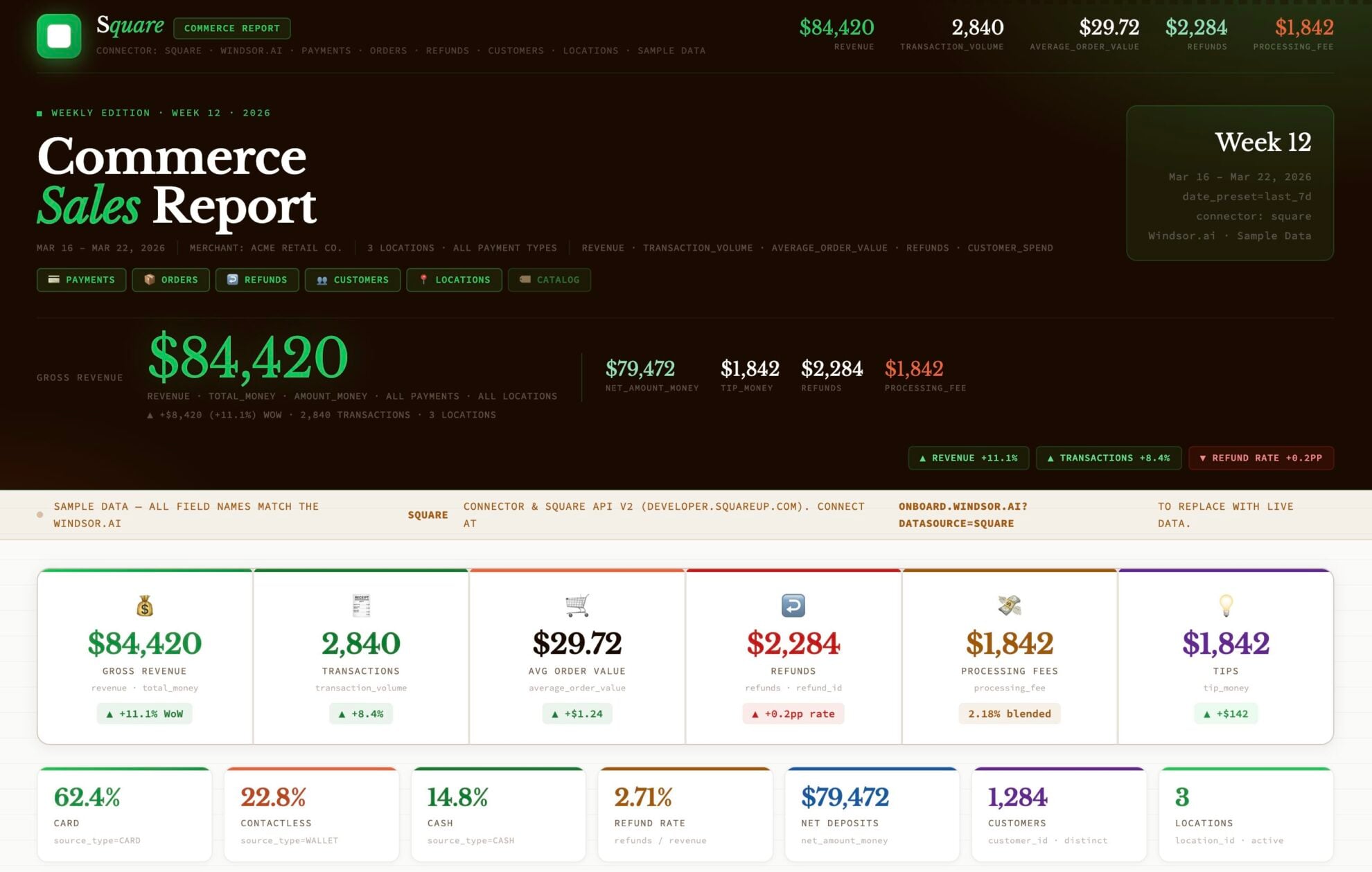














How to connect Square to Claude with Windsor.ai
Explore our video tutorial and a step-by-step guide to integrate your data from any source into Claude with the Windsor.ai connector.
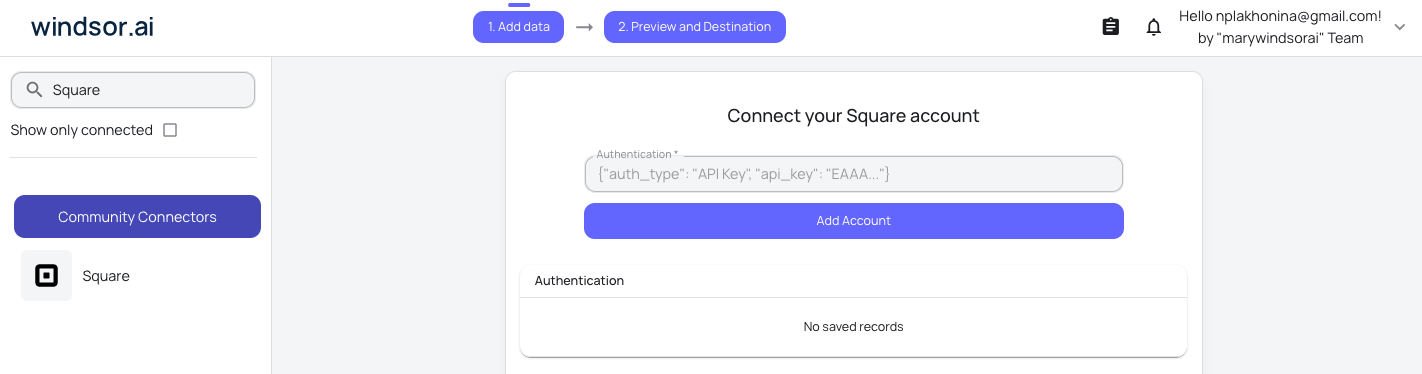
Select your data source
Choose Square as your data source and grant access to Windsor.ai.
Install the Windsor.ai connector in Claude
In Claude, open Customize, then Connectors, search for Windsor and click Add. Sign in to your Windsor.ai account when prompted, and the connector appears in your Connectors list. You can also open the Windsor.ai listing in the Claude directory and click Connect.

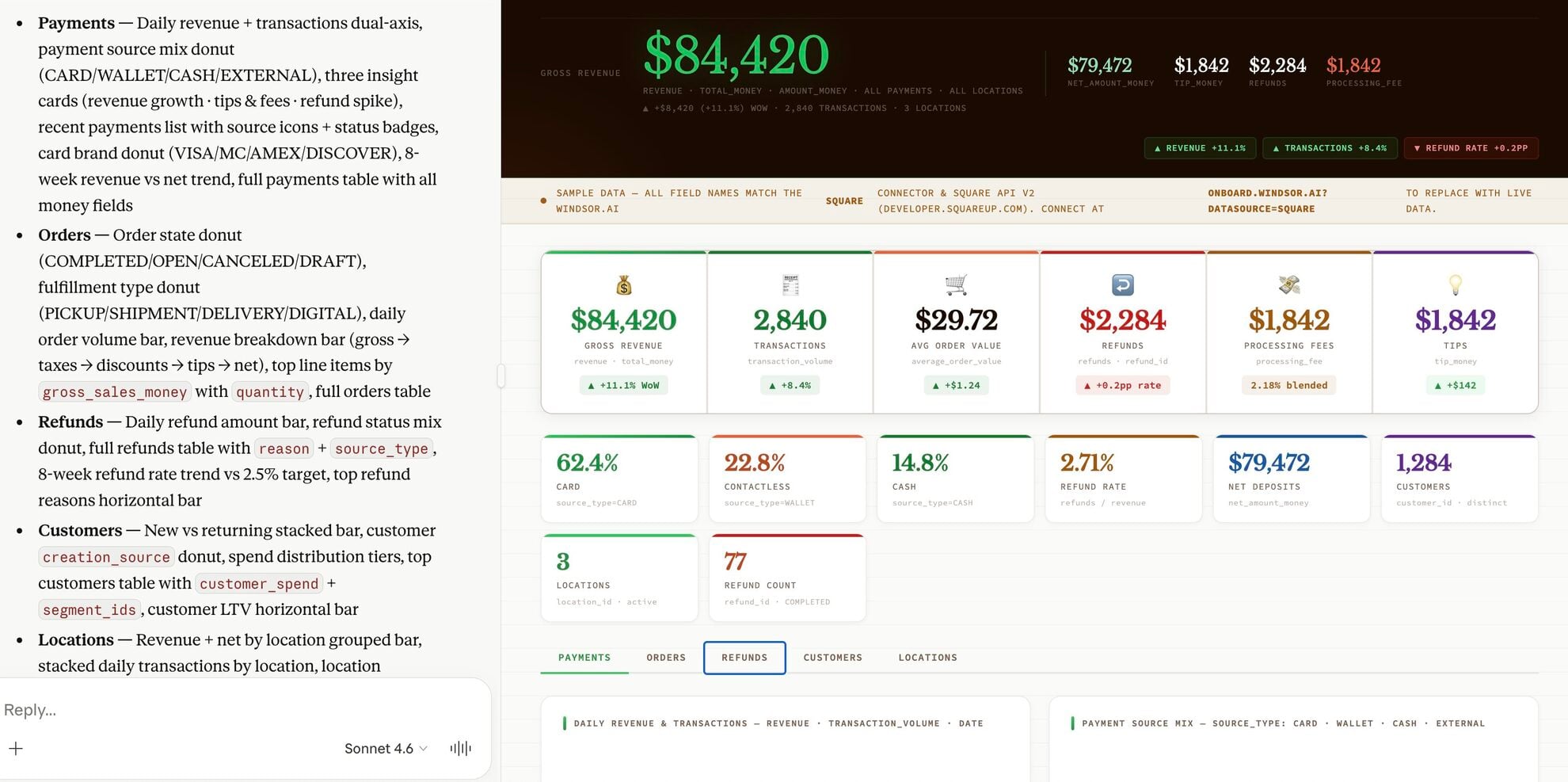
Query your data in Claude
Start a new chat and ask Claude questions about your connected data: summarize KPIs, create client reporting dashboards, or run advanced analyses.
FAQs
What can I do with my Square data in Claude?
You can use Claude as a virtual business consultant. For example, you can ask it to summarize your weekly sales, identify your most profitable menu items, audit your labor costs against your revenue, or predict when you’ll run out of stock on your best-selling products.
Can Claude help me reconcile my cash drawers?
Yes. You can ask Claude to review your cash drawer history to find discrepancies. It can compare the expected cash at the start and end of a shift and highlight any shifts where the drawer didn’t balance.
Can Claude help me manage my inventory and avoid stockouts?
Absolutely. Claude can monitor your current stock levels and your recent sales speed. You can ask it to give you a reorder list of items that are likely to run out in the next week.
Can Claude help me identify sales trends by category?
Yes. You can ask Claude to show you which categories, like ‘Apparel’ vs. ‘Accessories’, are trending up or down, helping you make better decisions about what to buy for your next inventory cycle.
What prompts can I use when analyzing Square data in Claude?
Use more advanced, specific prompts to extract deeper insights from your Square data. For example:
-
Analyze my refunds from the last 90 days. Group them by the reason given and cross-reference them with the specific products or team members involved. Is there a pattern that suggests a specific product defect or a training gap for certain staff?
-
Identify the top 10 items where I have the most money tied up in sitting inventory (high stock levels but low sales velocity). Calculate how many weeks it will take to clear this stock at my current sales rate and suggest which items I should liquidate to free up cash.
-
Identify my top 5% of customers based on lifetime spend. Now, tell me which of these 'VIPs' haven't purchased in the last 45 days. Based on their previous buying habits, what specific products or categories should I mention in a 'we miss you' outreach?
-
Compare the profitability of my online orders versus my in-person terminal orders. Factor in the different processing fees and the frequency of refunds for each channel. Which sales channel is actually putting more net profit in the bank per dollar earned?
How does the Windsor MCP refresh Square data in Claude?
Every time you run a prompt in Claude, the Windsor MCP pulls the latest available data from the Square API, ensuring your analysis is based on near-real-time performance.
How much does it cost to integrate Square into Claude using Windsor.ai?
Windsor.ai’s pricing for Claude data integration varies depending on the number of connected accounts and data sources. We offer absolutely transparent pricing plans for diversified business needs and budgets.
How long does it take to connect Square to Claude?
With Windsor.ai’s easy-to-use connector, the integration process takes just a few minutes. No technical expertise is needed; connecting Square to Claude is simple, straightforward, and completely code-free.
Do you have helpful links to get started with integrating Square and Claude using Windsor.ai?
Yes, we have helpful resources to help you get started. You can explore our official documentation and tutorials for seamless Square to Claude integration with Windsor.ai:
Tired of manual Square data exports? Try Windsor.ai today to automate your reporting


