Destinations
 Data sources
 AI insights
 About us
 Careers
 Security
 Customer reviews
 Contact us
 Affiliate program
 Solution partners
 Template gallery
 Looker Studio templates
 Power BI templates
 Excel templates
 Google Sheets templates
 Tableau templates
 Facebook Ads templates
 Google Ads templates
 Data fields & Metrics
 AI prompt library & Guides
 Product documentation
 API documentation
 Case studies
 Blog
 Data models
 Windsor vs Supermetrics
 Windsor vs Funnel.io
 Windsor vs Fivetran
 Windsor vs Rivery
 Windsor vs Portermetrics
 Windsor vs Coupler.io
Connect Wikipedia Pageviews to ChatGPT
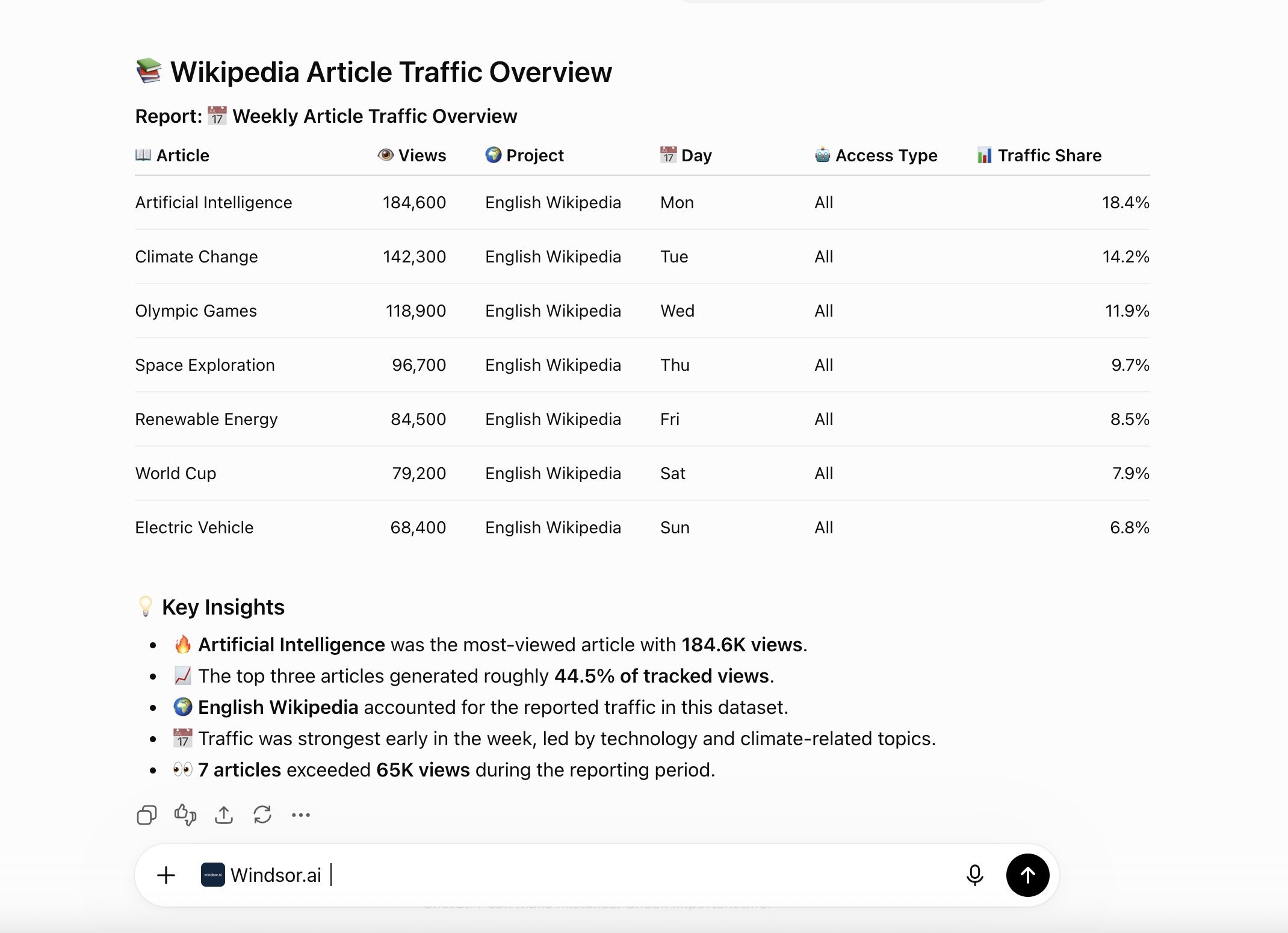
Through the Windsor.ai plugin, ask ChatGPT how often a Wikipedia article was viewed, day by day. Follow interest in your brand, a competitor or a topic, and see which pages made the daily top 1,000.
Set it up in three steps: add the Wikipedia article and language edition in Windsor.ai, install the Windsor.ai plugin in ChatGPT, and ask your first question in a new chat.
 Sign up with Google
 Free forever plan
No credit card needed










What to ask ChatGPT about Wikipedia pageviews
ChatGPT can answer questions like these from Wikimedia’s public pageview counts.

Follow interest in a brand or topic article
Wikimedia counts views per article per day. Ask ChatGPT how views of the article on your brand (if it has one), a competitor or your product category changed over the last 30 days, and on which days they jumped. Compare the date of each jump with your news, launches and campaigns.

Split views by device
Wikimedia reports views separately for desktop, mobile web and mobile app, plus a total. Ask ChatGPT which share of an article’s views came from mobile, and whether that share changed over the month. Each Windsor.ai account has its own device setting (Access). Add one account each for desktop, mobile web and mobile app. After your first 30 days, more than one account needs a paid plan.

Read the daily top 1,000 pages
For each language edition, Wikimedia publishes the 1,000 most-viewed pages of each day. Ask ChatGPT which articles entered the list this week, or where an article in your field ranked. The list also holds pages such as Main_Page and Special:Search. Ask ChatGPT to leave them out.

Separate user views from bot views
Wikimedia labels each view as user, spider (a crawler that names itself) or automated (traffic Wikimedia’s bot detection flags). Ask for user views only when you want views by people, without crawlers and detected bots. Set Agent in each Windsor.ai account. To compare the three, add a user, a spider and an automated account, which takes a paid plan once your first 30 days end. The daily top list already counts user views only.
What Windsor.ai reads from Wikipedia Pageviews
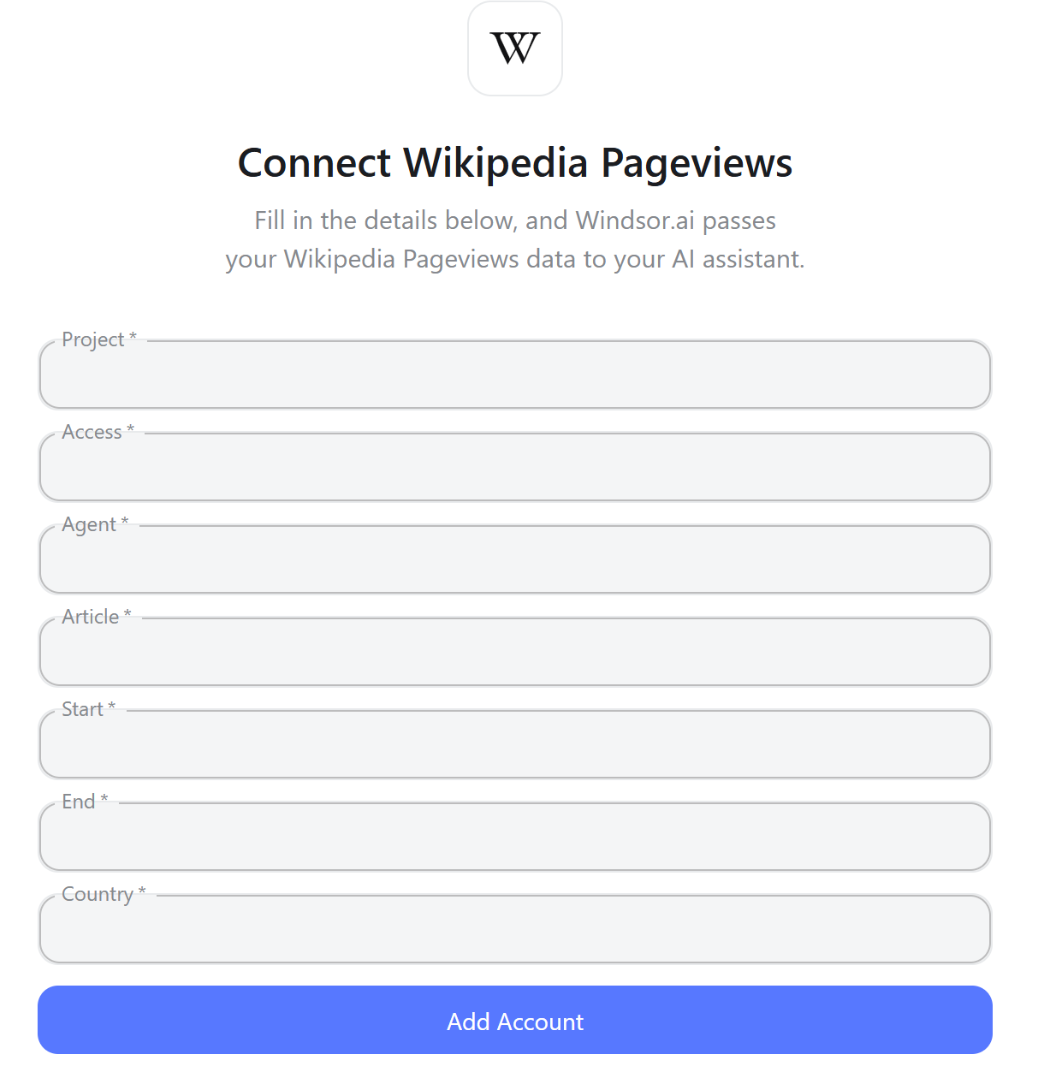
Windsor.ai reads Wikipedia’s public pageview counts from the Wikimedia Pageviews API. In the Windsor.ai form you set the language edition (project, such as en.wikipedia), the article, the device type (access), the type of visitor (agent), a start and end date and a country. Each account holds one value for each of these. To compare two articles or two language editions, add one account for each.
Through the connector, Windsor.ai reads two tables. The per-article table gives the views for each day, with the article, project, access and agent of each row. The top table gives the day’s list of up to 1,000 most-viewed pages for a project, with each page’s views and rank.
Wikimedia’s counts start on 1 July 2015 and arrive the next day. The connector is read-only, and Windsor.ai’s write actions list has none for Wikipedia Pageviews.






How to connect Wikipedia Pageviews to ChatGPT with Windsor.ai
Read the ChatGPT setup documentation for the Windsor.ai plugin, or watch the video tutorial.
Install the Windsor.ai plugin
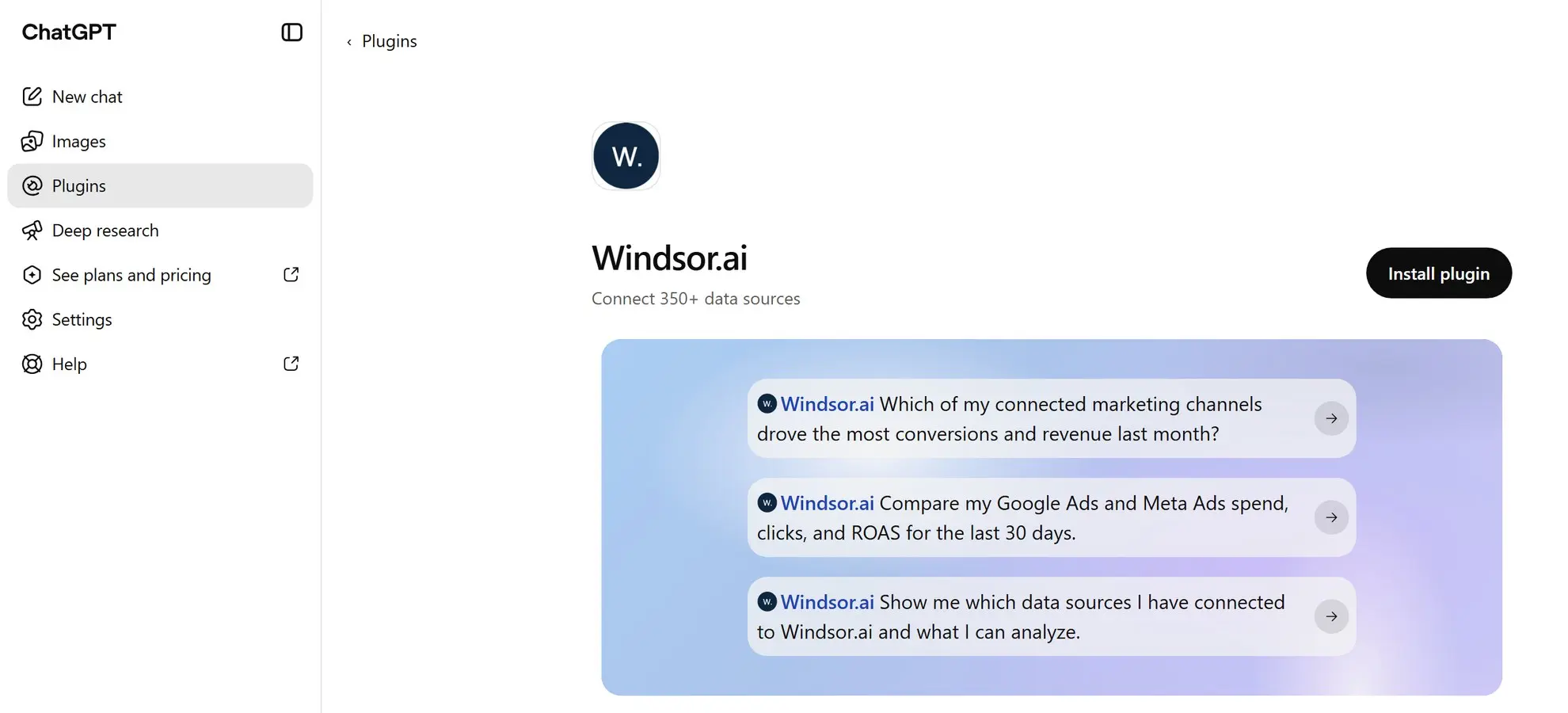
In ChatGPT, select Plugins in the sidebar and search for Windsor.ai, or open the Windsor.ai plugin page.
Select Install plugin, then sign in to Windsor.ai and authorize access.
Query your Wikipedia pageviews in ChatGPT
Open a new chat, select + and choose Windsor.ai, or type @Windsor.ai. To check the connection, ask: “Is Wikipedia Pageviews connected in my Windsor.ai account? Show daily views of my article for the last 7 days.”
FAQs
Is there an official Wikipedia plugin for ChatGPT?
No. The Wikimedia Foundation publishes no ChatGPT plugin for pageviews. From July 2023 to February 2024 it ran an experimental Wikipedia plugin for ChatGPT that answered questions from article text, not pageviews. To look at pageviews without any setup, Wikimedia’s free Pageviews Analysis tool charts them in the browser. The Windsor.ai plugin fits when you want ChatGPT to work with the numbers, in the same chat as the other sources you have in Windsor.ai.
What Wikipedia Pageviews data can I analyze in ChatGPT?
The Wikipedia Pageviews connector has 13 fields in two tables:
- Per-article (7 fields): article, project, access, agent, granularity, timestamp, views.
- Top (6 fields): project, access, year, month, day, articles (the ranked list of up to 1,000 pages, each with views and rank).
Windsor.ai adds 5 shared fields, such as the data source name and the time a row was fetched. The Wikipedia Pageviews field reference lists every field.
Can ChatGPT separate user views from bot views?
Yes. Wikimedia labels each view as user, spider or automated, and all-agents is the sum of the three. On 10 Nov 2026, Wikimedia’s API counted 1,532 views of Riemann_hypothesis on en.wikipedia for all agents: 1,176 user, 130 spider and 226 automated. Wikimedia’s bot detection does not catch every bot, so some automated traffic still counts as user views. The daily top list counts user views only.
Can I compare the same topic across language editions?
Yes. Each Wikipedia language edition is its own project, such as en.wikipedia or de.wikipedia, and an article can have a different title in each, such as Climate_change and Klimawandel. Add each edition’s article in Windsor.ai, then ask ChatGPT to put the daily views side by side. Your first 30 days allow up to 15 accounts. After that the free plan keeps 1 account, and more than one needs a paid plan, such as Basic at $19/month (billed annually) with 75 accounts.
How fresh is the Wikipedia pageview data in ChatGPT?
Wikimedia publishes each day’s counts the next day, and its data goes back to 1 July 2015. When we checked on 23 Nov 2026, the latest day was 22 Nov.
Windsor.ai stores each result for 6 hours. An identical request in that window can return the stored rows. To skip them, select Clear Cache in Data Preview in the Windsor.ai app. You can do this once every 2 hours.
What prompts can I use to analyze Wikipedia pageviews in ChatGPT?
Paste any of these into a ChatGPT chat with the Windsor.ai plugin selected.
-
Show weekly views of my Wikipedia article for the last 30 days and the change from week to week.
-
From the en.wikipedia top articles for each of the last 7 days, list the articles that are in the top 100 on the last day but not on the first day. Leave out Main_Page, Special: and Wikipedia: pages.
-
Which day in the last 30 days had the highest share of spider and automated views for my article?
-
Compare desktop and mobile web views of my article by day of the week over the last 30 days.
Prompts that split views by device or visitor type need one account per type, which needs a paid plan after your first 30 days.
How much does it cost to connect Wikipedia Pageviews to ChatGPT with Windsor.ai?
Windsor.ai’s free forever plan needs no credit card and keeps 30 days of history. Your first 30 days allow up to 10 sources and 15 accounts for testing. After that the plan includes 1 user, 1 data source and 1 account. Paid plans add more history and accounts: Basic is $19/month for 3 sources and 75 accounts, and Standard is $99/month for 7 sources and 75 accounts, both billed annually. The pricing page lists every plan.
Do you have helpful links to get started with integrating Wikipedia Pageviews and ChatGPT using Windsor.ai?
Yes. These pages cover the ChatGPT setup, the Wikipedia Pageviews fields and the same connection for Claude.
- Connect Wikipedia Pageviews to Claude: Wikipedia Pageviews with Claude as the assistant
- Wikipedia Pageviews Field Reference: every Wikipedia Pageviews field
- ChatGPT Integration Documentation: how to install and use the Windsor.ai plugin with any connector
Ask ChatGPT about Wikipedia pageviews. Try Windsor.ai free.