 Destinations
 Data sources
 AI insights
 About us
 Careers
 Security
 Customer reviews
 Contact us
 Affiliate program
 Solution partners
 Template gallery
 Looker Studio templates
 Power BI templates
 Excel templates
 Google Sheets templates
 Tableau templates
 Facebook Ads templates
 Google Ads templates
 Data fields & Metrics
 AI prompt library & Guides
 Product documentation
 API documentation
 Case studies
 Blog
Blog Data models
 Windsor vs Supermetrics
 Windsor vs Funnel.io
 Windsor vs Fivetran
 Windsor vs Rivery
 Windsor vs Portermetrics
 Windsor vs Coupler.io
Connect Zendesk to Azure MS SQL
Extract data from Zendesk and automatically sync it with Azure SQL using Windsor.ai. Our no-code tools eliminate the hassle of creating and managing data pipelines. Reduce manual reporting and enhance your customer services.
Forget CSVs. Stop copy/paste. Connect data in 2 minutes. No code required.
 Sign up with Google
 Free forever plan
No credit card needed
Free forever plan
No credit card needed










Why do I need Zendesk and Azure SQL Integration?

Centralized data management
Centralize and manage all your customer service data in a single platform. Ensure teams can easily access the same up-to-date data and gain insights into customer behaviors. They can then work together to improve their interactions with clients to boost satisfaction.

Advanced analytics
Leverage the advanced analytics feature in Azure SQL to explore customer needs and patterns based on Zendesk data. Discover recurring issues about a specific product/service or common service delays. Know areas to improve, streamline support processes, and customize services to serve your clients better.

Create custom dashboards
Generate dashboards that combine Zendesk data with other important business metrics to get a detailed view of your operations. A good example is when you develop a dashboard that integrates sales performance metrics and customer service data to reveal how support issues affect sales. You can also discover correlations between customer satisfaction and income and monitor overall business health.
Using Windsor.ai connector to import data from Zendesk into Azure MS SQL
See the value and return on every marketing touchpoint.
Providing 350+ marketing data streams, we make sure that all the data we integrate is fresh and accessible by marketers, whenever they want. Spend less time on manual data loading and spreadsheets, and focus on delighting your customers.















How to connect Zendesk to Azure MS SQL with Windsor.ai
Follow the steps below to set up the connector. Our no-code tools eliminate the hassle of creating and managing data pipelines.
1. Register
Register or login if you already have an account.

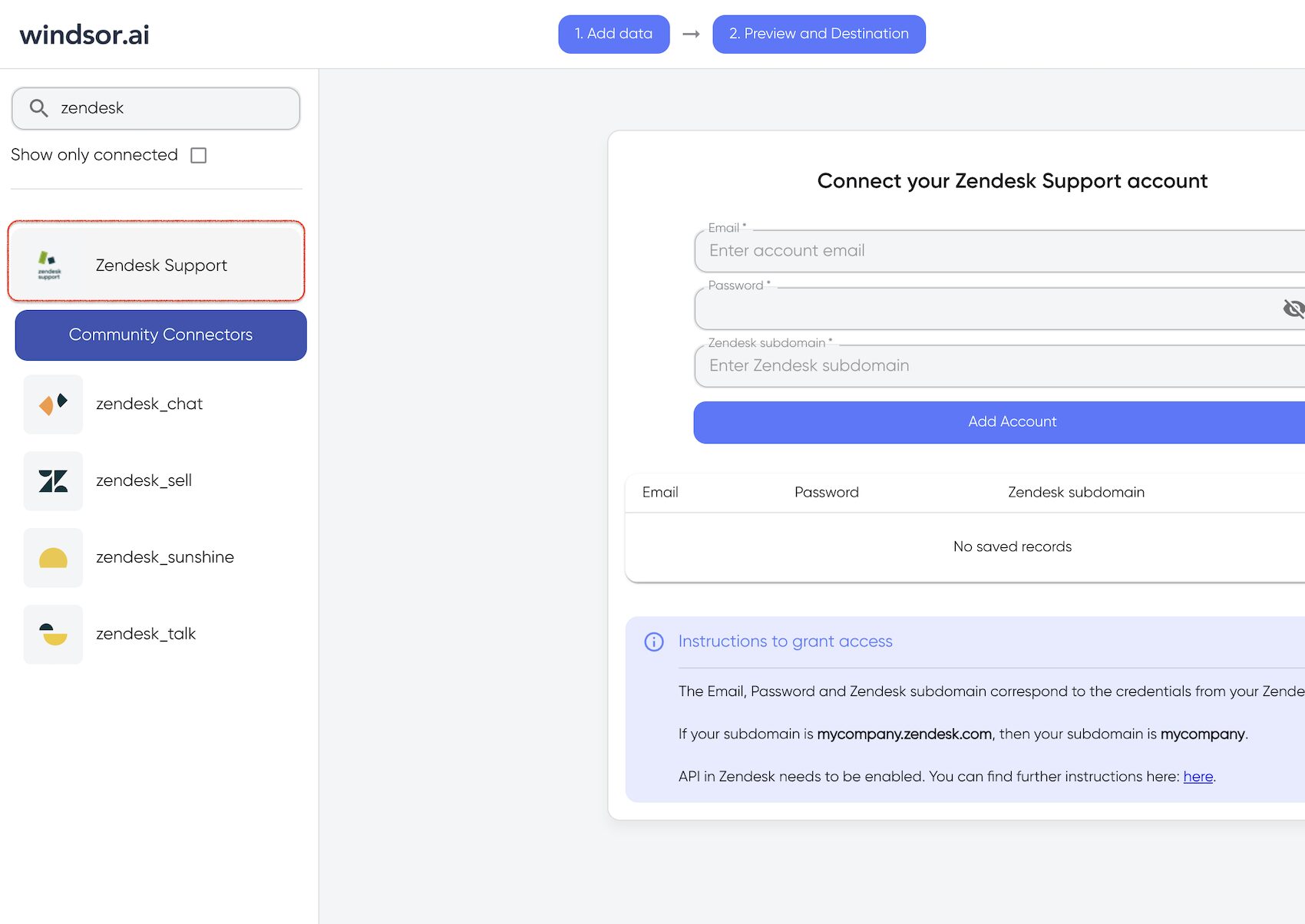
2. Select your source
You need to select Zendesk as a Data Source and Grant Access to Windsor.ai.
3. Select Destination
In Select Destination select AzureSQL as destination.

4. Sync your Data
Enter all the credentials required and click Save.
Your Zendesk data will now be streamed to Azure SQL. In case there is an error, you will be notified.

FAQs
What is Azure MS SQL?
Azure SQL is a database provided by Microsoft. It uses the relational SQL Server database engine in the Azure cloud and empowers businesses to create and deploy apps without the hassle of managing underlying infrastructure or hardware.
Tired of manual Zendesk data exports? Get started with Windsor.ai today to automate your reporting


