 Destinations
 Data sources
 AI insights
 About us
 Careers
 Security
 Customer reviews
 Contact us
 Affiliate program
 Solution partners
 Template gallery
 Looker Studio templates
 Power BI templates
 Excel templates
 Google Sheets templates
 Tableau templates
 Facebook Ads templates
 Google Ads templates
 Data fields & Metrics
 AI prompt library & Guides
 Product documentation
 API documentation
 Case studies
 Blog
Blog Data models
 Windsor vs Supermetrics
 Windsor vs Funnel.io
 Windsor vs Fivetran
 Windsor vs Rivery
 Windsor vs Portermetrics
 Windsor vs Coupler.io
How to integrate data into Microsoft Fabric with Windsor.ai
What is Microsoft Fabric?
Microsoft Fabric is an all-in-one analytics platform designed to unify data movement, data engineering, data science, real-time analytics, and business intelligence. Built on a Software-as-a-Service (SaaS) foundation, it enables organizations to manage and analyze data across multiple sources efficiently using a single, integrated environment. Microsoft Fabric leverages the power of Microsoft’s cloud ecosystem, including Azure Data Lake, Power BI, and OneLake, making it a scalable and high-performance solution for enterprise data needs.
Key benefits of Microsoft Fabric include centralized data governance, streamlined workflows, and seamless collaboration between data engineers, analysts, and business users. It supports a wide range of data formats and tools, and ensures data security through built-in compliance, identity management, and encryption features.
By integrating Microsoft Fabric with the Windsor.ai data movement platform, you can:
- Aggregate data from multiple sources, such as marketing platforms, CRMs, and other business applications, into a unified analytics environment for a comprehensive and real-time view of your business data.
- Automate data workflows and schedule updates within Microsoft Fabric, enabling the creation of customizable data pipelines that align with your organization’s specific reporting and analytics needs.
Explore our step-by-step guide to automatically integrate your data into Microsoft Fabric with the Windsor.ai no-code ELT connector.
How to connect Microsoft Fabric to Windsor.ai
- Create a Windsor.ai account and log in.
- Select the data source from which you want to stream data, e.g., Facebook Ads. Grant Facebook Ads access and select the ads account, click “Next Step”.
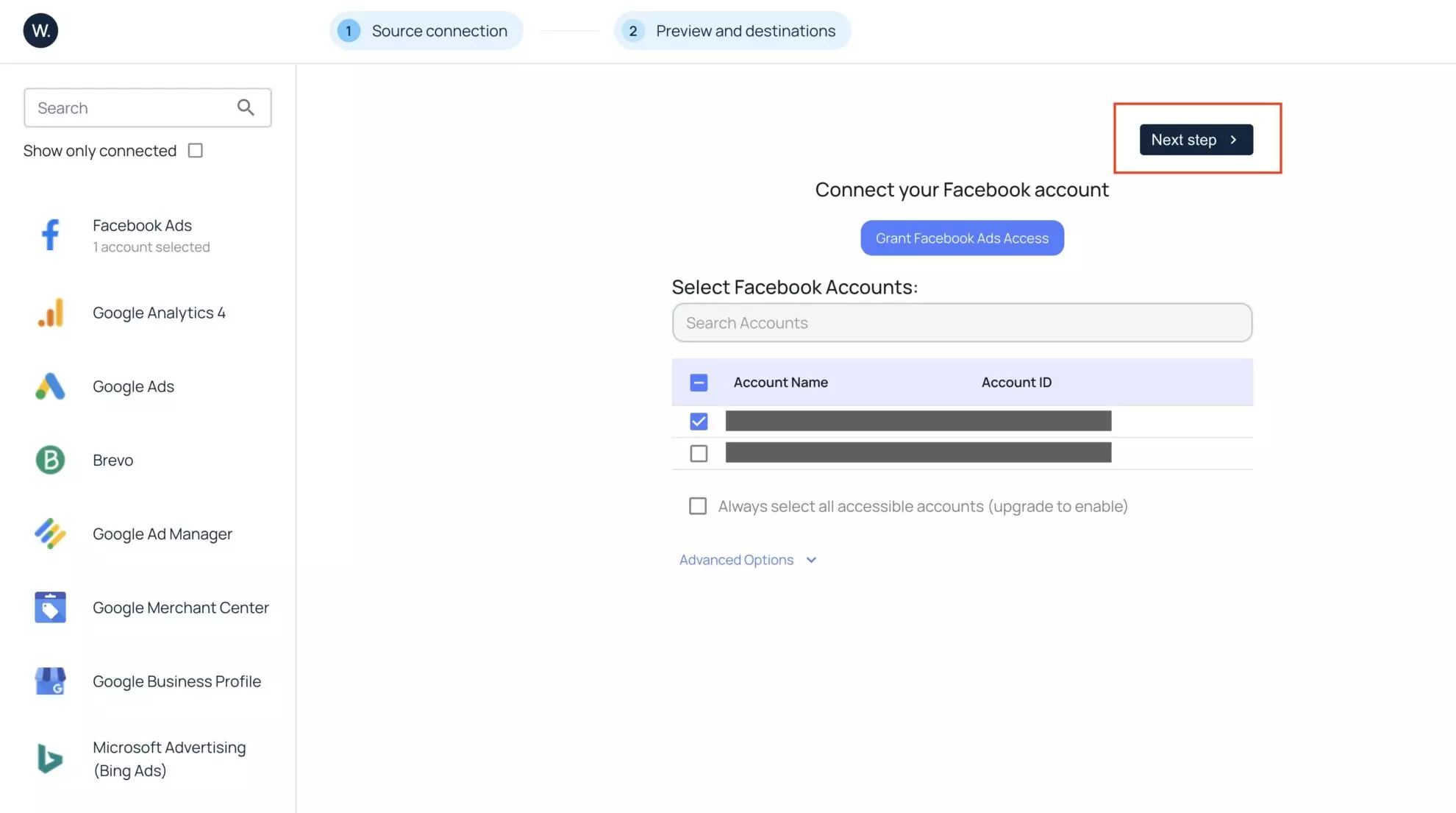
3. You’ll see your Facebook Ads data displayed in your Windsor.ai account. You can select the required fields and apply filters.
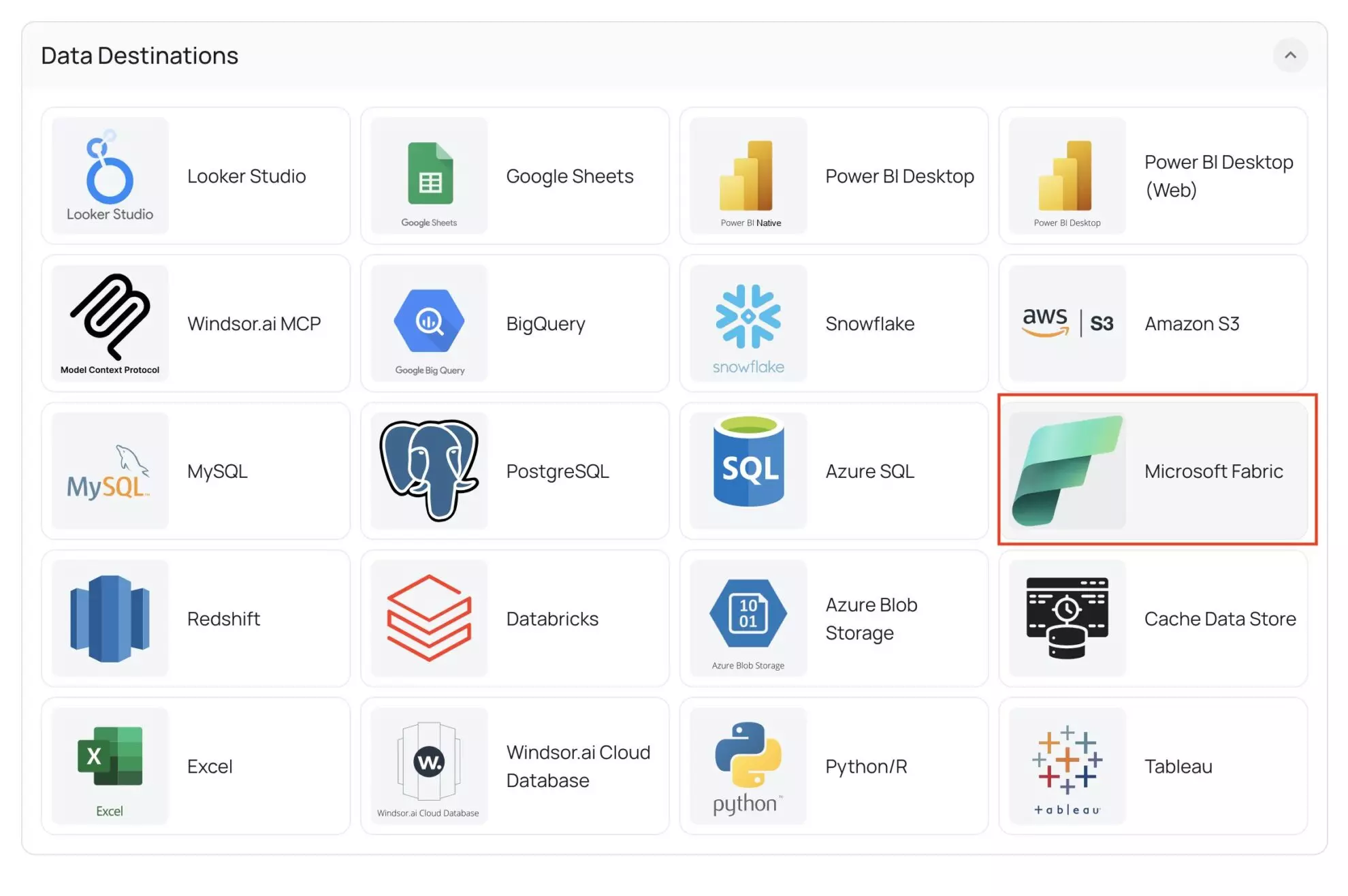
4. Scroll down to data destinations, select Microsoft Fabric.
5. Now, copy the connector URL for your data.
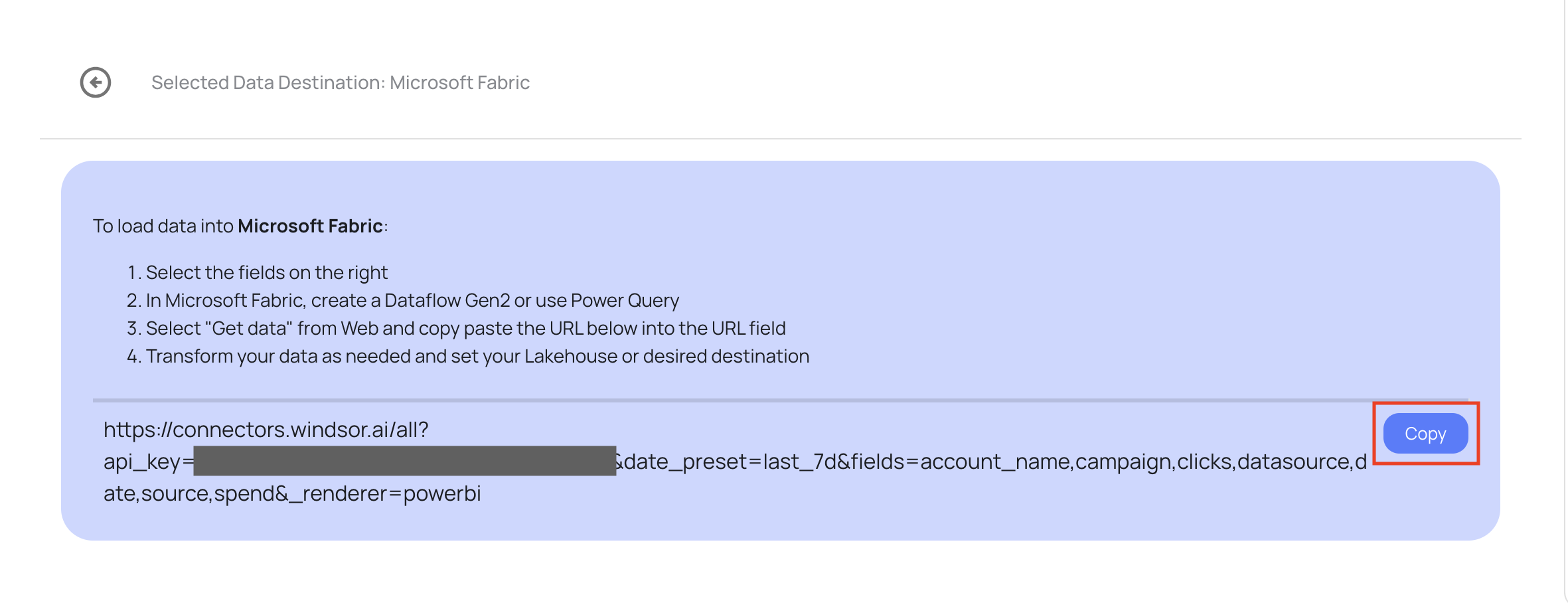
Now, you have gathered the required URL from Windsor.ai. Let’s move to Microsoft Fabric to integrate the data.
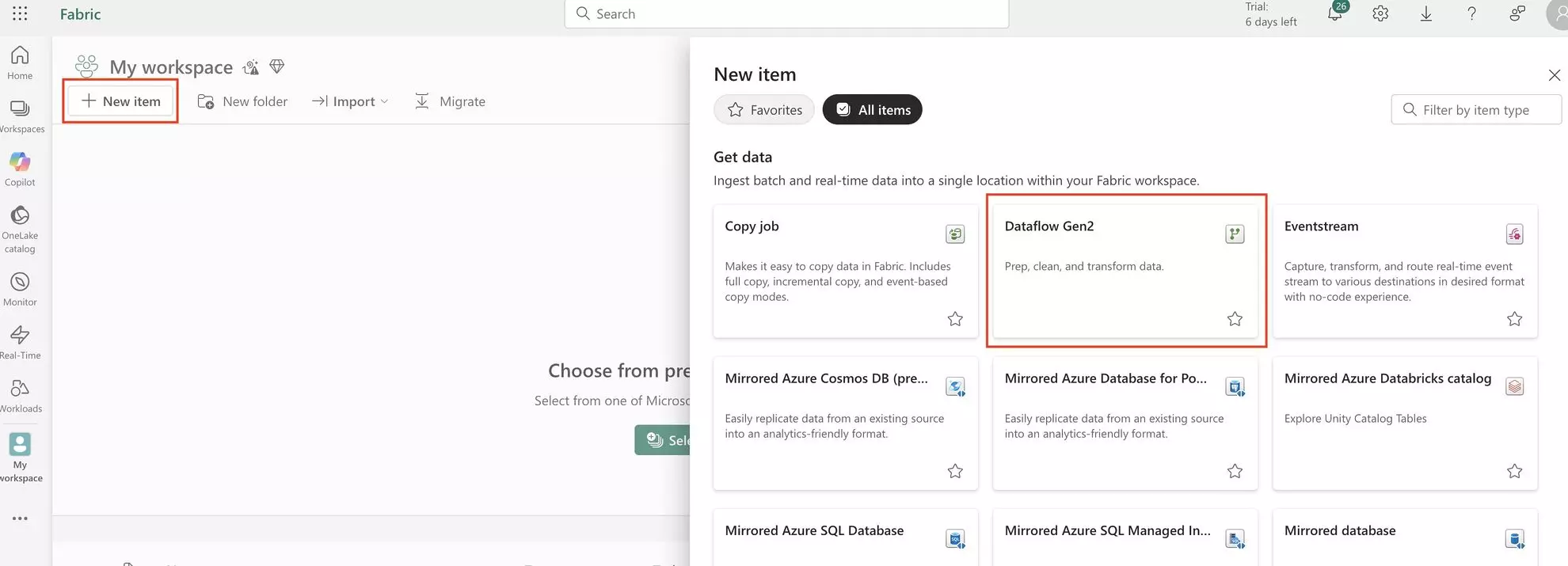
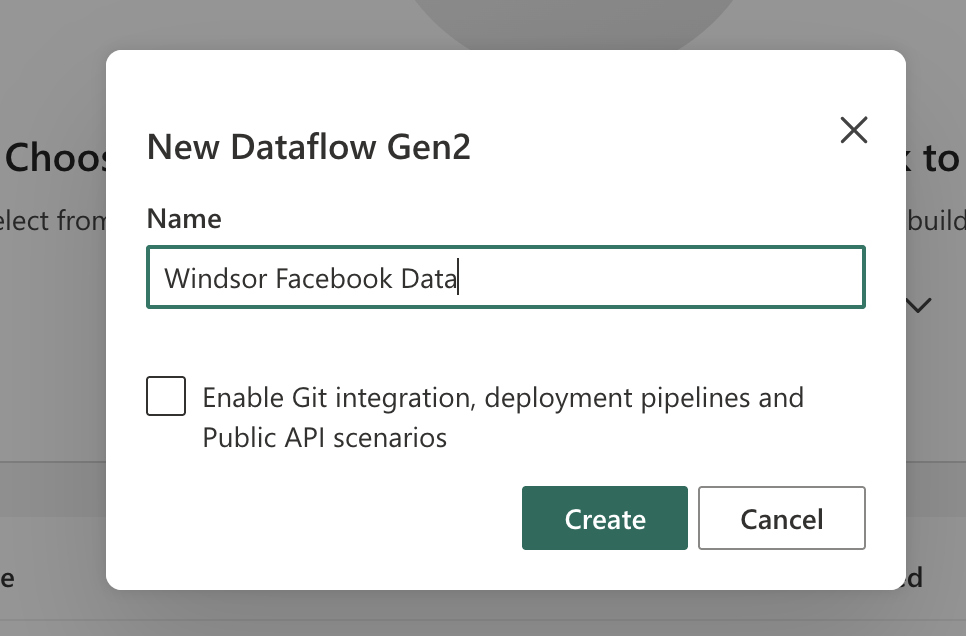
6. Open your Microsoft Fabric account and go to your workbook. Click “New Item” and select “Dataflow Gen2”. Give it a name (you can enter anything you want) and click “Create”.
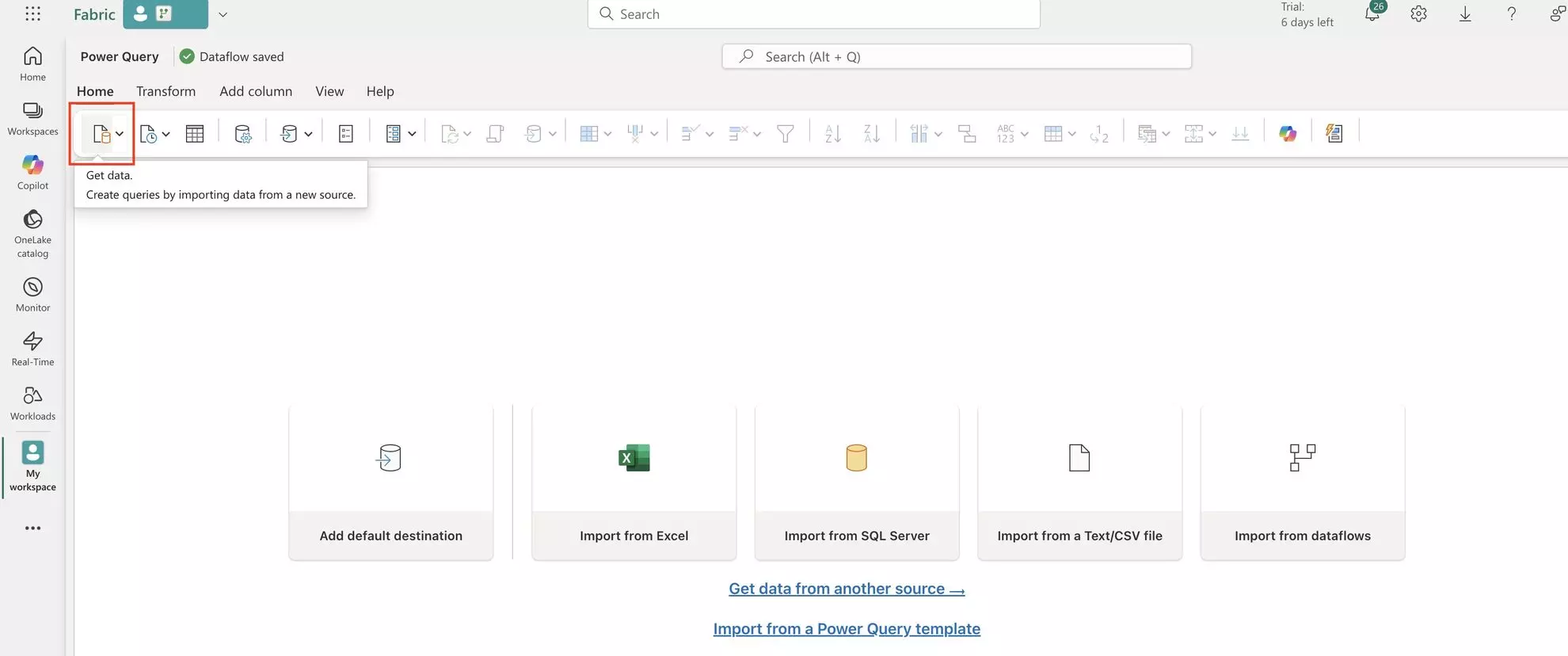
7. Click on the “Get Data Icon” in the top left.
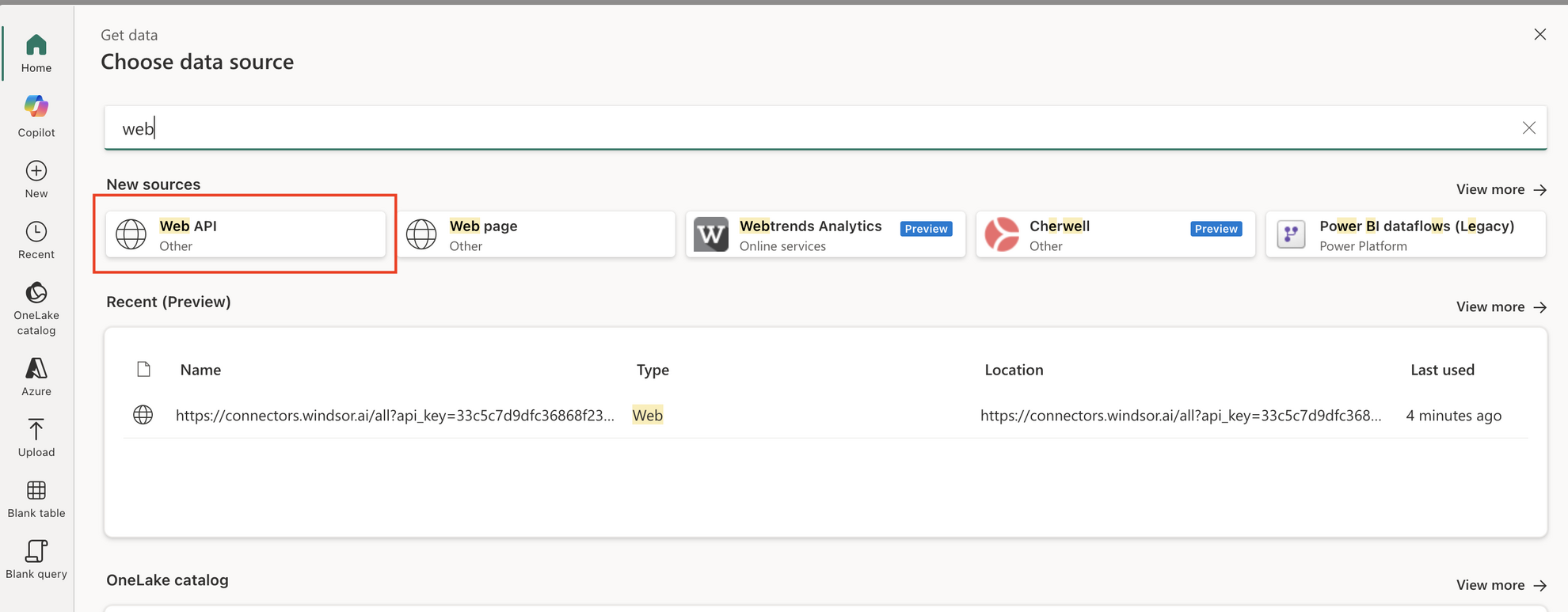
8. Search “web” and select “Web API” as the data source.
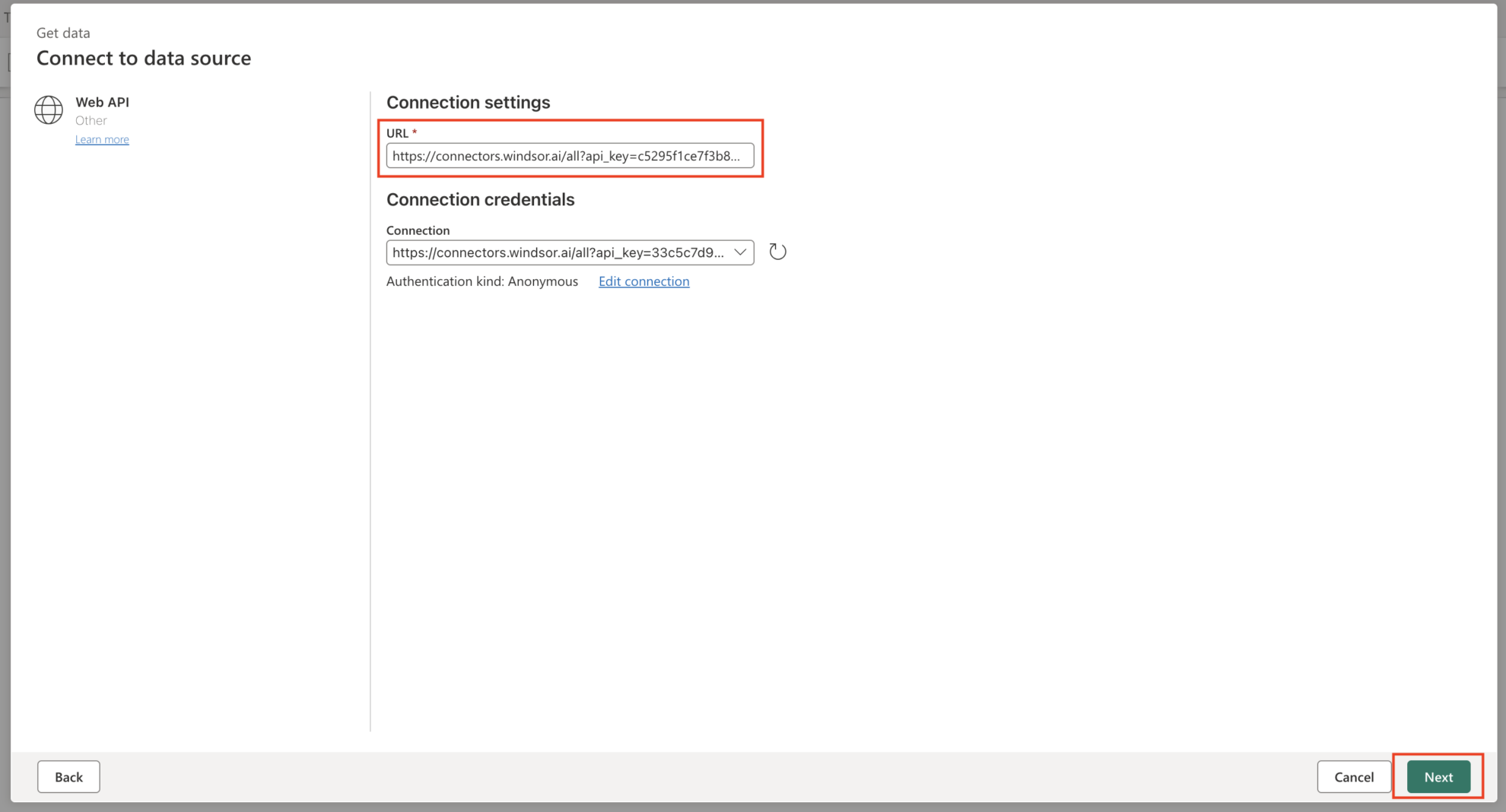
9. Enter the connector URL you copied from Windsor.ai in the URL field and click “Next”.
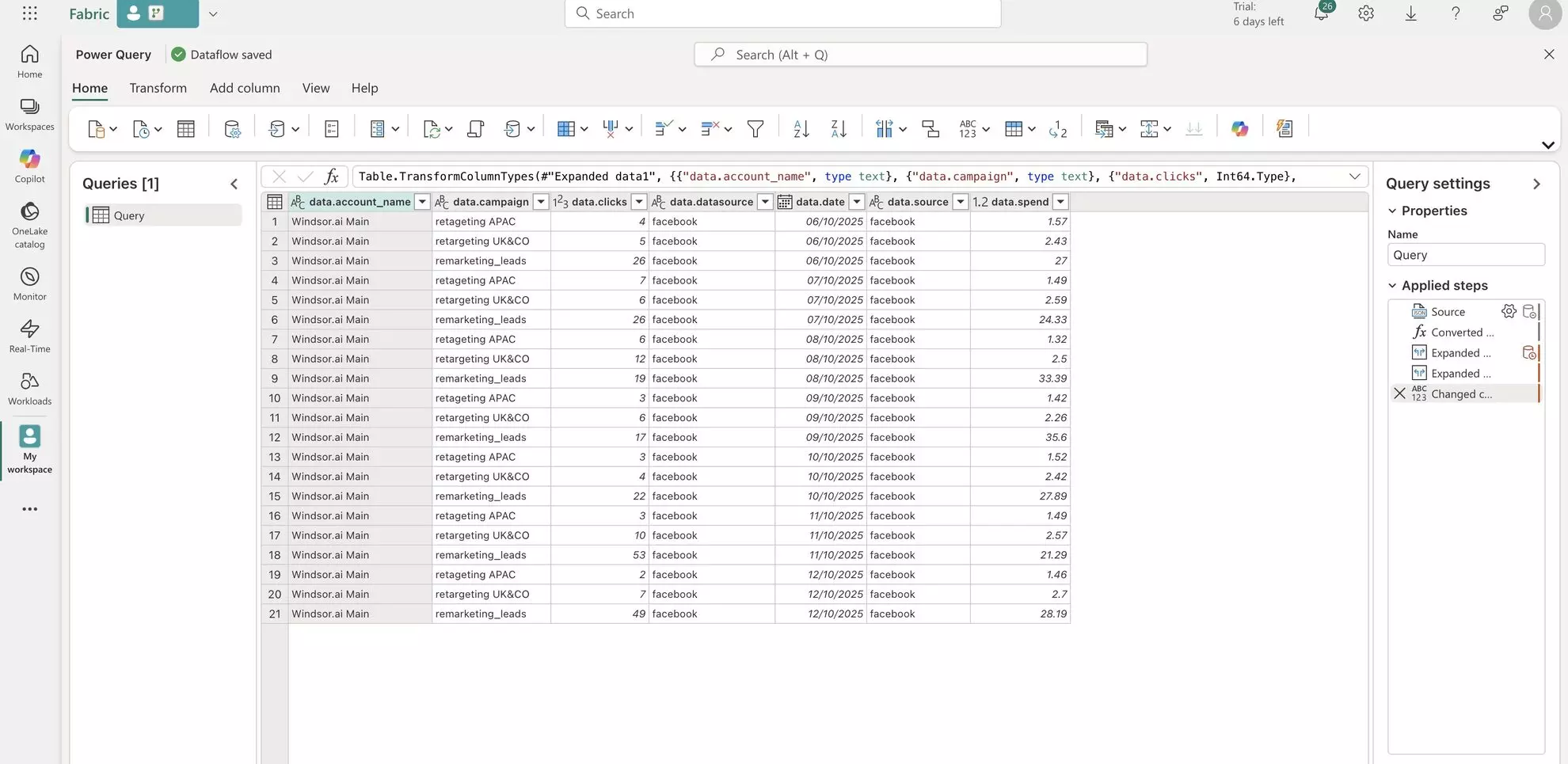
Cheers! Your Facebook Ads data is now integrated into the Microsoft Fabric and ready for detailed analysis.
FAQs
What prerequisites do I need to set up Microsoft Fabric?
You’ll need:
- An active Windsor.ai account.
- Access to Microsoft Fabric (with permissions to create Dataflows).
- At least one connected data source (e.g., Google Analytics, Facebook Ads, HubSpot, etc.) in Windsor.ai.
- Basic familiarity with Microsoft Fabric workspaces and dataflows.
What credentials or information do I need for the connection?
You’ll only need to copy the connector URL from your Windsor.ai account and paste it into the Web API connection field inside Microsoft Fabric’s Dataflow Gen2 setup.
Is it possible to automate or schedule data refreshes in Microsoft Fabric?
Yes. Once your Windsor.ai data is connected, you can schedule refreshes and automate updates directly in Microsoft Fabric. This ensures that your dashboards and reports stay synchronized with the latest data.
What should I do if the connection between Windsor.ai and Microsoft Fabric fails?
If the connection test fails:
- Ensure the connector URL from Windsor.ai is correct and complete.
- Verify your Microsoft Fabric workspace permissions.
- Check for any firewall or API restrictions that might block external data connections.
- Recreate the connection to ensure all steps are correctly followed.
How can I ensure the security of my data when using Windsor.ai?
Windsor.ai uses secure OAuth authentication and encrypted data transfer protocols. Microsoft Fabric also provides enterprise-grade security, including role-based access, compliance controls, and encryption.
Can I connect multiple data sources to Microsoft Fabric using Windsor.ai?
Yes. Windsor.ai supports over 350+ marketing, CRM, and analytics platforms. You can integrate multiple data streams, such as Facebook Ads, Google Ads, or Salesforce, into Microsoft Fabric for unified reporting and analytics.
Tired of manually transferring data to Microsoft Fabric? Try Windsor.ai today to automate the process


