 Destinations
 Data sources
 AI insights
 About us
 Careers
 Security
 Customer reviews
 Contact us
 Affiliate program
 Solution partners
 Template gallery
 Looker Studio templates
 Power BI templates
 Excel templates
 Google Sheets templates
 Tableau templates
 Facebook Ads templates
 Google Ads templates
 Data fields & Metrics
 AI prompt library & Guides
 Product documentation
 API documentation
 Case studies
 Blog
Blog Data models
 Windsor vs Supermetrics
 Windsor vs Funnel.io
 Windsor vs Fivetran
 Windsor vs Rivery
 Windsor vs Portermetrics
 Windsor vs Coupler.io
 Last updated: 3 September 2026




If you work with cross-channel data, from marketing and sales to finance and product, centralizing everything in one place is what makes accurate insights possible.
Google BigQuery is a great choice for data centralization; it’s fast, serverless, and handles massive datasets with ease without the hassle of infrastructure maintenance.
But here’s the challenge: connecting your data sources to BigQuery and building a solid ELT (Extract, Load, Transform) pipeline so the sync works reliably.
With ELT, you load raw data directly into BigQuery, then clean and transform it inside the warehouse, which is an ideal setup for teams comfortable with SQL.
But how do you upload large datasets into BigQuery, especially when they come from diversified sources? In this post, we’ll walk you through the main options, from DIY pipelines using scripts and cron jobs, to Google’s native Data Transfer Service, to fully automated tools like Windsor.ai.
Read on and select the best-fit method to build your ELT pipeline into BigQuery.
Benefits of using BigQuery for ELT setups
ELT with Google BigQuery transforms the way modern teams collect and analyze data thanks to these features:
Automated data integration at scale
Manual ELT processes are time-consuming and prone to failure and errors when APIs change. With the automated ELT tools like Windsor.ai, you benefit from a completely no-code setup for streaming data from 350+ sources directly into BigQuery. No scripts or manual file uploads are needed.
Just sign in, choose your platforms, and link your BigQuery project. The platform handles schema mapping, formatting, and scheduling independently, delivering a fully automated ELT pipeline in under 5 minutes.
This approach is ideal for non-technical users who want to build ELT in BigQuery without writing code, as well as for data engineering teams that want to skip routine setup operations and focus on the pipeline architecture instead.
Real-time analytics with continuous data sync
Outdated reports lead to missed opportunities and poor decisions. Automated BigQuery integration powered by Windsor.ai keeps your datasets always up-to-date by syncing the latest data in near real-time; no more batch jobs or manual uploads.
You can customize the sync frequency according to your needs, whether hourly or daily.
Suppose you’re building a BigQuery data pipeline to support live dashboards or daily campaign reporting in downstream tools like Looker Studio or Power BI. In that case, Windsor provides a reliable, automated bridge between all your platforms.
Connect campaign spend to revenue in BigQuery
Working out which channels drove revenue becomes guesswork when your data is scattered. Windsor.ai solves this by consolidating all your cross-channel data into BigQuery, normalizing it across the platforms, and organizing it into clean, ready-to-query tables.
With centralized data, you can effectively track ad clicks, leads, emails, conversions, and hundreds of other touchpoints in one analytical environment. No more CSV exports and manual joins across channels.
In just minutes, you can model which channels drove each conversion directly in BigQuery or your preferred BI tool.
Concerns when using BigQuery for ELT data pipelines
BigQuery is powerful for large-scale analytics but brings specific challenges when used in ELT pipelines. Common concerns include managing query costs, maintaining data freshness, handling schema changes, connecting revenue back to the right channels, and scaling for cross-team use.
Understanding these limitations upfront helps you build more cost-effective and stable ELT pipelines.
High costs due to poorly optimized queries
BigQuery charges based on the volume of data scanned, so queries that scan entire tables can lead to unexpectedly high costs. Without proper filtering, partitioning, or clustering, you may end up paying for data you don’t even use.
Windsor.ai reduces this risk by offering data transformations before loading and supporting incremental loads, partitioning, and clustering for BigQuery integrations. By syncing and updating only the necessary data, you avoid overwriting entire datasets with each run, making your queries faster and more cost-efficient.
Data latency and delays
Traditional ELT pipelines to BigQuery often involve batch uploads, causing delays of hours or even days. This latency can stall time-sensitive decisions in dynamically changing campaigns.
Windsor.ai addresses this by offering near-real-time data syncing from various sources into BigQuery. Our automated ELT connectors extract and load data on your chosen schedule, daily or hourly, reducing the gap between event occurrence and actionable insights.
Complexity in managing schema changes and nested data
Product APIs evolve constantly: adding fields, changing formats, or introducing nested structures. In BigQuery, such changes can easily break pipelines due to strict schema enforcement. Still, manual adjustments for every schema update slow down the workflow and increase the risk of errors.
Windsor.ai handles this automatically. Its transformation layer detects schema changes and adjusts on the fly, preventing pipeline failures. This built-in schema drift handling lets you maintain stable ELT pipelines in BigQuery, even as external APIs evolve.
Manual data mapping slows down scaling
Setting up BigQuery pipelines manually requires significant effort to map fields from various sources, each with its own naming conventions and data formats. This process is tedious and prone to errors, especially as you add new platforms or campaigns.
Windsor.ai offers 350+ native connectors that accelerate the building of ELT pipelines for BigQuery with automated schema alignment. You can connect new data sources without hand-mapping fields, keeping the schema clean and consistent.
Common stages of building a BigQuery ELT pipeline
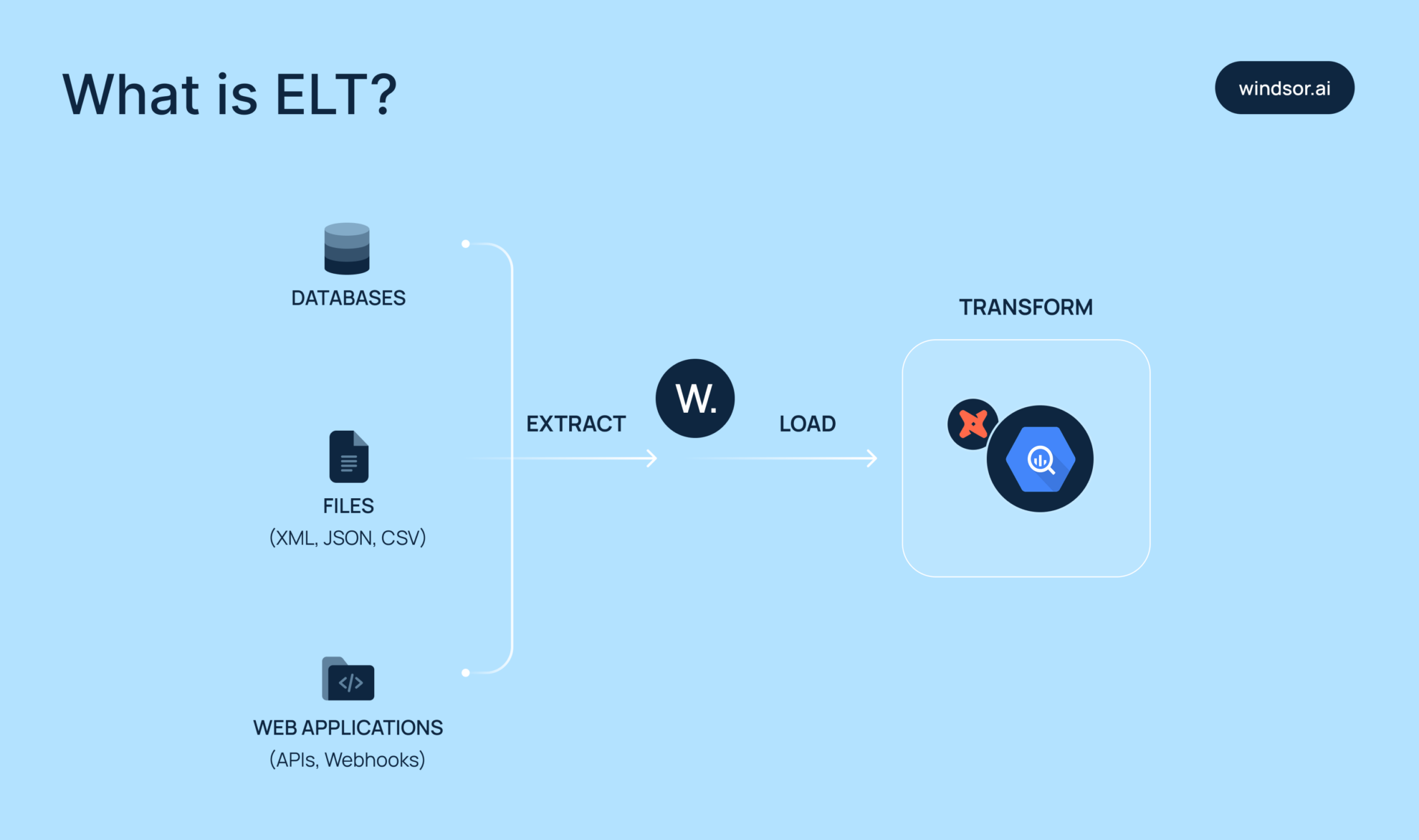
The BigQuery ELT pipeline follows a typical flow: data is first extracted from external sources, then loaded into BigQuery, and finally transformed within the warehouse using BigQuery’s powerful SQL-based capabilities.
Let’s break down each of these stages in more detail.
Stage 1. Data extraction
Every ELT pipeline begins with extracting data from a specific source: ad platforms, CRMs, web analytics, SaaS apps, and more.
This stage involves maintaining stable API access, handling authentication, and ensuring authentication tokens remain valid. Windsor.ai takes care of all of this out of the box, handling extraction from 350+ data sources with minimal setup.
To ensure long-term reliability, you have to understand your data source’s rate limits and API behaviors. Logging and versioning every extraction job also helps maintain traceability and simplifies debugging in your BigQuery pipeline later.
Stage 2. Data loading
Once your data is extracted and prepped, the next step is loading it into BigQuery.
Windsor.ai provides a no-code integration with BigQuery that automates this step. It takes care of table creation and updates, accurately maps source fields to schema types, and supports incremental syncs to minimize your BigQuery costs and avoid redundant writes.
For teams looking to build pipelines in BigQuery really fast, Windsor.ai ELT is a proven solution, enabling you to focus on data analysis rather than ingestion.
Stage 3. Data transformation
Once the data is loaded into BigQuery, you proceed with the transformations, typically through SQL or dbt. At this step, you clean raw data, resolve edge cases, deduplicate records, and combine datasets from different sources. Common BigQuery transformations include filtering out null values, parsing nested fields, and enriching data using lookup tables.
Using dbt with BigQuery helps you version your models, track dependencies, and automate transformations on schedule.
Keep transformations modular. A well-structured pipeline typically follows this flow: staging → clean → final. This layered approach simplifies debugging, supports team collaboration, and scales efficiently as your data volumes grow.
3 methods to build an ELT data pipeline for BigQuery
You can build an ELT pipeline for BigQuery in several ways. What approach to choose depends on your tech skills and the data sources you use.
We’ll go over three common methods: manual integration, via BigQuery’s native data transfer service, and using automated ELT tools like Windsor.ai.
Method 1. Manual integration
Building an ELT pipeline manually involves writing custom scripts to extract data, staging it (usually in Google Cloud Storage), and loading it into BigQuery. This is typically done using Python or shell scripts. Once the data is in BigQuery, you handle in-warehouse transformations via SQL.
Here’s a quick overview of the main steps:
- You extract data from a source (e.g., API, database) using a Python script.
- You save this data as a CSV (or JSON, Avro, etc.) file.
- Then, you upload this file to Google Cloud Storage.
- From GCS, you load it into BigQuery using bq load commands or APIs.
- Finally, you perform transformations in BigQuery via SQL.
This method offers maximum flexibility and customization but requires significant technical expertise. Maintaining the pipeline can be time-consuming and tricky, especially as APIs or data structures change.
Manual integration is a good fit if your team has data engineers on board and you need full control. However, for teams with limited technical resources or that need to move quickly, it’s not a practical option.
Method 2. Via Native BigQuery Data Transfer Service
The Data Transfer Service (DTS) in BigQuery makes it simple to import data from Google products. No programming is needed, and setup is pretty quick. For example, you can configure native transfers to import data from Google Ads or Google Analytics 4.
However, DTS only supports a limited number of Google-owned sources and just a small part of third-party platforms.
This method works well when most of your data already lives in the Google ecosystem. But for broader data needs, the Data Transfer Service alone won’t be enough.
Method 3. Via automated ELT tools like Windsor
Manual pipelines struggle to handle larger data volumes. To ensure scalability and automate all stages of BigQuery ELT pipeline development, from data extraction and authentication to normalization and loading into the warehouse, you can use specialized ELT tools like Windsor.ai.
Windsor connects to 350+ data sources, including marketing & sales platforms, CRMs, e-commerce tools, and SaaS apps. In just a few clicks, it streams data into BigQuery with full schema mapping, scheduled syncs, and incremental updates, all without engineering effort.
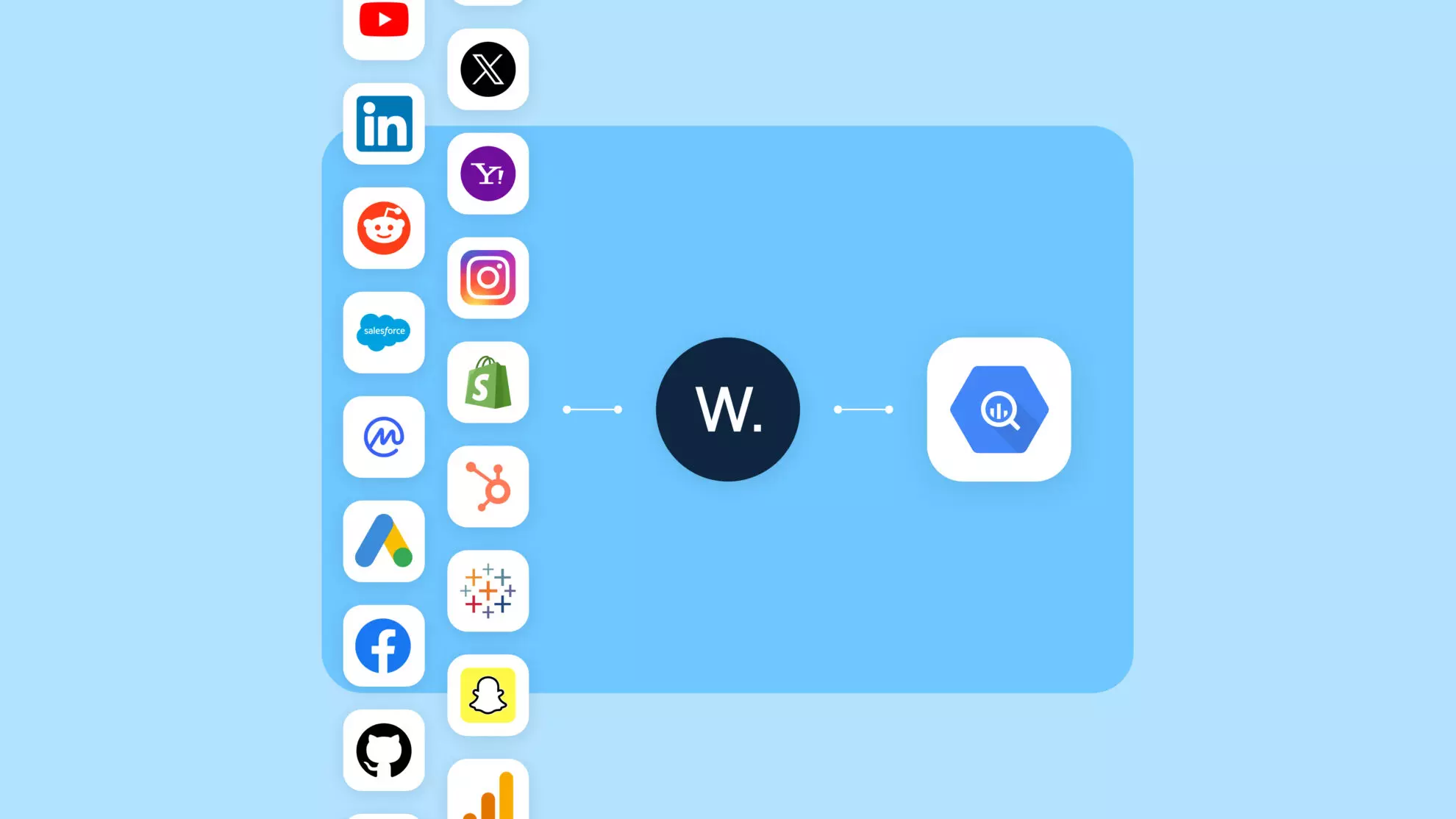
You can easily schedule updates for hundreds of accounts across platforms, and data lands in BigQuery in clean, labeled tables. This reduces the overhead of managing credentials, retries, and schema changes.
For growth-stage companies, this kind of automated BigQuery ELT setup saves weeks of development time. It’s also flexible enough to evolve with your stack, connect new tools, update mappings, and rerun loads without requiring code changes.
Data integration into BigQuery with Windsor is extremely fast, simple, and accessible to non-technical users. This method is ideal for teams that want to save time, reduce costs, and enable analysts or marketers to own the data workflow without depending on engineers.
Compared to many top ELT tools in the market, Windsor offers an ideal balance of price and performance, delivering all the core features needed for data warehouse integration starting at just $19/month. You can start for free.
Best practices for managing BigQuery ELT pipelines
Poor data quality leads to inaccurate insights and hurts decision-making. To avoid this, it’s essential to ensure your BigQuery ELT pipelines are clean, reliable, and scalable.
These simple yet effective tips will help you maintain high-quality pipelines and drive better business outcomes.
Define a clear ELT workflow
A well-structured workflow is the foundation of any reliable BigQuery ELT pipeline:
- Start by mapping out your data sources and how often you’ll extract data.
- Incremental loading helps you move faster by pulling in only the new or changed data, rather than loading everything each time.
- Transform your data inside BigQuery rather than outside. This approach puts BigQuery’s processing power to work and reduces the need for external infrastructure.
- Keep raw data intact in your warehouse to maintain a reliable source and enable flexible transformations later.
With Windsor.ai, you can easily connect multiple data sources, configure complete source mapping, enable incremental loading, and manage basic in-app transformation before loading data into BigQuery, without writing a single line of code.
Regularly check data quality
Enforce checks at each stage of building a BigQuery ELT pipeline, especially right after data extraction and before transformation:
- Use staging tables to log nulls, unexpected data types, and duplicates. Use BigQuery’s ASSERT statements or scheduled queries to catch schema mismatches or data volume anomalies.
- Always document field-level transformations and audit key metrics across pipeline stages.
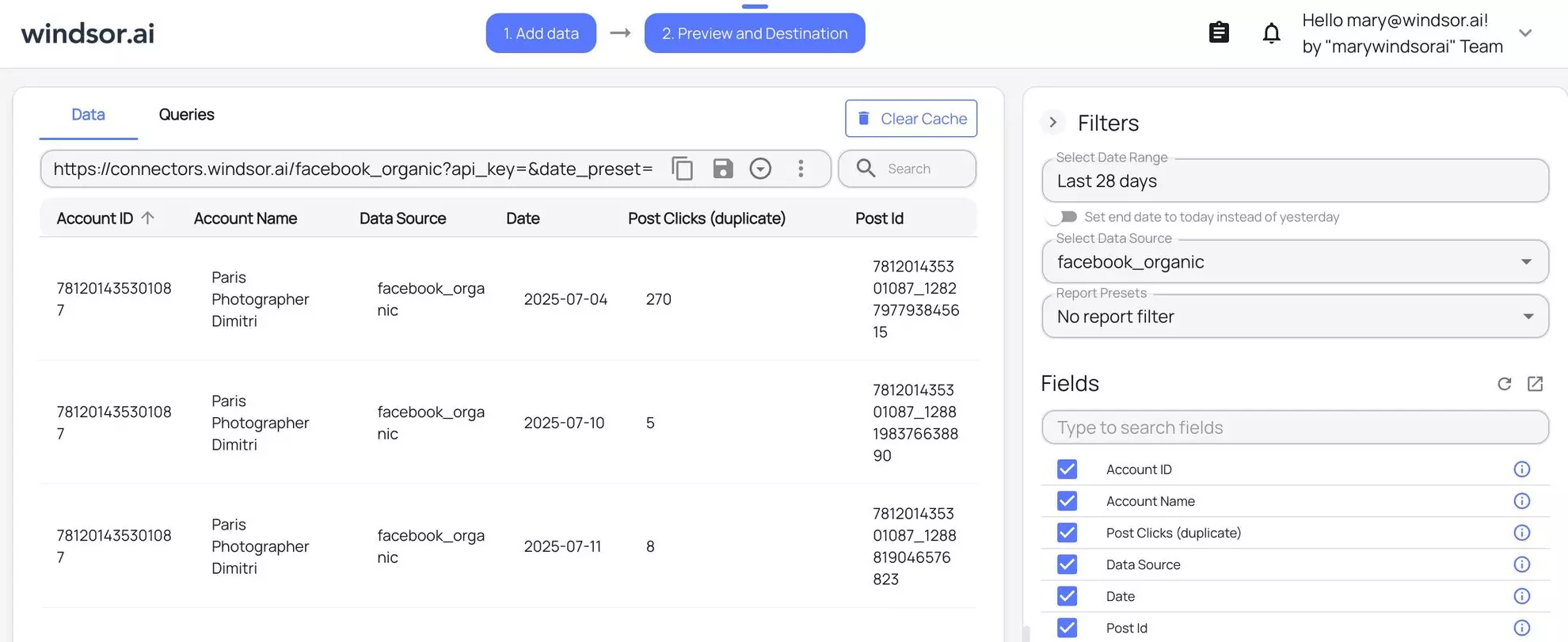
Windsor.ai enables you to preview integrated data before loading, allowing you to catch misconfigured fields, empty payloads, or API issues before they impact your warehouse. Use this feature to flag upstream issues early.
Optimize your BigQuery costs
ELT performance isn’t just about speed. It’s also about cost efficiency and long-term reliability. With BigQuery, managing scanned bytes, using partitioned tables, and enabling query caching are key to keeping expenses under control:
- Use BigQuery’s INFORMATION_SCHEMA to spot slow queries and detect unused or outdated tables.
- Avoid using SELECT *; instead, select only the columns you need. This reduces the amount of data scanned and cuts costs.
- Set budget alerts and enforce quotas in Google Cloud to prevent runaway costs.
- For large datasets, implement table partitioning, clustering, and incremental loads to improve query performance and reduce scan costs.
Windsor.ai provides detailed sync logs, including row counts, timestamps, and errors in real-time. This visibility is key to tracking pipeline health and optimizing your BigQuery costs.

Use partitioning and clustering
Partitioning and clustering are essential techniques for optimizing both the cost and performance of your BigQuery ELT pipelines.
Partitioning allows you to reduce query costs by scanning only relevant subsets of data, typically by date or another logical field.
Clustering improves query efficiency by organizing data around commonly filtered columns, such as user_id, campaign, or region.
To get the most out of these features:
- Partition your BigQuery tables using high-cardinality fields like event_date or created_at.
- Regularly review your partition strategy based on query logs and usage patterns. Avoid over-partitioning, which can lead to excessive metadata overhead and slow performance.
- Combine partitioning and clustering for large datasets to significantly improve query speed.
Windsor.ai supports both partitioning and clustering in BigQuery, letting you configure them during setup so your data arrives optimized for performance, with no SQL required.

Optimize data loading and storage
Efficient data loading and smart storage practices help reduce costs and improve pipeline speed in BigQuery:
- Start by loading data in compressed, columnar formats like Avro or Parquet to minimize storage usage and accelerate ingestion.
- For time-sensitive use cases, consider streaming inserts to get real-time updates, though batching is often more cost-effective for large volumes.
- Prevent data duplication by applying deduplication logic during your ELT setup.
- Whenever possible, clean and validate your data prior to loading it into BigQuery to avoid bloating your warehouse with unnecessary records.
Windsor.ai handles the primary data cleaning and formatting during the integration process, making your BigQuery pipeline cleaner, more optimized, and easier to maintain.
💡 BigQuery is not the only destination for a pipeline like this. The same connectors can feed an AI assistant through Windsor MCP, so you can ask questions of the data without writing SQL first.
Conclusion
Streaming data into BigQuery is pretty straightforward, but keeping your pipelines fast, stable, and low-maintenance is where things get tricky.
The key is to design a modular, automated ELT workflow that aligns with your team’s daily operations. Even with a great setup, don’t forget the fundamentals: track your query costs, apply partitioning wisely, and check your logs regularly. BigQuery is powerful, but it won’t fix poorly designed pipelines.
That’s where Windsor.ai comes in. It takes the heavy lifting out of BigQuery ELT, from data extraction to real-time monitoring, without requiring a single line of code. Setup is fast, fully automated, and designed to scale with your team.
🚀 Build your BigQuery ELT pipeline with Windsor and stay focused on insights, not infrastructure.
Get started for free now: https://onboard.windsor.ai/.
FAQs
What is the best way to build an ELT pipeline into Google BigQuery?
For scalable ELT pipelines, the best method is to use no-code data integration solutions like Windsor.ai. You can easily extract data from hundreds of accounts across platforms, set scheduled syncs, and have data land in your BigQuery project in clean, labeled tables. This reduces the overhead of managing credentials, retries, and schema changes.
How does ELT differ from ETL when working with BigQuery?
ELT loads raw data into BigQuery first. Then, you run transformations inside BigQuery using SQL. ETL transforms data before loading, which adds complexity and reduces flexibility.
Which tools can I use to automate ELT pipelines in BigQuery?
Windsor.ai, Airbyte, Stitch, Fivetran, and many other tools automate all stages of the BigQuery ELT. Select the best-fit platform based on your data sources, use cases, and budget.
Can I use streaming inserts for real-time ELT into BigQuery?
Yes, but they need to be watched over and are usually expensive. Use this feature only when you need data instantly. Otherwise, stick with batch loads as they’re more stable and cost-efficient.
How do I transform data after loading it into BigQuery?
Write SQL models manually or use dbt for modular, version-controlled transformations. This happens post-load inside BigQuery, which simplifies maintenance and improves traceability.
What file formats are best for loading data into BigQuery ELT pipelines?
Use columnar formats, such as Avro or Parquet. They compress well, support schema evolution, and allow faster ingestion compared to CSV or JSON formats.
How can I optimize BigQuery ELT pipelines for performance and cost?
Use clustering, avoid SELECT *, and divide tables by date. To cut overhead and scan less data, load only what’s new, and always watch your query costs closely.
Is Google Cloud Storage required for staging ELT data into BigQuery?
Not always. Many ELT tools load directly via API. But for custom pipelines, staging files in Google Cloud Storage helps with retries and format control.
What are the common challenges in building ELT pipelines with BigQuery?
Key issues include maintaining layered data, managing query costs, handling schema drift, and ensuring proper synchronization of sources. Long-term hassles can be lessened by automation and modular architecture.


