 Destinations
 Data sources
 AI insights
 About us
 Careers
 Security
 Customer reviews
 Contact us
 Affiliate program
 Solution partners
 Template gallery
 Looker Studio templates
 Power BI templates
 Excel templates
 Google Sheets templates
 Tableau templates
 Facebook Ads templates
 Google Ads templates
 Data fields & Metrics
 AI prompt library & Guides
 Product documentation
 API documentation
 Case studies
 Blog
Blog Data models
 Windsor vs Supermetrics
 Windsor vs Funnel.io
 Windsor vs Fivetran
 Windsor vs Rivery
 Windsor vs Portermetrics
 Windsor vs Coupler.io
Connect Amazon Vendor Central to Claude
Automatically sync your Amazon Vendor Central data to Claude using the Windsor.ai connector.
Leverage Claude to transform raw Amazon Vendor Central metrics into a high-level retail strategy and maximize your business profitability.
Forget CSVs. Stop copy/paste. Connect data in minutes. No code required.
 Sign up with Google
 Free forever plan
No credit card needed
Free forever plan
No credit card needed










Streamline analytics with Amazon Vendor Central to Claude integration
Explore your complex retail data in Claude to identify profitability leaks, audit operational health, and prevent costly issues. Discover key integration features and use cases:

Audit profitability
Claude identifies which high-volume products are actually losing money after Amazon’s deductions and COGS are factored in. It uses the Net Pure Product Margin to rank your catalog by ‘true profit,’ helping you decide which products to prioritize for your next Joint Business Plan (JBP).

Forecast inventory gaps
By comparing your ‘On-Hand Inventory’ against ‘90% Confidence (P90) Forecasts’, Claude predicts exactly when you will run out of stock. This allows you to adjust production schedules weeks in advance to avoid the out-of-stock penalties that affect your search ranking.

Fix low conversions
Claude aligns Glance Views with Ordered Units to find ‘Window Shopper’ products that have high interest but low sales. It then suggests specific listing optimizations, such as better A+ content or updated imagery, to improve the conversion rate of those high-traffic items.

Get instant AI insights
Turn your Amazon Vendor data into clear, strategic answers by simply asking Claude to identify your most profitable products or hidden operational issues, so you can save hours on analysis and make faster decisions.
Using Windsor.ai to connect data from Amazon Vendor Central to Claude
Connecting Amazon Vendor Central to Claude can be complex, time-consuming, and expensive. Windsor.ai removes this friction by automatically collecting, normalizing, and delivering analysis-ready data directly into Claude.
Connect in minutes and unlock deeper, AI-powered insights into your e-commerce performance.
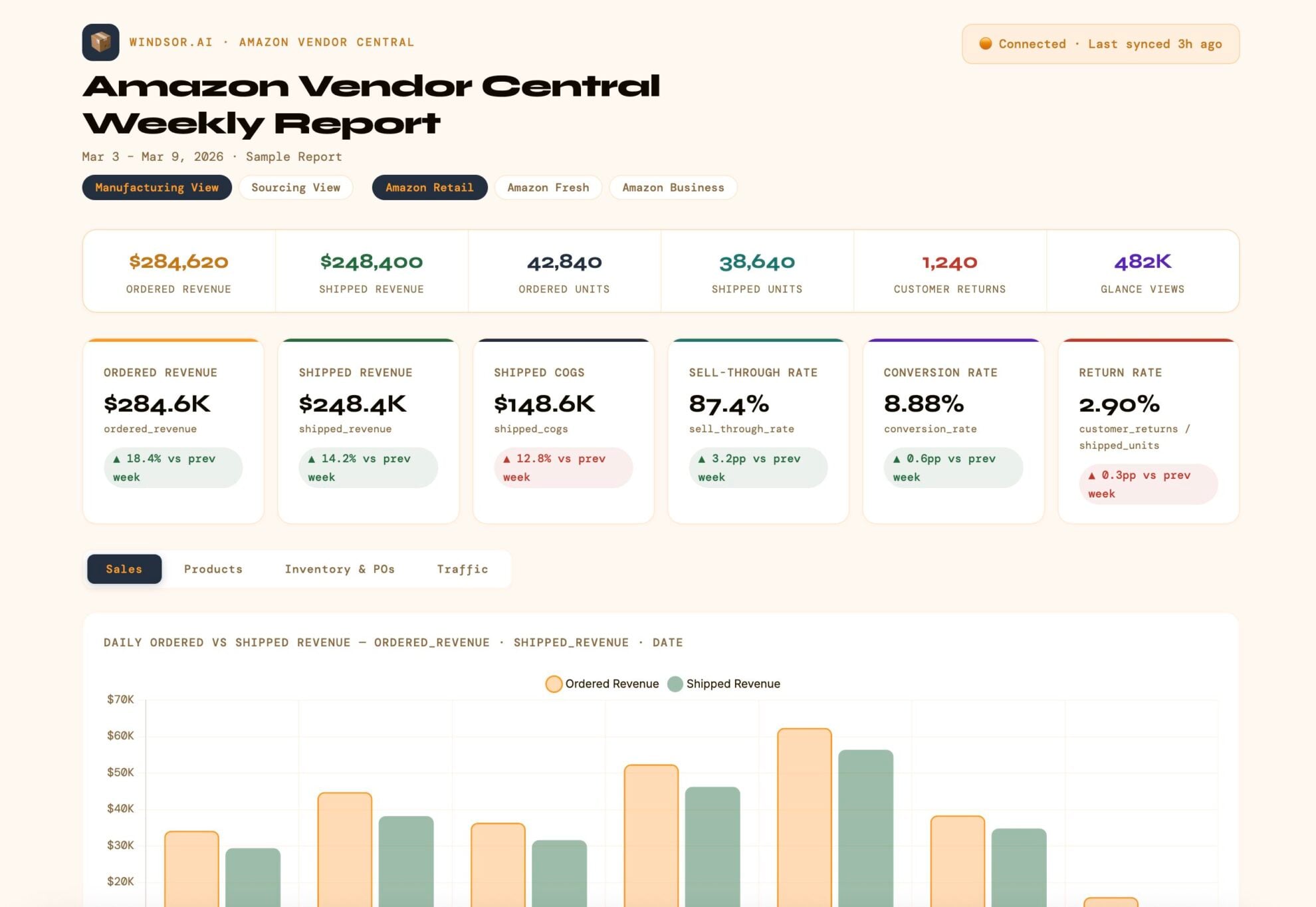














How to connect Amazon Vendor Central to Claude with Windsor.ai
Explore our video tutorial and a step-by-step guide to integrate your data from any source into Claude with the Windsor.ai connector.
Select your data source
Choose Amazon Vendor Central as your data source and grant access to Windsor.ai.

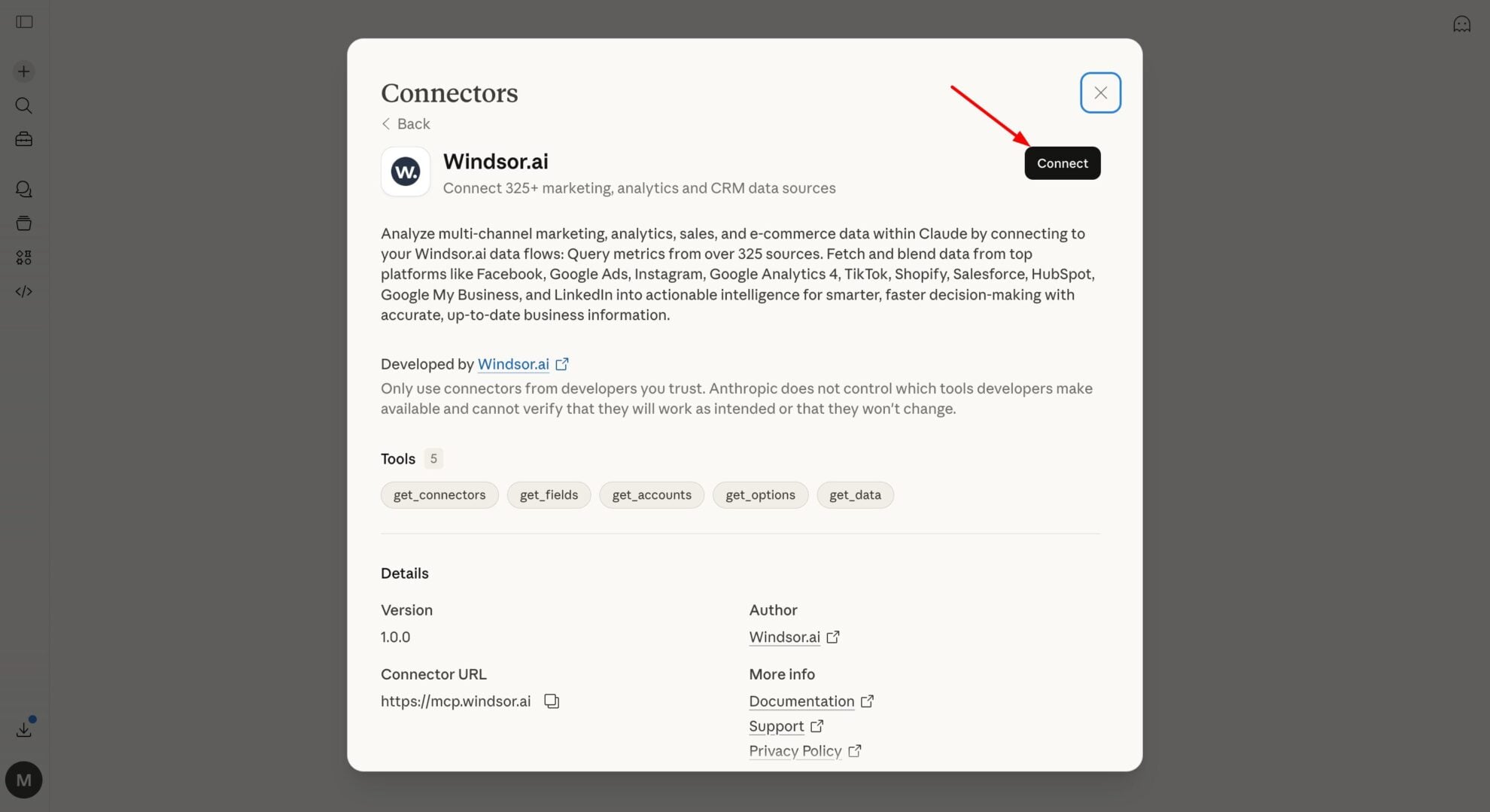
Install the Windsor.ai connector in Claude
In Claude, open Customize, then Connectors, search for Windsor and click Add. Sign in to your Windsor.ai account when prompted, and the connector appears in your Connectors list. You can also open the Windsor.ai listing in the Claude directory and click Connect.
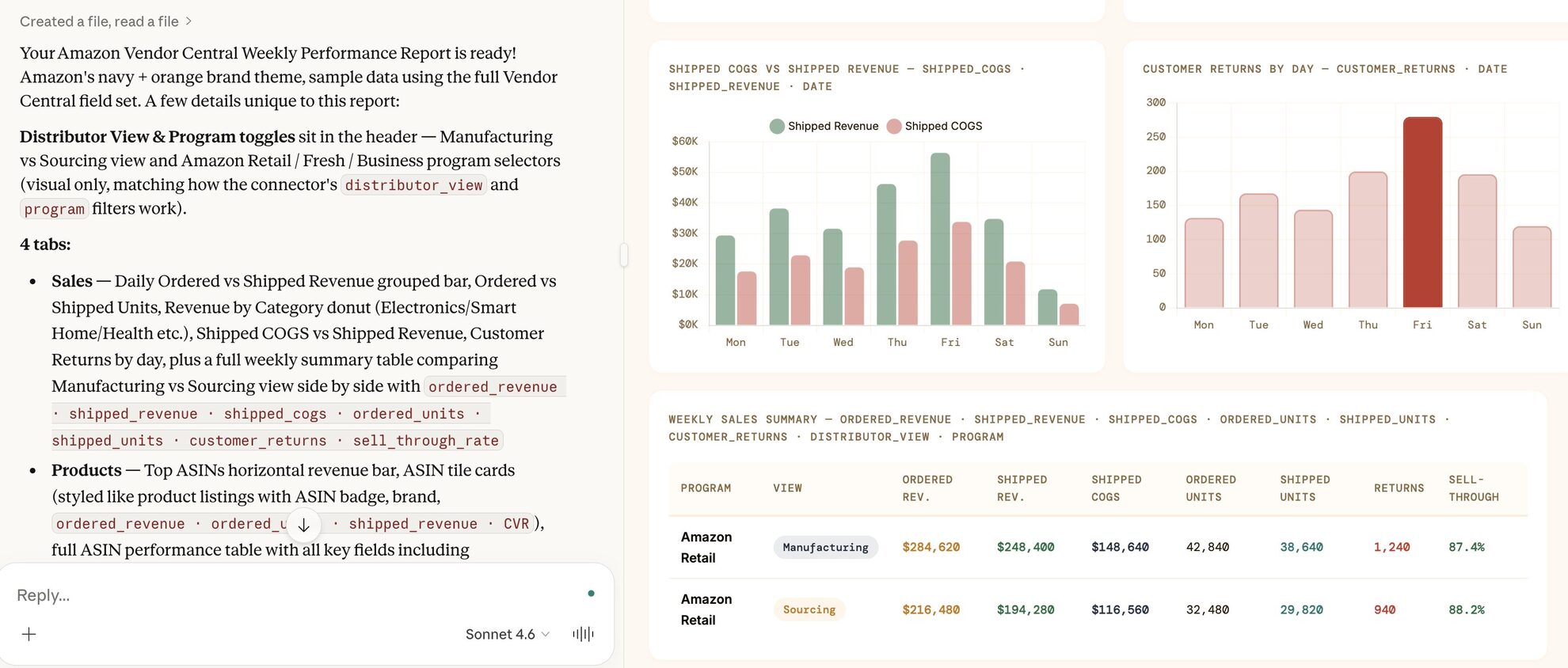
Query your data in Claude
Start a new chat and ask Claude questions about your connected data: summarize KPIs, create client reporting dashboards, or run advanced analyses.
FAQs
What specific Amazon Vendor Central metrics can I analyze in Claude?
Based on the available Windsor.ai fields for Amazon Vendor Central, you can perform a deep analysis on:
-
Sales performance. Analyze
shipped_revenue_amount,ordered_units, andcustomer_returnsto see what is actually driving your top line. -
Inventory and logistics. Monitor
sellable_on_hand_inventory_units,open_purchase_order_units, andaverage_vendor_lead_time_daysto prevent stockouts. -
Profitability. Use
net_pure_product_marginandshipped_cogs_amountto calculate your real take-home profit after Amazon’s fees and deductions. -
Forecasting. Query
mean_forecast_unitsorp90_forecast_unitsto plan your production schedules based on Amazon’s predicted demand.
Can Claude calculate my actual product margins?
Yes. Claude uses the netPureProductMargin field from the margin reports to tell you exactly which ASINs are contributing most to your bottom line after Amazon’s deductions.
What prompts can I use when analyzing Amazon Vendor Central data in Claude?
Beyond basic sales summaries, you can use more advanced prompts (see our prompt library) to uncover deeper insights from your Amazon Vendor Central data. For example:
-
Cross-reference our Shipped Units against Amazon’s Net Received Units for the last 6 months. Identify specific products where Amazon consistently claims they received less than we sent, so we can file shortage disputes.
-
Analyze the gap between Ordered Revenue and Shipped Revenue over the last 6 months. Identify if there are specific months where Amazon places massive orders but doesn't actually follow through with shipping them, causing issues in our warehouse planning.
-
Calculate the 'Days of Inventory' for every product by dividing On-Hand Stock by our Average Daily Sales. Identify 'Over-stocked' items and 'Under-stocked' items.
-
Compare the Net Pure Product Margin for our top items across different Marketplace Countries. Which regions are the most profitable for us right now, even if they have lower overall traffic than our primary market?
How much does it cost to integrate Amazon Vendor Central into Claude using Windsor.ai?
Windsor.ai’s pricing for Claude data integration can vary depending on the number of connected accounts and data sources. We offer absolutely transparent pricing plans for diversified business needs and budgets.
How long does it take to connect Amazon Vendor Central to Claude?
With Windsor.ai’s intuitive connector, the integration process takes just a few minutes. No technical expertise is required; connecting Amazon Vendor Central to Claude is simple, straightforward, and completely code-free.
Do you have helpful links to get started with integrating Amazon Vendor Central and Claude using Windsor.ai?
Yes, we have helpful resources to help you get started. You can explore our official documentation and tutorials for seamless Amazon Vendor Central to Claude integration with Windsor.ai:
Can Claude track my 'out of stock' issues?
Yes. Claude monitors how often your products are unavailable and highlights the potential revenue lost during those periods, helping you quickly identify and fix stock gaps.
Can Claude help me understand why traffic is high but sales are low?
By cross-referencing glanceViews (traffic) with orderedUnits (sales), Claude can identify ASINs with high interest but low conversion, signaling a need for better listing content or pricing.
Tired of manual Amazon Vendor Central data exports? Try Windsor.ai today to automate your reporting


