 Destinations
 Data sources
 AI insights
 About us
 Careers
 Security
 Customer reviews
 Contact us
 Affiliate program
 Solution partners
 Template gallery
 Looker Studio templates
 Power BI templates
 Excel templates
 Google Sheets templates
 Tableau templates
 Facebook Ads templates
 Google Ads templates
 Data fields & Metrics
 AI prompt library & Guides
 Product documentation
 API documentation
 Case studies
 Blog
Blog Data models
 Windsor vs Supermetrics
 Windsor vs Funnel.io
 Windsor vs Fivetran
 Windsor vs Rivery
 Windsor vs Portermetrics
 Windsor vs Coupler.io
Connect ConvertKit to Claude
Automatically sync your ConvertKit data to Claude using the Windsor.ai connector.
Use Claude to generate AI-powered insights that help you grow subscriber base, optimize email campaigns, and improve engagement.
Forget CSVs. Stop copy/paste. Connect data in minutes. No code required.
 Sign up with Google
 Free forever plan
No credit card needed
Free forever plan
No credit card needed










Enhance your email marketing with ConvertKit to Claude integration
With Windsor MCP, you can quickly connect ConverKit to Claude and query your email marketing data using human language. Discover a few key use cases:

Identify high-growth lead magnets
Compare the performance of different forms to see which lead magnets are attracting the most subscribers. Claude highlights your best offers so you can put more traffic behind them.

Personalize content at scale
Use subscriber tags and custom fields to generate highly personalized broadcast drafts. Ask Claude to tailor your message based on a subscriber’s specific interests or professional background.

Discover hidden audience segments
Look for patterns in your subscriber tags that you might have missed. Claude can find niche groups within your list that are perfect for a specialized product offer or sub-newsletter.
Using Windsor.ai to connect data from ConvertKit to Claude
Sending ConvertKit data to Claude typically requires manual exports, data prep, or additional tools. Windsor.ai eliminates this friction with a connector that automatically collects, normalizes, and streams your subscriber, form, broadcast, sequence, and tag metrics into Claude.
Connect in minutes and start analyzing your email marketing performance using natural language.














How to connect ConvertKit to Claude with Windsor.ai
Explore our video tutorial and a step-by-step guide to integrate your data from any source into Claude with the Windsor.ai connector.
Select your data source
Choose ConvertKit as your data source and grant access to Windsor.ai.

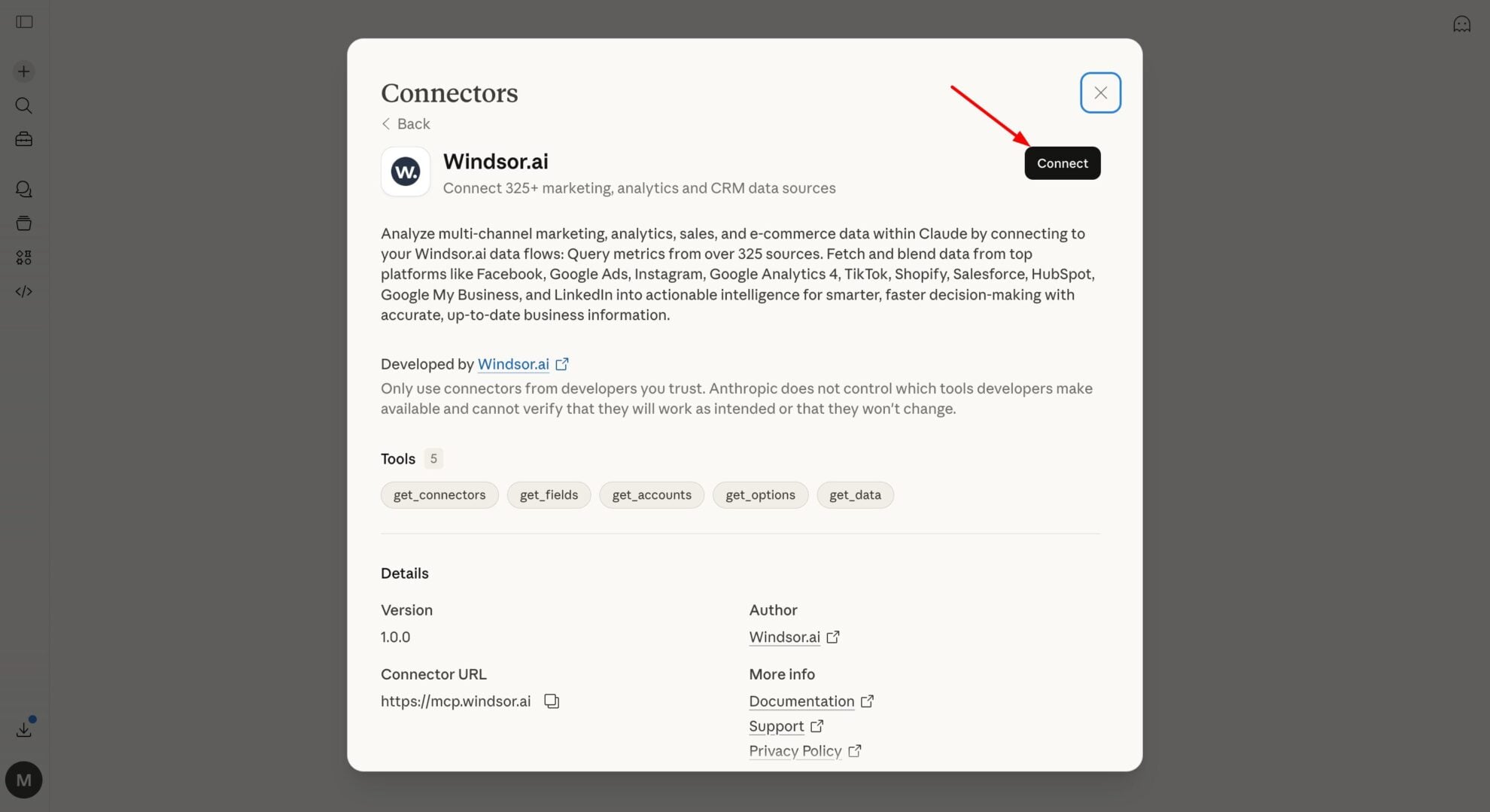
Install the Windsor.ai connector in Claude
In Claude, open Customize, then Connectors, search for Windsor and click Add. Sign in to your Windsor.ai account when prompted, and the connector appears in your Connectors list. You can also open the Windsor.ai listing in the Claude directory and click Connect.
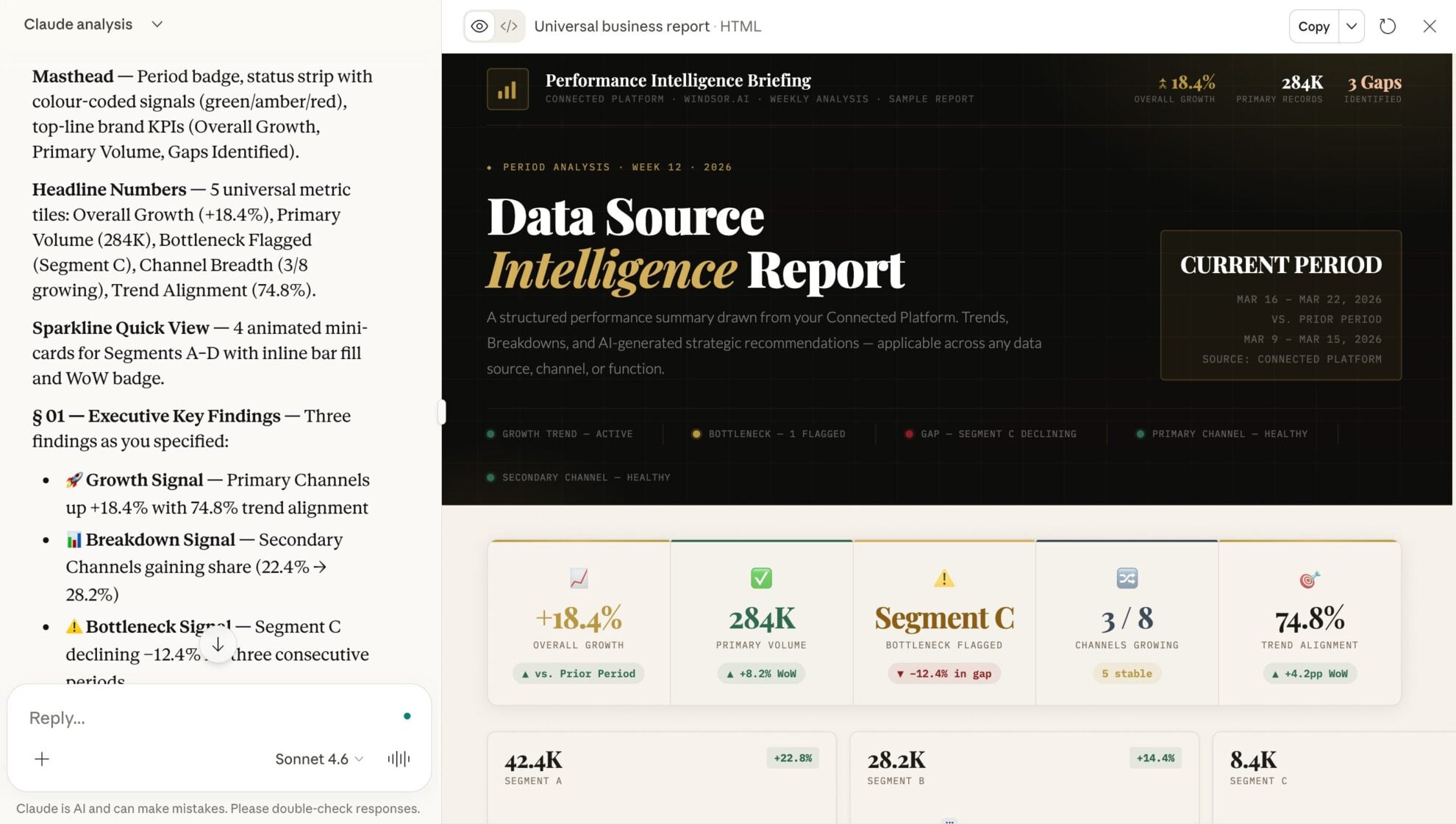
Query your data in Claude
Start a new chat and ask Claude questions about your connected data: summarize KPIs, create client reporting dashboards, or run advanced analyses.
FAQs
Can Claude help me optimize my email subject lines?
Yes. Claude can review all your previous broadcast subjects to identify linguistic patterns or keywords that correlate with higher engagement.
Can I audit my email sequences in Claude?
Absolutely. You can ask Claude to review your sequence structure and timing to find gaps where subscribers might be dropping off.
What prompts can I use when analyzing ConvertKit data in Claude?
Use more specific prompts to extract deeper insights from your email marketing data. For example:
-
Claude, analyze my subscriber custom fields and tags. Based on this data, create three distinct 'Subscriber Personas' and suggest a 3-email sequence tailored to each one.
-
Compare the performance of my 'Modal' forms versus my 'Inline' forms. Which type has a higher success rate in terms of total subscriber volume since they were created?
-
Review the subjects of all my broadcasts from the last quarter. What major topics have I not covered yet that would be highly relevant to my subscribers based on their tags?
-
Based on my subscriber join rate over the last 90 days, predict how large my list will be in 6 months. Identify which growth source needs to be scaled to hit a 20% higher target.
Can Claude draft new emails based on my previous broadcasts?
Yes. Claude can analyze your past broadcasts to understand which subject lines, messaging styles, and content patterns you use and then generate new emails that match your tone and structure.
How much does it cost to integrate ConvertKit into Claude using Windsor.ai?
Windsor.ai’s pricing for Claude data integration varies depending on the number of connected accounts and data sources. We offer absolutely transparent pricing plans for diversified business needs and budgets.
How long does it take to connect ConvertKit to Claude?
With Windsor.ai’s easy-to-use connector, the integration process takes just a few minutes. No technical expertise is needed; syncing ConvertKit to Claude is simple, straightforward, and completely code-free.
Do you have helpful links to get started with integrating ConvertKit and Claude using Windsor.ai?
Yes, we have helpful resources to help you get started. You can explore our official documentation and tutorials for seamless ConvertKit to Claude integration with Windsor.ai:
Tired of manual ConvertKit data exports? Try Windsor.ai today to automate your reporting


