 Destinations
 Data sources
 AI insights
 About us
 Careers
 Security
 Customer reviews
 Contact us
 Affiliate program
 Solution partners
 Template gallery
 Looker Studio templates
 Power BI templates
 Excel templates
 Google Sheets templates
 Tableau templates
 Facebook Ads templates
 Google Ads templates
 Data fields & Metrics
 AI prompt library & Guides
 Product documentation
 API documentation
 Case studies
 Blog
 Data models
 Windsor vs Supermetrics
 Windsor vs Funnel.io
 Windsor vs Fivetran
 Windsor vs Rivery
 Windsor vs Portermetrics
 Windsor vs Coupler.io
 Last updated: 30 October 2026




Prices checked: 27 October 2026, on each vendor’s public pricing page.
Windsor.ai moves marketing data from 350+ sources into Claude, ChatGPT, spreadsheets, BI tools, and warehouses. You may be comparing it with Supermetrics, Funnel, or a newer tool such as Coupler.io or Dataslayer. You may also already use Windsor.ai and want to see what else is available.
Most tools in this category now connect to Claude, ChatGPT, and other AI agents, but each one prices that access differently. This page compares six Windsor.ai alternatives on price, AI access, warehouse support, and the kind of team each one suits.
Why trust us to review Windsor.ai alternatives?
You’re on Windsor.ai’s website, so this comparison is a little biased. We know Windsor.ai better than any other tool here, including its weak points.
For the six alternatives, every claim comes from one of the following sources:
-
Hands-on use. We signed up for every tool with a self-serve plan and connected GA4 to each one. For 21 to 27 October against the week before, GA4 showed 1,055 sessions against 1,097 and a bounce rate of 77.0% against 78.7%. We didn’t test Funnel or Adverity hands-on, so those two sections rely on public documentation, reviews, and sales conversations. All four tools we could test returned exactly these figures. Time to first answer:
- Supermetrics under a minute
- Coupler.io about 20 seconds for the first 500 rows
- Dataslayer and Porter Metrics under 3 minutes each for the full ChatGPT flow (installing the plugin, sending the prompts, and getting the answers).
- Sales conversations. We talk every week with companies switching to Windsor.ai from Supermetrics, Funnel, and Adverity. We report why they leave, and also what they miss after switching.
- Public reviews. We read the recurring themes for each tool on G2 and Capterra.
- Live pricing pages. We checked every price on 27 October 2026. Prices change, so check the vendor’s page before you buy.
Quick comparison
Windsor.ai
- Entry paid price (billed annually): 19 USD/mo, 3 sources
- Free plan: Yes, 1 source, no credit card
- Claude / ChatGPT access: Included on every plan, native listing in both
- Warehouses (BigQuery, Snowflake): Every plan, including the free plan
- Best for: Teams that want AI tools, spreadsheets, and warehouses on one plan at a low fixed price
Supermetrics
- Entry paid price (billed annually): €39/mo, 2 sources, 1 destination
- Free plan: No (14-day trial)
- Claude / ChatGPT access: Claude, ChatGPT, or Copilot as your one included destination
- Warehouses (BigQuery, Snowflake): Enterprise plan only
- Best for: Small teams that need a Data Studio template gallery
Funnel
- Entry paid price (billed annually): 300 USD/mo (Starter)
- Free plan: No (free proof of concept build after demo)
- Claude / ChatGPT access: MCP included from Starter
- Warehouses (BigQuery, Snowflake): Business (600 USD/mo) and up. Snowflake on Enterprise
- Best for: Brands and agencies that need stored, transformed data and a data guarantee
Coupler.io
- Entry paid price (billed annually): 24 USD/mo, 3 accounts
- Free plan: Yes, 1 account, manual refresh, 100 rows per run
- Claude / ChatGPT access: Claude, ChatGPT, and other MCP clients
- Warehouses (BigQuery, Snowflake): Every plan, within the plan’s destination count
- Best for: Small teams with few accounts per platform
Dataslayer
- Entry paid price (billed annually): €29/mo, 3 connectors
- Free plan: Yes, 1 connector
- Claude / ChatGPT access: On paid plans, MCP with unlimited messages can replace your one destination. Advanced and Pro add MCP at 100 messages a day.
- Warehouses (BigQuery, Snowflake): Paid plans, with monthly row caps (5,000 on Starter)
- Best for: Spreadsheet and Data Studio users on a budget
Porter Metrics
- Entry paid price (billed annually): 12.50 USD per account/mo, less per account at volume
- Free plan: Yes, unlimited accounts, 30 days of history
- Claude / ChatGPT access: Read-only chat on every plan. Write actions billed in AI credits
- Warehouses (BigQuery, Snowflake): BigQuery
- Best for: Agencies whose clients use only the major platforms
Adverity
- Entry paid price (billed annually): Custom quote only
- Free plan: No
- Claude / ChatGPT access: MCP (Connect MCP, launched September 2026)
- Warehouses (BigQuery, Snowflake): Yes
- Best for: Large companies with a data team and complex transformation needs
Note: Supermetrics and Dataslayer list prices in euros. Funnel, Coupler.io, Porter Metrics, and Windsor.ai list them in US dollars, and Funnel also has a euro page.
1. Supermetrics
Typical users: marketing teams and agencies reporting in Data Studio or Sheets.
Most similar to: Windsor.ai, Dataslayer.
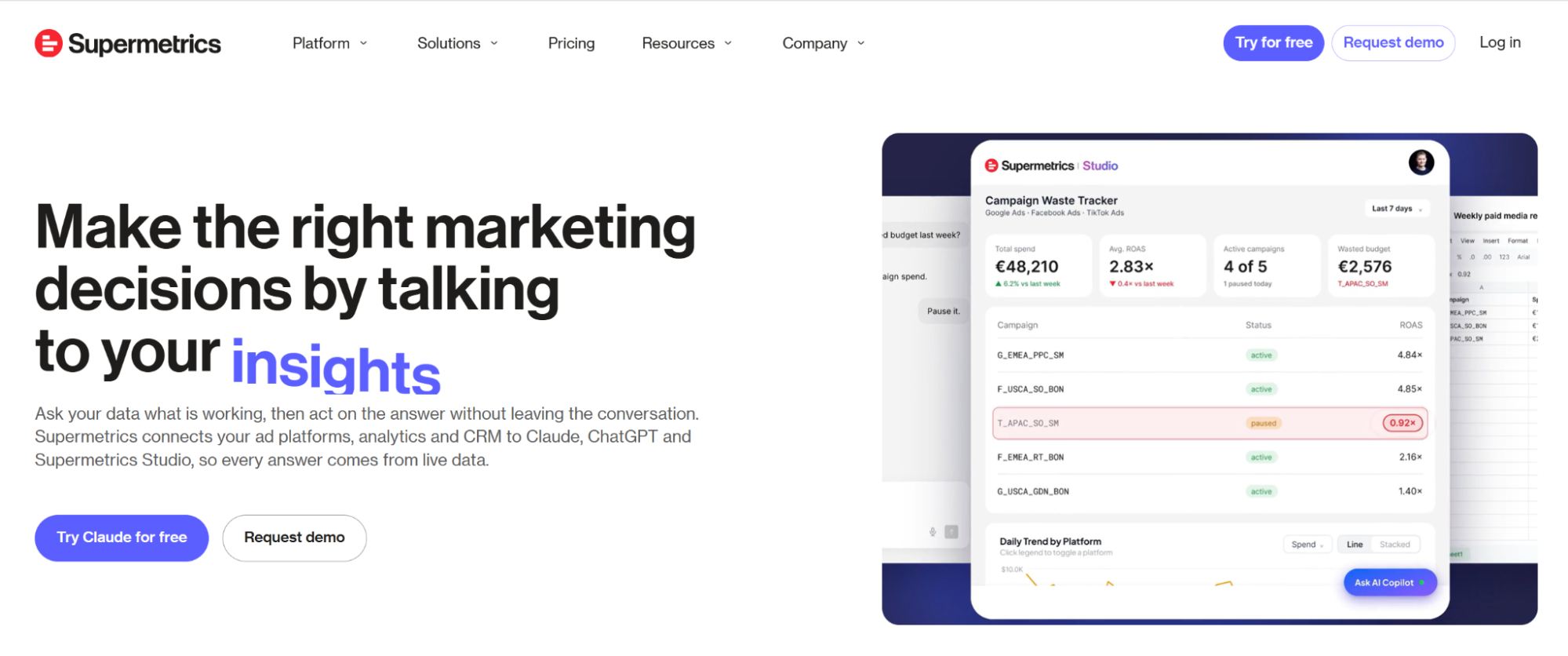
Supermetrics has a 4.4 average on G2 from 824 reviews (27 October 2026). It started as a Google Sheets add-on and now covers Data Studio, Excel, Power BI, warehouses, and AI assistants.
- Entry paid price: Supermetrics: €39/mo, 2 sources. Windsor.ai: 19 USD/mo, 3 sources.
- Destinations on the entry plan: Supermetrics: 1. Windsor.ai: All.
- Claude and ChatGPT: Supermetrics: Uses your one included destination. Windsor.ai: Included on every plan.
- Warehouses: Supermetrics: Enterprise only. Windsor.ai: Every plan.
- Priced by: Supermetrics: Sources, accounts per source, users, and destinations. Windsor.ai: Sources and accounts.
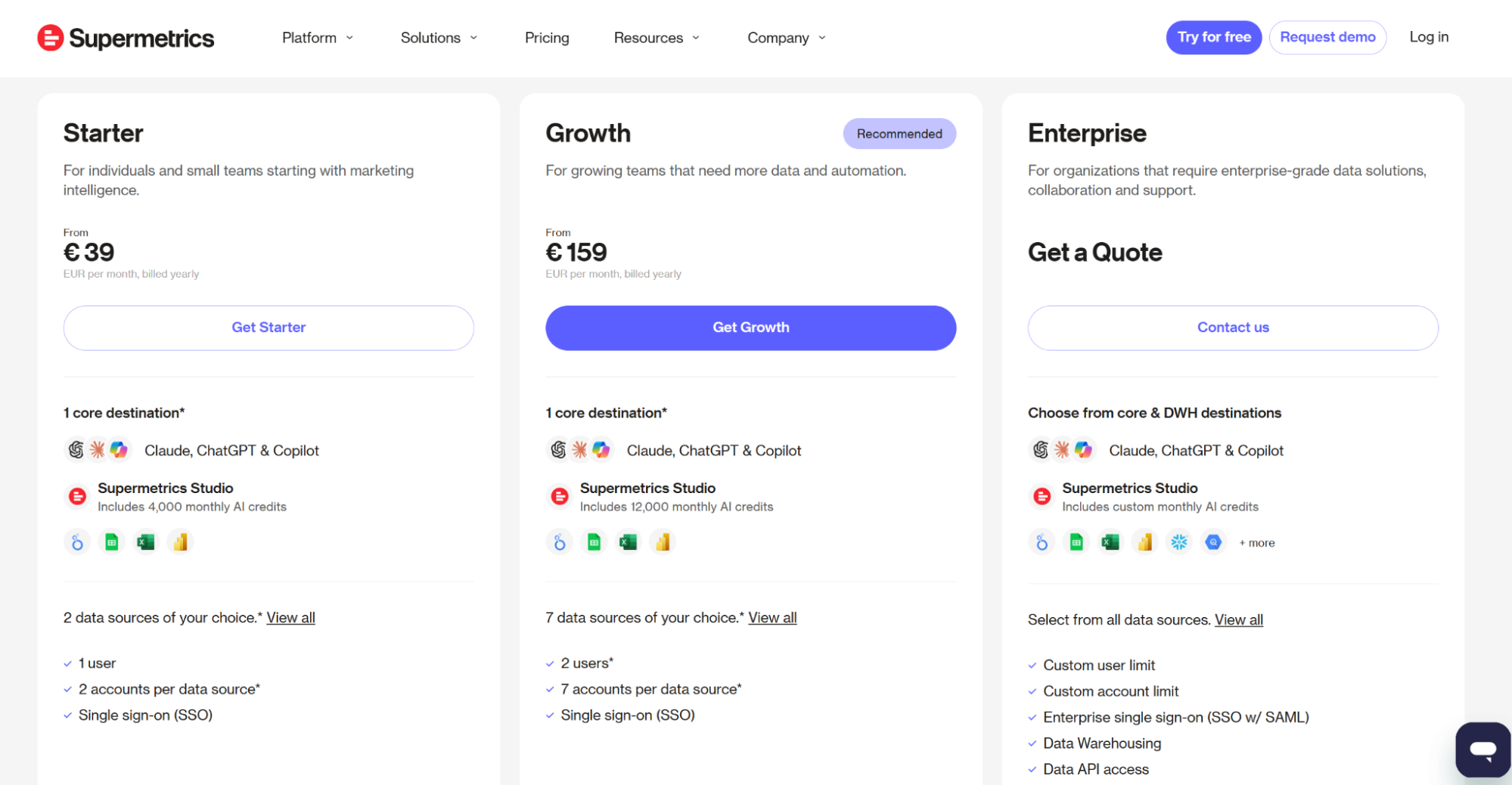
Pricing (billed annually).
- Starter €39/mo: 2 data sources, 2 accounts per source, 1 user, 1 destination, and single sign-on (SSO).
- Growth €159/mo: 7 sources, 7 accounts per source, 2 users, 1 destination.
- Extra destinations cost €49/mo each on Starter (up to 2 in total) and €149/mo on Growth.
- Extra sources cost €29/mo each and extra ad accounts cost €10/mo each.
- Data warehouse destinations (BigQuery, Snowflake) are on Enterprise only.
- You can test every connector and destination for free for 14 days.
Signup process. We tested Supermetrics on 27 October 2026. Signing up with a Google account is quick, but you’re immediately directed to a skippable onboarding form before accessing the platform. Completing the form doesn’t take long either, because it only asks four simple questions: whether you used Supermetrics before, the industry you work in, your role, and the challenges you’re looking to solve with Supermetrics. Skipping or completing the form grants you access to the platform with your 14-day trial account.
Connecting to a data source. The “Data sources” dashboard links to step-by-step guides that walk you through the process. We connected one GA4 property. Supermetrics pulled our data in less than a minute, and its week-over-week sessions and bounce rate matched our GA4 account.
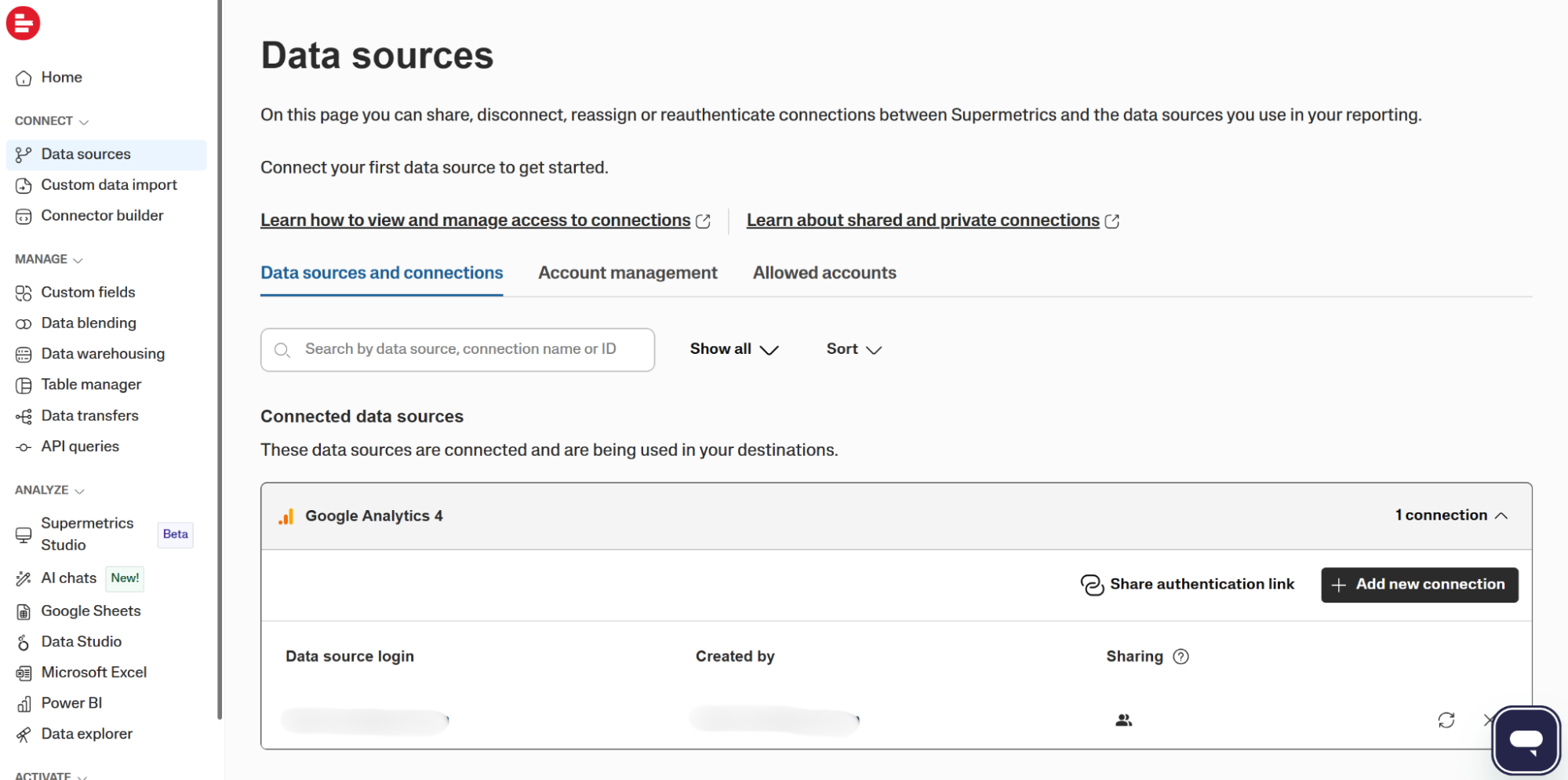
Connecting to a destination. Supermetrics lists the most popular destinations in the “Analyze” tab. In the “AI chats” tab, you’ll find setup instructions for Claude, ChatGPT, and Copilot, and ready-to-use prompts for common reporting questions.
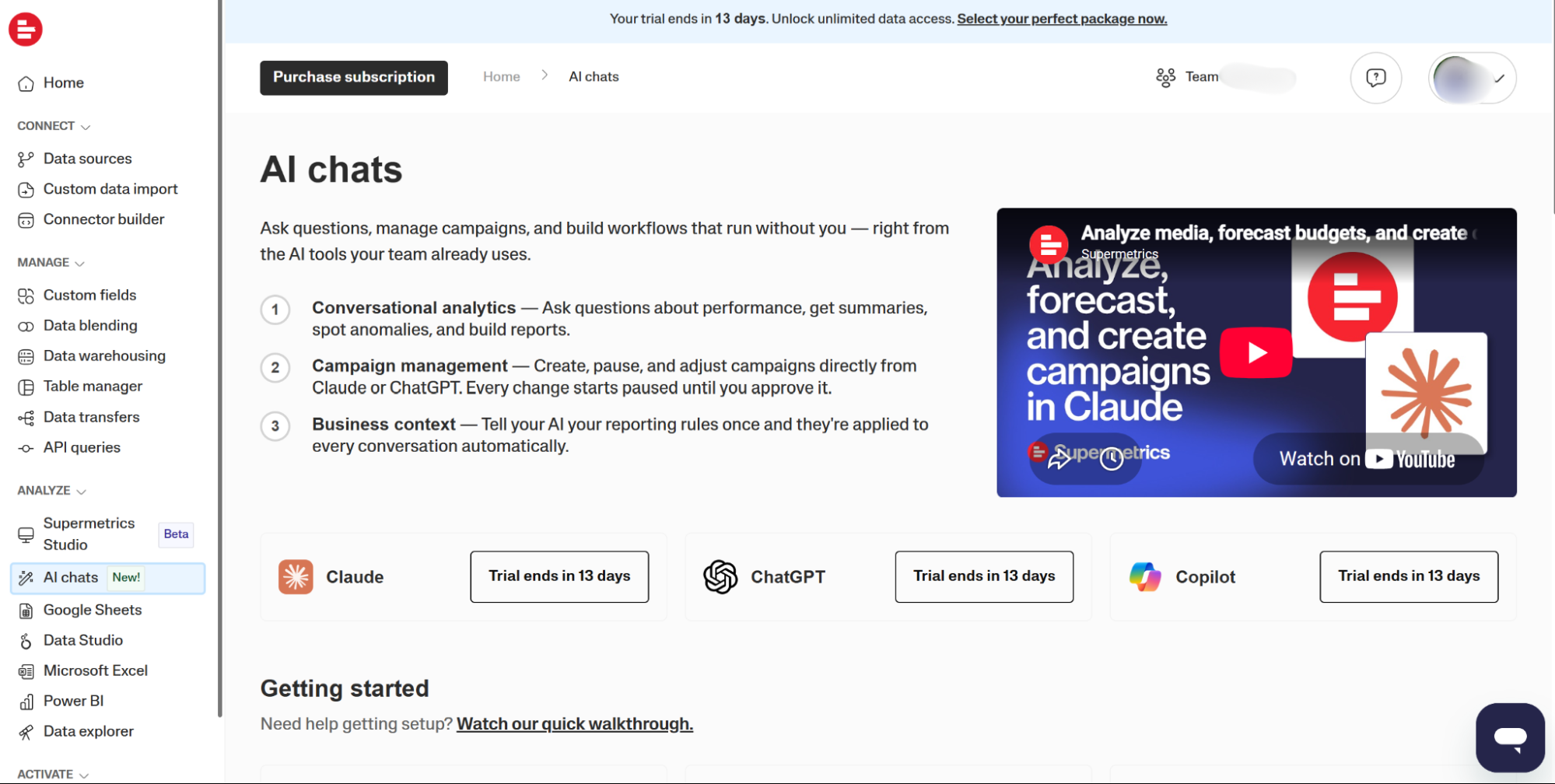
AI access. Claude, ChatGPT, and Microsoft Copilot are “core destinations”, so on Starter or Growth an AI assistant uses your one included destination.
If you also want Data Studio or Sheets, you pay for a second destination. Plans also include AI credits for Supermetrics’ own analysis tool: 4,000 a month on Starter and 12,000 on Growth. Subscribers with Supermetrics API access can also use its MCP server, which doesn’t need the AI chats destination.
Where Supermetrics is stronger than Windsor.ai. Supermetrics has a template gallery and many years of Data Studio use behind it. Its write actions in Claude, ChatGPT, and Copilot come with two extra safeguards: changes go to a changelog, and you turn write access on for each ad platform. Business Context, on every plan, saves your reporting rules so the AI applies them in every conversation.
Where Supermetrics is weaker than Windsor.ai. Price is a frequent complaint on G2, especially having to pay again for each extra destination. Reviewers on G2 often mention having to re-authenticate data sources, but this is also one of the complaints we receive for Windsor.ai. Of its 160 sources, 39 premium ones, including Salesforce, DV360, and Adobe Analytics, are on the Enterprise plan only (tested 27 October 2026). Some Supermetrics users who switch to Windsor.ai mention the renewal price and the cost of adding Claude next to their existing Data Studio reports.
Pick Supermetrics if you report mainly in one destination (Data Studio or Sheets) or want to speed up your work with specific templates.
Skip Supermetrics if you want an AI assistant and a spreadsheet or warehouse on the same small plan.
2. Funnel
Typical users: brands and agencies with several markets and a budget for stored, cleaned data.
Most similar to: Adverity.
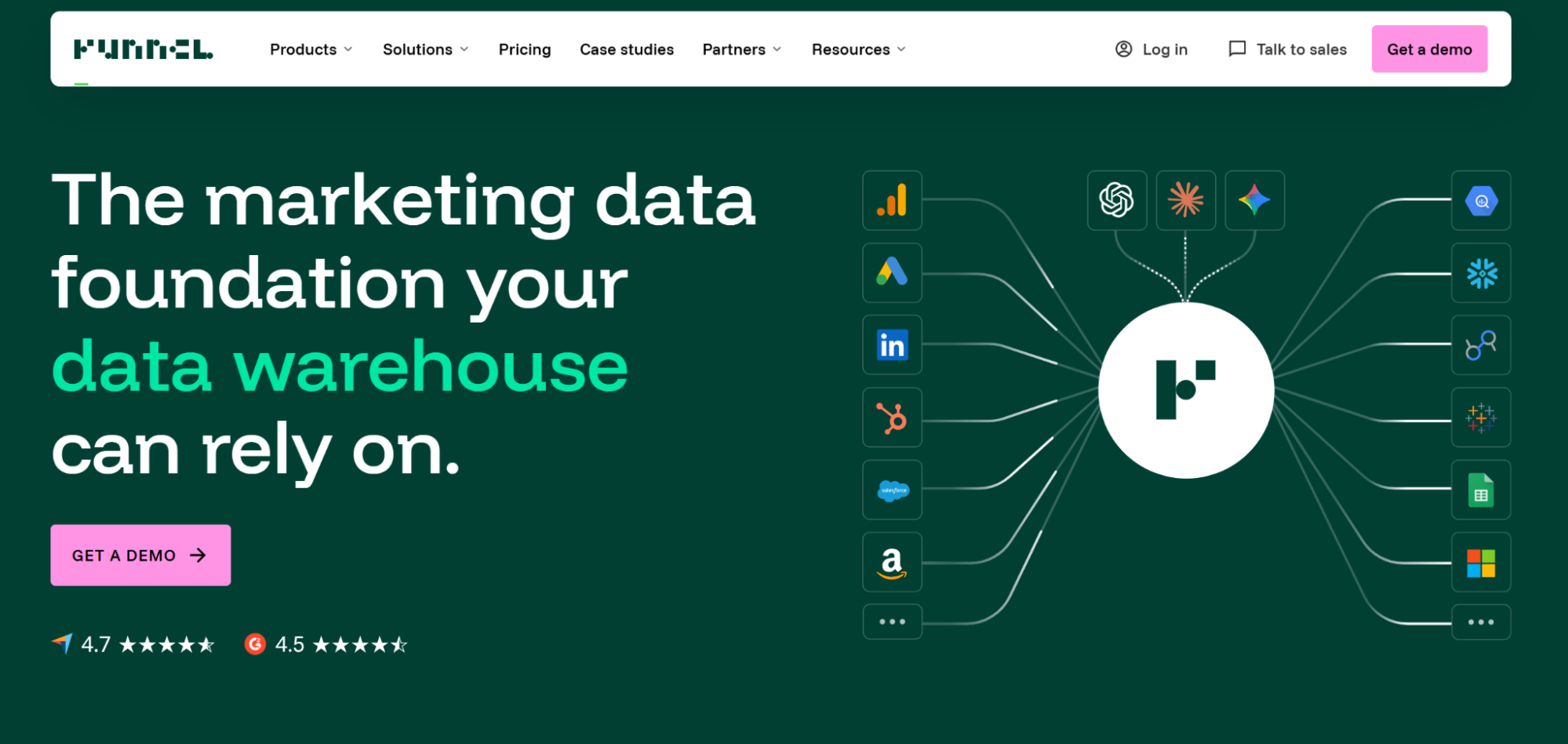
Funnel stores your marketing data, cleans it, and sends it on. It suits teams that want to standardize their data and apply business rules before using it in reports. We didn’t test Funnel hands-on, so this section uses Funnel’s pricing page, G2 reviews, and conversations with teams that moved from Funnel to Windsor.ai.
- Entry paid price: Funnel: 300 USD/mo. Windsor.ai: 19 USD/mo.
- Destinations on the entry plan: Funnel: 13. Windsor.ai: All.
- Claude and ChatGPT: Funnel: MCP from Starter. Windsor.ai: Included on every plan.
- Warehouses: Funnel: Business (600 USD/mo) and up. Snowflake on Enterprise. Windsor.ai: Every plan.
- No-code custom metrics and stored history: Funnel: Yes. Windsor.ai: Custom fields as spreadsheet-style formulas. History stays in the source or your warehouse.
- Priced by: Funnel: Plan tier. Windsor.ai: Sources and accounts.
Pricing (billed annually, US page).
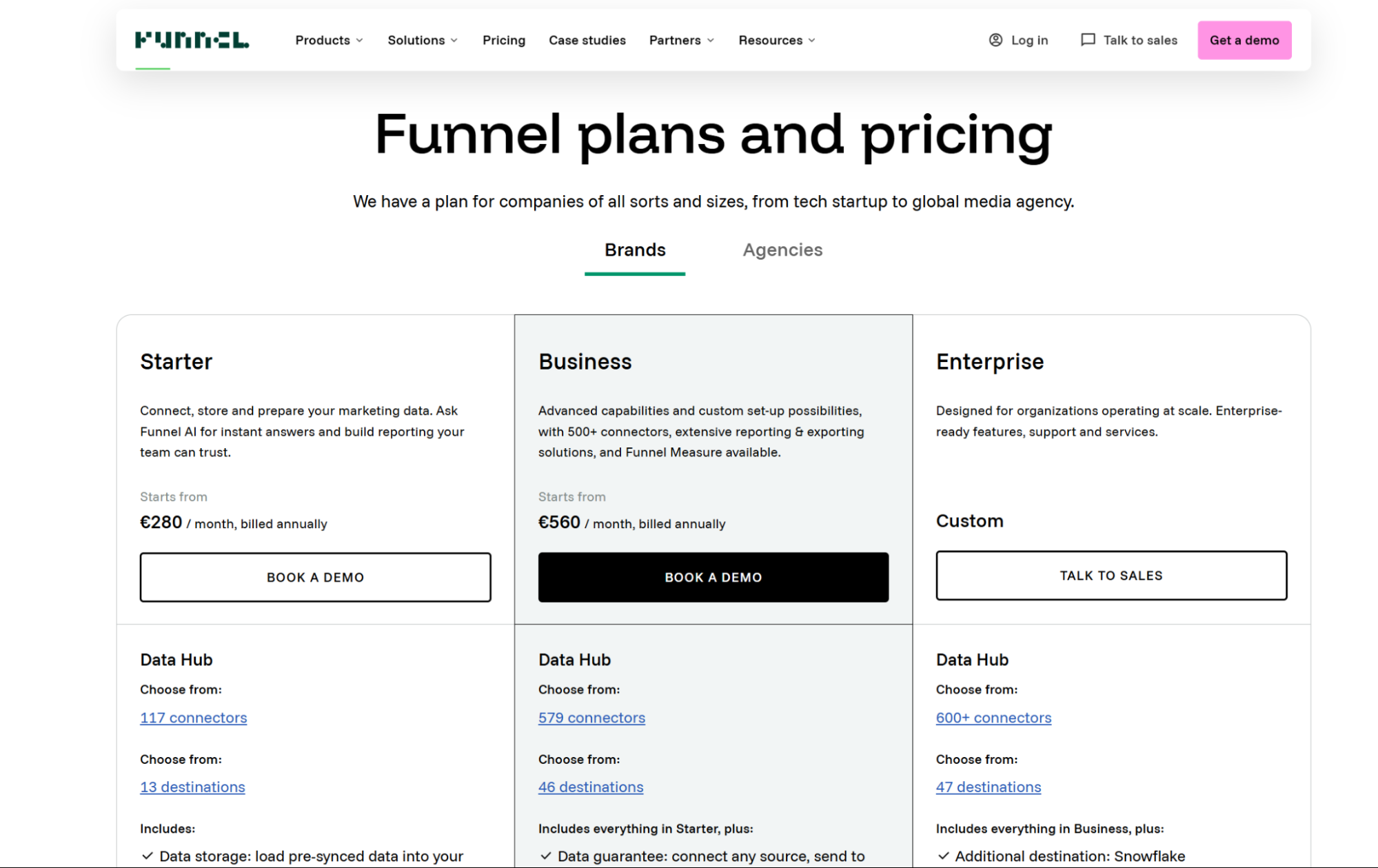
- Starter 300 USD/mo: 117 connectors, 13 destinations (Data Studio and Google Sheets among them), data storage, MCP, dashboards, and Funnel AI.
- Business 600 USD/mo: 579 connectors, 46 destinations including BigQuery, Amazon S3, Power BI, and Tableau, unlimited users, and a data guarantee. Enterprise is quoted and adds Snowflake and SAML SSO.
- Funnel Measure (marketing mix modeling, multi-touch attribution, and incrementality testing) is an add-on on Business and Enterprise.
- Funnel has no free plan. After a demo, it builds a free proof of concept. The European page lists Starter at €280 and Business at €560.
AI access. MCP access for Claude, ChatGPT, and other AI tools is included from Starter.
Where Funnel is stronger than Windsor.ai. Funnel keeps a stored history and lets non-technical users build custom metrics and mapping rules in the interface. Teams moving from Funnel to Windsor.ai tell us this is the feature they miss most, and rebuilding those metrics is the slowest part of their switch. The Business plan includes a data guarantee for any source and destination.
Where Funnel is weaker than Windsor.ai. Cost is the main theme on G2 and Capterra. Teams that came to Windsor.ai from Funnel mostly did so at contract renewal, citing price.
Pick Funnel if you have the budget and want stored, transformed data with business rules applied in one place, especially across several brands.
Skip it if you need a warehouse destination for less than 600 USD a month.
3. Coupler.io
Typical users: small teams and freelancers working in spreadsheets.
Most similar to: Porter Metrics.
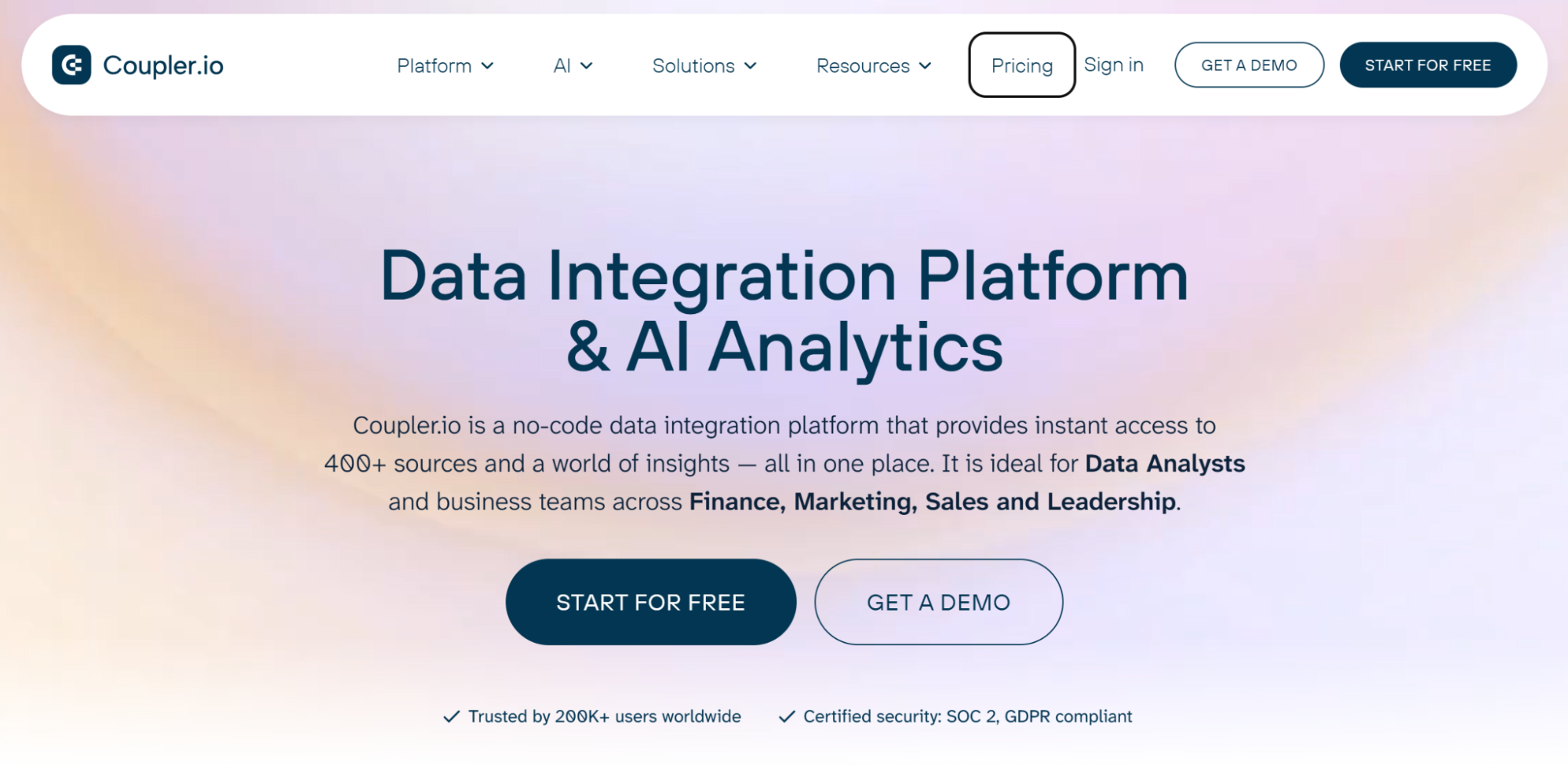
Coupler.io connects 400+ sources to spreadsheets, BI tools, warehouses, and AI assistants. It prices by connected account, and every source is available on every paid plan.
- Entry paid price: Coupler.io: 24 USD/mo, 3 accounts. Windsor.ai: 19 USD/mo, 3 sources.
- Destinations on the entry plan: Coupler.io: 1. Windsor.ai: All.
- Claude and ChatGPT: Coupler.io: Yes, plus Gemini, Copilot, Perplexity, and Cursor, listed apart from destinations. Windsor.ai: Included on every plan.
- Warehouses: Coupler.io: Every plan, within the plan’s destination count. Windsor.ai: Every plan.
- Row limit on the entry plan: Coupler.io: 5,000 rows per run. Windsor.ai: No limit stated.
- Priced by: Coupler.io: Connected accounts. Windsor.ai: Sources and accounts.
Pricing (billed annually).
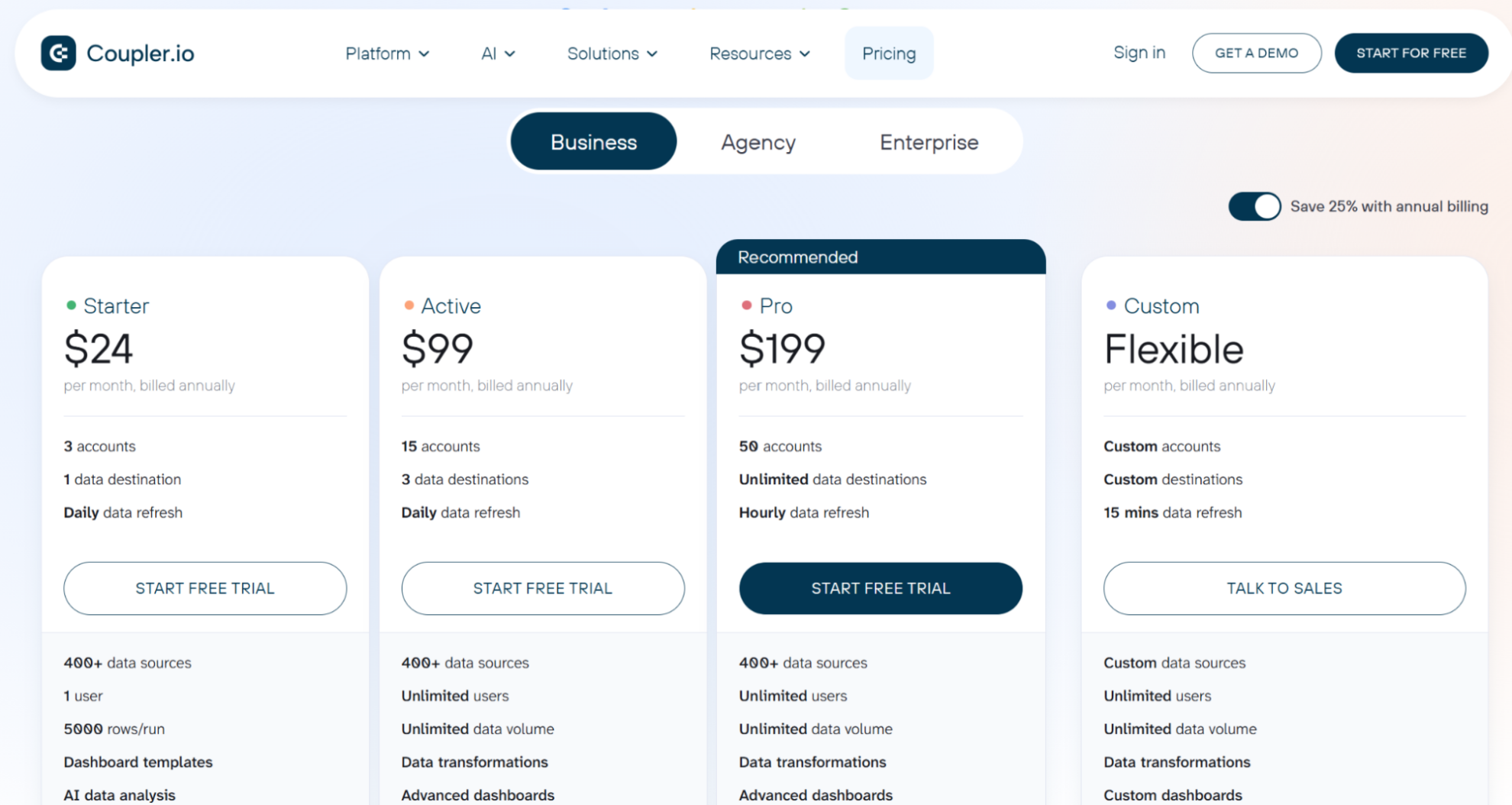
- Free: 1 account, 1 destination, manual refresh, 100 rows per run.
- Starter 24 USD/mo: 3 accounts, 1 destination, daily refresh, 5,000 rows per run.
- Active 99 USD/mo: 15 accounts, 3 destinations, unlimited users.
- Pro 199 USD/mo: 50 accounts, unlimited destinations, hourly refresh.
- Extra accounts cost 4.49 USD each per month on annual billing, on every paid plan.
- A 7-day trial gives full access.
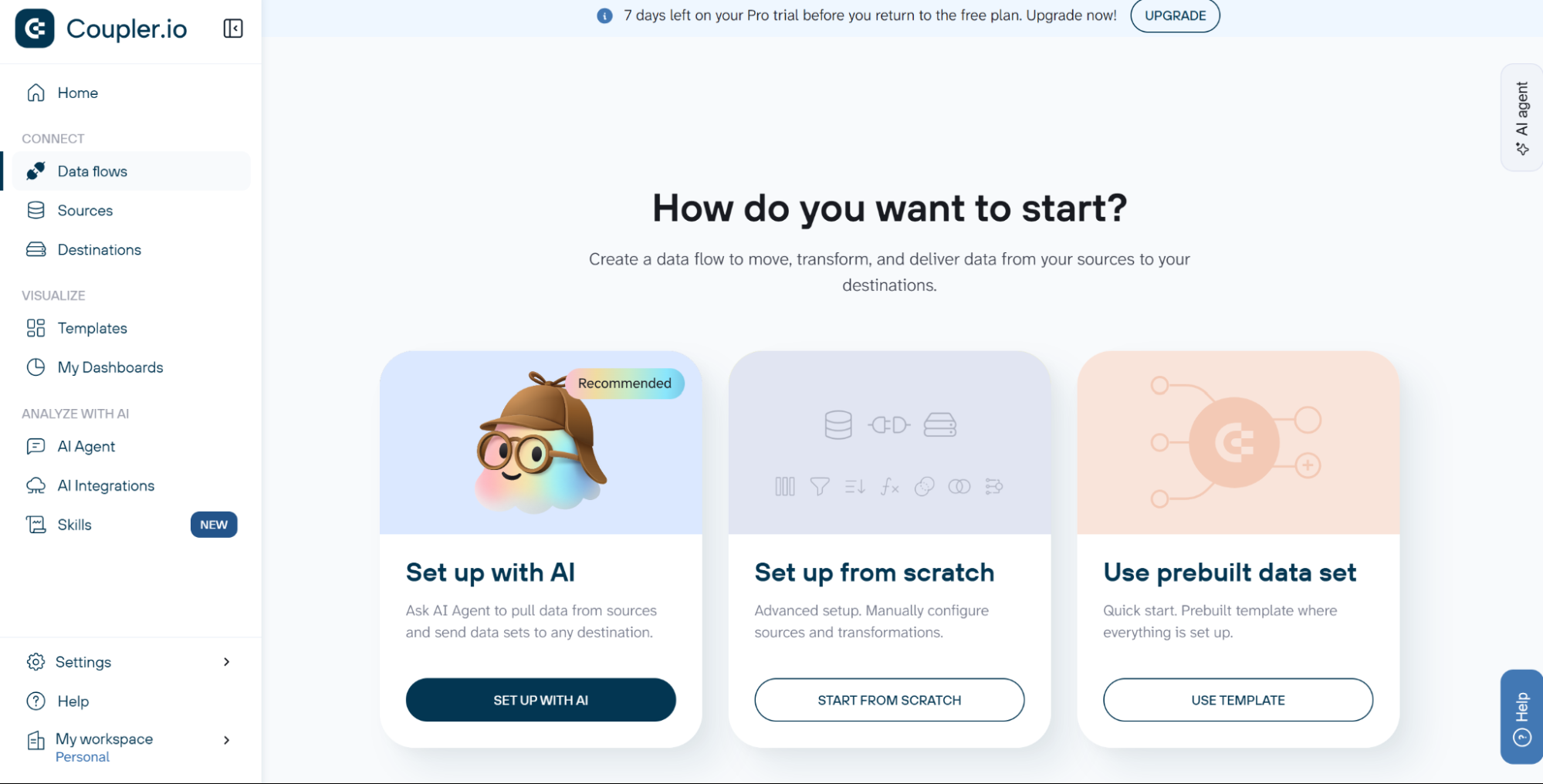
Signup process. We tested Coupler.io on 27 October 2026. Signing up with a Google account is quick, but you’re immediately directed to an unskippable onboarding form. The form asks four questions: what brings you to Coupler.io, personal information, including phone number, company information, and how you found Coupler.io. After submitting the onboarding form, you gain access to the platform and can start building data flows.
Connecting to a data source. You can create a data flow (connect a data source to a destination) in three ways. Coupler.io recommends using AI, but you can also start with a template or make the connection manually. Using the prebuilt GA4 landing page template, Coupler.io extracted the first 500 rows of data in about 20 seconds. Its week-over-week sessions and bounce rate matched our GA4 property.
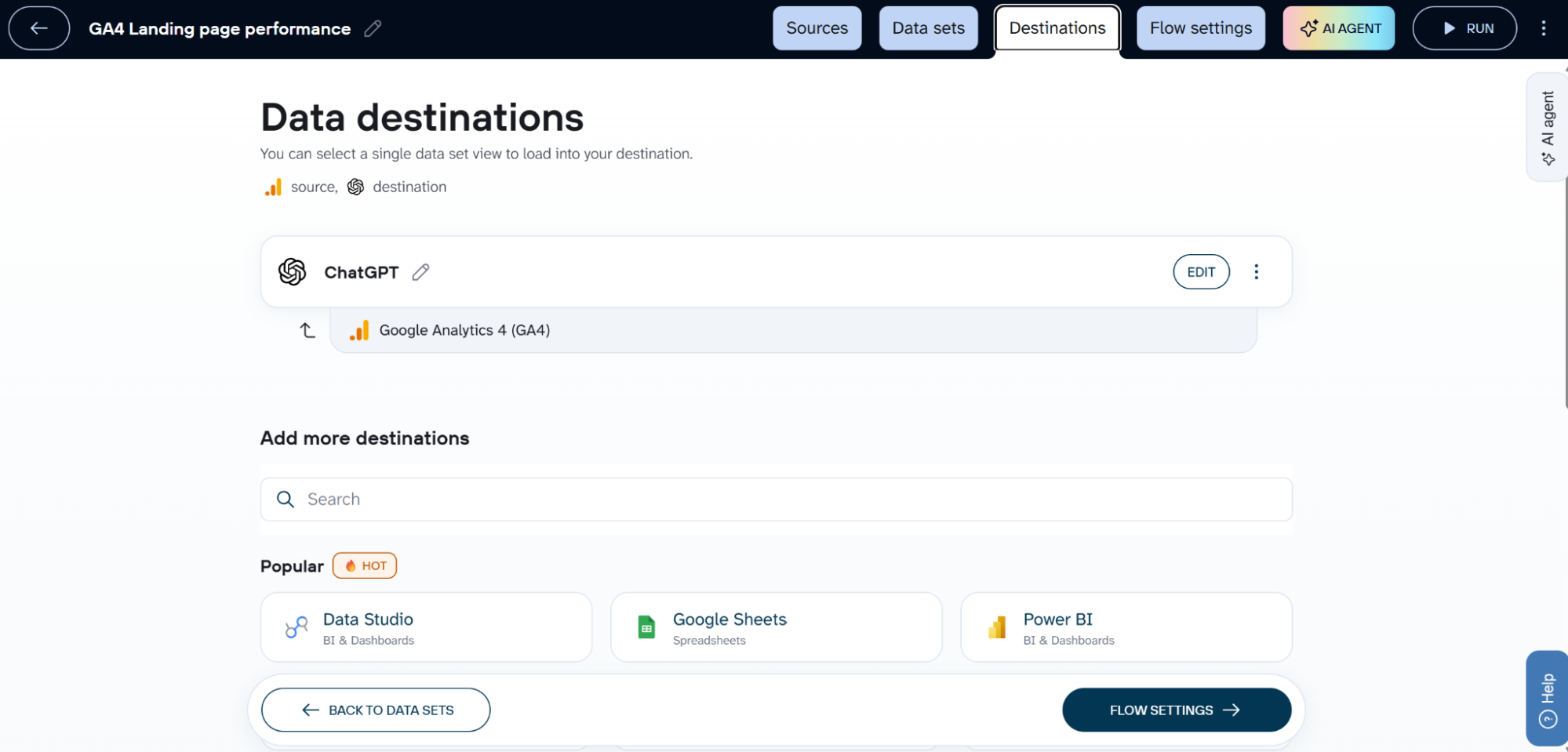
Connecting to a destination. The “Destinations” tab lists all available destinations. Each destination page includes a quick guide to connecting it. You need to add a connector or plugin to your AI agent before you can send data to it. Once connected, you can update your flow settings to pull data automatically on a recurring schedule.
AI access. Coupler.io works with Claude, ChatGPT, Gemini, Copilot, Perplexity, Cursor, and any custom MCP client. Paid plans also include Coupler.io’s own AI agent with monthly allowances.
Where Coupler.io is stronger than Windsor.ai. If you connect one account on 4 or more platforms, Coupler.io’s per-account pricing costs less than Windsor.ai’s per-source pricing. G2 and Capterra reviewers praise its support.
Where Coupler.io is weaker than Windsor.ai. The 5,000-row limit per run on Starter is low for ad data at keyword or ad level. Some G2 reviewers without a technical background found building data flows slow. Hourly refresh and unlimited destinations need Pro (199 USD/mo).
Pick Coupler.io if you connect only a few accounts but need several different source types, or you mainly work in spreadsheets.
Skip it if you connect many accounts across several platforms. For example, 40 accounts on 5 platforms cost about 190 USD a month on Coupler.io (Starter at 24 USD plus 37 extra accounts at 4.49 USD), against 99 USD on Windsor.ai’s Standard plan.
4. Dataslayer
Typical users: spreadsheet and Data Studio users leaving Supermetrics.
Most similar to: Supermetrics.
Dataslayer is a connector for Google Sheets, Excel, Data Studio, and Power BI, with warehouse destinations capped by monthly rows. It costs less than Supermetrics and lists an import from Supermetrics on every paid plan.
- Entry paid price: Dataslayer: €29/mo, 3 connectors. Windsor.ai: 19 USD/mo, 3 sources.
- Destinations on the entry plan: Dataslayer: 1, or MCP in its place. Windsor.ai: All.
- Claude and ChatGPT: Dataslayer: MCP with unlimited messages in place of the destination. Advanced and Pro add 100 messages a day next to it. Windsor.ai: Included on every plan.
- Warehouses: Dataslayer: Included, 5,000 rows a month on Starter. Windsor.ai: Every plan, no limit stated.
- Supermetrics import: Dataslayer: Yes. Windsor.ai: No.
- Priced by: Dataslayer: Connectors and accounts per connector. Windsor.ai: Sources and accounts.
Pricing (billed annually).
- Free: 1 connector, 1 account, one manual refresh per day, no MCP.
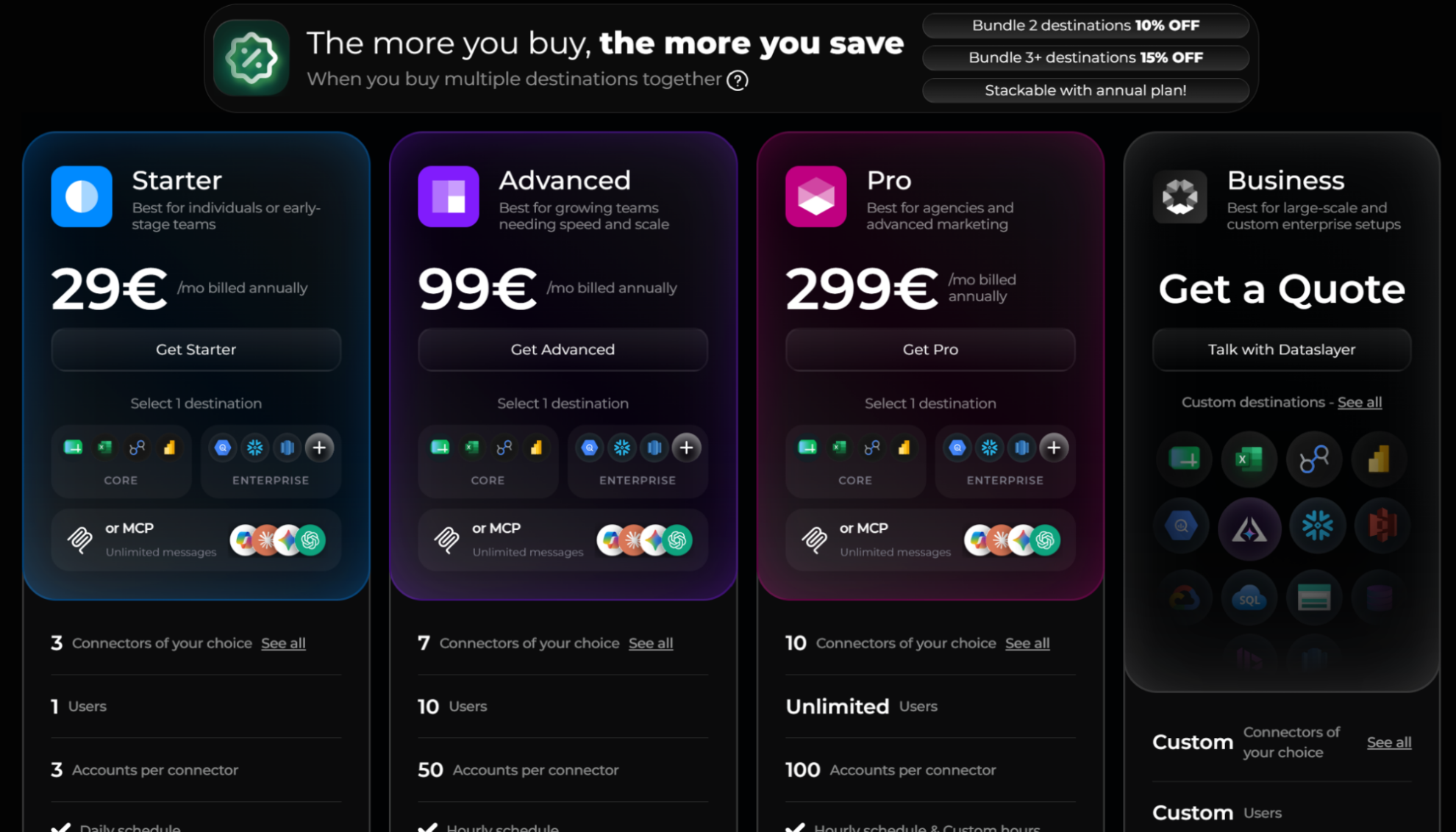
- Starter €29/mo: 3 connectors, 3 accounts per connector, 1 destination or MCP, 5,000 rows a month in warehouse destinations.
- Advanced €99/mo: 7 connectors, 50 accounts per connector, hourly refresh, data blending, 100,000 warehouse rows a month.
- Pro €299/mo: 10 connectors, 100 accounts per connector, 2 million warehouse rows a month.
- Each plan includes one destination. Extra destinations cost more, with 10% off for two and 15% off for three or more. The 15-day trial needs no credit card and drops to the free plan afterwards.
Signup process. We tested Dataslayer on 27 October 2026. Signing up with a Google account is not as quick as on other platforms because you have to go through two extra steps: accepting the platform’s terms and conditions, and confirming your account via email. However, you don’t have to complete an onboarding form.
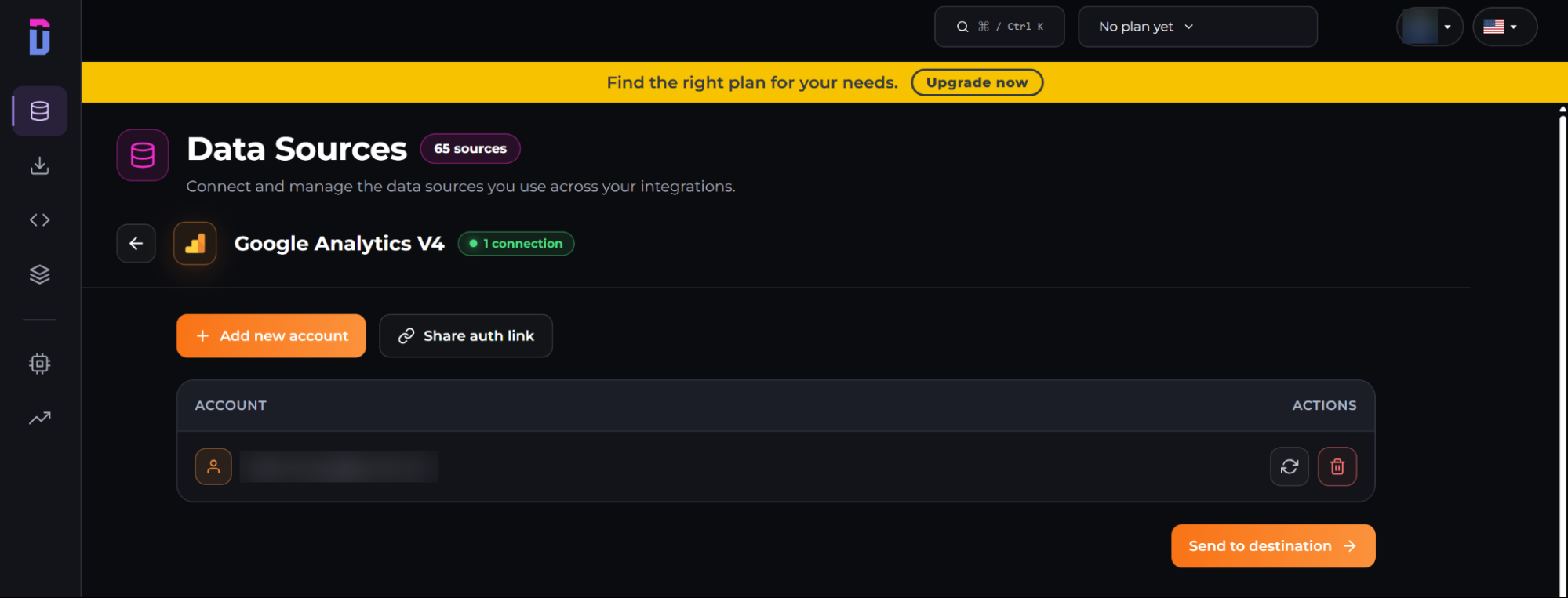
Connecting to a data source. Finding the data source you need in the Data Sources hub is easy, especially if you’re looking for popular sources like GA4, because they’re listed at the top. After following the connection instructions, you get a confirmation message, but Dataslayer doesn’t pull your data before connecting it to a destination.
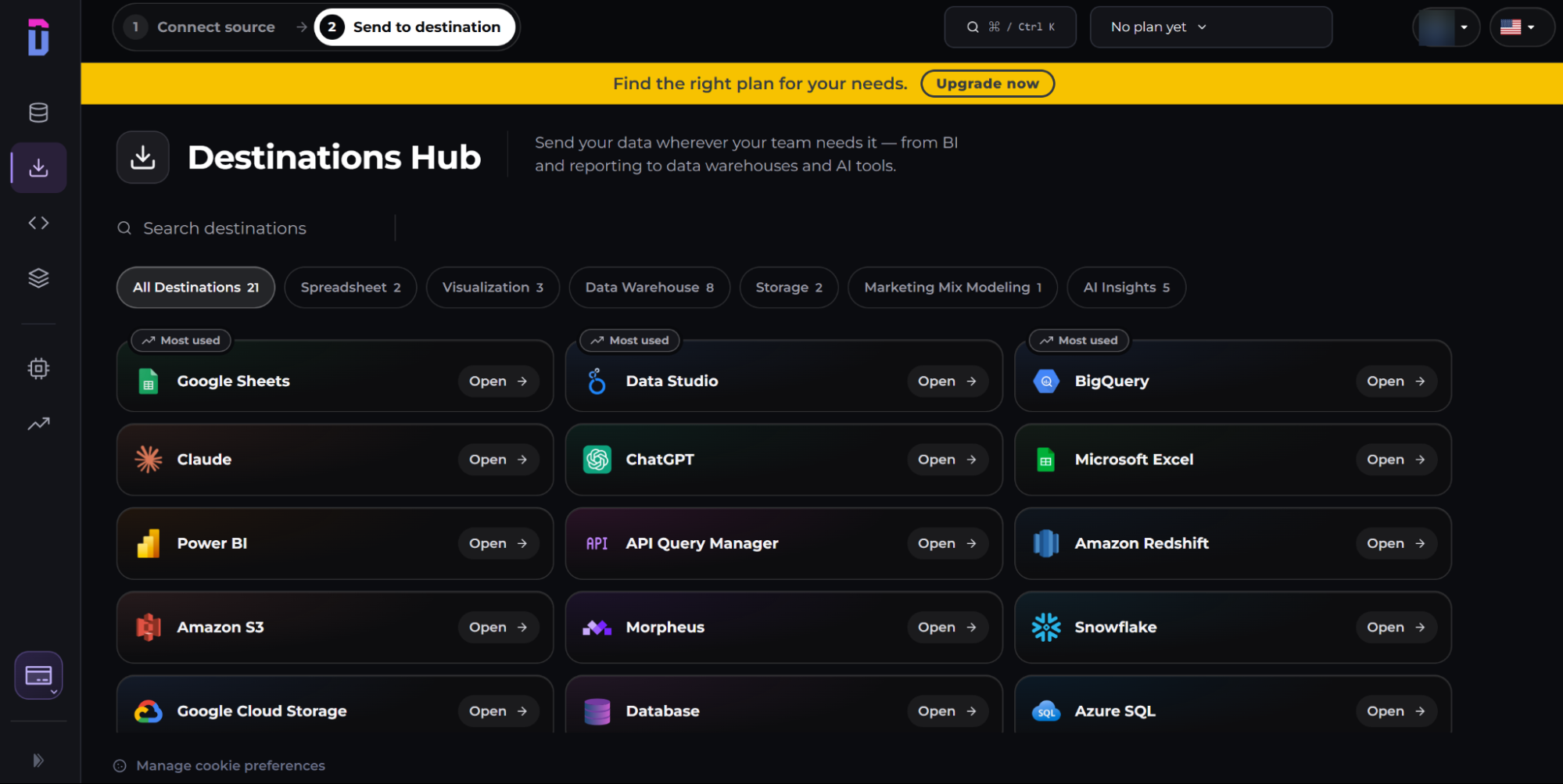
Connecting to a destination. The Destinations Hub lists all available destinations. Each destination page includes a short tutorial to help you connect it to your data source. You’ll need the Dataslayer plugin or extension to connect your AI agent to your data source. The ChatGPT plugin we tested offered some example prompts you can use to interpret your data. The numbers ChatGPT returned for week-over-week sessions and bounce rate matched our GA4 property.
AI access. MCP for Claude, ChatGPT, Gemini, and Copilot. On every paid plan, MCP with unlimited messages can take the place of your one destination. Advanced and Pro also include MCP next to the destination, limited to 100 messages a day. Dataslayer doesn’t say how it counts a message.
Where Dataslayer is stronger than Windsor.ai. Dataslayer allows more accounts on its higher plans (50 per connector on Advanced, against 75 in total on Windsor.ai Standard), and it includes an import from Supermetrics on every paid plan. G2 reviewers rate it 4.8 from about 300 reviews, with ease of use and support as the main praise.
Where Dataslayer is weaker than Windsor.ai. Reviewers on G2 mention missing metrics on some connectors and slower syncs with many accounts. Data blending needs Advanced or higher.
Pick Dataslayer if you report in Sheets or Data Studio, want to move off Supermetrics with its import, and load little data into a warehouse.
Skip it if you need Claude next to a spreadsheet and expect more than 100 MCP messages a day.
5. Porter Metrics
Typical users: agencies and small businesses reporting in Data Studio.
Most similar to: Coupler.io, Supermetrics.
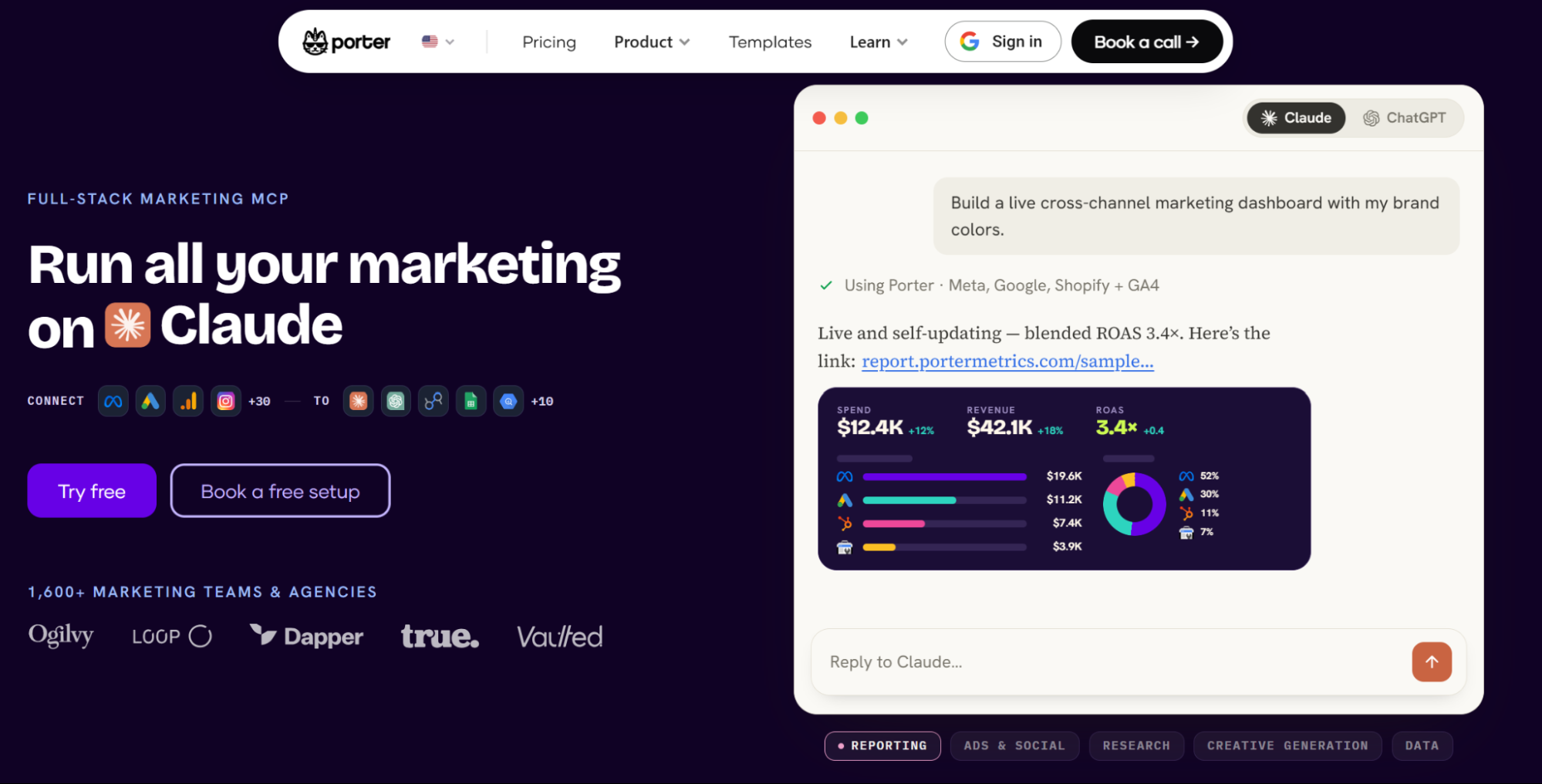
Porter Metrics sends data to Data Studio, Google Sheets, Power BI, BigQuery, and AI assistants. It has 30+ sources, far fewer than the other tools here, and prices per account, with a lower price per account as you add accounts.
- Entry paid price: Porter Metrics: 12.50 USD per account/mo. Windsor.ai: 19 USD/mo, 3 sources.
- Free plan: Porter Metrics: Unlimited accounts, 30 days of history. Windsor.ai: 1 source.
- Sources: Porter Metrics: 30+. Windsor.ai: 350+.
- Claude and ChatGPT: Porter Metrics: Read-only chat on every plan. Write actions billed in AI credits. Windsor.ai: Read and write actions included on every plan.
- Warehouses: Porter Metrics: BigQuery. Windsor.ai: Every plan, including Snowflake and Redshift.
- Priced by: Porter Metrics: Connected accounts. Windsor.ai: Sources and accounts.
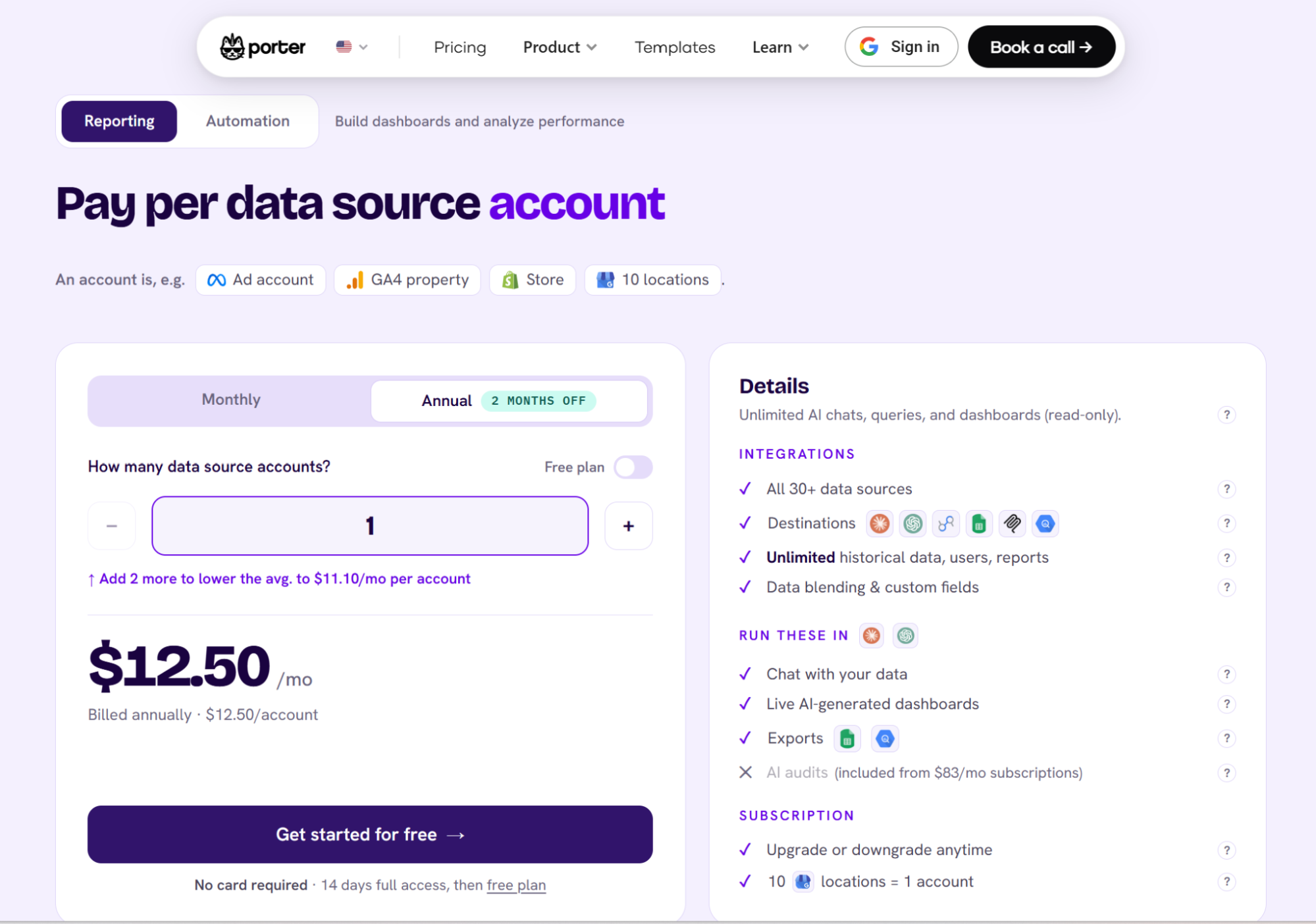
Pricing.
- One account costs 12.50 USD a month on annual billing, which takes two months off the monthly price. Three accounts cost 33.33 USD a month on annual billing.
- The price per account falls with volume: on monthly billing, 5 to 12 accounts cost 8 USD each and 40 to 49 accounts cost 4.50 USD each.
- An account is one ad account, GA4 property, or store, or 10 Google Business Profile locations.
- A 14-day trial with full access and no card drops to a free plan with unlimited accounts and 30 days of data history (15 days in AI chats).
Signup process. We tested Porter Metrics on 27 October 2026. Signing up with a Google account creates your account and grants access to the platform without confirming your email or filling in an onboarding form.
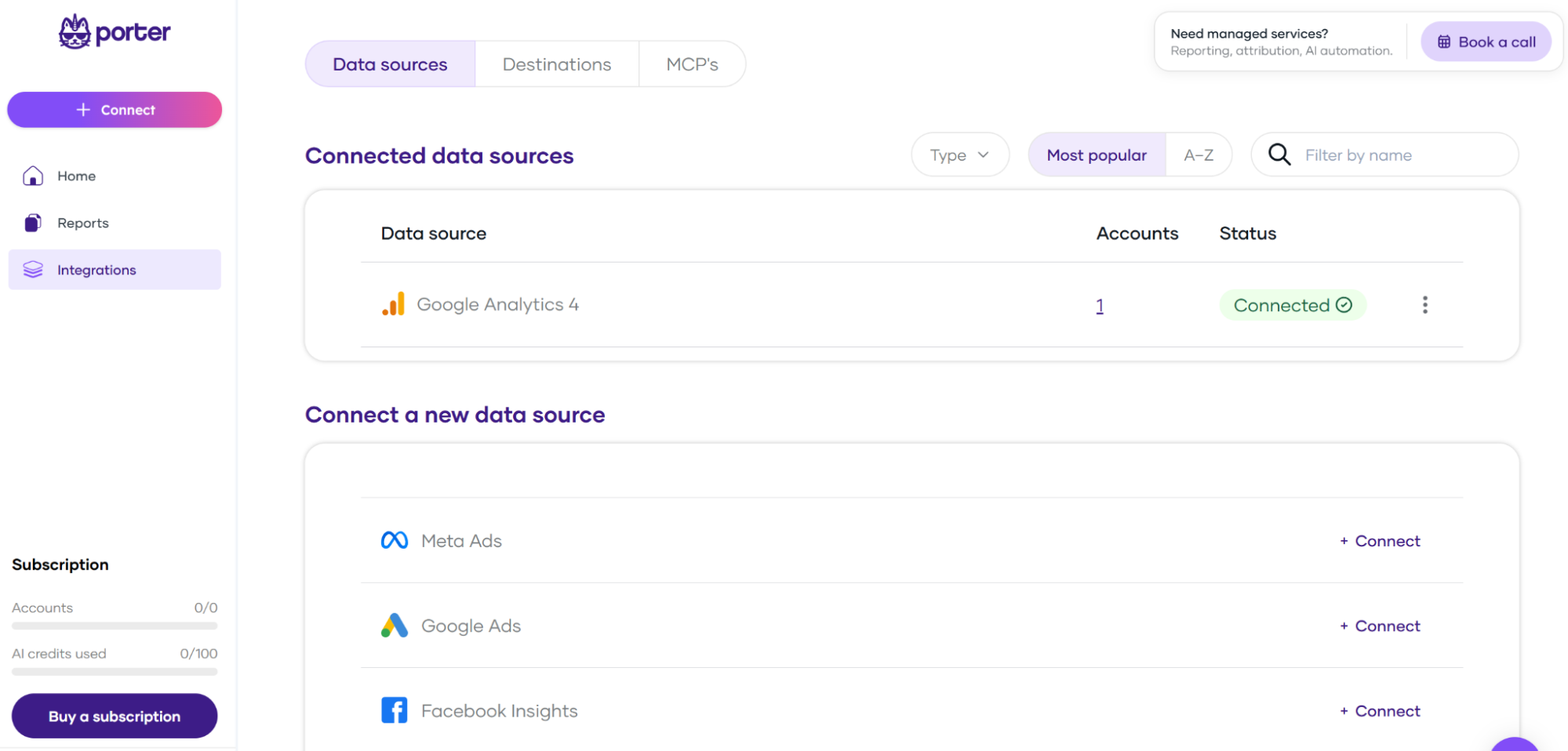
Connecting to a data source. Open the Integrations tab to browse available data sources. Choose yours and follow the instructions to connect it.
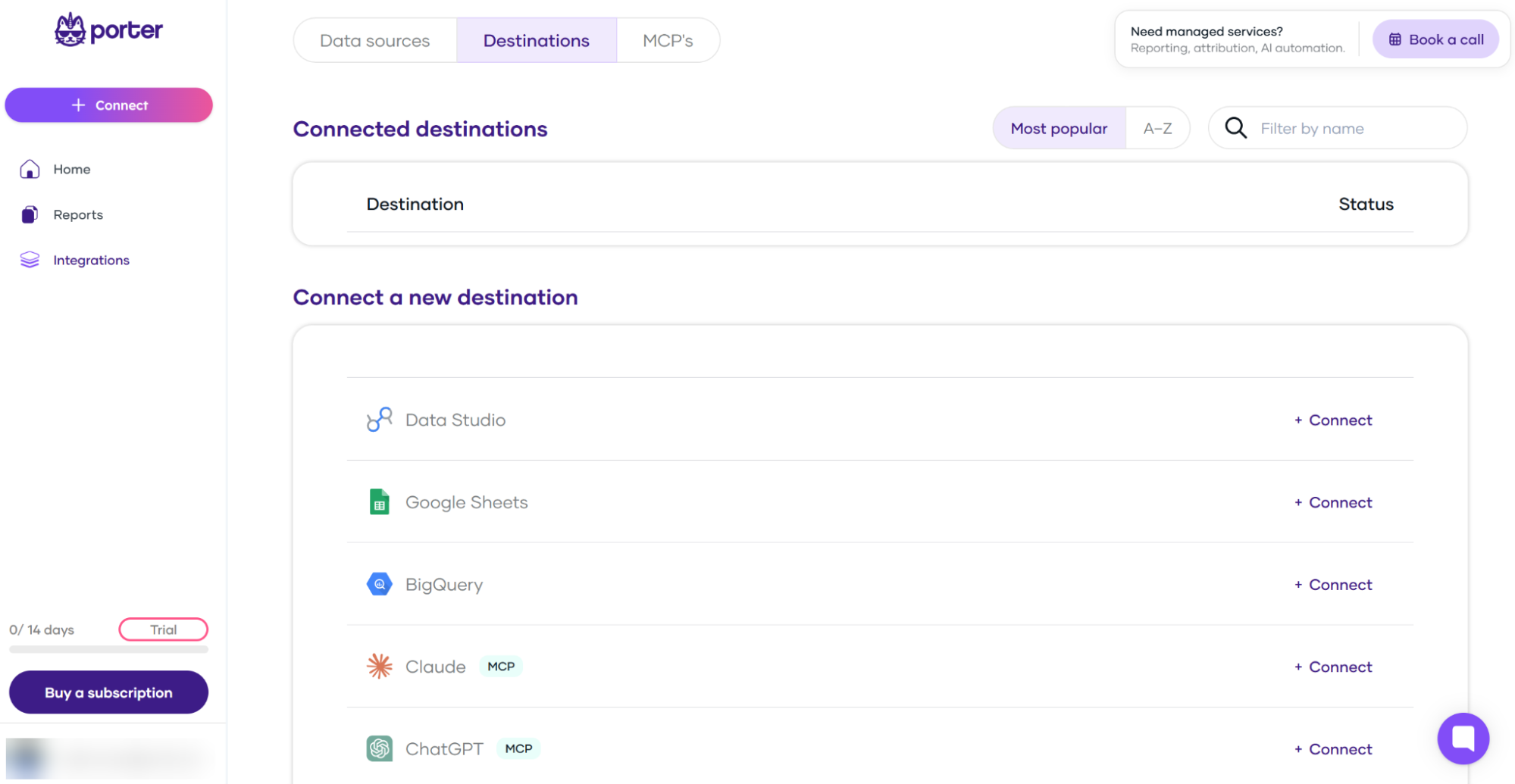
Connecting to a destination. The Destinations dashboard lists the places you can send your data. You’ll need a plugin or extension to connect your data source to your AI agent. The ChatGPT plugin we tested offered some prompt examples, such as “Which campaigns drove the most revenue last week?” and “How did spend compare across channels yesterday?” You can use the prompts to have the AI agent extract some quick insights from your connected data. The numbers ChatGPT returned for week-over-week sessions and bounce rate matched our GA4 property.
AI access. The Porter Metrics MCP server gives unlimited read-only chats and AI-built dashboards in Claude, ChatGPT, and Gemini on every plan, including the free plan. Write actions in ad and social platforms are a separate product, Automation, billed in AI credits: one credit per completed task, 100 credits a month free.
Where Porter Metrics is stronger than Windsor.ai. Ready-made Data Studio templates and quick setup are the main praise on G2. Per-account prices stay low when an agency connects many platforms: 40 accounts cost 150 USD a month on annual billing, and one subscription covers every client. Windsor.ai costs less while those accounts sit on 7 sources or fewer.
Where Porter Metrics is weaker than Windsor.ai. Reviewers on G2 mention the price compared with the small number of sources, limited template customization, and slow dashboards.
Pick Porter Metrics if your clients use only the major ad and analytics platforms and you build reports in Data Studio.
Skip it if you need a source outside the 30+ it supports.
6. Adverity

Typical users: large companies with a data team, many brands or markets.
Most similar to: Funnel.
Adverity is an enterprise marketing data platform: connectors, transformation, data quality monitoring, and an AI layer (Adverity Intelligence, launched September 2025).
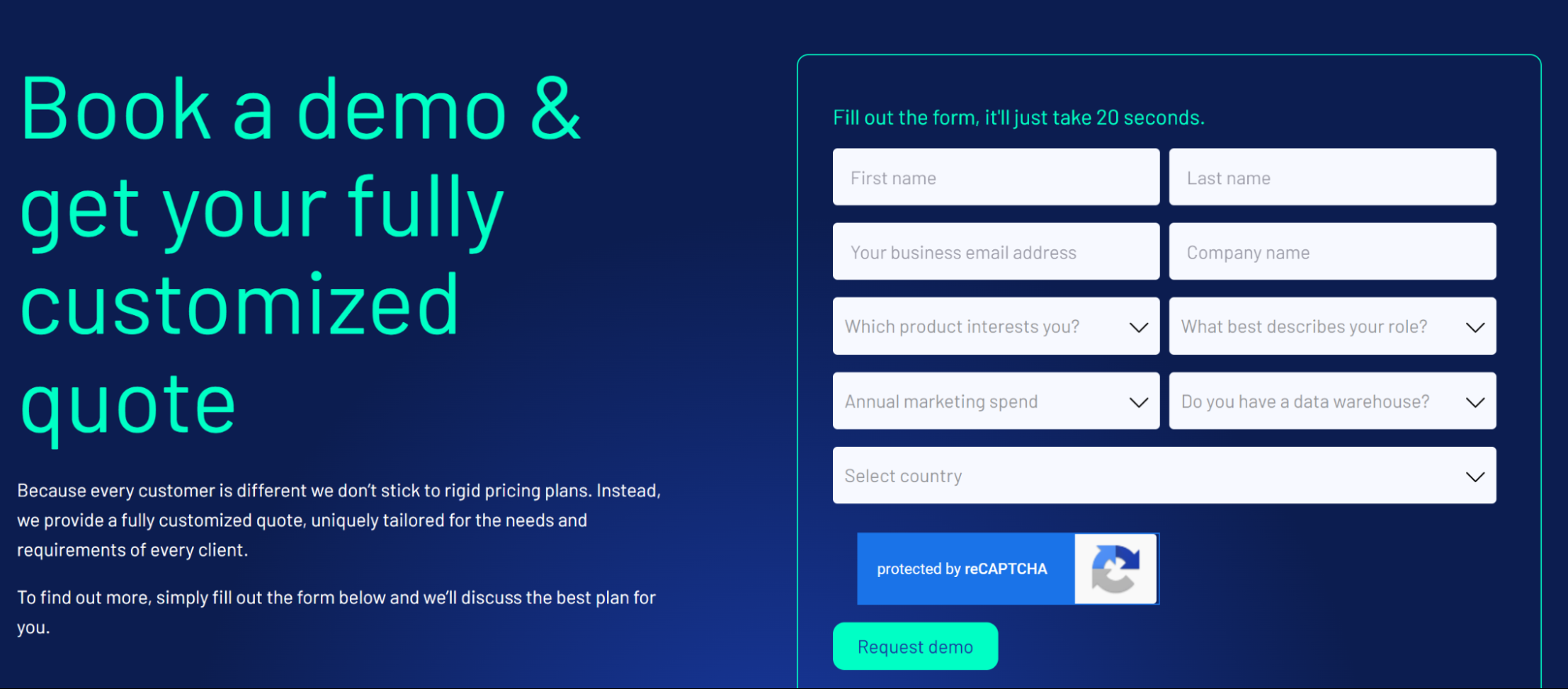
Pricing is a custom quote and there is no self-serve plan, so we couldn’t test it hands-on. This section uses Adverity’s own documentation, G2 reviews, and conversations with teams that moved from Adverity to Windsor.ai.
- Entry paid price: Adverity: Custom quote. Windsor.ai: 19 USD/mo.
- Self-serve signup: Adverity: No. Windsor.ai: Yes, free forever plan, no credit card.
- Claude and ChatGPT: Adverity: MCP (Connect MCP, launched September 2026). Windsor.ai: Included on every plan.
- No-code transformation: Adverity: Yes. Windsor.ai: Custom fields, written as spreadsheet-style formulas.
- Data quality monitoring: Adverity: Yes. Windsor.ai: No.
AI access. Adverity launched its Connect MCP update in September 2026, allowing AI assistants to connect directly to its Connect ETL and data platform through MCP. With it, an AI assistant can check pipelines, manage datastreams, and run read-only SQL on a workspace’s data, and every change needs the user’s approval.
Where Adverity is stronger than Windsor.ai. Transformation without code, data quality monitoring, and support, which G2 reviewers rate highly.
Where Adverity is weaker than Windsor.ai. Reviewers describe a steep learning curve with unclear error messages, slowness on large data sets, and pricing that suits large budgets only.
Pick Adverity if you’re a large company with a data team, many brands or markets, and strict data quality requirements.
Skip it if you want to start without a sales call.
Other tools you’ll see on comparison lists
Improvado, Whatagraph, and Power My Analytics appear on most other Windsor.ai alternatives lists. We didn’t cover them in depth, for the reasons below.
- Improvado. Built for larger marketing teams that want a managed data platform. Apart from a 100 USD/mo plan for MCP access only, its plans start at 20,000 USD a year and are sold after a demo, which puts it closer to Adverity than to the self-serve tools here.
- Whatagraph. A reporting and dashboard tool for agencies and marketing teams where you build reports inside Whatagraph. Its Max plan starts at €699/mo. Sending data to Data Studio needs the custom-priced Prime plan, and BigQuery is a paid add-on on Prime.
- Power My Analytics. Connects marketing sources to Data Studio, AI assistants, and BI tools for small teams and agencies. It starts at 41.63 USD/mo billed annually and does much the same job as Supermetrics and Dataslayer.
Why teams look for a Windsor.ai alternative
Customers and prospects we talk with in sales calls give these reasons for choosing a tool other than Windsor.ai:
- You need a multi-touch attribution model. Windsor.ai moves and blends data but doesn’t model which touchpoint earned a sale. Look at Funnel Measure, an add-on on Funnel’s Business and Enterprise plans that covers marketing mix modeling, multi-touch attribution, and incrementality testing, or at a dedicated measurement tool.
- You want ready-made report templates. Supermetrics and Porter Metrics both offer report template galleries for Data Studio (formerly Looker Studio). Windsor.ai also offers Data Studio templates, but theirs may include a layout that fits your workflow better.
- You build custom metrics without code and want a stored history. Funnel and Adverity let non-technical users build business rules in the interface.
- You connect one account on each of many platforms. Coupler.io and Porter Metrics price per account, which costs less than Windsor.ai’s per-source pricing for that setup.
- Each client must see only their own data. Every user of a Windsor.ai account can access all the accounts connected to it. Agencies that need client separation use one Windsor.ai account per client or a warehouse.
Is Windsor.ai the right fit?
Windsor.ai connects 350+ marketing, sales, and finance sources, and every plan, including the free plan, includes every destination: Claude, ChatGPT, Google Sheets, Excel, Data Studio, Power BI, Tableau, BigQuery, Snowflake, Redshift, Azure SQL, and Databricks. Windsor.ai is listed natively in Claude’s connector directory and in ChatGPT’s plugin directory, so you install it with one click and sign in.
Pricing (billed annually).
- Free forever plan, no credit card, with 1 data source, 1 account, and the last 30 days of data.
- Your first 30 days include more capacity (10 sources, 15 accounts) for testing.
- Basic 19 USD/mo (3 sources, 75 accounts)
- Standard 99 USD/mo (7 sources, 75 accounts)
- Plus 249 USD/mo (10 sources, 200 accounts)
- Professional 499 USD/mo (14 sources, 500 accounts, 15-minute refresh)
- Enterprise is quoted and adds white-labeling (branded authorization links for your clients), custom agreements (NDAs, DPAs), and custom connector development without a queue.
- The free plan and Basic allow 5 destination tasks.
- Standard and higher allow unlimited destination tasks.
Windsor.ai fits you if:
- You want Claude or ChatGPT next to a spreadsheet, BI tool, or warehouse. Every destination is included on every plan: one Basic subscription can feed Claude, a Sheets file, and BigQuery at the same time.
- You want a warehouse without an enterprise contract. BigQuery, Snowflake, and Redshift are included on every plan.
- You want AI write actions next to your other destinations. Write actions (pausing campaigns, changing budgets on supported ad platforms) are included on every plan with no AI credits to buy. Claude or ChatGPT asks you to confirm each change before Windsor.ai applies it.
- You want to test before you pay. The free forever plan needs no credit card.
Windsor.ai doesn’t fit you if any reason under Why teams look for a Windsor.ai alternative applies: you need an attribution model, specific templates, no-code custom metrics with stored history, client-level data separation, or many platforms with one account each.
How to choose between Windsor.ai and alternatives
- You want Claude or ChatGPT plus a spreadsheet or warehouse: Windsor.ai, because every destination is included on every plan.
- You report in Data Studio and want templates: Supermetrics or Porter Metrics.
- You’re leaving Supermetrics and want to keep your setup: Dataslayer, which has an import from Supermetrics.
- You need custom metrics and stored, cleaned data with no code: Funnel, or Adverity at enterprise scale.
- You have few accounts but many source types: Coupler.io (400+ sources), or Porter Metrics if your sources are among its 30+.
- You want to pay nothing: Windsor.ai (1 source), Coupler.io (1 account, 100 rows per run), and Dataslayer (1 connector) have free plans. Porter Metrics’ free plan allows unlimited accounts with 30 days of history.
Most of these tools offer a free plan or a trial without a card. Connect the same two or three sources in two tools and compare the numbers against the ad platforms before you commit.
Windsor.ai’s free forever plan needs no credit card. Blending several sources long-term needs a paid plan: 19 USD/mo for 3 sources or 99 USD/mo for 7, billed annually. See the pricing page for current limits, or start free.
FAQ
What is the best Windsor.ai alternative?
Supermetrics is the alternative closest to Windsor.ai, with a Data Studio template gallery but a paid add-on for each extra destination. Funnel suits teams that want stored, transformed data. Coupler.io and Porter Metrics cost less when you connect one account on each of many platforms.
What is the cheapest Windsor.ai alternative?
Coupler.io or Porter Metrics, when you connect one account on each of many platforms. For 10 platforms, Coupler.io’s Starter plan with 7 extra accounts (55.43 USD/mo, 5,000 rows per run) and Porter Metrics (66.67 USD/mo) both cost less than Windsor.ai’s Plus plan (249 USD/mo). For three platforms, Windsor.ai’s Basic plan (19 USD/mo) costs less than Coupler.io (24 USD/mo) or Porter Metrics (33.33 USD/mo for three accounts). All prices are billed annually.
Is Supermetrics better than Windsor.ai?
Yes, if you report in one destination and need specific templates. Otherwise, Windsor.ai’s entry plans cost less (19 USD/mo against €39/mo, and 99 USD/mo against €159/mo), and it includes every destination, including Claude, ChatGPT, and BigQuery, on every plan.
Which Windsor.ai alternative is best for agencies?
Porter Metrics suits agencies whose clients use the major platforms, because per-account pricing is simple to pass on and one subscription covers every client. Supermetrics suits agencies that build most reports from templates. Agencies that send clients authorization links to connect their accounts can get white-labeling on Windsor.ai’s Enterprise plan, so those links carry the agency’s brand name and colors. Agencies that need each client to see only their own data use one Windsor.ai account per client or a warehouse.
Does Windsor.ai work with Claude and ChatGPT?
Yes. Windsor.ai is listed natively in Claude’s connector directory and in ChatGPT’s plugin directory. You add it with one click, sign in to Windsor.ai, and ask questions about any connected source.
Is there a free Windsor.ai alternative?
Yes. Coupler.io, Dataslayer, and Porter Metrics have free plans. Coupler.io and Dataslayer allow one account or connector, and Porter Metrics keeps 30 days of history. Windsor.ai has a free forever plan, no credit card, for one data source.
Can I move my Supermetrics or Funnel reports to Windsor.ai?
Yes, but expect rework. In Data Studio, you replace the Supermetrics data source with the Windsor.ai connector in each report, and charts whose field names differ need their fields picked again. Custom metrics built in Funnel need to be recreated as custom fields in Windsor.ai.


