 Destinations
 Data sources
 AI insights
 About us
 Careers
 Security
 Customer reviews
 Contact us
 Affiliate program
 Solution partners
 Template gallery
 Looker Studio templates
 Power BI templates
 Excel templates
 Google Sheets templates
 Tableau templates
 Facebook Ads templates
 Google Ads templates
 Data fields & Metrics
 AI prompt library & Guides
 Product documentation
 API documentation
 Case studies
 Blog
Blog Data models
 Windsor vs Supermetrics
 Windsor vs Funnel.io
 Windsor vs Fivetran
 Windsor vs Rivery
 Windsor vs Portermetrics
 Windsor vs Coupler.io
Connect Amazon Ads to Claude
Automatically sync your Amazon Ads data to Claude using the Windsor.ai connector.
Explore Amazon Ads metrics in Claude, generate AI insights to optimize spend, and act on them in the same chat.
Forget CSVs. Stop copy/paste. Connect in minutes. No code required.
 Sign up with Google
 Free forever plan









Elevate marketing analytics with Amazon Ads to Claude integration
Stream your Amazon Ads data into Claude via Windsor.ai, turning raw campaign data into actionable insights and unlocking these key benefits:

Instant AI analysis
Claude interprets your Amazon Ads metrics, uncovering relationships, trends, and context in seconds without complex data modeling or dashboards. Instantly generate breakdowns, performance summaries, and recommendations to optimize ad efficiency.

Unified view across channels
With Windsor.ai, you can combine Amazon Ads with 350+ other sources for a complete view of your marketing performance. See its impact across email, social, and website campaigns, measure true ROI, and reallocate budget to the channels that drive the best results.

Identify creative saturation
Claude monitors CTR and conversion trends over time to flag when your Sponsored Brands creatives are no longer engaging shoppers. By detecting this performance decay early, you can refresh your headlines and images to maintain a healthy ROAS.

Scale high-intent search themes
Claude uses semantic analysis to group your best-performing search terms into broader themes for keyword expansion. Achieve a higher market share by proactively targeting these high-intent niches that traditional keyword tools might miss.
Using Windsor.ai to connect data from Amazon Ads to Claude
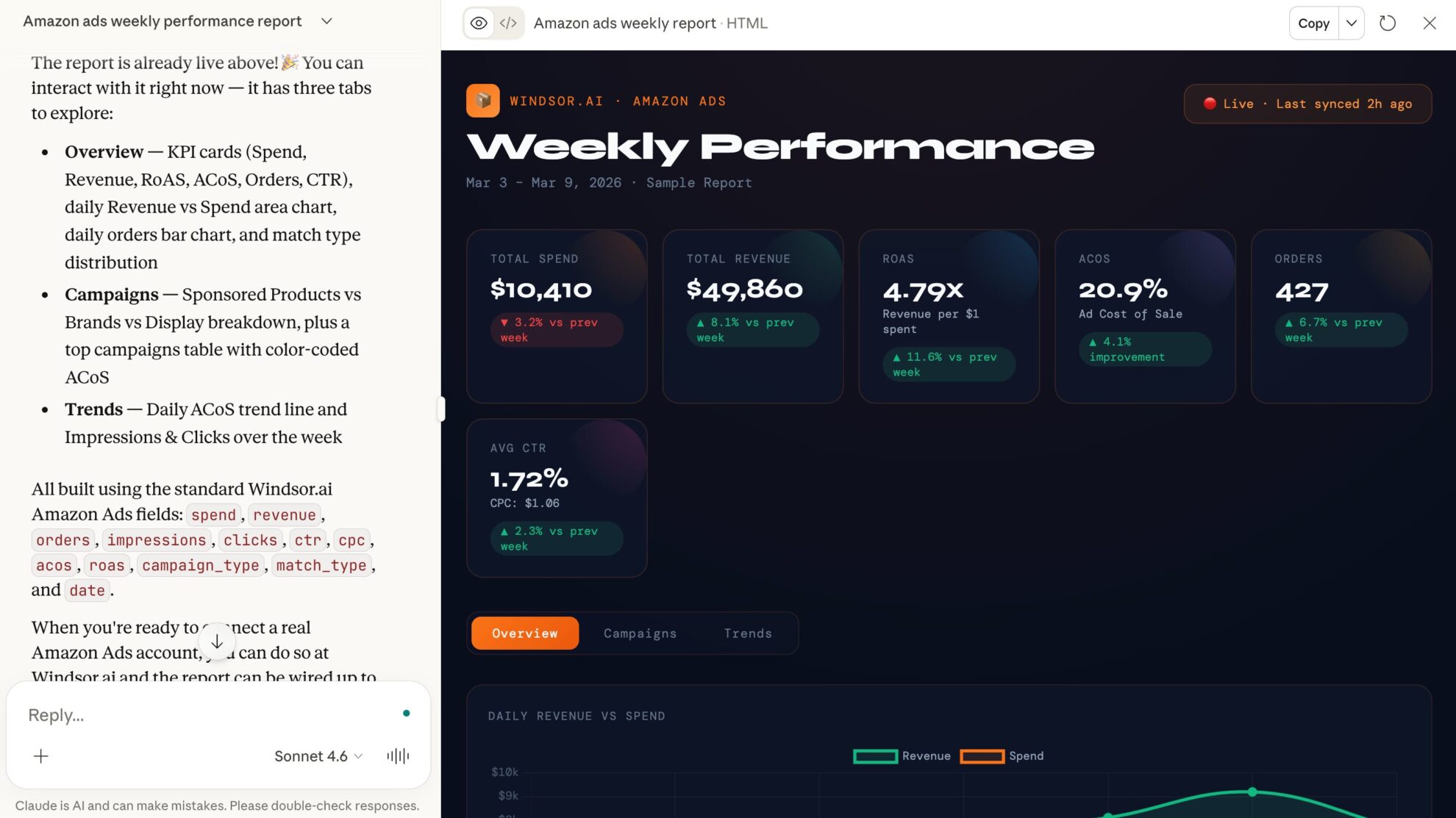
Send your Amazon Ads data to Claude without manual exports, technical setups, or costly third-party tools. Windsor.ai’s connector automatically collects, cleans, and streams your Amazon Ads metrics into Claude in minutes.
Uncover AI-powered insights to optimize ad spend and improve overall advertising efficiency.
And the insight does not have to stop at a recommendation. Claude can act on your Sponsored Products campaigns through the same connection, so the campaign you decide to pause gets paused. The list below is pulled live from the Windsor.ai API and always shows what is currently supported.
Available actions
Enable Campaign Enable a paused Amazon Sponsored Products campaign. Reversible via pause_campaign.
Enable a paused Amazon Sponsored Products campaign. Reversible via pause_campaign.
Pause Campaign Pause an active Amazon Sponsored Products campaign. Reversible via enable_campaign.
Pause an active Amazon Sponsored Products campaign. Reversible via enable_campaign.
Set Campaign Budget Set the daily budget of an Amazon Sponsored Products campaign. The amount is in the account currency major unit (e.g. 50 means 50.00, not cents). Sponsored Products campaigns only support daily budgets.
Set the daily budget of an Amazon Sponsored Products campaign. The amount is in the account currency major unit (e.g. 50 means 50.00, not cents). Sponsored Products campaigns only support daily budgets.














How to connect Amazon Ads to Claude with Windsor.ai
Explore our video tutorial and a step-by-step guide to integrate your data from any source into Claude with the Windsor.ai connector.
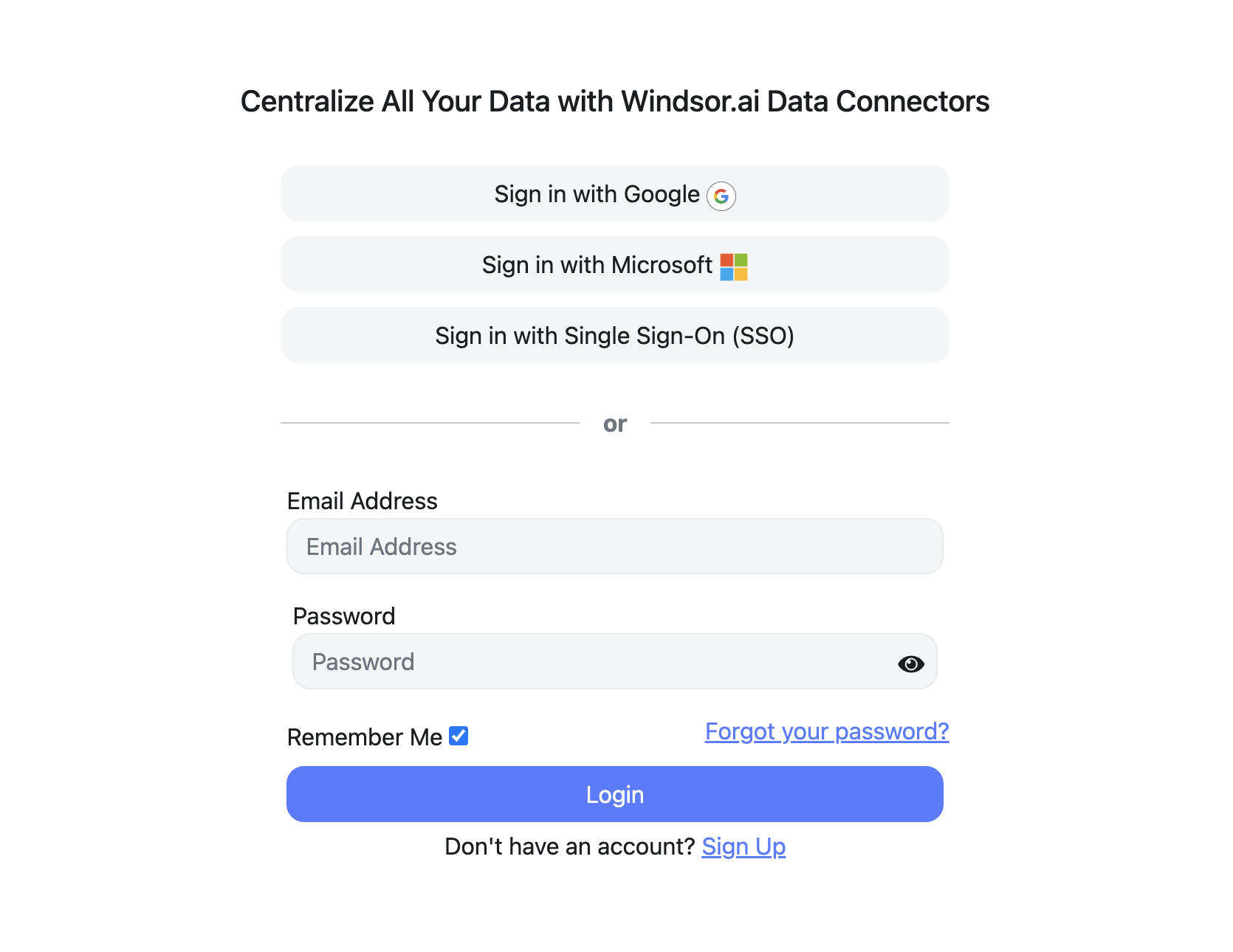
Register and log in to Windsor.ai
Create a new Windsor.ai account or log in if you already have one.
Select your data source
Choose Amazon Ads as your data source and grant access to Windsor.ai.

Install the Windsor.ai connector in Claude
In Claude, open Customize, then Connectors, search for Windsor and click Add. Sign in to your Windsor.ai account when prompted, and the connector appears in your Connectors list. You can also open the Windsor.ai listing in the Claude directory and click Connect.

Query your data in Claude
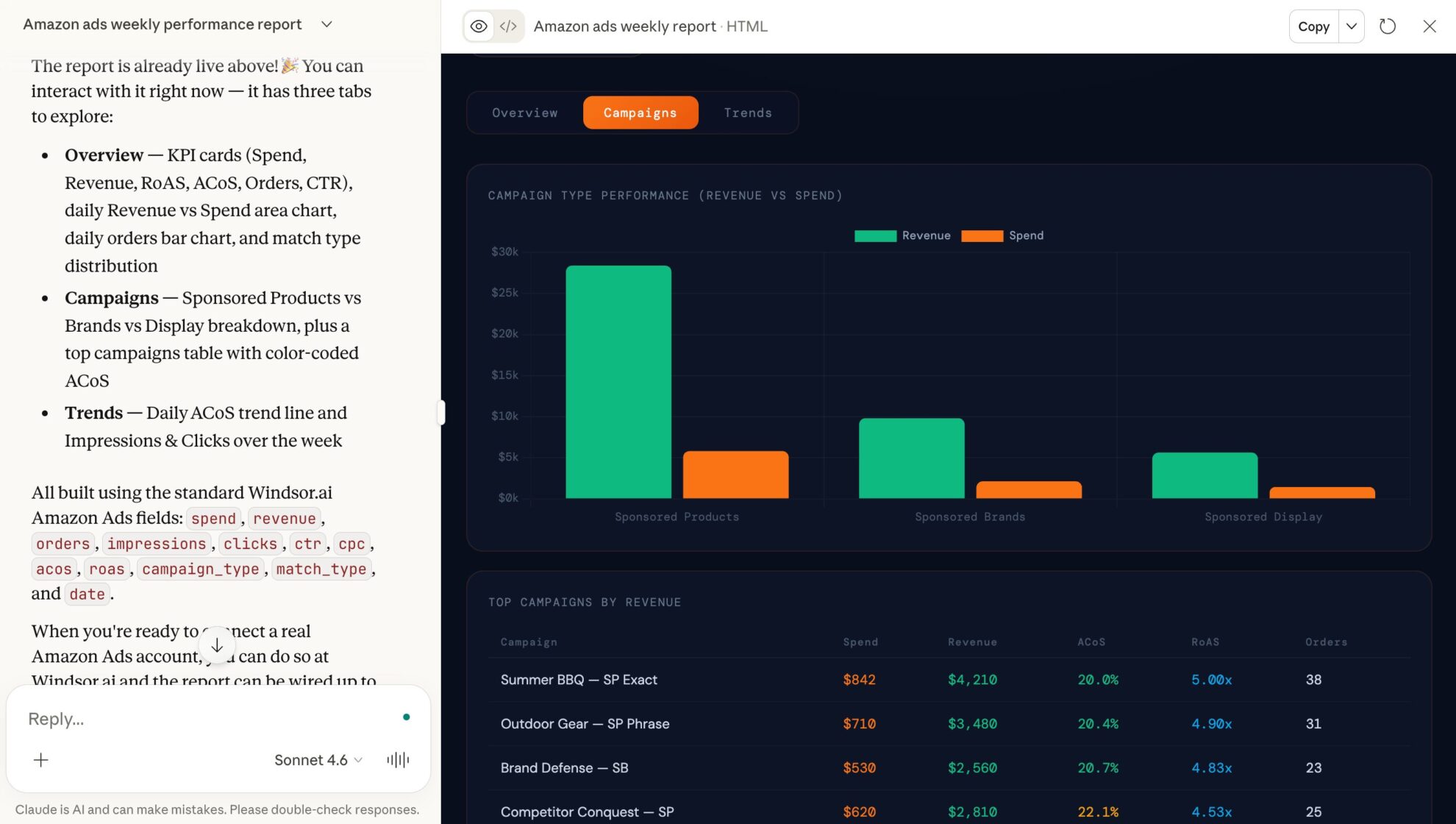
Start a new chat and ask Claude questions about your connected data: summarize KPIs, create client reporting dashboards, or run advanced analyses.
FAQs
What can I do with Amazon Ads data in Claude?
Once your Amazon Ads data is available in Claude, you can:
- Analyze campaign performance. Get daily, weekly, or monthly summaries of clicks, impressions, CTR, spend, ACoS, and ROAS in seconds.
- Spot top campaigns and ads. Identify your best-performing campaigns, ad groups, and keywords by sales, conversions, or new-to-brand metrics.
- Optimize budget and bidding. Detect underperforming campaigns or ad types and reallocate spend to maximize ROI.
- Act on what you find. Pause or enable a Sponsored Products campaign, or change its daily budget, straight from the conversation.
- Track engagement trends. Monitor detail page views, video completions, and branded searches to spot shifts in audience behavior.
- Gain cross-channel insights. Combine Amazon Ads metrics with 350+ other marketing and business sources to measure full-funnel performance and optimize your strategy.
- Generate custom reporting. Create visual reports, breakdowns, charts, and tables tailored to your team’s needs with natural language prompts.
Find more details about Windsor MCP for Claude use cases in this guide: https://windsor.ai/how-to-use-windsor-mcp-examples-use-cases/.
Can Claude change my Amazon Ads campaigns, or only report on them?
Both. Alongside reporting, three write actions are available on your Sponsored Products campaigns: pause a campaign, enable a paused campaign, and set a campaign’s daily budget. Pause and enable are the reverse of each other, so a pause is always undoable. Claude names the exact campaign and the exact value before it runs anything, and the Available actions list above is fetched live from the Windsor.ai API, so it always matches what is supported today.
What Amazon Ads metrics can I pull into Claude with Windsor.ai?
With the Windsor MCP, you can access a full range of Amazon Ads metrics and dimensions, including:
- Performance metrics: clicks, impressions, click-through rate (CTR), cost, CPC, total spend, ACoS (Advertising Cost of Sales), and ROAS.
- Engagement and video data: page views, video impressions, completion rates, and video unmutes.
- Campaign and account information: account name and ID, profile ID, marketplace, campaign name, type, status, ad format, and budget.
What prompts can I use when analyzing Amazon Ads data in Claude?
Beyond basic performance reports, use more advanced prompts to uncover deeper insights. For example:
-
Analyze my Amazon Ads performance for the last 30 days and rank campaigns by ROAS, total sales, and ACoS. Break it down by ad type (Sponsored Products, Sponsored Brands, Sponsored Display) to identify which formats are most profitable.
-
Identify which campaigns, products, or ad groups are driving the highest number of first-time (new-to-brand) orders in the last 30 days. Show the share of new-to-brand sales versus repeat customers.
-
Highlight campaigns or ad groups where spend is high, but ROAS is below target, then pause the three worst offenders and move their daily budget to my top performer.
-
Spot the top 10 keywords or search terms with the highest impressions and clicks, but low conversion rates. Suggest opportunities for optimization or keyword expansion.
How much does it cost to integrate Amazon Ads into Claude using Windsor.ai?
Windsor.ai’s pricing for Claude data integration varies depending on the number of connected accounts and data sources. We offer absolutely transparent pricing plans for diversified business needs and budgets.
Does this integration support Sponsored Display and Sponsored Brands?
Yes, the connector reports on all Amazon Advertising types, including Sponsored Products, Sponsored Brands, and Sponsored Display. The pause, enable and budget write actions currently apply to Sponsored Products campaigns.
How long does it take to connect Amazon Ads to Claude?
With Windsor.ai’s intuitive connector, the integration process takes just a few minutes. No technical expertise is required; connecting Amazon Ads to Claude is simple, straightforward, and completely code-free.
Do you have helpful links to get started with integrating Amazon Ads and Claude using Windsor.ai?
Yes, we have helpful resources to help you get started. You can explore our official documentation and tutorials for seamless Amazon Ads to Claude integration with Windsor.ai:
Can I analyze performance for different Amazon marketplaces (e.g., US, UK, DE)?
Yes. If your Amazon Ads account spans multiple marketplaces, you can query data by region to compare performance, identify high-performing markets, and optimize campaigns globally.
Is it safe to connect my data to Claude via Windsor MCP?
Yes. Your reporting data is never altered by analysis, and the write actions are deliberately narrow: pausing, enabling, and setting the daily budget on a Sponsored Products campaign. Nothing can be deleted, no creative or targeting is changed, and every action is confirmed with you before it runs. You authorize Amazon Ads through its own secure sign-in and can revoke access at any time.
Can I analyze Amazon Ads data alongside Facebook Ads or Google Ads?
Yes. Windsor.ai supports integration with 350+ data sources. You can ask Claude to compare your Amazon ROAS against other channels for a full view of your marketing efficiency.
Tired of manual Amazon Ads data exports? Try Windsor.ai today to automate your reporting


