 Destinations
 Data sources
 AI insights
 About us
 Careers
 Security
 Customer reviews
 Contact us
 Affiliate program
 Solution partners
 Template gallery
 Looker Studio templates
 Power BI templates
 Excel templates
 Google Sheets templates
 Tableau templates
 Facebook Ads templates
 Google Ads templates
 Data fields & Metrics
 AI prompt library & Guides
 Product documentation
 API documentation
 Case studies
 Blog
Blog Data models
 Windsor vs Supermetrics
 Windsor vs Funnel.io
 Windsor vs Fivetran
 Windsor vs Rivery
 Windsor vs Portermetrics
 Windsor vs Coupler.io
Connect Amazon DSP to ChatGPT
Connect your Amazon DSP data to ChatGPT with the Windsor.ai connector, and ask about your Amazon DSP campaigns in plain language.
Ask for ROAS by order, new-to-brand purchases or line item delivery, built on your own Total Cost, ROAS, New To Brand Purchases and Line Item Budget fields.
Forget CSVs. Stop copy/paste. Connect in minutes. No code required.
 Sign up with Google
 Free forever plan
No credit card needed
Free forever plan
No credit card needed










Get your Amazon DSP data into ChatGPT
Amazon DSP is connected once in Windsor.ai, and these are the use cases the fields support:

Compare orders on return
Total Cost, Sales and ROAS come per Order Name (Amazon DSP calls campaigns orders), so you can see which campaigns earn their spend.

Count new-to-brand customers
New To Brand Purchases, New To Brand Product Sales and New To Brand ROAS show how much of the result came from customers who had not bought from the brand before.

Check line item delivery
Line Item Budget, Line Item Delivery Rate and Total Cost per Line Item Name show which line items are behind on delivery.

Review creatives
Viewability Rate, Video Ad Completion Rate and Click Through Rate per Creative Name show which creatives are seen and watched.
Using Windsor.ai to connect data from Amazon DSP to ChatGPT
Without Windsor.ai, ChatGPT answers about Amazon DSP data come from a file you exported and pasted in. Through the Windsor.ai connector, ChatGPT reads the live records with their real field names, so the answers match what is in Amazon DSP today.
Connect in minutes, then ask about your orders, line items, creatives, spend, sales and reach.
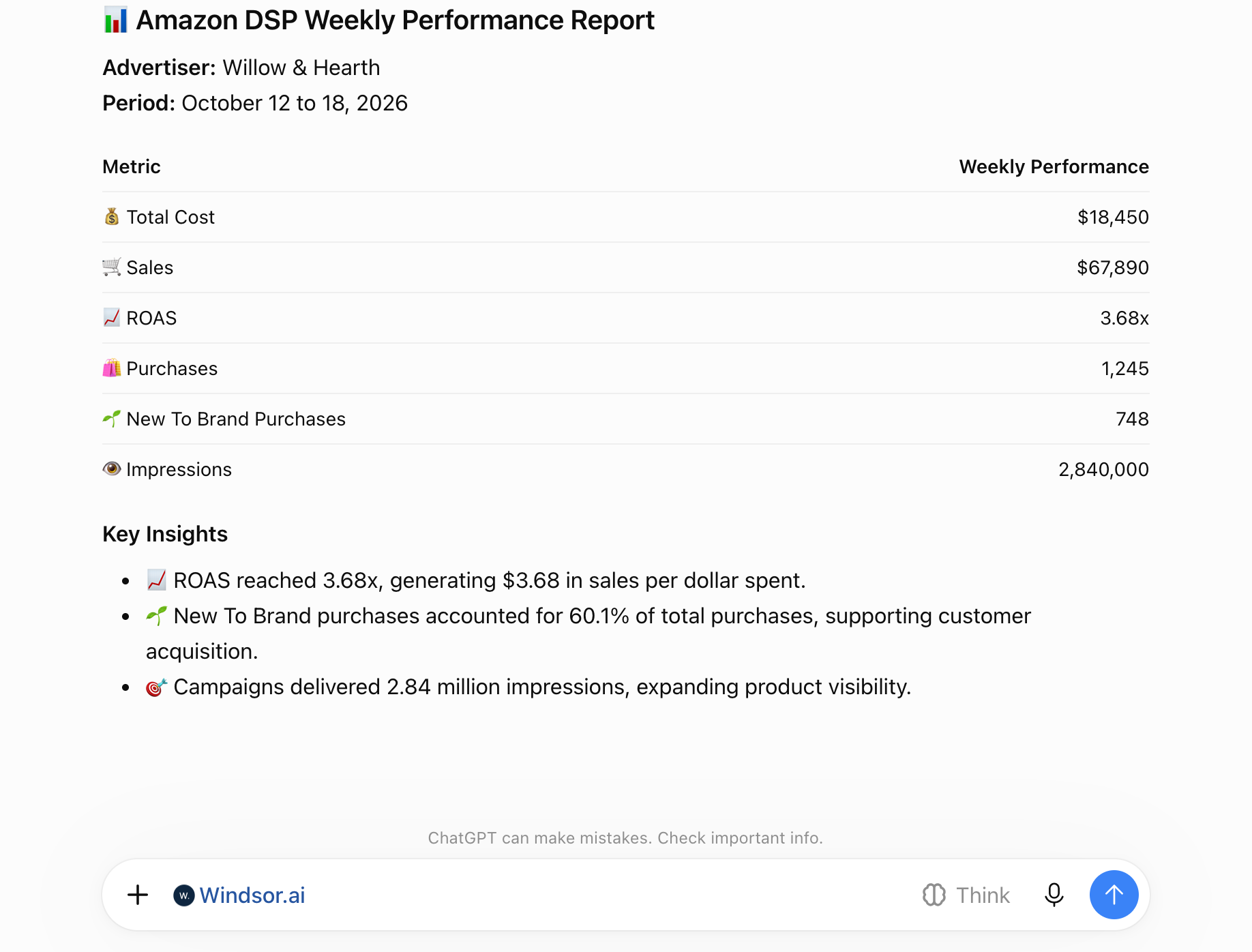














How to connect Amazon DSP to ChatGPT with Windsor.ai
Explore a step-by-step guide to integrate your Amazon DSP data into ChatGPT with the Windsor.ai connector.
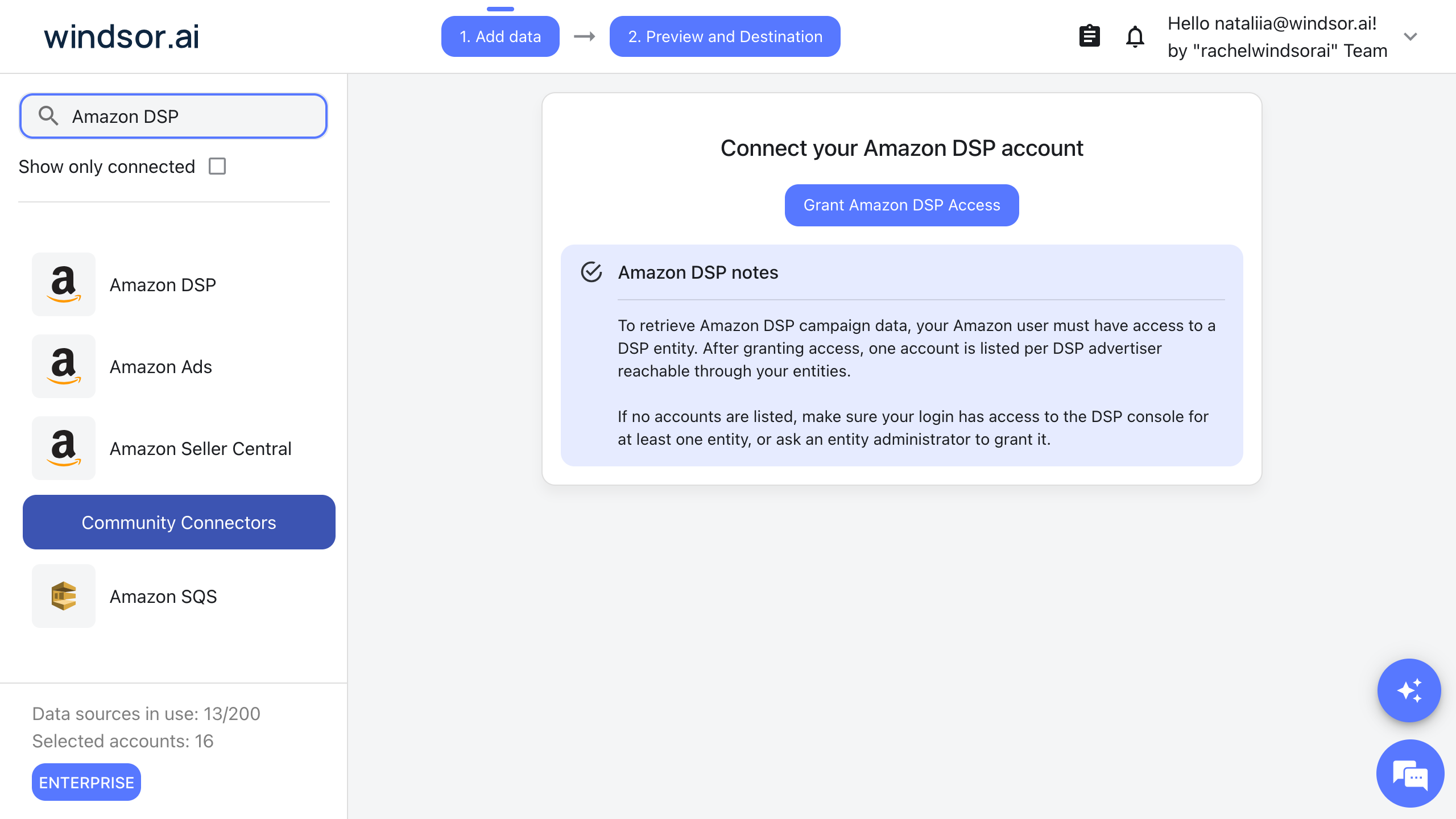
Connect Amazon DSP in the Windsor.ai dashboard
Choose Amazon DSP as your data source and sign in with your Amazon Ads account to grant Windsor.ai access to your DSP advertisers.
Install the Windsor.ai connector
Log in to your ChatGPT account and open this Windsor.ai connector page.
Click Connect, then authorize access.

Query your Amazon DSP data in ChatGPT
Open a new chat and ask about your connected Amazon DSP data in plain language.
Make sure the Windsor.ai connector is enabled (click the + sign, then More, then Windsor.ai).
FAQs
What Amazon DSP data can ChatGPT use?
Windsor.ai gives access to 159 Amazon DSP fields. These are the groups; the Amazon DSP field reference lists all of them:
- Orders (campaigns): Order Name, Order Budget, Order Start Time, Order End Time, Impressions, Clicks, Total Cost, Supply Cost, Total Fee, Sales, Purchases, ROAS, Total ROAS.
- New to brand and off Amazon: New To Brand Purchases, New To Brand Product Sales, New To Brand ROAS, Off Amazon Conversions, Off Amazon Product Sales, Off Amazon ROAS.
- Line items: Line Item Name, Line Item Type, Line Item Status, Line Item Budget, Line Item Delivery Rate, Target Demographic, On Target Impressions, eCPM.
- Creatives: Creative Name, Creative Type, Creative Size, Viewability Rate, Video Ad Completion Rate, Click Through Rate.
- Reach and video: Reach, Household Reach, Frequency Average, Video Ad Start, Video Ad Complete, Viewable Impressions.
- Time and account: Date, Advertiser Name, Marketplace.
What can I ask ChatGPT about my Amazon DSP data?
These prompts name the fields to use, so the answer comes back on your own records:
-
Show Total Cost, Sales and ROAS by Order Name for the last 30 days, sorted by Total Cost.
-
Compare New To Brand Purchases and New To Brand ROAS by Order Name this month with last month.
-
List the line items with the lowest Line Item Delivery Rate this month, with Line Item Budget and Total Cost.
-
List the 10 creatives with the highest Viewability Rate last week, with Creative Name, Click Through Rate and Impressions.
Can I combine Amazon DSP data with other sources in ChatGPT?
Yes. Windsor.ai supports 350+ data sources, so you can connect Amazon DSP alongside tools such as Google Ads, GA4 or Shopify and ask about them together. For example, put Amazon DSP Total Cost and Sales by week next to Amazon Ads Sponsored Products Cost and Sales (14 days) for the same weeks, so programmatic and sponsored ad results sit in one table.
Do I need to code to connect Amazon DSP to ChatGPT?
No. Connect Amazon DSP in Windsor.ai, add Windsor to ChatGPT, and sign in. After that you ask in plain language.
How much does it cost to integrate Amazon DSP with ChatGPT using Windsor.ai?
The free forever plan covers 1 data source, so connecting Amazon DSP on its own costs nothing and needs no credit card. Combining Amazon DSP with other sources needs a paid plan: $19/month for 3 sources or $99/month for 7. ChatGPT is billed separately by OpenAI. See the pricing page.
Do you have helpful links to get started with Amazon DSP and ChatGPT?
Yes. These are the resources to start with for the Amazon DSP to ChatGPT integration:
Tired of manual Amazon DSP data exports? Try Windsor.ai today to work on live data


