 Destinations
 Data sources
 AI insights
 About us
 Careers
 Security
 Customer reviews
 Contact us
 Affiliate program
 Solution partners
 Template gallery
 Looker Studio templates
 Power BI templates
 Excel templates
 Google Sheets templates
 Tableau templates
 Facebook Ads templates
 Google Ads templates
 Data fields & Metrics
 AI prompt library & Guides
 Product documentation
 API documentation
 Case studies
 Blog
Blog Data models
 Windsor vs Supermetrics
 Windsor vs Funnel.io
 Windsor vs Fivetran
 Windsor vs Rivery
 Windsor vs Portermetrics
 Windsor vs Coupler.io
Connect Amazon Seller Central to Copilot Agent
Automatically sync your Amazon Seller Central data to Microsoft Copilot using the Windsor.ai connector.
Scale your brand by analyzing your e-commerce metrics with Microsoft’s powerful AI, and act directly on what you find, without leaving Copilot.
Forget CSVs. Stop copy/paste. Connect in minutes. No code required.
 Sign up with Google
 Free forever plan









Grow your Amazon business with Copilot Agent integration
Plug your Amazon Seller Central data into Copilot Agent with Windsor MCP and get instant, deep insights into your e-commerce performance. Explore key use cases and benefits to optimize operations and boost sales:

Predict stockouts
Query Copilot to identify SKUs where sell-through rates are higher than inbound shipments, flagging items that will run out of stock in the next 14 days. Stay ahead of demand by prioritizing replenishment, avoiding lost sales, and maintaining consistent product availability.

Catch revenue loss
Direct your AI agent to identify all ASINs where Buy Box percentage has dropped by more than 10% in the last 48 hours. With these alerts, you can adjust pricing, respond to new competitors, optimize fulfillment, and maintain your conversion rate and revenue.

Measure cross-channel profitability
Ask Copilot to calculate your Total Advertising Cost of Sales (TACoS) by combining Amazon Seller Central data with external ad spend from Google Ads and Meta Ads. Understand how paid media impacts total revenue and optimize your budget to maximize profitability.

Improve team collaboration
Leverage the Microsoft ecosystem and query your Amazon Seller Central data directly in Teams and get real-time answers during strategy meetings without switching tabs.

Generate reports in seconds
Once your ACS data is connected, you can ask Copilot Agent for a weekly summary, and it will generate a report in seconds. Save hours on building dashboards or manual analysis, while getting clear insights into performance trends, anomalies, and growth opportunities.

Update listings
Found a listing that needs work? Ask Copilot to update the price, title, or bullet points, and the change lands straight in Seller Central. Nothing waits for a follow-up.
Using Windsor.ai to connect data from Amazon Seller Central to Copilot
Send your Amazon Seller Central data directly to Microsoft Copilot, eliminating manual exports, API setups, or data silos. Windsor MCP automatically pulls, cleans, and delivers your data to your AI chat as analytics-ready datasets.
Connect in minutes and unlock instant, advanced AI analysis of your sales, inventory, and advertising metrics.
Available actions
Update Listing Update editable attributes of an existing Amazon product listing (product card), identified by seller SKU. Provide only the fields to change; at least one is required. title sets the product title (item_name). description sets the product description. bullet_points replaces the ENTIRE list of bullet points (About this item) — pass every bullet you want to keep, not just new ones; it cannot be empty (clearing all bullets is not supported). price sets the standard offer price in the marketplace currency. Updates are submitted as a partial patch and processed asynchronously by Amazon: a successful response means the submission was ACCEPTED for processing, not that it is live yet. Requires the Product Listing role on the SP-API application.
Update editable attributes of an existing Amazon product listing (product card), identified by seller SKU. Provide only the fields to change; at least one is required. title sets the product title (item_name). description sets the product description. bullet_points replaces the ENTIRE list of bullet points (About this item) — pass every bullet you want to keep, not just new ones; it cannot be empty (clearing all bullets is not supported). price sets the standard offer price in the marketplace currency. Updates are submitted as a partial patch and processed asynchronously by Amazon: a successful response means the submission was ACCEPTED for processing, not that it is live yet. Requires the Product Listing role on the SP-API application.














How to connect Amazon Seller Central to Copilot Agent with Windsor.ai
Explore our step-by-step guide to integrate your Amazon Seller Central data into Copilot with the Windsor.ai connector.
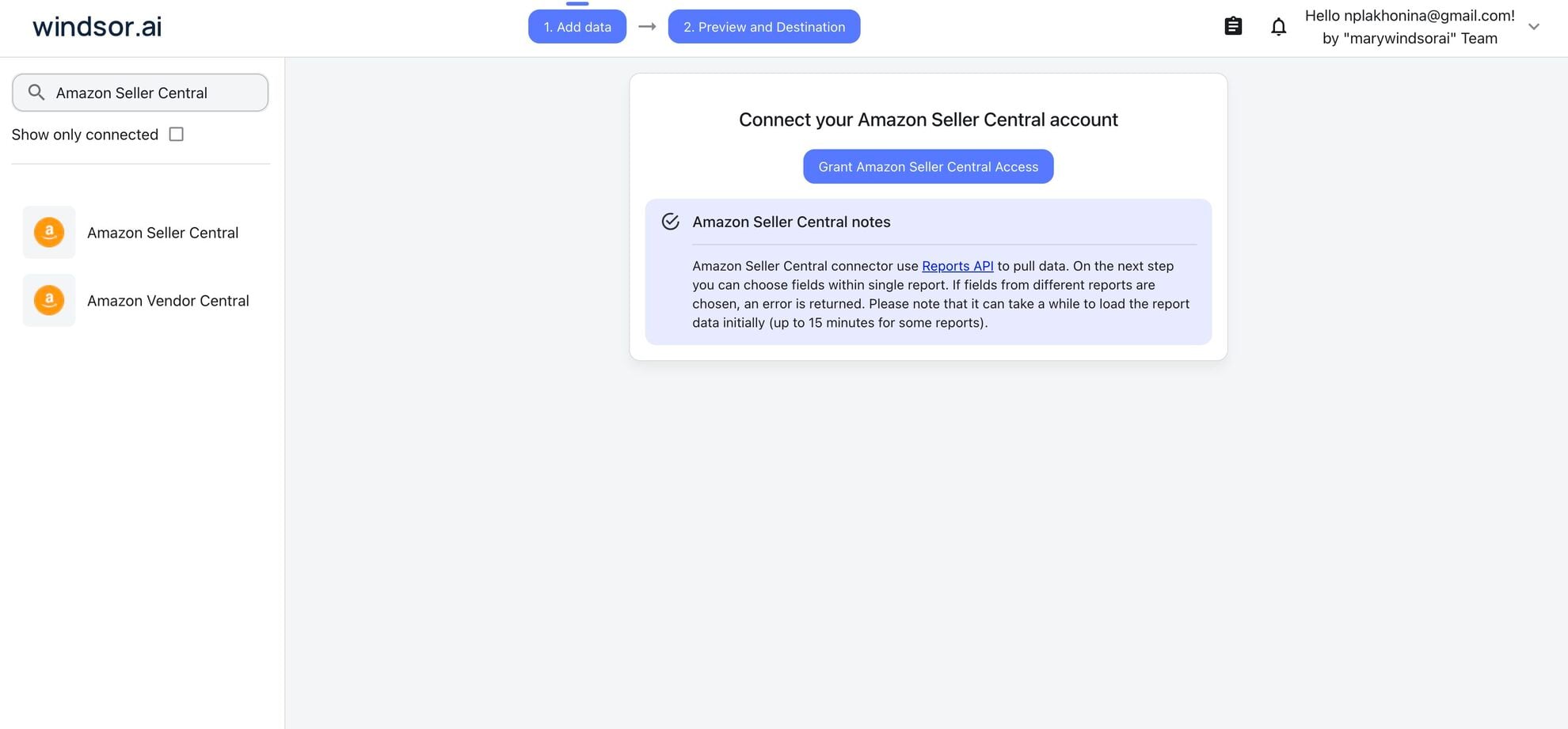
Connect data source in Windsor.ai dashboard
Connect your Amazon Seller Central to Windsor.ai. Select the necessary account(s) you want to pull data from and click “Next.”
Create a new agent (Windsor MCP) in Copilot
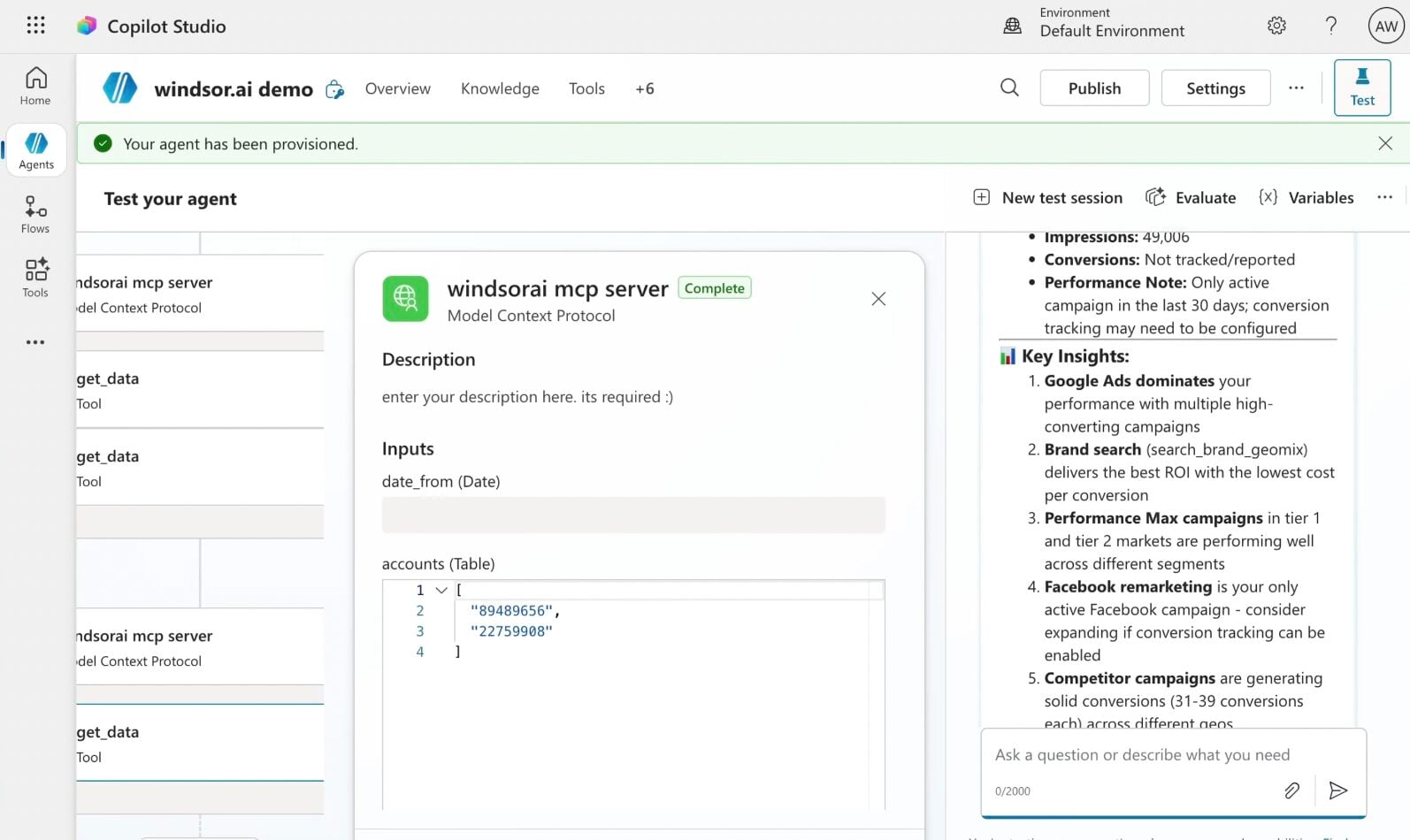
In Microsoft Copilot Studio, create a new agent.
Click + Add tool and select + New tool -> Model Context Protocol.
- Server Name: Windsor MCP
- Server URL: https://mcp.windsor.ai
- Authentication: API Key
- Header name: Authorization

Create a new connection
On the next screen, click the dropdown under ‘Not connected’ and select Create new connection.
⚠️ Important: Enter your Windsor API key with the Bearer prefix.

Confirm credentials and start querying
Start a new chat. Copilot will prompt you to connect to Windsor MCP via the Connections manager. Click Connect -> Submit.
Return to the chat and click Retry in your agent prompt.
You can now ask questions about your integrated Windsor.ai data.
FAQs
Is a developer account required to sync my Amazon data?
No, you do not need an Amazon Developer account. Windsor.ai uses a secure, pre-authorized connection that allows you to grant access with a few clicks through your standard Seller Central login.
Why connect Amazon Seller Central to Microsoft Copilot?
Syncing Amazon Seller Central with Microsoft Copilot through Windsor.ai allows sellers to analyze business data faster and make smarter decisions without manually reviewing complex reports. Copilot can interpret sales, order, and inventory metrics and turn them into clear insights, summaries, charts, and reports.
Connecting Seller Central data to Microsoft Copilot also enables collaboration on business insights directly within the Microsoft 365 environment (Microsoft Excel, Microsoft Teams, and Microsoft Outlook), so teams can analyze performance and share findings without switching between tools.
Can I ask Copilot to update my Amazon listings, or only analyze them?
Both. Windsor MCP includes a write action that updates a listing’s title, description, bullet points, or price by SKU, straight from your Copilot Agent.
What permission do I need for Copilot to update my listings?
The Product Listing role on your Amazon SP API application. Without it, Copilot can read your data but cannot push listing changes.
Can Copilot help me calculate true Amazon profitability?
Yes. Windsor MCP lets you merge Amazon Seller Central data with 350+ external sources. Ask Copilot to calculate your true Amazon profitability by combining sales, fees, and advertising spend into a single, unified view, giving you a complete picture of margins across products, channels, and campaigns.
What prompts can I use to analyze Amazon Seller Central in Microsoft Copilot?
Gain deeper insights into your Amazon store’s performance with these example prompts:
Analyze historical pricing, conversion rate, and unit economics to identify the price point that maximizes contribution margin, not just total revenue. Highlight where lowering price increases profit versus where it destroys it.

Review the last 12–24 months of sales data to identify seasonal patterns and demand spikes. Forecast expected performance for the next 30–60 days and highlight SKUs that require inventory or budget adjustments.

Analyze repeat purchase rates and customer cohorts by acquisition source. Determine whether customers acquired via ads have lower lifetime value compared to organic customers.

Break down total revenue by paid (Amazon Ads + external ads) versus organic sales over the last 6–12 months. Analyze how this ratio has evolved and identify SKUs that are overly dependent on paid traffic.

Identify the three SKUs with the weakest contribution margin this quarter. For each, recommend a new price that would restore a target margin of 20%, then update the listing with that price.
How much does it cost to integrate Amazon Seller Central into Copilot using Windsor.ai?
Windsor.ai’s pricing for Microsoft Copilot data integration varies depending on the number of connected accounts and data sources. We offer absolutely transparent pricing plans for diversified business needs and budgets, including a forever-free plan.
Do you have helpful links to get started with integrating Amazon Seller Central and Copilot Agent using Windsor.ai?
Yes, we have helpful resources to help you get started. You can explore our official documentation and tutorials for seamless Amazon Seller Central to Copilot Agent integration with Windsor.ai:
Can I use Copilot to generate Amazon performance reports in Excel?
Yes. Because Copilot is integrated into Microsoft 365, you can ask the agent to summarize your Amazon data and then instantly ‘create a formatted table in Excel’ or ‘draft a PowerPoint summary.’
Tired of manual Amazon Seller Central data exports? Try Windsor.ai today to automate your reporting


