 Destinations
 Data sources
 AI insights
 About us
 Careers
 Security
 Customer reviews
 Contact us
 Affiliate program
 Solution partners
 Template gallery
 Looker Studio templates
 Power BI templates
 Excel templates
 Google Sheets templates
 Tableau templates
 Facebook Ads templates
 Google Ads templates
 Data fields & Metrics
 AI prompt library & Guides
 Product documentation
 API documentation
 Case studies
 Blog
Blog Data models
 Windsor vs Supermetrics
 Windsor vs Funnel.io
 Windsor vs Fivetran
 Windsor vs Rivery
 Windsor vs Portermetrics
 Windsor vs Coupler.io
Connect Amazon Seller Central to Lovable
Automatically sync your Amazon Seller Central data to Lovable using the Windsor.ai connector.
Analyze your Amazon Seller Central data in Lovable and get actionable insights to protect margins, prevent stockouts, and cut FBA fee waste before it compounds.
Forget CSVs. Stop copy/paste. Connect data in minutes. No code required.
 Sign up with Google
 Free forever plan
No credit card needed
Free forever plan
No credit card needed










With Windsor MCP, your Amazon Seller Central data lands in Lovable automatically: live, normalized, and ready for instant analysis without a single manual export. Explore key use cases below:

Spot stockout risk early
See which ASINs are running out of stock before it happens. Lovable cross-references days of supply with trailing sales velocity and inbound shipment data, so you know exactly which products need a restock order today, not after you’ve lost the Buy Box.

Cut FBA fee waste by ASIN
Lovable breaks down referral fees, fulfillment fees, and weight handling charges per ASIN and ranks them by fee-to-revenue ratio. Find out which products are quietly eating your margin, and reprice, downsize packaging, or cut the SKU before it costs you another month.

Audit customer returns
Ask Lovable to group returns volume by return reason and item condition at the SKU level, surfacing the products with recurring defect or listing accuracy issues. Find out why customers are sending products back and act faster before they damage your seller metrics.

Track listing conversion rate
Lovable maps sessions, page views, and unit session percentage per ASIN, making it easy to spot listings with strong traffic but below-average conversion that need better images, copy, or pricing.

Build live Amazon seller app
Lovable can build a live ops app your whole team can open in any browser: stock levels, Buy Box status, return flags, and revenue by ASIN in one view. No Seller Central access needed for everyone on the team.
Using Windsor.ai to connect data from Amazon Seller Central to Lovable
Most ways for syncing Amazon Seller Central data into Lovable involve manual exports, data cleanup, or custom API work. Windsor MCP removes these barriers by automatically collecting, normalizing, and streaming your ASC data into Lovable.
Analyze your e-commerce data using plain language and generate performance dashboards in seconds.
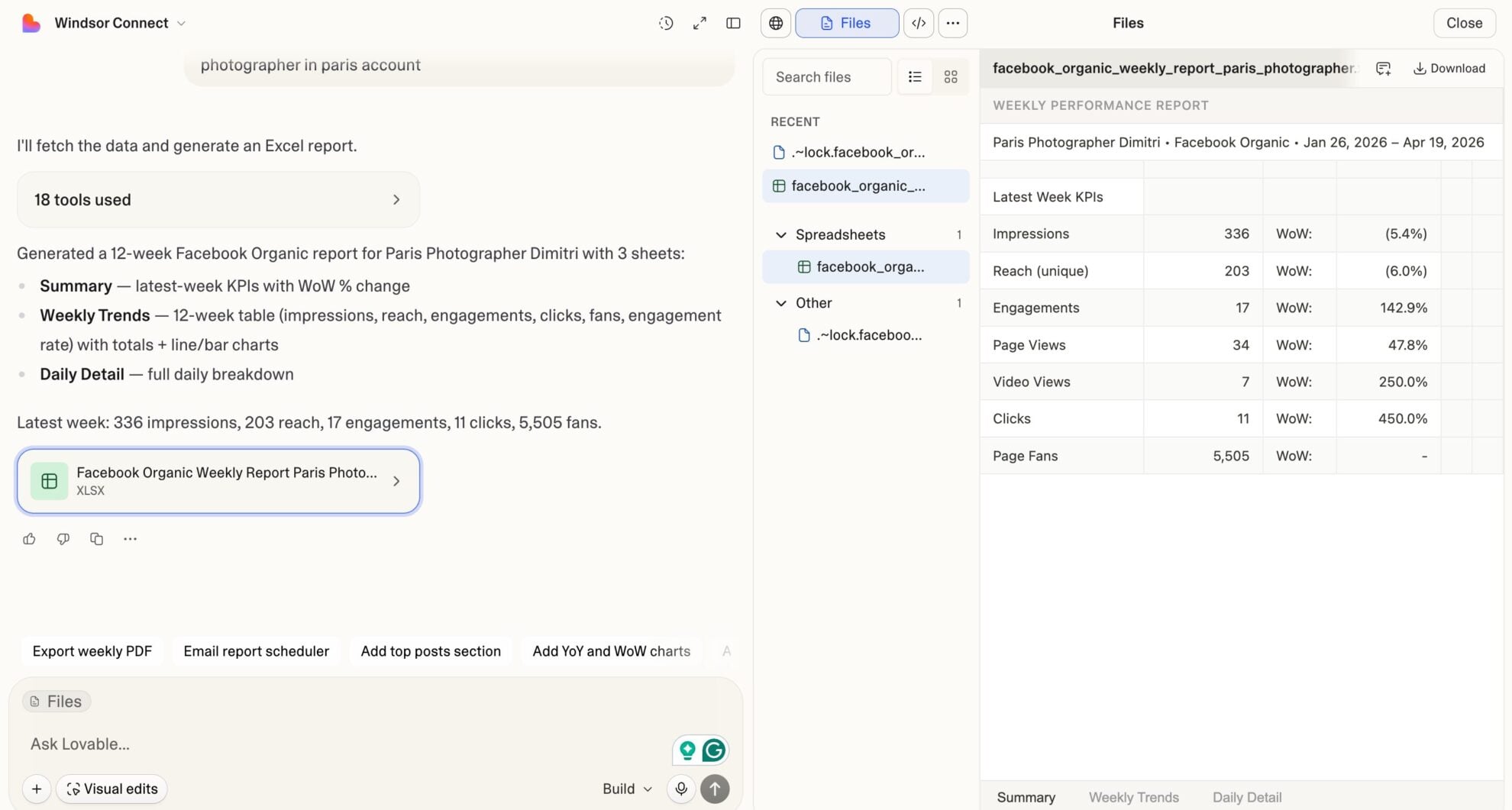














How to connect Amazon Seller Central to Lovable with Windsor.ai
Explore our video tutorial and a step-by-step guide to integrate your Amazon Seller Central data into Lovable with the Windsor.ai connector.
Select your data source
Choose Amazon Seller Central as your data source and grant access to Windsor.ai.

Select custom connector in Lovable
In Lovable, open Connectors and select Custom MCP.

Add MCP server
Enter the following details:
- Name: Windsor.ai
- URL: https://mcp.windsor.ai/
Click Add & Authorize to save the connector and authorize access to Windsor.ai.

Authorize and start querying your data
Once added, Windsor will appear in your list of connectors. Enable Always allow permissions for faster access.
Open a new chat and start querying your connected data.

FAQs
What can I do with Amazon Seller Central data in Lovable?
Once your ASC data is in Lovable, you can:
- Track daily and weekly sales performance: See ordered product sales, units ordered, average selling price, and refund rate by ASIN, SKU, or date range, all in one place.
- Monitor FBA inventory health: Identify products at stockout risk, flag excess inventory accumulating storage fees, and check days of supply before you run dry.
- Analyze FBA fee impact on margin: Break down referral fees, fulfillment fees, and weight handling fees per ASIN to see which products are quietly eroding your profit.
- Audit customer returns: See return reasons, quantities, and item condition at the SKU level to identify products with recurring quality or listing issues.
- Recover FBA reimbursements: Surface reimbursement records from Amazon for lost, damaged, or improperly processed inventory, and flag amounts you haven’t yet received.
- Measure listing conversion performance: Compare sessions, page views, and Buy Box percentage against units ordered to identify listings losing traffic or failing to convert.
- Build live seller dashboards: Turn your Seller Central data into shareable Lovable dashboards for operations, finance, or agency reporting, updated automatically.
Can I combine Amazon Seller Central data with other sources in Lovable?
Yes. Windsor.ai supports 350+ connectors. You can pull Amazon Seller Central alongside Amazon Ads, Google Ads, Shopify, Facebook Ads, or any other source into Lovable. This means you can calculate true blended ROAS across paid channels and organic Amazon sales, or compare FBA revenue against Shopify DTC revenue from a single chat or dashboard.
How long does it take to connect Amazon Seller Central to Lovable via Windsor.ai?
The integration takes about 1 minute. Connect your Amazon Seller Central account to Windsor.ai via OAuth, copy the Windsor MCP server URL into Lovable’s Custom MCP connector settings, authorize, and start querying.
How much does it cost to connect Amazon Seller Central to Lovable using Windsor.ai?
Windsor.ai offers a free forever plan with 1 data source and 1 account; no credit card required. Paid plans start at $19/month if you need more sources. Lovable requires a paid plan to use Custom MCP connectors on your projects.
Can Lovable help me manage FBA inventory levels?
Yes. Lovable analyzes your sellable quantity, days of supply, weeks of cover, and inbound shipment data. Ask it to flag products below a threshold, compare inventory runway against trailing sales velocity, or identify which ASINs are at risk before the next replenishment window.
Can I analyze customer returns and identify problem products in Lovable?
Yes. Ask Lovable to surface SKUs with the highest return rates, group returns by reason code, or identify products where ‘defective’ or ‘not as described’ returns are trending upward.
What prompts can I use to analyze my Amazon Seller Central data in Lovable?
Beyond basic performance summaries, you can use more advanced, specific prompts to uncover deeper insights. For example:
-
Calculate net margin per ASIN for the last 30 days. Take ordered product sales, subtract estimated fee total (referral fee + fulfillment fee + weight handling fee), and rank ASINs from highest to lowest net margin. Flag any ASIN where fees exceed 35% of revenue.
-
Identify my top 10 stockout risks. For each, show days of supply, current sellable quantity, units shipped last 7 and 30 days, and inbound quantity. Calculate the revenue at risk if they go out of stock before the next inbound shipment arrives.
-
Flag all ASINs with estimated excess inventory. For each, show estimated excess quantity, projected long-term storage fee at 6 and 12 months, units shipped last 90 days, and weeks of cover at 90-day velocity. Recommend which to discount, remove, or liquidate.
-
Analyze my listing conversion funnel for the last 30 days. For each ASIN, compare sessions, page views, Buy Box percentage, and unit session percentage. Spot the three listings losing the most potential sales due to low Buy Box share or below-average conversion rate.
-
Audit all FBA reimbursements from the last 90 days. Break down by reimbursement reason (damaged warehouse, lost, customer return), show quantity reimbursed vs quantity reimbursed in cash, total reimbursement amount, and approval date. Flag any reason category where cash reimbursements are significantly below inventory reimbursements.
Does Windsor.ai support multiple Amazon Seller Central accounts?
Yes. You can connect multiple Seller Central accounts and marketplaces to Windsor.ai. All data flows into Lovable through a single Windsor MCP connection, so you can compare performance across accounts or aggregate totals across regions.
Do you have helpful links to get started with integrating Amazon Seller Central and Lovable using Windsor.ai?
Yes, we have helpful resources to help you get started. You can explore our official documentation and tutorials for seamless Amazon Seller Central to Lovable integration with Windsor.ai:
Can I build a custom Amazon Seller Central dashboard in Lovable?
Yes. Tell Lovable what metrics matter to your operation (revenue by ASIN, inventory health, FBA fee breakdown, return rates), and it generates an interactive app combining all those views with charts, filters, and date ranges. No code or BI tools needed; just a live URL your team can bookmark and check daily.
Tired of manual Amazon Seller Central data exports? Try Windsor.ai today to automate your reporting


