 Destinations
 Data sources
 AI insights
 About us
 Careers
 Security
 Customer reviews
 Contact us
 Affiliate program
 Solution partners
 Template gallery
 Looker Studio templates
 Power BI templates
 Excel templates
 Google Sheets templates
 Tableau templates
 Facebook Ads templates
 Google Ads templates
 Data fields & Metrics
 AI prompt library & Guides
 Product documentation
 API documentation
 Case studies
 Blog
Blog Data models
 Windsor vs Supermetrics
 Windsor vs Funnel.io
 Windsor vs Fivetran
 Windsor vs Rivery
 Windsor vs Portermetrics
 Windsor vs Coupler.io
Connect Basis DSP to Claude
Automatically sync your Basis DSP campaign, bid, and spend data to Claude using the Windsor.ai connector.
Get AI-powered insights into auction performance, win rate, and video completion by asking Claude plain-English questions, so you can check campaign results without opening the Basis DSP dashboard.
Forget CSVs. Stop copy/paste. Connect in minutes. No code required.
 Sign up with Google
 Free forever plan
No credit card needed
Free forever plan
No credit card needed










Get instant AI insights from your Basis DSP campaign data in Claude
Windsor MCP streams your live Basis DSP bids, spend, and video performance into Claude, so campaign checks happen in one prompt instead of a dashboard export. Explore key use cases:

Track spend against auction performance
Ask Claude to compare advertiser spend, auctions bid, and auctions won side by side to see exactly where budget is winning or losing ground.

Spot underperforming video creative
Surface video completion rate and skipped rate by campaign so underperforming creative gets flagged before more budget goes into it.

Monitor win rate by brand
Compare win rate and effective CPM across brands and campaign groups to see which accounts are getting the most efficient inventory.

Catch margin erosion early
Ask Claude to flag campaigns where margin on advertiser spend is shrinking relative to total spend, before it shows up in the monthly report.
Using Windsor.ai to connect data from Basis DSP to Claude
Pulling Basis DSP data into Claude usually means manual exports, data cleanup, or costly reporting add-ons, especially when trying to line up bid, spend, and video-completion metrics across multiple campaign groups by hand. Windsor.ai removes that friction with an MCP connector that automatically collects, structures, and streams your Basis DSP data directly into Claude.
Connect in minutes and start asking natural-language questions about auction performance, spend efficiency, and video completion.
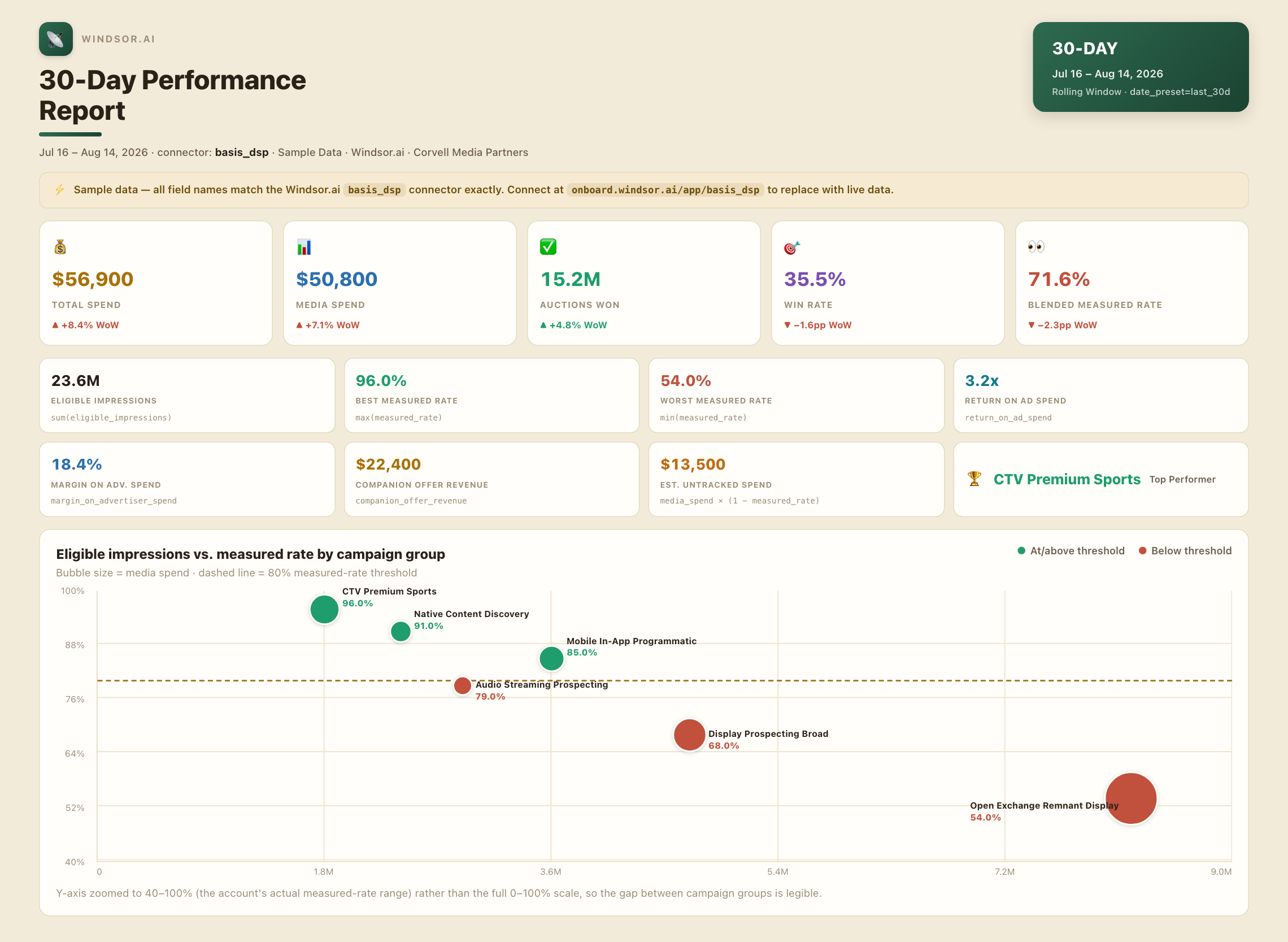














How to connect Basis DSP to Claude with Windsor.ai
Explore a step-by-step guide to integrate your Basis DSP data into Claude with the Windsor.ai connector.
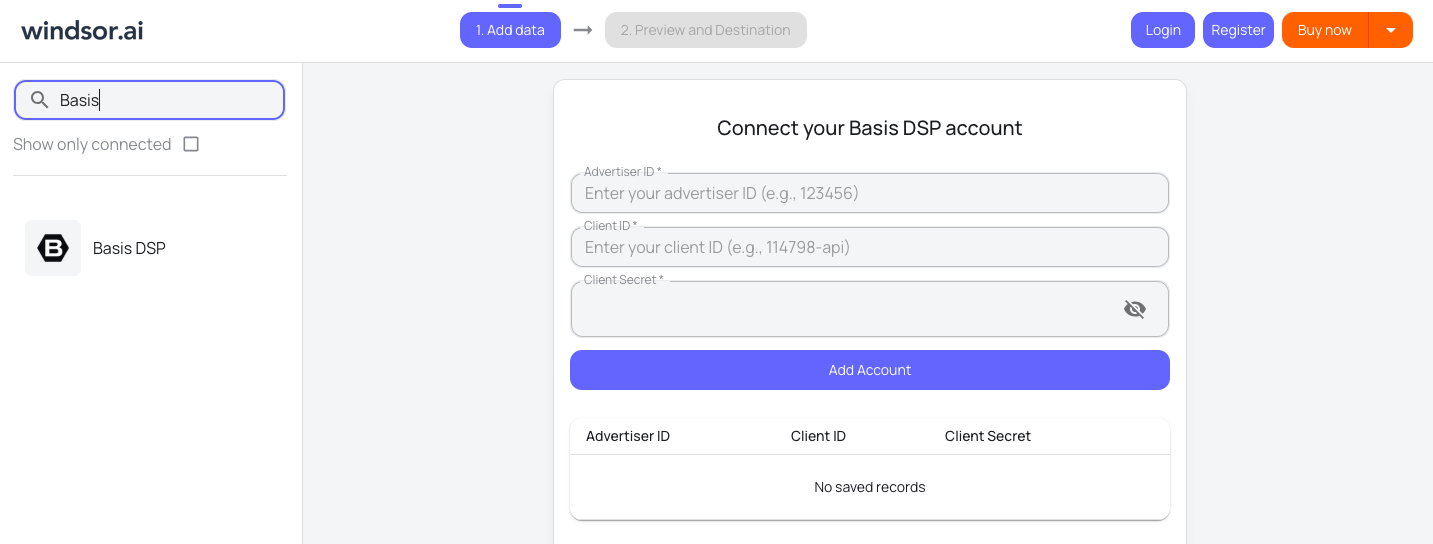
Connect Basis DSP in the Windsor.ai dashboard
Choose Basis DSP as your data source and grant access to Windsor.ai.
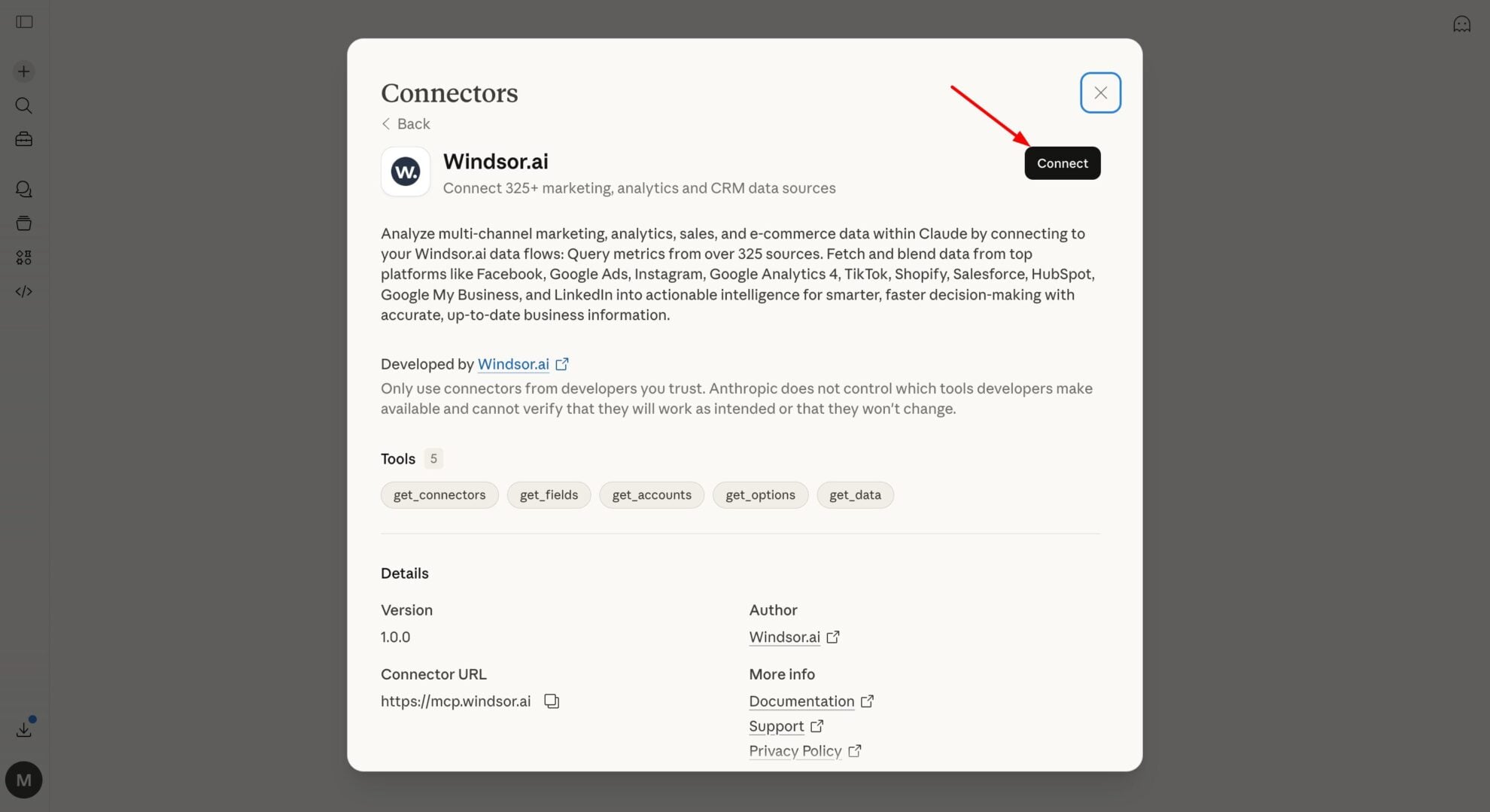
Install the Windsor.ai connector
In Claude, open Customize, then Connectors, search for Windsor and click Add. Sign in to your Windsor.ai account when prompted, and the connector appears in your Connectors list. You can also open the Windsor.ai listing in the Claude directory and click Connect.
Query your Basis DSP data in Claude
Start a new chat and ask Claude about your Basis DSP data: summarize auction performance, compare campaign bids and spend, or run advanced analyses.
FAQs
What Basis DSP data can I analyze in Claude?
Windsor.ai gives Claude access to all 97 Basis DSP fields, organized by category:
- Auction and spend metrics (51 fields): Auctions Bid, Auctions Won, Win Rate, Total Spend, Media Spend, Return On Ad Spend, Margin On Advertiser Spend.
- Date/time dimensions (19 fields): Date, Week, Month, Year, Day of month.
- Campaign and brand identifiers (13 fields): Campaign ID, Campaign Name, Campaign Status, Campaign Group Name, Brand Name, Brand Landing Page Domain.
- Video engagement metrics (8 fields): Video Started, Video Completed, Video Completion Rate, Video Skipped Rate.
- Companion and offer metrics (6 fields): Companion Clicks, Companion Impressions, Companion Offer Revenue, Offer Clickthru Rate.
Can Claude flag campaigns with high eligible impressions but a low measured rate?
Yes. Windsor.ai streams both Eligible Impressions and Measured Rate, so Claude can surface campaigns where a large share of inventory isn’t being measured, a common signal of viewability or tracking gaps.
What prompts can I use to analyze Basis DSP data in Claude?
-
Show eligible impressions versus measured impressions by campaign for the last 7 days, and flag any campaign where the measured rate is below 80%.
-
Which campaigns have the highest companion offer revenue this month, and how does that compare to primary ad revenue for the same campaigns?
-
Break down video skipped rate by campaign group over the past 30 days, and highlight any group above the account average.
-
List brands ranked by primary cost per acquisition this quarter, from most to least efficient.
How much does it cost to integrate Basis DSP into Claude using Windsor.ai?
Windsor.ai is free to start, no credit card required. Paid plans start at $19/month and scale by the number of sources and accounts. See the pricing page.
Can I combine Basis DSP data with other channels in Claude?
Yes. Windsor.ai supports 350+ data sources, so you can connect Basis DSP alongside tools like Google Analytics 4 or a CRM for a fuller view of how programmatic spend connects to on-site conversions.
Does connecting Basis DSP to Claude require any coding?
No. Windsor.ai’s MCP connector is fully no-code: authorize your Basis DSP account once in the Windsor.ai dashboard, install the Windsor.ai app in Claude, and start asking questions in plain English.
Can Claude track offer clickthrough rate and companion ad performance in Basis DSP?
Yes. Windsor.ai streams companion ad and offer-level fields, including Companion Clicks, Companion Offer Revenue, and Offer Clickthru Rate, so Claude can report on companion inventory separately from primary ad performance.
Do you have helpful links to get started with integrating Basis DSP and Claude using Windsor.ai?
Yes, we have helpful resources to help you get started. You can explore our official documentation for seamless Basis DSP to Claude integration with Windsor.ai:
Tired of manual Basis DSP data exports? Try Windsor.ai today to automate your reporting


