 Destinations
 Data sources
 AI insights
 About us
 Careers
 Security
 Customer reviews
 Contact us
 Affiliate program
 Solution partners
 Template gallery
 Looker Studio templates
 Power BI templates
 Excel templates
 Google Sheets templates
 Tableau templates
 Facebook Ads templates
 Google Ads templates
 Data fields & Metrics
 AI prompt library & Guides
 Product documentation
 API documentation
 Case studies
 Blog
Blog Data models
 Windsor vs Supermetrics
 Windsor vs Funnel.io
 Windsor vs Fivetran
 Windsor vs Rivery
 Windsor vs Portermetrics
 Windsor vs Coupler.io
Connect Bing Ads to Microsoft Copilot
Automatically sync your Bing Ads data to Microsoft Copilot using the Windsor.ai connector.
Chat with your campaign data in Copilot Agent to uncover keyword opportunities, fix quality score issues, and cut budget waste.
Forget CSVs. Stop copy/paste. Connect in minutes. No code required.
 Sign up with Google
 Free forever plan









Improve ad campaign performance with Bing Ads to Copilot Agent integration
Ask Copilot Agent natural language questions about your Bing Ads performance and get clear, structured answers in seconds. Explore key benefits and use cases below:

Fix Quality Score fast
Identify keywords where expected CTR, ad relevance, or landing page experience is dragging Quality Score down, and get a clear priority list of fixes that will lower CPCs and recover lost visibility.

Analyze Shopping campaign performance
Ask Copilot to rank product categories and brands by ROAS and conversion rate. Compare your CTR against the average for similar products on Microsoft Shopping and spot listings with high spend and low sales before more budget is wasted.

Unify marketing data
Connect Bing Ads to Google Ads through Windsor.ai and ask Copilot to compare CPA, ROAS, and conversion rate by keyword, device, and audience. Find out where each platform delivers better results, then adjust budgets on both platforms directly from the chat.

Work inside Microsoft 365
With Copilot Agent embedded across Microsoft 365, you can ask it to summarise your Microsoft Ads performance and draft a client update in Outlook or build a campaign results presentation in PowerPoint, all without switching between tools.

Pause underperformers instantly
Ask Copilot to flag campaigns with rising CPA or falling ROAS, then pause them directly from the chat; no need to open Microsoft Advertising. Budget changes and campaign or ad group pauses happen in the same conversation as your analysis.
Using Windsor.ai to connect data from Bing Ads to Copilot
Microsoft Ads produces rich campaign data across keywords, audiences, and search queries. The problem is getting to it quickly for analysis. Windsor MCP streamlines this process by automatically pulling, cleaning, and streaming your Microsoft Ads data into your Copilot workspace.
Connect once and generate AI-powered insights into campaign performance, quality scores, impression share, and more.
Available actions
Enable Campaign Activate a paused Bing Ads campaign. Provide either campaign_id or campaign_name. Reversible via pause_campaign.
Activate a paused Bing Ads campaign. Provide either campaign_id or campaign_name. Reversible via pause_campaign.
Pause Campaign Pause an active Bing Ads campaign. Provide either campaign_id or campaign_name. Reversible via enable_campaign.
Pause an active Bing Ads campaign. Provide either campaign_id or campaign_name. Reversible via enable_campaign.
Set Campaign Budget Set the daily budget of a Bing Ads campaign. Provide either campaign_id or campaign_name. The amount is in the account currency major unit (e.g. 50.00 means 50.00 USD on a USD account). Bing Ads only supports daily budgets at the campaign level. If the campaign uses a shared budget, the change is rejected unless apply_to_shared_budget is set to true, because it would affect every campaign sharing that budget.
Set the daily budget of a Bing Ads campaign. Provide either campaign_id or campaign_name. The amount is in the account currency major unit (e.g. 50.00 means 50.00 USD on a USD account). Bing Ads only supports daily budgets at the campaign level. If the campaign uses a shared budget, the change is rejected unless apply_to_shared_budget is set to true, because it would affect every campaign sharing that budget.
Enable Ad Group Activate a paused Bing Ads ad group. Provide either ad_group_id or ad_group_name, plus the parent campaign as campaign_id or campaign_name. Reversible via pause_ad_group.
Activate a paused Bing Ads ad group. Provide either ad_group_id or ad_group_name, plus the parent campaign as campaign_id or campaign_name. Reversible via pause_ad_group.
Pause Ad Group Pause an active Bing Ads ad group. Provide either ad_group_id or ad_group_name, plus the parent campaign as campaign_id or campaign_name. Reversible via enable_ad_group.
Pause an active Bing Ads ad group. Provide either ad_group_id or ad_group_name, plus the parent campaign as campaign_id or campaign_name. Reversible via enable_ad_group.














How to connect Bing Ads to Copilot Agent with Windsor.ai
Explore our step-by-step guide to integrate your Bing Ads data into Copilot with the Windsor.ai connector.
Connect data source in Windsor.ai dashboard
Connect your Bing Ads to Windsor.ai. Select the necessary account(s) you want to pull data from and click “Next.”

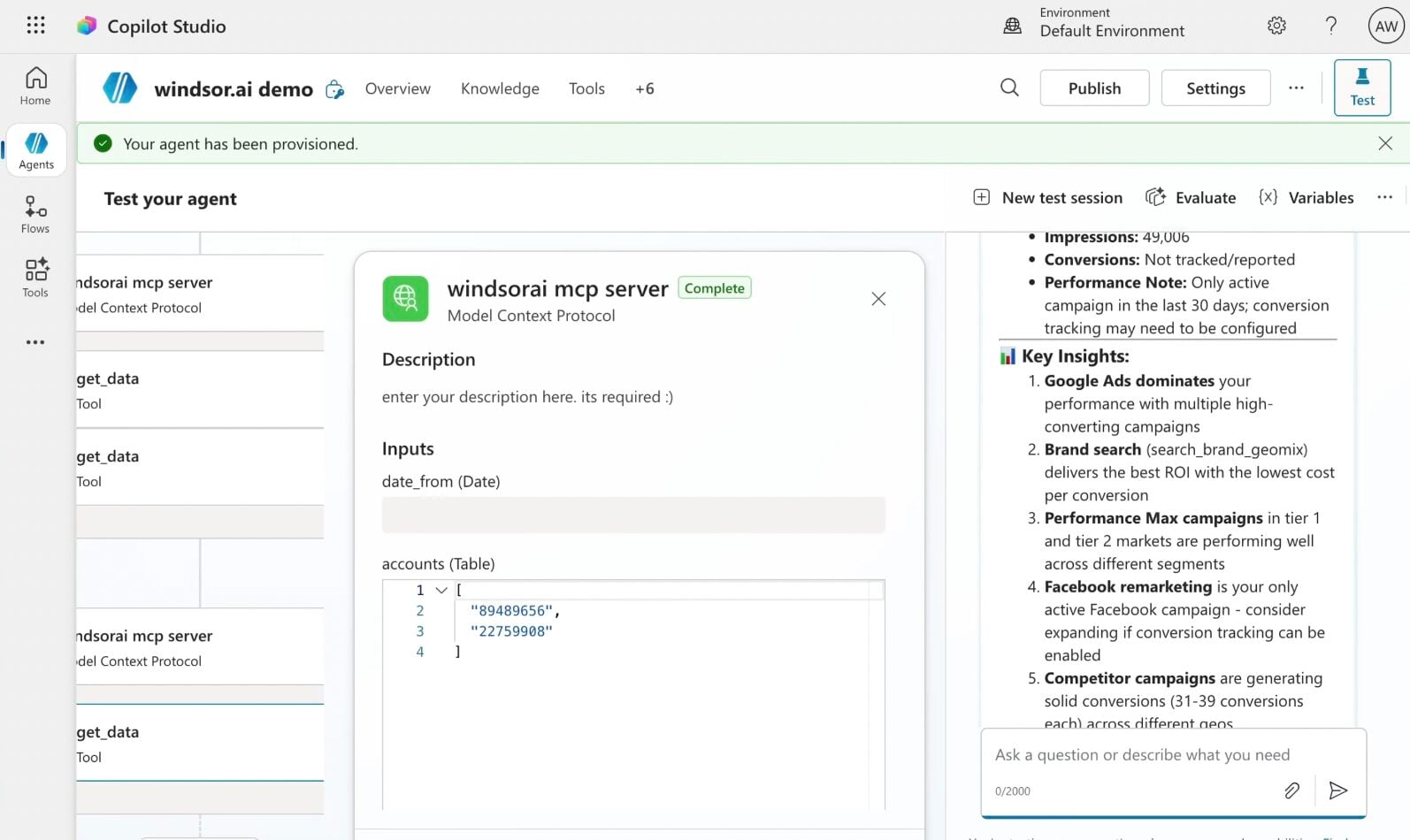
Create a new agent (Windsor MCP) in Copilot
In Microsoft Copilot Studio, create a new agent.
Click + Add tool and select + New tool -> Model Context Protocol.
- Server Name: Windsor MCP
- Server URL: https://mcp.windsor.ai
- Authentication: API Key
- Header name: Authorization

Create a new connection
On the next screen, click the dropdown under ‘Not connected’ and select Create new connection.
⚠️ Important: Enter your Windsor API key with the Bearer prefix.

Confirm credentials and start querying
Start a new chat. Copilot will prompt you to connect to Windsor MCP via the Connections manager. Click Connect -> Submit.
Return to the chat and click Retry in your agent prompt.
You can now ask questions about your integrated Windsor.ai data.
FAQs
What Microsoft Ads metrics is available for analysis with Windsor.ai?
Windsor.ai makes 85 metrics and 146 dimensions from Microsoft Ads available in Copilot Agent across multiple report types:
- Campaign and ad performance: spend, clicks, impressions, CTR, CPC, CPM, conversions, conversion rate, ROAS, revenue, and cost per conversion at campaign, ad group, and ad level.
- Keyword intelligence: keyword performance, quality scores, expected CTR, ad relevance, landing page experience, match types, search queries, and bid estimates.
- Audience and demographic data: age group, gender, audience name and type, bid adjustments, and association-level performance breakdowns.
- Impression share and visibility: absolute top impression share, top impression share, impression share lost to budget, impression share lost to rank, and click share.
- Shopping and product data: product category, brand, condition, price, quantity bought, benchmark CTR, and product dimension performance for Microsoft Shopping campaigns.
- Geographic performance: city, state, country, postal code, metro area, and query intent location data to understand where your ads perform best.
Can Copilot help me improve Quality Score across my Bing Ads account?
Copilot can break down quality score, expected CTR, ad relevance, and landing page experience across all keywords and ad groups, helping you identify exactly which component is dragging performance down and prioritise fixes where they’ll have the most impact.
Can I compare Microsoft Ads performance against Google Ads in Copilot?
Connect both platforms through Windsor.ai and ask Copilot to compare CPA, ROAS, CPC, and conversion rate side by side (by campaign, keyword, device, or audience segment). It highlights where each platform is more efficient, which keywords are covered on one platform but missing on the other, and where budget reallocation would have the most impact.
Can Copilot analyze Microsoft Ads search query data?
Yes. Ask Copilot to surface queries driving clicks but not converting, flag irrelevant terms wasting budget, and identify high-intent queries not yet added as keywords in one prompt.
What prompts can I use when analyzing Bing Ads data in Copilot Agent?
Here are examples of more specific prompts you can use to dive deep into your Bing Ads data:
-
Analyse absolute top impression share across all campaigns over the last 60 days. For campaigns with low absolute top impression share, is the loss primarily driven by budget or rank? What bid or budget changes would have the highest impact?
-
Look at search query data for the last 30 days. Are there high-volume, high-intent queries triggering our ads that are not yet added as exact match keywords? Are there irrelevant queries consuming budget that should be added as negative keywords?
-
Compare performance by age group and gender over the last 90 days. Are specific demographic segments delivering a significantly lower CPA or higher ROAS? Do our current bid adjustments reflect the actual performance gap between segments?
-
Analyse keyword quality scores across all active ad groups. Is there a pattern between low quality scores and poor landing page experience scores? Which ad groups would benefit most from landing page improvements versus ad copy changes?
-
Look at Microsoft Shopping campaign performance by product category and brand over the last 60 days. Are there product categories with high impressions and low conversion rate suggesting a pricing or listing issue? Which brands deliver the highest ROAS and are they getting proportional budget allocation?
How much does it cost to integrate Bing Ads into Copilot using Windsor.ai?
Windsor.ai is free to start, no credit card required. Paid plans start at $19/month and scale by the number of sources and accounts. See the pricing page.
Can I update my Bing Ads campaigns from Copilot?
Yes. With Windsor.ai MCP, you can pause and enable campaigns and ad groups, and adjust campaign budgets, directly from Copilot Agent. No need to switch to Microsoft Advertising to make these changes.
How long does it take to connect Bing Ads to Copilot?
With Windsor MCP, the integration process takes a few minutes. No technical expertise or coding is required; connecting data to Copilot is simple, straightforward, and accessible to everyone.
Do you have helpful links to get started with integrating Bing Ads and Copilot Agent using Windsor.ai?
Yes, we have helpful resources to help you get started. You can explore our official documentation and tutorials for seamless Bing Ads to Copilot Agent integration with Windsor.ai:
Is my Bing Ads data secure when using this integration?
Yes. Windsor.ai connects via secure OAuth: your Microsoft Advertising login credentials are never shared with or stored by Windsor.ai, and access can be revoked at any time from your Microsoft account settings. Windsor.ai is also SOC 2 compliant and follows industry-standard security protocols to protect your data at every stage of the pipeline.
Tired of manual Bing Ads data exports? Try Windsor.ai today to automate your reporting


