 Destinations
 Data sources
 AI insights
 About us
 Careers
 Security
 Customer reviews
 Contact us
 Affiliate program
 Solution partners
 Template gallery
 Looker Studio templates
 Power BI templates
 Excel templates
 Google Sheets templates
 Tableau templates
 Facebook Ads templates
 Google Ads templates
 Data fields & Metrics
 AI prompt library & Guides
 Product documentation
 API documentation
 Case studies
 Blog
Blog Data models
 Windsor vs Supermetrics
 Windsor vs Funnel.io
 Windsor vs Fivetran
 Windsor vs Rivery
 Windsor vs Portermetrics
 Windsor vs Coupler.io
Connect Everhour to Claude
Automatically sync your Everhour data to Claude using the Windsor.ai connector.
Stream your Everhour data into Claude to analyze profitability, track budget pacing, and identify bottlenecks, so you can deliver projects on time and protect your margins.
Forget CSVs. Stop copy/paste. Connect data in minutes. No code required.
 Sign up with Google
 Free forever plan
No credit card needed
Free forever plan
No credit card needed










Improve project management with Everhour to Claude integration
With Windsor MCP, you can quickly connect Everhour to Claude and query your project, task, budget, and team capacity data using plain language. Discover a few key use cases:

Calculate client profitability
By analyzing labor costs and billable rates against specific client data, Claude determines which accounts are most profitable. You can instantly see where high operational costs might be reducing your margins.

Audit project estimates
Claude compares your current tracked hours against your original project estimates to identify work nearing its limit. This helps you flag potential overages before the next billing cycle begins.

Identify task bottlenecks
Ask Claude to review task statuses and time logs to find assignments that have stayed ‘In Progress’ for an unusual amount of time. It uncovers specific roadblocks that are stalling your overall project timelines.
Using Windsor.ai to connect data from Everhour to Claude
Connecting Everhour data to Claude typically requires manual exports, data formatting, or complex API setups. Windsor.ai removes that friction with a direct connector that automatically collects, structures, and delivers your Everhour metrics into Claude.
Connect in minutes and start analyzing your project profitability and team performance using natural language.
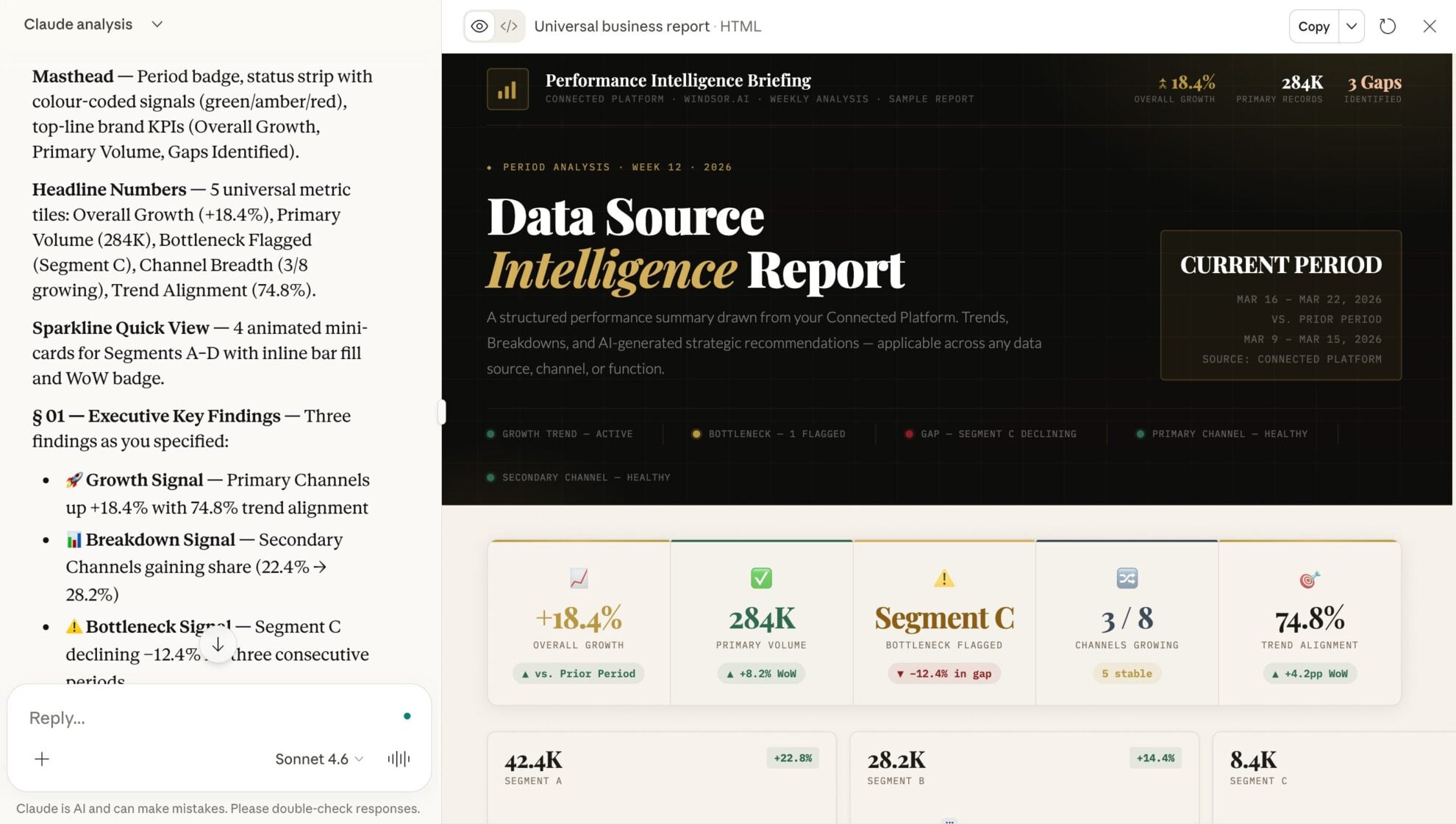














How to connect Everhour to Claude with Windsor.ai
Explore our video tutorial and a step-by-step guide to integrate your data from any source into Claude with the Windsor.ai connector.
Select your data source
Choose Everhour as your data source and grant access to Windsor.ai.

Install the Windsor.ai connector in Claude
In Claude, open Customize, then Connectors, search for Windsor and click Add. Sign in to your Windsor.ai account when prompted, and the connector appears in your Connectors list. You can also open the Windsor.ai listing in the Claude directory and click Connect.

Query your data in Claude
Start a new chat and ask Claude questions about your connected data: summarize KPIs, create client reporting dashboards, or run advanced analyses.
FAQs
What can I do with Everhour data in Claude?
Once your Everhour data is in Claude, you can:
- Analyze how time is spent. See how hours are distributed across projects, tasks, and clients to identify time sinks and low-value work.
- Control budgets and costs. Spot projects that are going over budget, understand what’s driving extra time, and fix issues before they impact profitability.
- Improve team productivity. Identify overloaded or underutilized team members and optimize how work is distributed across your team.
- Maximize billable time. Track billable vs. non-billable hours to uncover where revenue is being lost and increase overall utilization.
- Evaluate client and project profitability. Compare time spent against revenue to focus on the clients and projects that deliver the highest returns.
- Fix workflow bottlenecks. Detect tasks or stages that slow down execution and keep projects moving efficiently.
Find more details about Windsor MCP for Claude use cases in this guide: https://windsor.ai/how-to-use-windsor-mcp-examples-use-cases/.
How does the Windsor MCP benefit project managers?
It saves time and removes manual reporting work so project managers can focus on decisions, not data prep. Instead of managing spreadsheets or chasing updates, they can ask, ‘Who is over capacity this week?’ and get answers with context in seconds.
Can Claude help me optimize team resource planning?
Yes. By reviewing historical time data and current team capacity, Claude helps you balance workloads, assign tasks more effectively, and plan based on real performance patterns. It highlights over- and under-utilized team members, prevents bottlenecks, and ensures your team’s time is used efficiently.
Can Claude help me identify projects at risk of going over budget?
Absolutely. By comparing logged time against project estimates, Claude can flag projects that are nearing their limits before they become an issue.
What prompts can I use when analyzing Everhour data in Claude?
Use more specific prompts to extract deeper insights from your Everhour data. For example:
-
Using the cost rates and billable hours, calculate the gross margin for our top 5 clients this month. Flag any client where the cost-to-revenue ratio has increased by more than 10% compared to last month.
-
Based on the time logged over the last 3 months, project the total hours and costs we will hit for [Project Name] by its due date. Compare this projection to our budget and suggest where we need to reduce hours to stay profitable.
-
Review the 'iteration' and 'status' of tasks for our largest project. Find tasks that have been 'In Progress' for more than 5 days and cross-reference them against the user’s current capacity to determine whether they are a bottleneck.
-
Analyze how different types of work compare in planned vs. actual time to identify which tasks consistently exceed estimates and where your team works most efficiently.
How much does it cost to integrate Everhour into Claude using Windsor.ai?
Windsor.ai’s pricing for Claude data integration varies depending on the number of connected accounts and data sources. We offer absolutely transparent pricing plans for diversified business needs and budgets.
How long does it take to connect Everhour to Claude?
With Windsor.ai’s easy-to-use connector, the integration process takes just a few minutes. No technical expertise is needed; syncing Everhour to Claude is simple, straightforward, and completely code-free.
Do you have helpful links to get started with integrating Everhour and Claude using Windsor.ai?
Yes, we have helpful resources to help you get started. You can explore our official documentation and tutorials for seamless Everhour to Claude integration with Windsor.ai:
Tired of manual Everhour data exports? Try Windsor.ai today to automate your reporting


