 Destinations
 Data sources
 AI insights
 About us
 Careers
 Security
 Customer reviews
 Contact us
 Affiliate program
 Solution partners
 Template gallery
 Looker Studio templates
 Power BI templates
 Excel templates
 Google Sheets templates
 Tableau templates
 Facebook Ads templates
 Google Ads templates
 Data fields & Metrics
 AI prompt library & Guides
 Product documentation
 API documentation
 Case studies
 Blog
Blog Data models
 Windsor vs Supermetrics
 Windsor vs Funnel.io
 Windsor vs Fivetran
 Windsor vs Rivery
 Windsor vs Portermetrics
 Windsor vs Coupler.io
Connect Google Analytics 4 (GA4) to Perplexity
Automatically sync your GA4 data to Perplexity using the Windsor.ai connector.
Get instant answers on what drives engagement, revenue, and drop‑off across the customer journey, all through natural language prompts.
Forget CSVs. Stop copy/paste. Connect in minutes. No code required.
 Sign up with Google
 Free forever plan
No credit card needed
Free forever plan
No credit card needed










Make the most out of your data with GA4 to Perplexity integration
Turn raw analytics into clear answers about traffic quality, customer journeys, and revenue drivers, without manual exports and analysis. Explore key use cases below:

Diagnose landing page drop-off
Ask Perplexity which landing pages attracted the most sessions last month but had low engagement or weak key event rates, broken down by source, channel, and device. Find where traffic is leaking before it drags down conversion performance.

Find traffic quality issues
Surface channels, campaigns, and source/medium combinations with high session volume but low engagement rates, short interaction time, or poor conversion quality. Spot low-value traffic early and focus budget on the visits most likely to convert.

Add research to your existing insights
Combine your GA4 data with deep market and competitor research. Benchmark traffic and conversion patterns, spot seasonal shifts, and scan competitor messaging so your next optimization is guided by both your analytics and the market.

Map the full customer journey
Blend GA4 user and session data with 350+ ad, CRM, and e-commerce platforms to see how customers move from first touch to purchase and beyond. Identify which channels tend to start journeys, which touchpoints close the sale, and where users most often drop off, so you can focus efforts where they have the most impact on revenue.
Using Windsor.ai to connect data from Google Analytics 4 to Perplexity
Getting your GA4 data into an AI tool like Perplexity can be technically complex, time‑consuming, and expensive. Windsor.ai removes this friction with a connector that automatically syncs your GA4 events, traffic, and revenue into Perplexity in minutes for instant AI analysis.
Spend your time understanding customers and optimizing journeys, not manual exports and data prep.
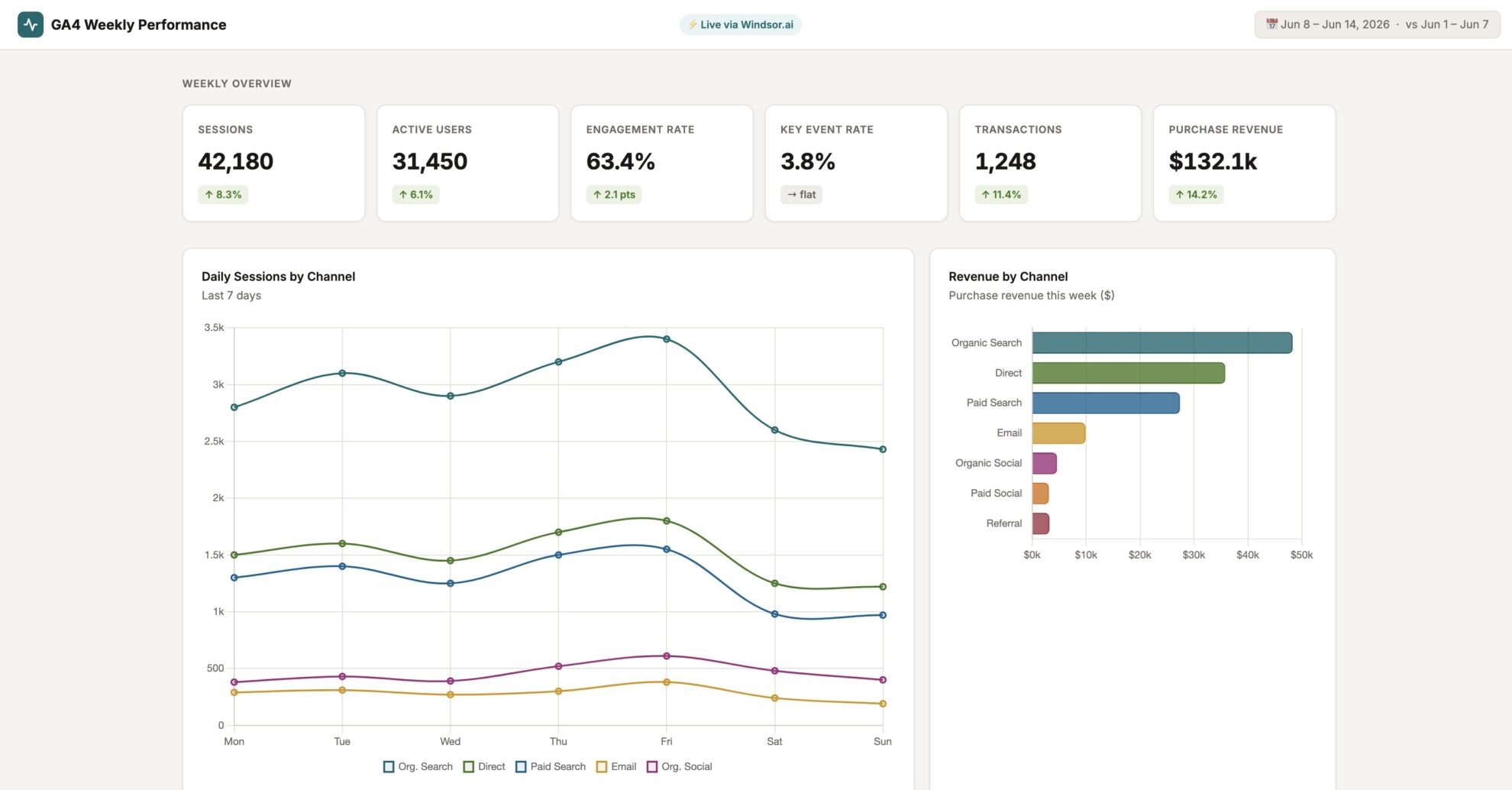














How to connect Google Analytics 4 to Perplexity with Windsor.ai
Explore our video tutorial and a step-by-step guide to integrate your data from any source into Perplexity with the Windsor.ai connector.
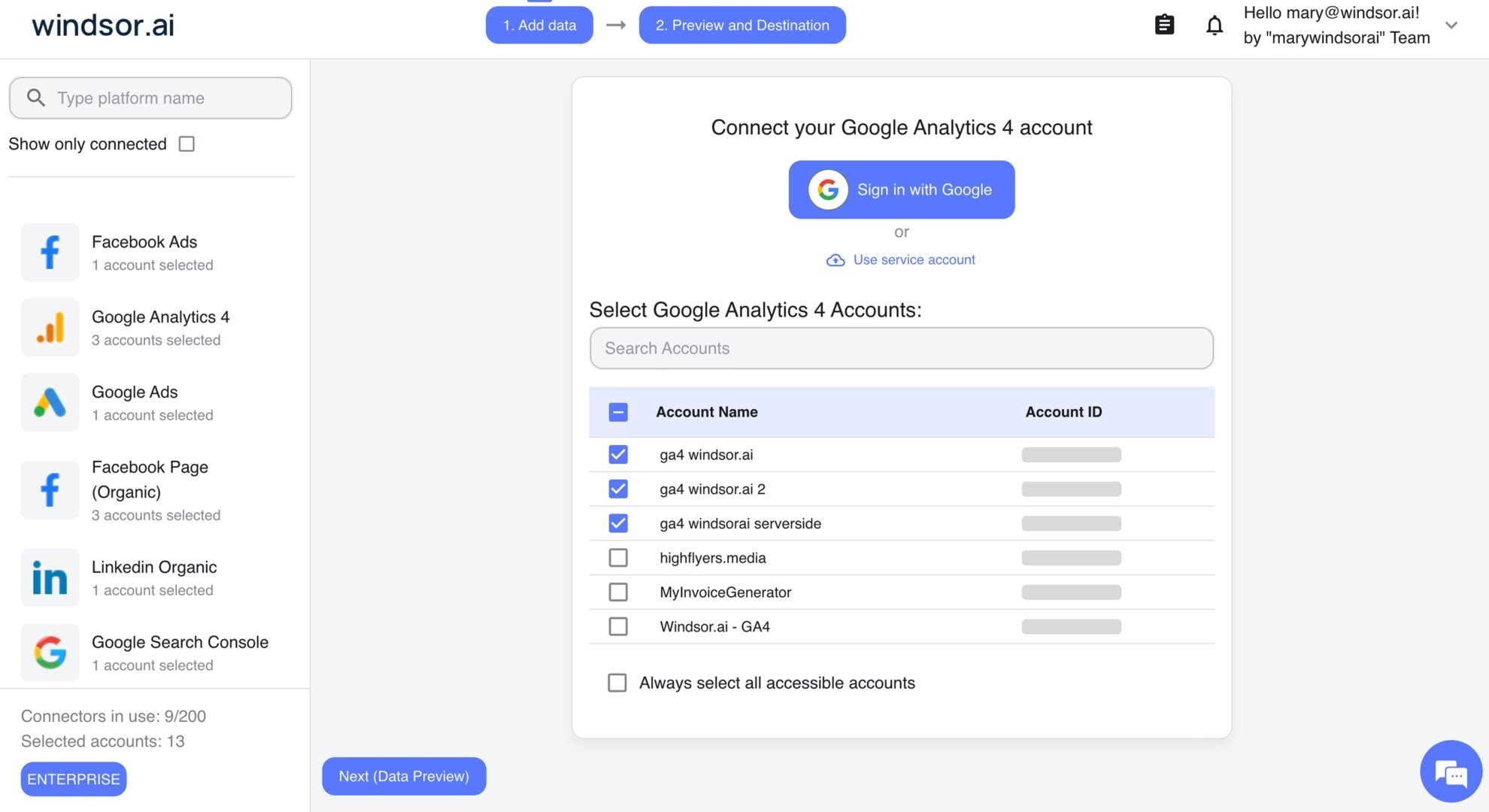
Connect data source in Windsor.ai dashboard
Connect your Google Analytics 4 to Windsor.ai. Select the necessary account(s) you want to pull data from and click “Next.”
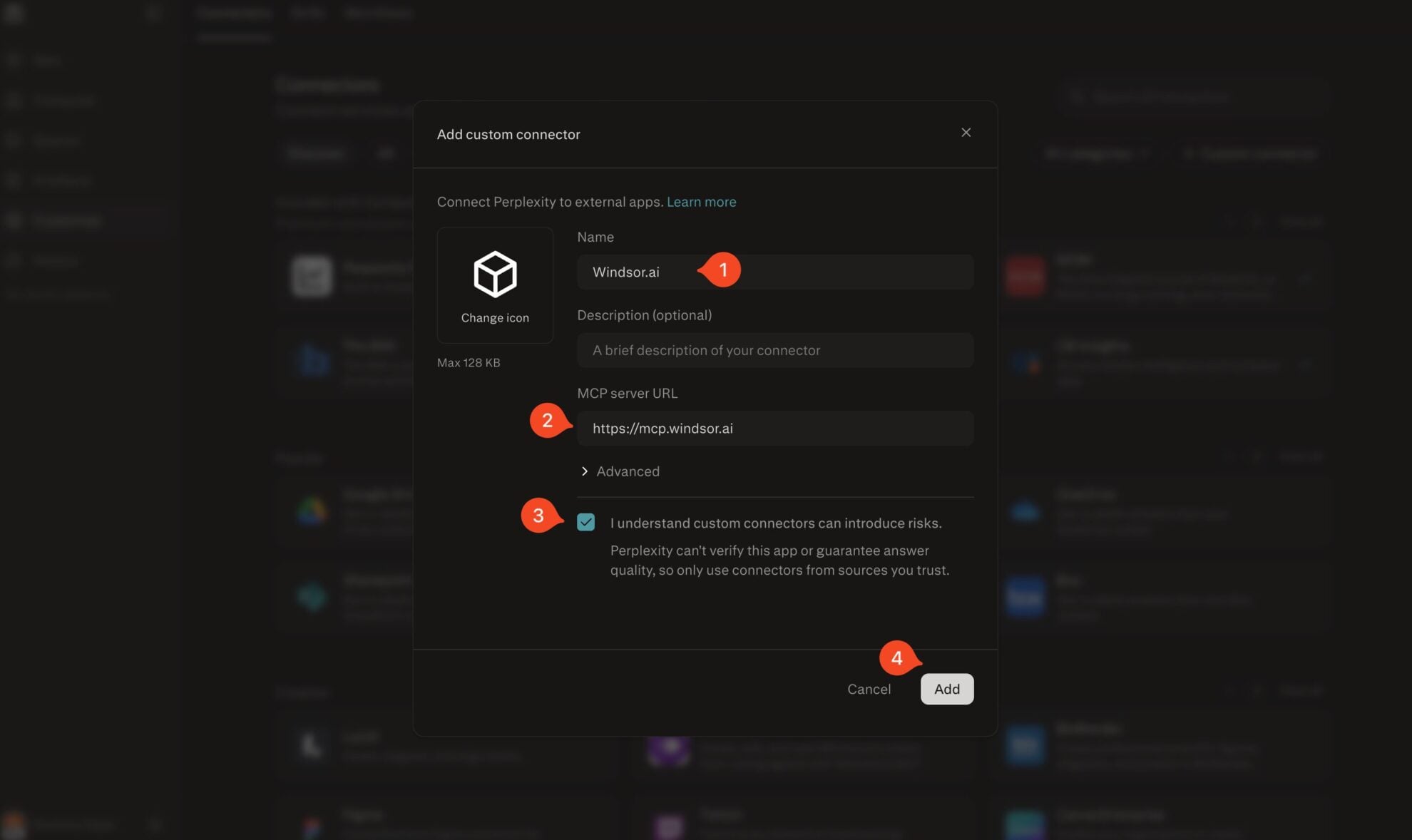
Add Windsor.ai as a custom connector
Go to perplexity.ai/computer/connectors and click + Custom connector. Fill in the details:
- Name: Windsor.ai
- MCP server URL: https://mcp.windsor.ai
Tick ‘I understand custom connectors can introduce risks’ and click Add.
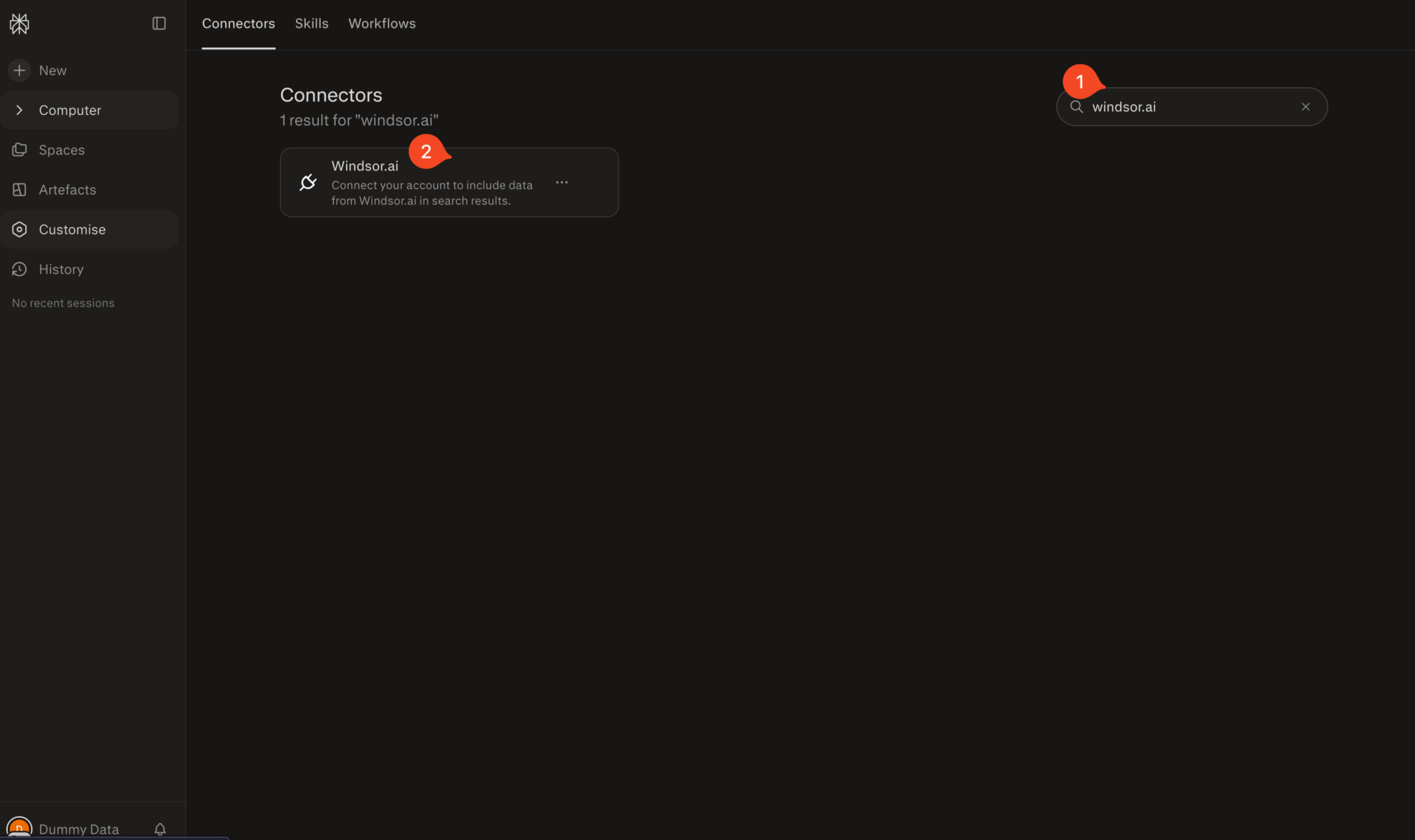
Install the connector
Search for Windsor.ai in the connectors list, click the card, then click Add connector.
Confirm by clicking Allow Access in the pop-up.
Enable Windsor.ai in your chat
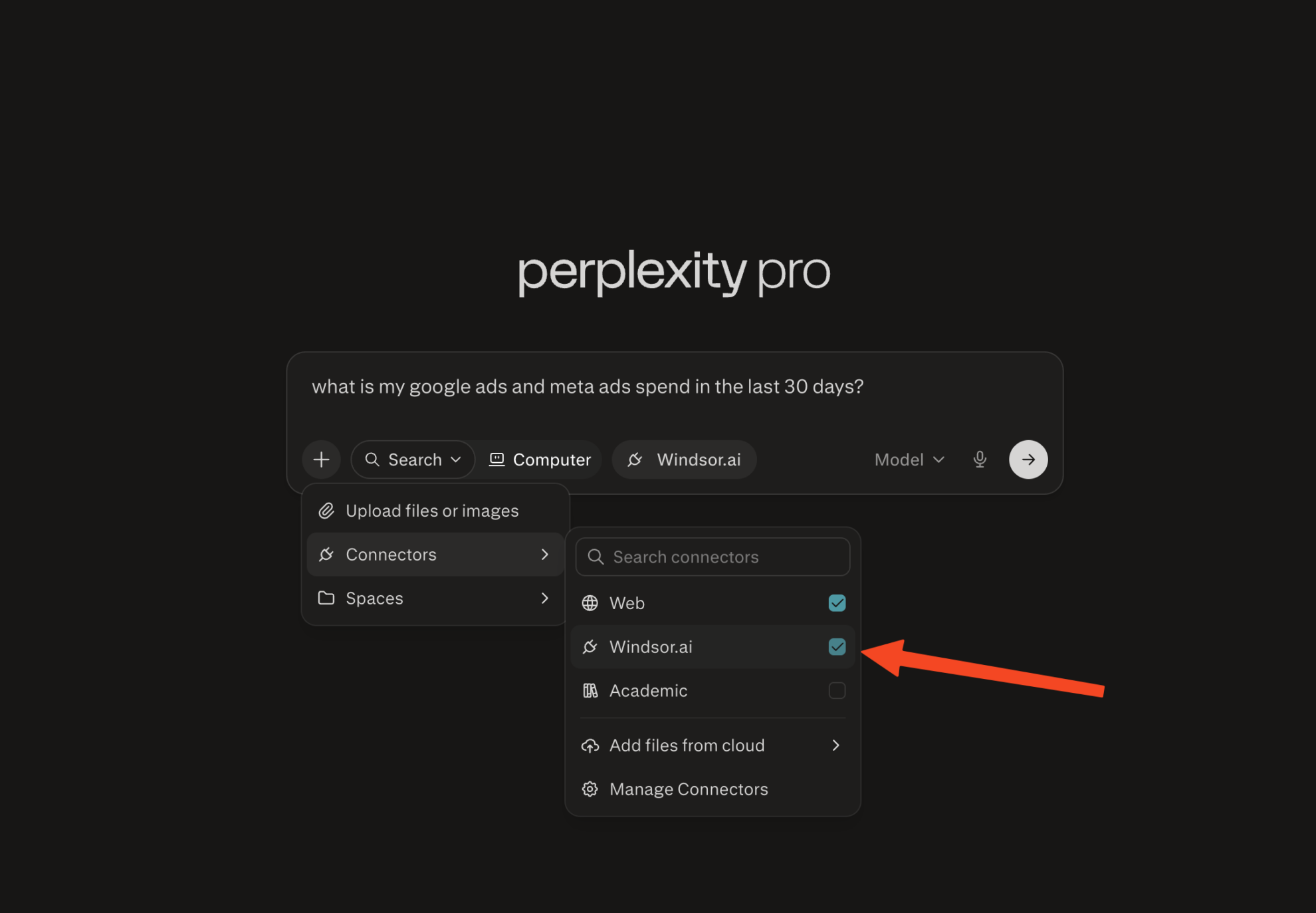
In a new chat, click +, choose Connectors, and check Windsor.ai.
Start querying your data
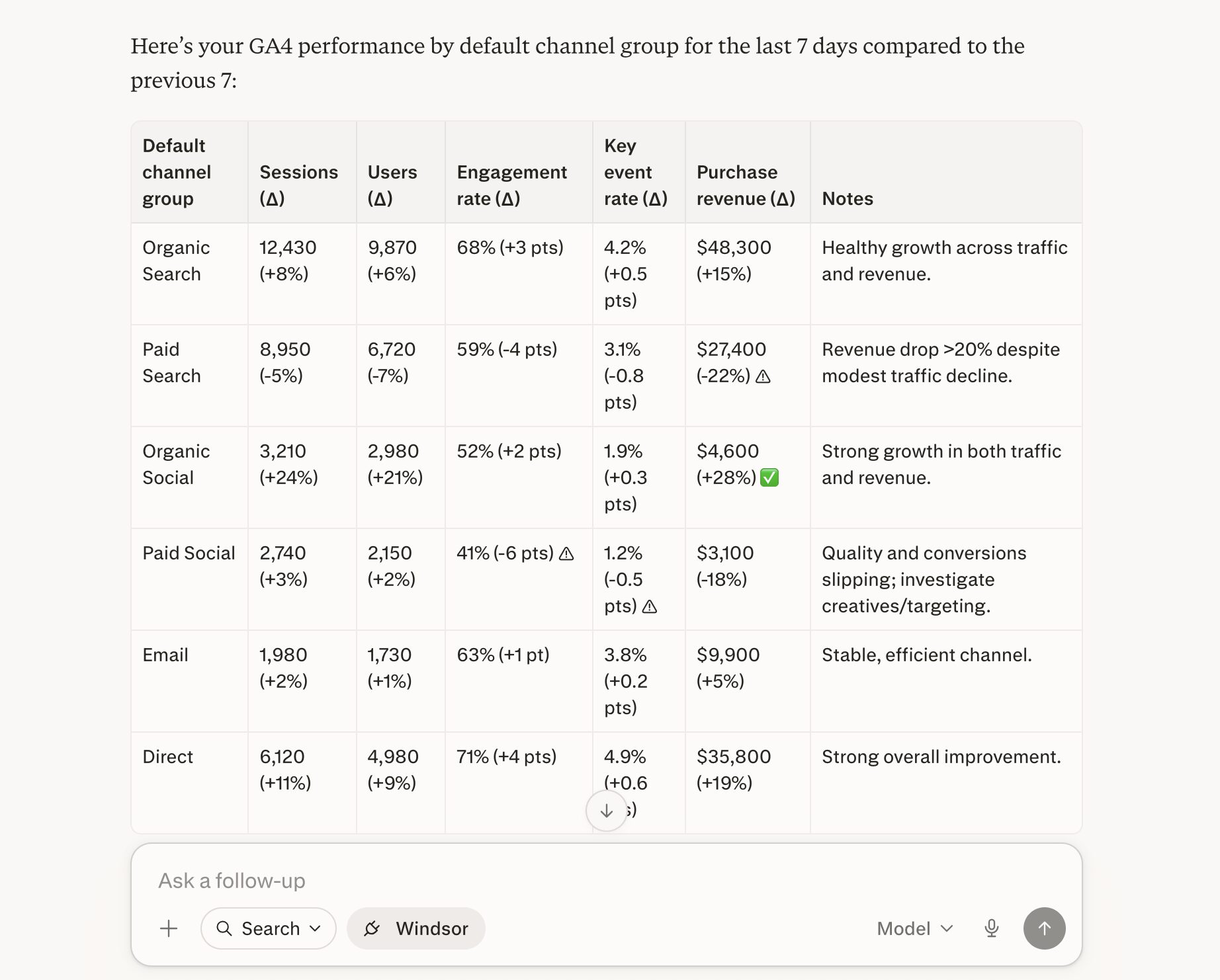
You can now ask questions about your integrated Windsor.ai data.
FAQs
What GA4 data can I analyze in Perplexity?
You can analyze a wide range of GA4 fields, including sessions, engaged sessions, engagement rate, landing pages, page paths, events, key events, session conversion rate, source and medium, channel groups, device category, geography, transactions, purchase revenue, total revenue, add to carts, and checkouts.
Can I use this integration for e-commerce analysis?
Absolutely. The available GA4 ecommerce fields include add to carts, checkouts, transactions, purchase revenue, total revenue, item revenue, item views, items purchased, cart-to-view rate, and purchase-to-view rate, which makes the integration useful for identifying funnel leaks and product-level opportunities
Can Perplexity help me identify low-quality traffic in GA4?
Yes. You can ask Perplexity to surface channels, campaigns, landing pages, or devices with high session volume but weak engagement rates, low session key event rates, short interaction time, or poor e-commerce outcomes.
What prompts can I use when analyzing Google Analytics 4 data in Perplexity?
Use these prompts to uncover in-depth insights into your GA4 data and cross-channel performance:
-
Show me which traffic sources and campaigns drove the highest number of sessions in the last 30 days, but had low engagement rate or session key event rate. Break this down by default channel group, device category, and country, and highlight where traffic quality looks weak despite high volume.
-
From GA4 e-commerce events, show me where users are dropping off in the funnel: view item → add to cart → begin checkout → purchase. Quantify drop‑off rates by traffic source and landing page, and rank the three biggest opportunities to recover lost revenue.
-
Using GA4 engagement and key event metrics, identify which combinations of source/medium, landing page, and device category deliver the strongest session key event rate and purchase behavior. Surface the top 10 ‘golden paths’ and explain what makes them perform better than the rest.
-
Segment users into cohorts by acquisition month and primary channel group. For each cohort, show retention, engagement, and revenue over 3 months, and identify which acquisition patterns produce the most valuable long‑term users.
Can I combine GA4 data with other sources in Windsor.ai?
Yes. Windsor.ai connects GA4 with over 350+ marketing and business data sources, so you can analyze the full customer journey by combining analytics with ad platforms, CRM, and finance data in Perplexity.
Do you have helpful links to get started with integrating Google Analytics 4 and Perplexity using Windsor.ai?
Yes, we have helpful resources to help you get started. You can explore our official documentation and tutorials for seamless Google Analytics 4 to Perplexity integration with Windsor.ai:
Tired of manual Google Analytics 4 data exports? Try Windsor.ai today to automate your reporting


