 Destinations
 Data sources
 AI insights
 About us
 Careers
 Security
 Customer reviews
 Contact us
 Affiliate program
 Solution partners
 Template gallery
 Looker Studio templates
 Power BI templates
 Excel templates
 Google Sheets templates
 Tableau templates
 Facebook Ads templates
 Google Ads templates
 Data fields & Metrics
 AI prompt library & Guides
 Product documentation
 API documentation
 Case studies
 Blog
Blog Data models
 Windsor vs Supermetrics
 Windsor vs Funnel.io
 Windsor vs Fivetran
 Windsor vs Rivery
 Windsor vs Portermetrics
 Windsor vs Coupler.io
Connect Google Merchant Center to ChatGPT
Automatically sync your Google Merchant Center data to ChatGPT using the Windsor.ai connector
Stream your Google Merchant Center data into ChatGPT to see which specific products drive revenue and optimize your product listings with AI-driven insights.
Forget CSVs. Stop copy/paste. Connect data in minutes. No code required.
 Sign up with Google
 Free forever plan
No credit card needed
Free forever plan
No credit card needed










Optimize product performance with Google Merchant Center to ChatGPT integration
Use Windsor MCP to connect Google Merchant Center to ChatGPT and uncover high-impression products, listing issues, and missing product data across your catalog. Discover key use cases below:

Fix blocked products quickly
Have ChatGPT translate confusing disapproval errors into a simple to-do list. This helps your team fix catalog issues faster so your products get back online and start selling again.

Connect your shop to your sales
Ask the AI to show you which specific products from your feed are actually making money in your ads (Google Ads). This is the best way to see which items are your true profit drivers and which are just wasting your budget.

Spot 'Hidden Gem' products
ChatGPT can help you find products that have high interest from shoppers but aren’t getting enough visibility yet. Understand which items deserve a little more attention to turn them into top sellers.

Create better product descriptions
Let ChatGPT analyze your basic product details to generate professional, catchy descriptions. Save hours of copywriting time and ensure every item in your shop sounds great to a customer.
Using Windsor.ai to connect data from Google Merchant Center to ChatGPT
Integrating Google Merchant Center data with ChatGPT often requires manual exports, tedious data prep, or costly tools. Windsor.ai removes this complexity with a connector that automatically collects, normalizes, and streams Google Merchant data directly into ChatGPT.
Connect in minutes and use natural language prompts to analyze product performance, monitor feed health, and quickly detect disapproved items.















How to connect Google Merchant Center to ChatGPT data with Windsor.ai
Explore our video tutorial and a step-by-step guide to seamlessly integrate your data from any source into ChatGPT with the Windsor.ai connector.
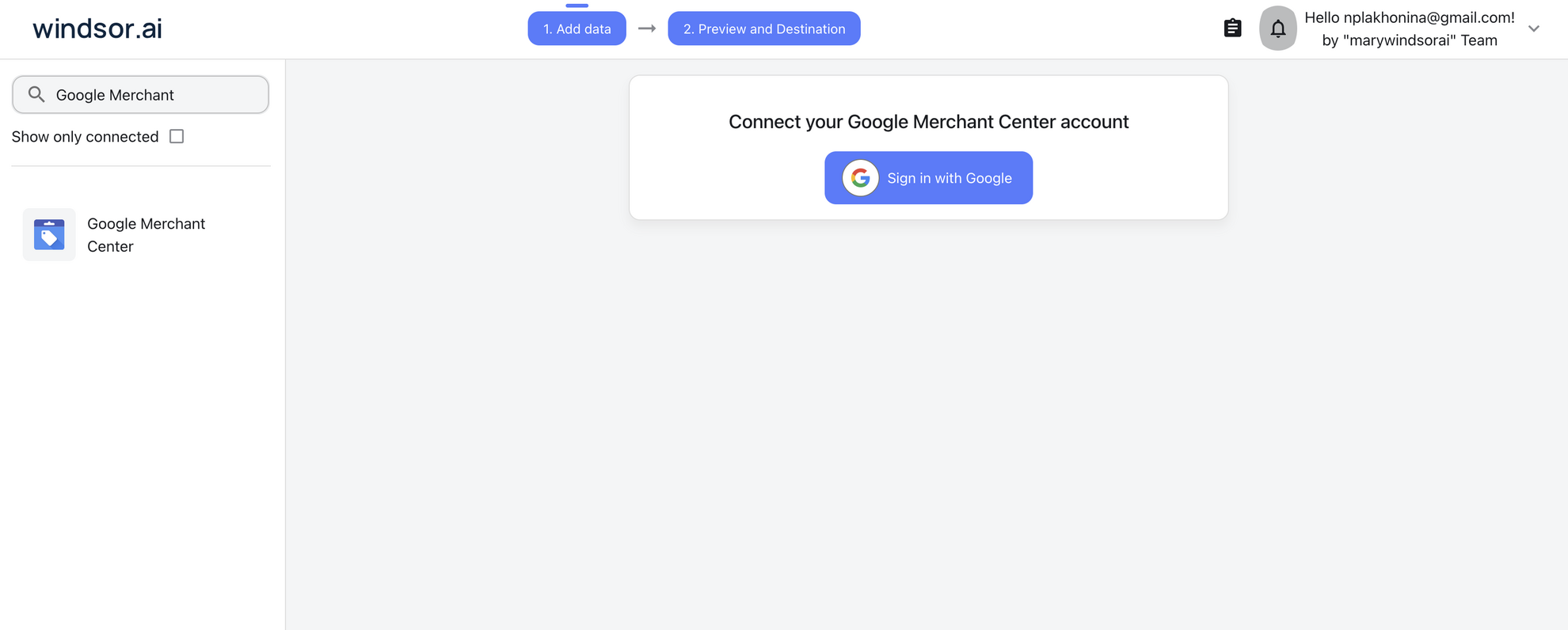
Select your data source
Choose Google Merchant Center as your data source and grant access to Windsor.ai.
Install the Windsor.ai connector
Log in to your ChatGPT account and open this Windsor.ai connector page.
Click Connect, then authorize access.

Query your Google Merchant Center data in ChatGPT
Open a new chat and start asking questions about your connected Google Merchant Center data using natural language.
Make sure that the Windsor.ai connector is enabled (click the + sign → More → Windsor.ai.)
FAQs
What Google Merchant Center metrics can I analyze in ChatGPT with Windsor.ai?
With Windsor MCP, you have access to 100+ metrics and dimensions, including:
- Product performance metrics: product impressions, clicks, CTR (click-through rate), conversions, conversion rate, and click potential.
- Pricing and competitiveness insights: product price, sale price, benchmark price, price gap, suggested price, and click uplift.
- Conversion and growth signals: conversion uplift, impression uplift, click uplift, product effectiveness, conversion rate, and conversions.
- Inventory and product status: product availability, availability date, product condition, sell on Google quantity, product creation date, and product expiration date.
- Product attributes and catalog structure: product ID, product title, brand, product category (L1–L5), product type (L1–L5), and product channel.
- Custom labels and segmentation: custom label 0–4, product feed label, product data source, product language code, product content language, and product item group ID.
Can ChatGPT generate product descriptions for my Merchant Center feed?
Absolutely. You can provide ChatGPT with your product attributes, and it can generate compelling, SEO-friendly descriptions that meet Google’s character limits and requirements.
How often is the Google Merchant Center data refreshed in ChatGPT?
Windsor.ai ensures your data stays fresh. Every time you query ChatGPT through the connector, it accesses the most recent data pulled from your Google Merchant Center account.
Can I analyze product availability and out-of-stock items?
Yes. ChatGPT can highlight unavailable items and show which ones still generate impressions or demand, so you can restock high-impact products and avoid losing traffic.
What prompts can I use to analyze Google Merchant Center data in ChatGPT?
For deeper insights, try more advanced prompts such as:
-
Find products with at least 1,000 impressions in the last 30 days but 0 conversions. Analyze their titles and descriptions for missing keywords compared to my top performers. Recommend how to rewrite them to improve relevance and drive conversions.
-
Analyze the relationship between 'Product Price' and 'CTR' across my entire inventory. Identify the 'price sweet spot' where engagement is highest and list products that fall outside this range.
-
Cross-reference my top-selling products from Google Ads (Conversion Value) with their attributes in Google Merchant Center (Brand, Category, Price). Which specific brands or price points are driving the most actual sales?
-
Find products that have a conversion rate 20% higher than the account average but are currently receiving less than 5% of total impressions. Suggest how to increase their exposure.
How much does it cost to integrate Google Merchant Center into ChatGPT using Windsor.ai?
Windsor.ai is free to start, no credit card required. Paid plans start at $19/month and scale by the number of sources and accounts. See the pricing page.
How long does it take to connect Google Merchant Center to ChatGPT?
With Windsor.ai’s intuitive connector, the integration process takes just a few minutes. No technical expertise is required; connecting Google Merchant Center to ChatGPT is simple, straightforward, and completely code-free.
Do you have helpful links to get started with integrating Google Merchant Center and ChatGPT using Windsor.ai?
Yes, we have helpful resources to help you get started. You can explore our official documentation and tutorials for seamless Google Merchant Center to ChatGPT integration with Windsor.ai:
Tired of manual Google Merchant Center data exports? Try Windsor.ai today to automate your reporting


