 Destinations
 Data sources
 AI insights
 About us
 Careers
 Security
 Customer reviews
 Contact us
 Affiliate program
 Solution partners
 Template gallery
 Looker Studio templates
 Power BI templates
 Excel templates
 Google Sheets templates
 Tableau templates
 Facebook Ads templates
 Google Ads templates
 Data fields & Metrics
 AI prompt library & Guides
 Product documentation
 API documentation
 Case studies
 Blog
Blog Data models
 Windsor vs Supermetrics
 Windsor vs Funnel.io
 Windsor vs Fivetran
 Windsor vs Rivery
 Windsor vs Portermetrics
 Windsor vs Coupler.io
Connect Google Search Console to ChatGPT
The Windsor.ai plugin gives ChatGPT your Search Console data: clicks, impressions, CTR and average position by query, page, country, device and date, for any range in the last 16 months.
Ask which queries rank just below page one, which pages compete for the same query, and where clicks dropped, then put the answer next to GA4 and ad data in the same chat.
Install from ChatGPT’s Plugins directory. No code required.
 Sign up with Google
 Free forever plan
No credit card needed
Free forever plan
No credit card needed










What you can do with Search Console data in ChatGPT
ChatGPT gets the same numbers as the Performance report, for every query and page at once, and answers in a table you can sort, chart or compare with other sources.

Find queries close to page one
Ask for queries at positions 11 to 20 with real impressions, and the page that ranks for each. On windsor.ai in September, the same question returned 19 queries with 36,214 impressions and 17 clicks between them, more than half of them on one page.

Catch pages that compete for the same query
Pull query and page together and ask where two of your pages share a query. Each page’s share of the impressions and the position gap show which page Google ranks higher, and whether the fix is a merge, a redirect or an update.

Separate brand from non-brand
Give ChatGPT a regex for your brand and its misspellings and ask for clicks by month. The built-in branded field only matches your domain name; on windsor.ai it missed most of our brand searches. Ask what share of clicks carries no query at all, because Google hides rare queries.
What the Windsor.ai plugin reads from Search Console
Two plugins work for Search Console. Windsor.ai Search Console reads Search Console only. Windsor.ai reads every source you connect in Windsor.ai, so one prompt can combine Search Console with GA4, Google Ads or your CRM.
- Search performance: clicks, impressions, CTR and average position by query, page, date, country, device, search type and search appearance.
- Fields Windsor adds: branded or non-branded (domain name in the query), words in the query, results page number, URL path levels and hostname.
- Sitemaps: submitted URLs, errors, warnings and last download.
Both plugins are read-only: they do not submit sitemaps or change settings. Google returns its top rows for a request (up to 25,000 per request) and hides rare queries, so rows with a query add up to less than the site total: 68% of clicks on windsor.ai in September. URL inspection is not included.














How to connect Google Search Console to ChatGPT with Windsor.ai
Watch the video, or follow the step-by-step guide.
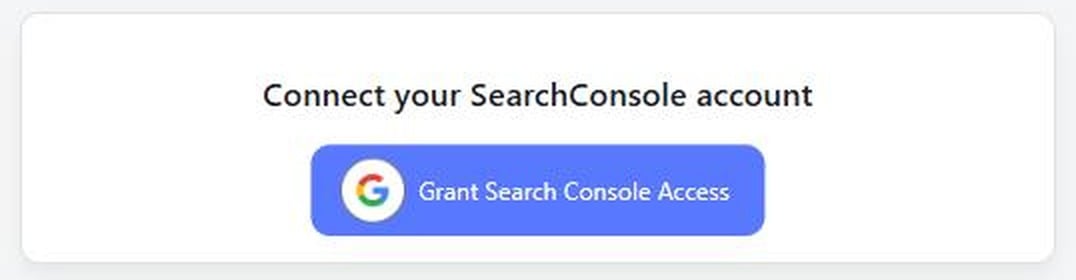
Connect Search Console to Windsor.ai
Sign in at onboard.windsor.ai, choose Google Search Console and select your properties.
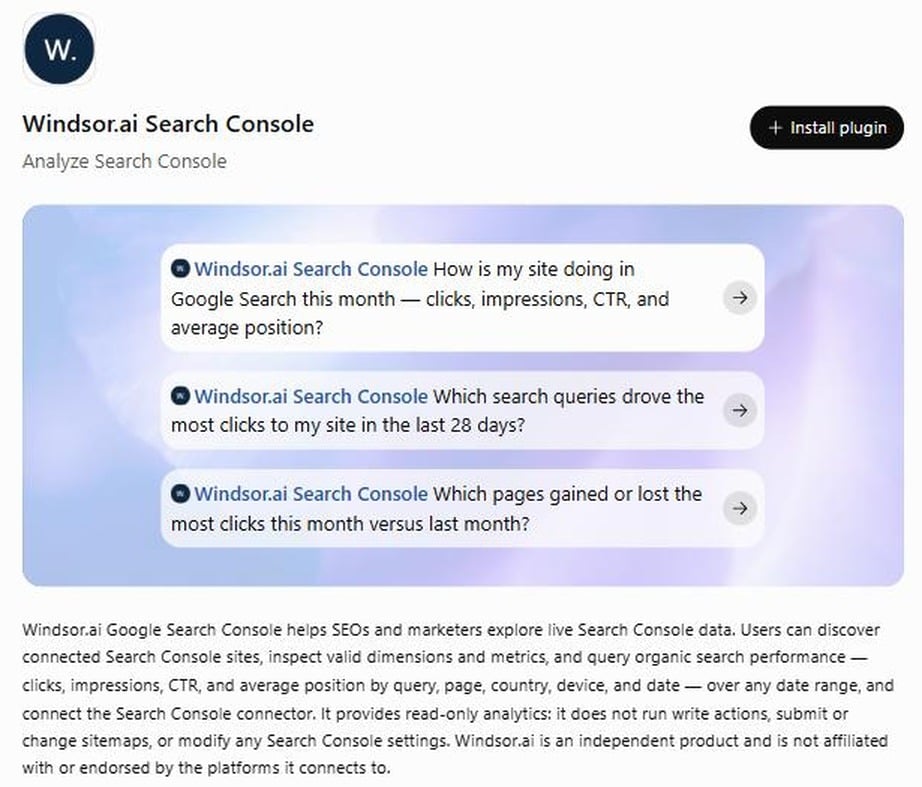
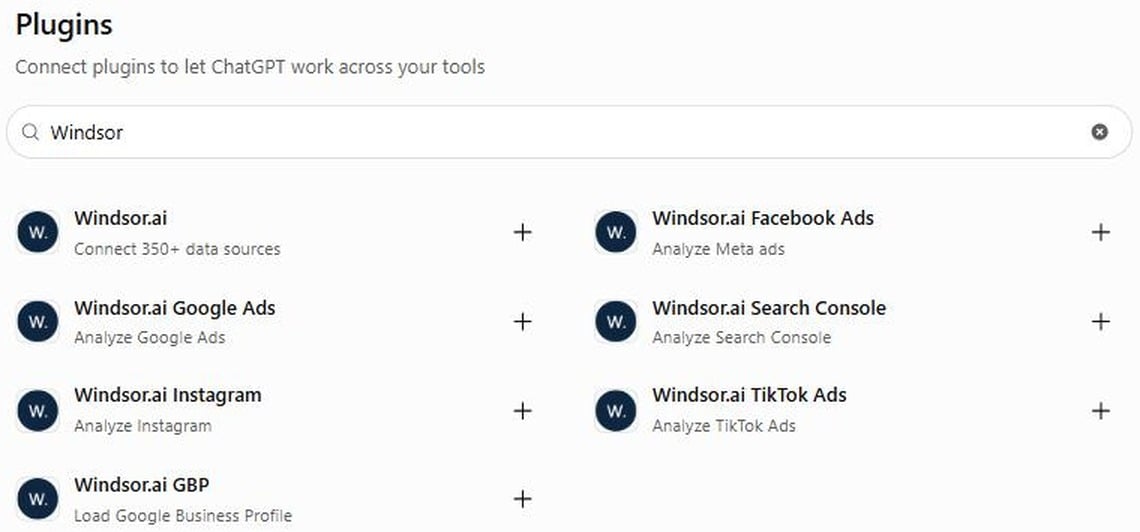
Install the Windsor.ai plugin in ChatGPT
In ChatGPT, click Plugins in the sidebar, search for Windsor, open Windsor.ai Search Console (or Windsor.ai for all your sources) and click Install plugin. Sign in to Windsor.ai when asked.
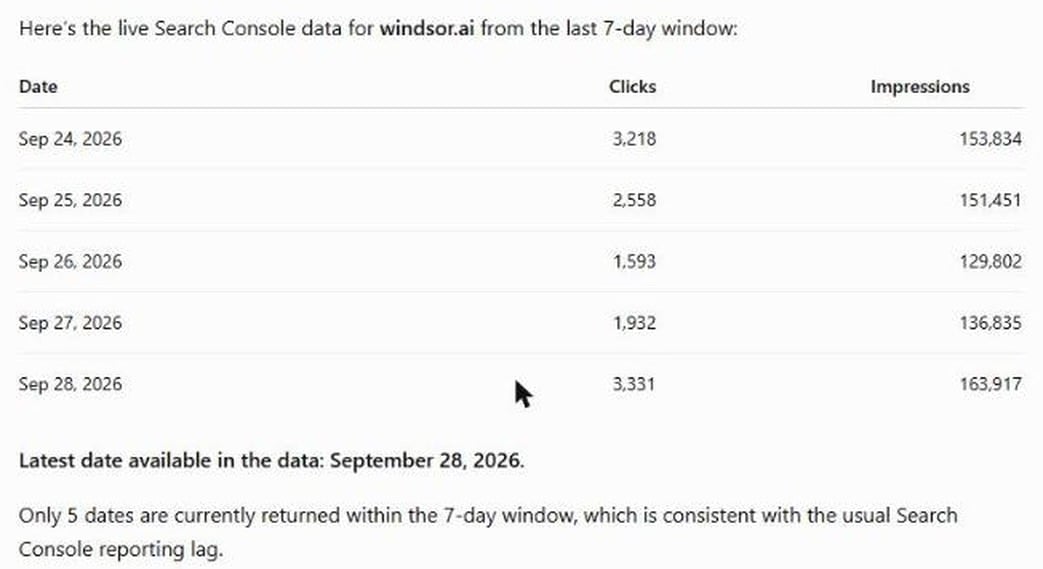
Ask about your search data
On the plugin page, click Try in chat and ask a question, for example the clicks and impressions for the last 28 days and the latest date in the data.
Setup guide and other ways to connect
The step-by-step setup, the remote MCP option and the CSV route are in how to connect Google Search Console to ChatGPT. The open-source MCP servers are compared in Google Search Console MCP.
FAQs
Which plugin should I install, Windsor.ai or Windsor.ai Search Console?
Windsor.ai Search Console if you only need Search Console. Windsor.ai if you want Search Console next to GA4, Google Ads or other sources in one answer.
How many rows can ChatGPT analyze?
More than the interface shows. The Performance report and its export stop at 1,000 rows. The API returns up to 25,000 rows per request and only its top rows, so for a large site ask for the data split, for example by device. On windsor.ai, 2 to 28 September held 54,577 queries when split by device, against 21,228 from one request. Google still hides rare queries, so the total of query rows stays below the site total.
Is the data real-time?
No. ChatGPT gets the latest data Search Console has, which is usually 2 to 3 days behind. Ask for the latest date in the data with each answer.
Can the plugin change my Search Console?
No. It is read-only: no sitemap submissions, no setting changes.
How much does it cost?
The plugin is free to install. Windsor.ai has a free forever plan for one source, with no credit card. Combining Search Console with other sources after the first 30 days needs a paid plan from $19 a month for three sources or $99 a month for seven. See the pricing page.
Ask ChatGPT about your Search Console data. Try Windsor.ai free


