 Destinations
 Data sources
 AI insights
 About us
 Careers
 Security
 Customer reviews
 Contact us
 Affiliate program
 Solution partners
 Template gallery
 Looker Studio templates
 Power BI templates
 Excel templates
 Google Sheets templates
 Tableau templates
 Facebook Ads templates
 Google Ads templates
 Data fields & Metrics
 AI prompt library & Guides
 Product documentation
 API documentation
 Case studies
 Blog
Blog Data models
 Windsor vs Supermetrics
 Windsor vs Funnel.io
 Windsor vs Fivetran
 Windsor vs Rivery
 Windsor vs Portermetrics
 Windsor vs Coupler.io
Connect Google Search Console to Perplexity
Automatically sync your Google Search Console data to Perplexity using the Windsor.ai connector.
Chat with your search data in Perplexity to uncover losing queries, slipping positions, and your biggest organic growth opportunities.
Forget CSVs. Stop copy/paste. Connect in minutes. No code required.
 Sign up with Google
 Free forever plan
No credit card needed
Free forever plan
No credit card needed










Make the most out of your data with Google Search Console to Perplexity integration
Quickly connect GSC to Perplexity using Windsor.ai and skip manual analysis entirely. Here’s what you can do:

Detect ranking drops
Ask Perplexity to surface all pages where position dropped more than 3 places and impressions fell more than 20%, so you can catch ranking erosion before it becomes a traffic problem.

Find long-tail gaps
GSC has no word count filter, so finding long-tail opportunities means scrolling through thousands of exported rows. Windsor.ai exposes the words_in_query field directly. Perplexity surfaces queries with five or more words, moderate impressions, and weak positions, and delivers a ready-to-use list of content to optimize.

Connect rankings to revenue
GSC tells you which queries bring clicks, but not whether they convert. Blend Search Console with GA4 using Windsor.ai to understand which queries drive high-converting sessions, which pages rank well but fail to convert, and where SEO effort will have the greatest revenue impact.

Spot keyword cannibalization
With just one prompt, Perplexity queries your GSC data for impressions grouped by URL and keyword, instantly surfaces every cannibalizing pair, and gives you the data you need to decide which page to consolidate or cut.
Using Windsor.ai to connect data from Google Search Console to Perplexity
Getting your Google Search Console data into an AI tool like Perplexity can be complex, time‑consuming, and expensive. Windsor.ai removes this friction with a connector that automatically syncs your GSC queries, pages, impressions, clicks, CTR, and rankings into Perplexity in minutes for instant AI analysis.
Spend your time finding ranking opportunities and fixing content gaps, instead of manually digging through the Search Console interface.
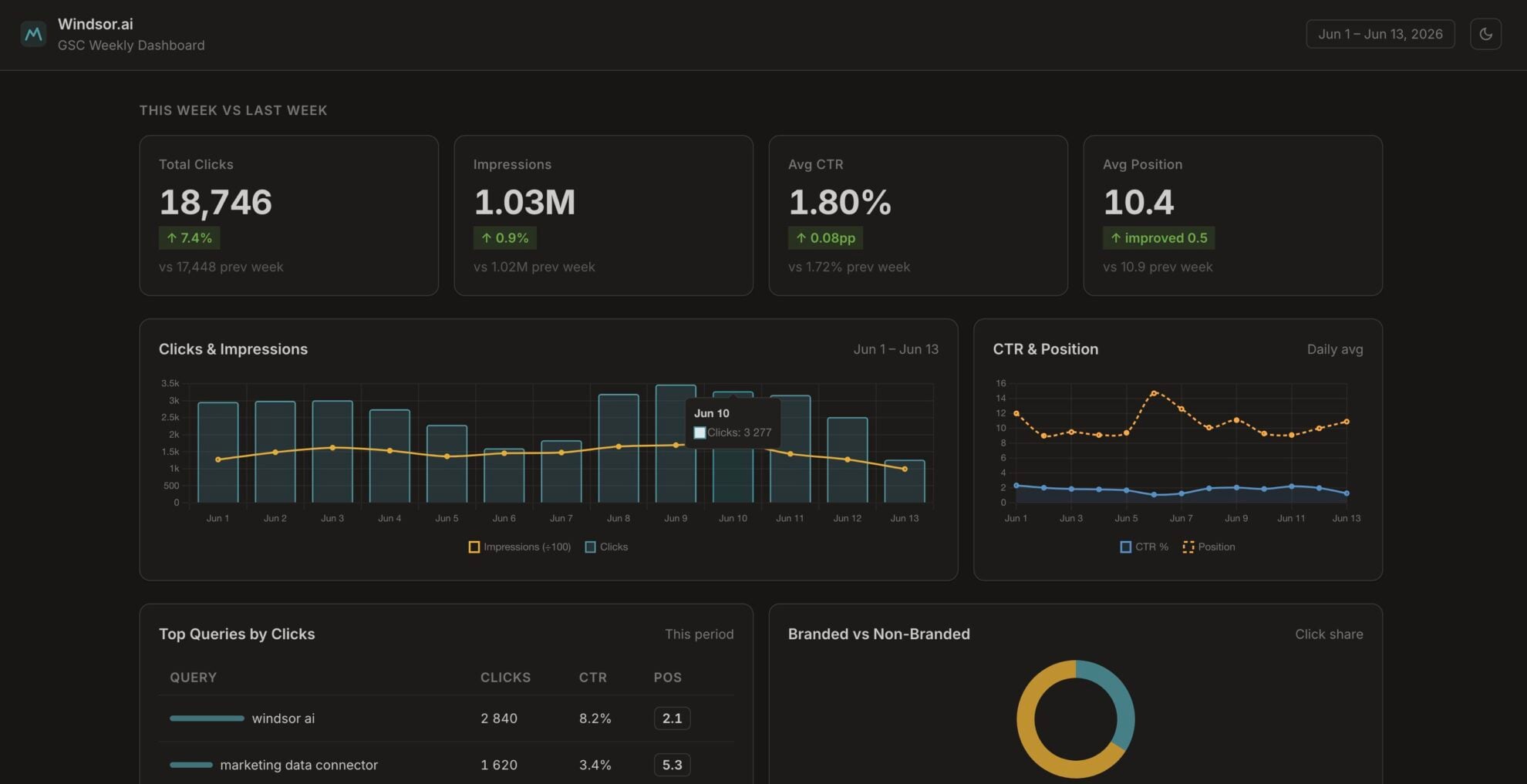














How to connect Google Search Console to Perplexity with Windsor.ai
Explore our video tutorial and a step-by-step guide to integrate your data from any source into Perplexity with the Windsor.ai connector.
Connect data source in Windsor.ai dashboard
Connect your Google Search Console to Windsor.ai. Select the necessary account(s) you want to pull data from and click “Next.”

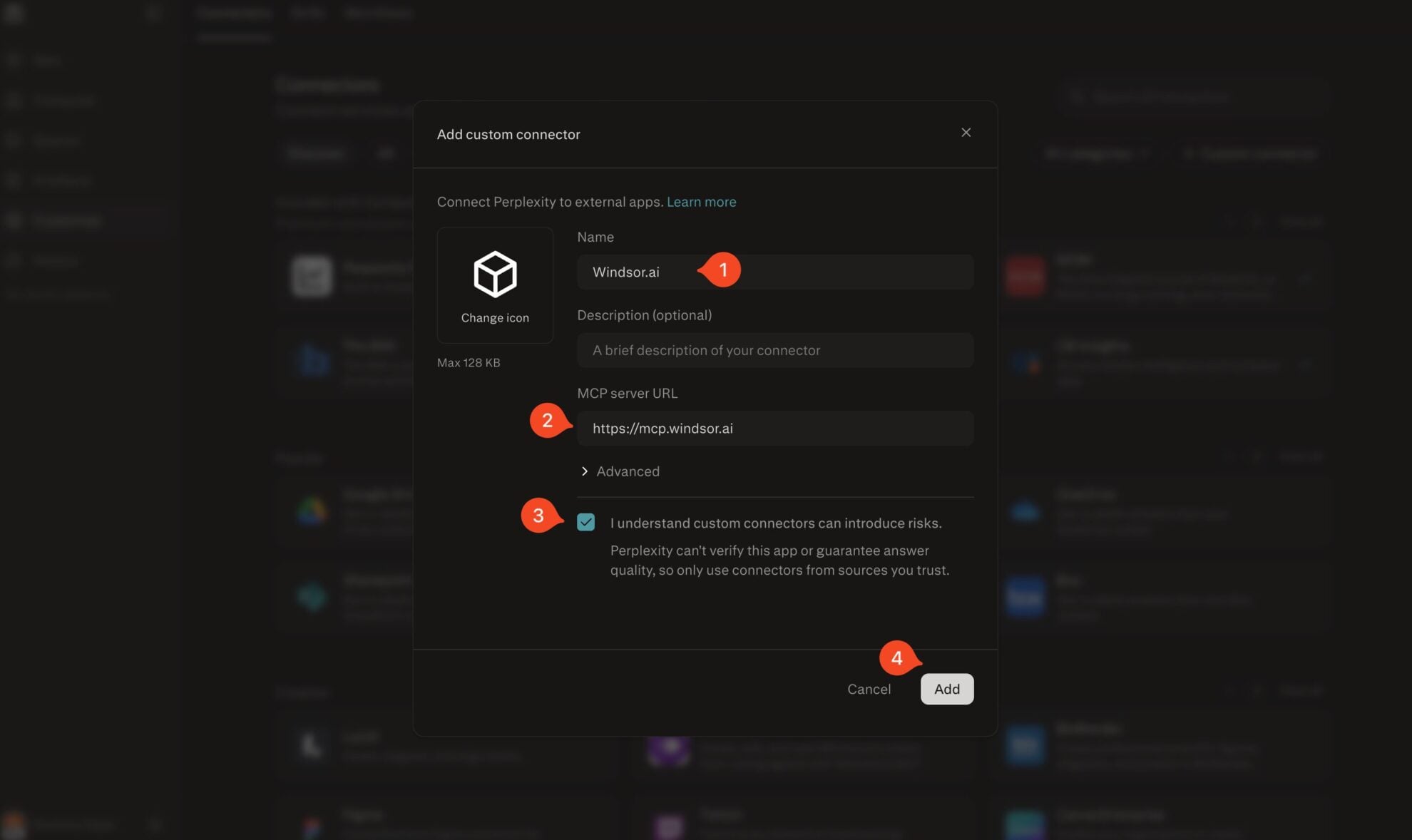
Add Windsor.ai as a custom connector
Go to perplexity.ai/computer/connectors and click + Custom connector. Fill in the details:
- Name: Windsor.ai
- MCP server URL: https://mcp.windsor.ai
Tick ‘I understand custom connectors can introduce risks’ and click Add.
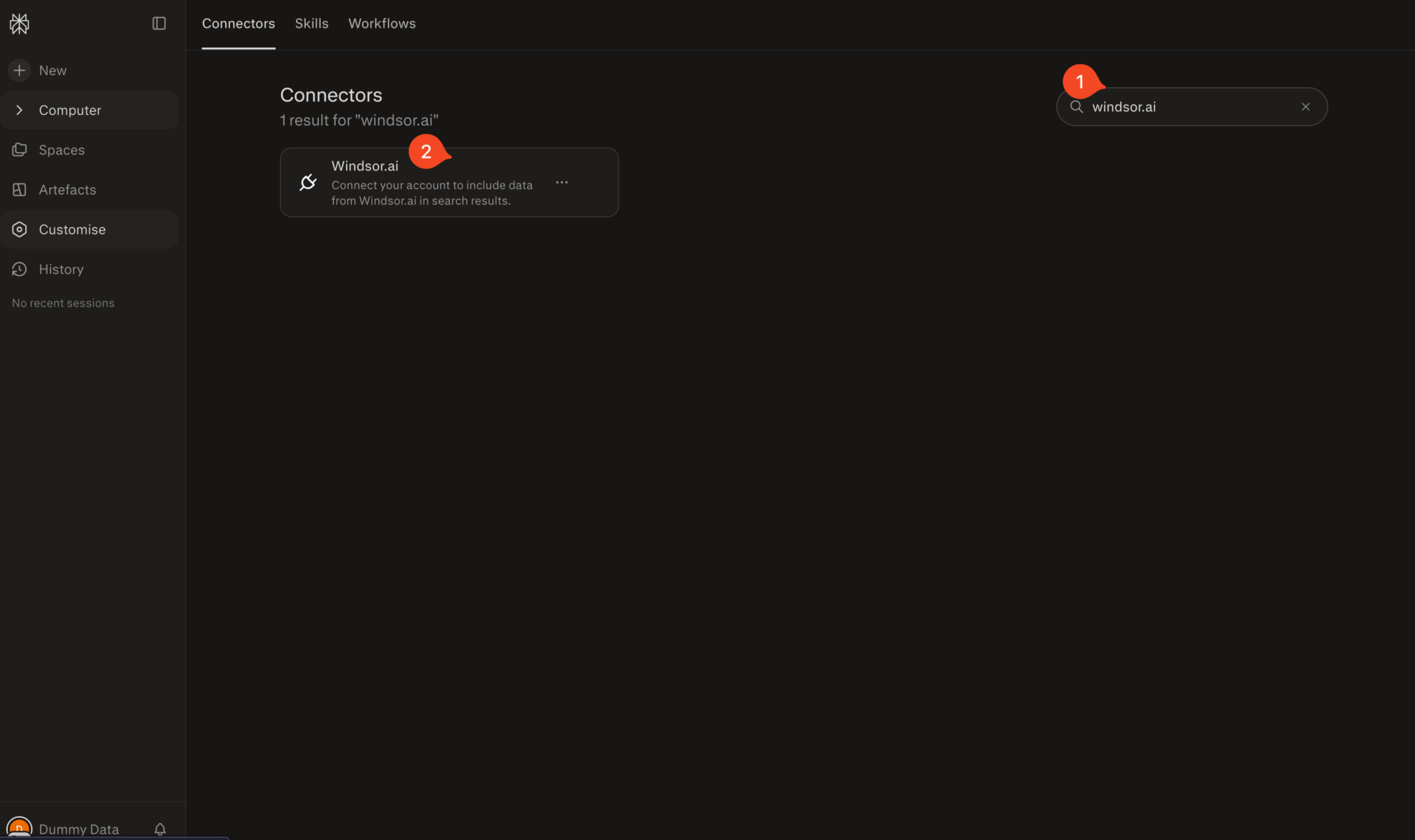
Install the connector
Search for Windsor.ai in the connectors list, click the card, then click Add connector.
Confirm by clicking Allow Access in the pop-up.
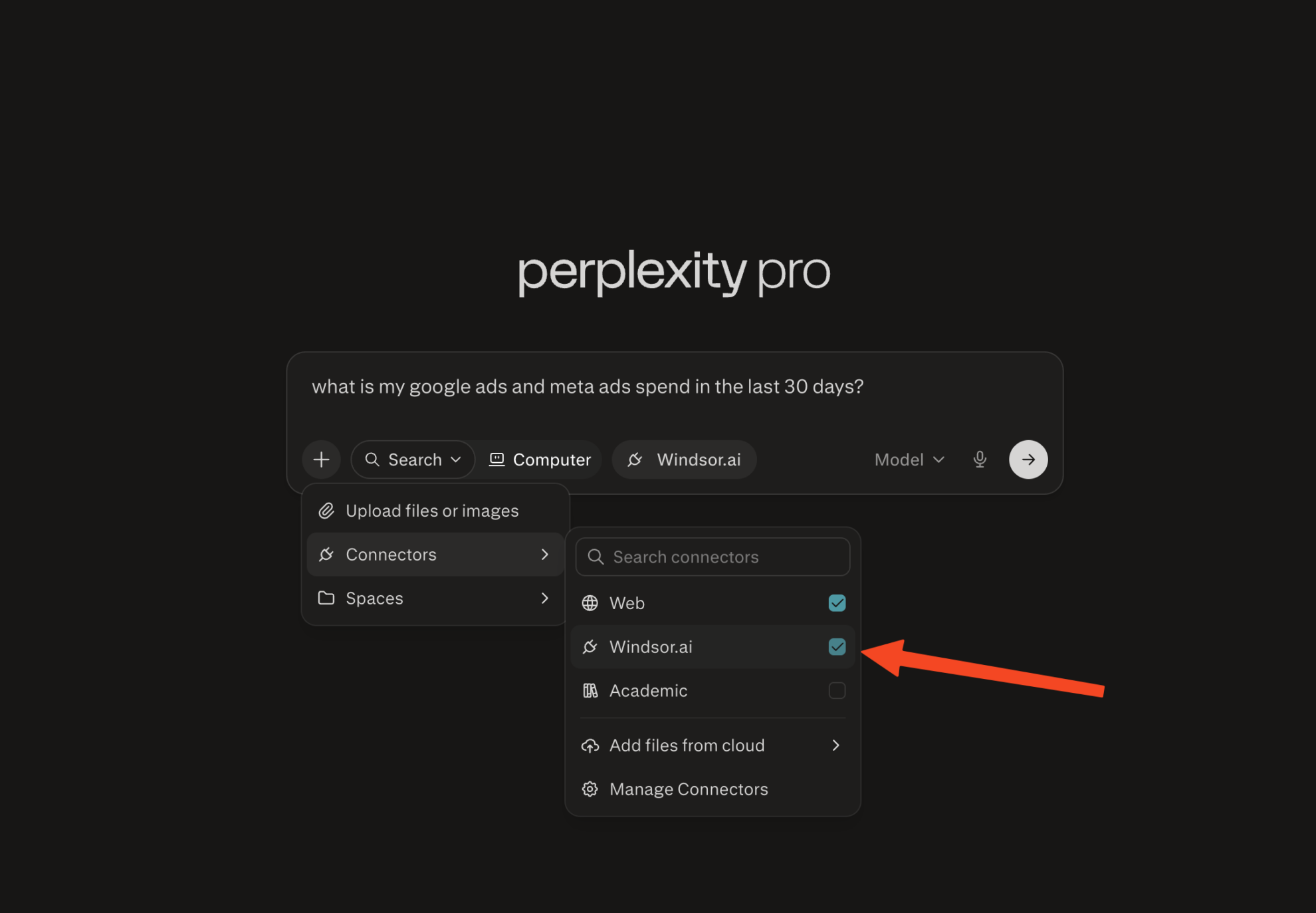
Enable Windsor.ai in your chat
In a new chat, click +, choose Connectors, and check Windsor.ai.
Start querying your data
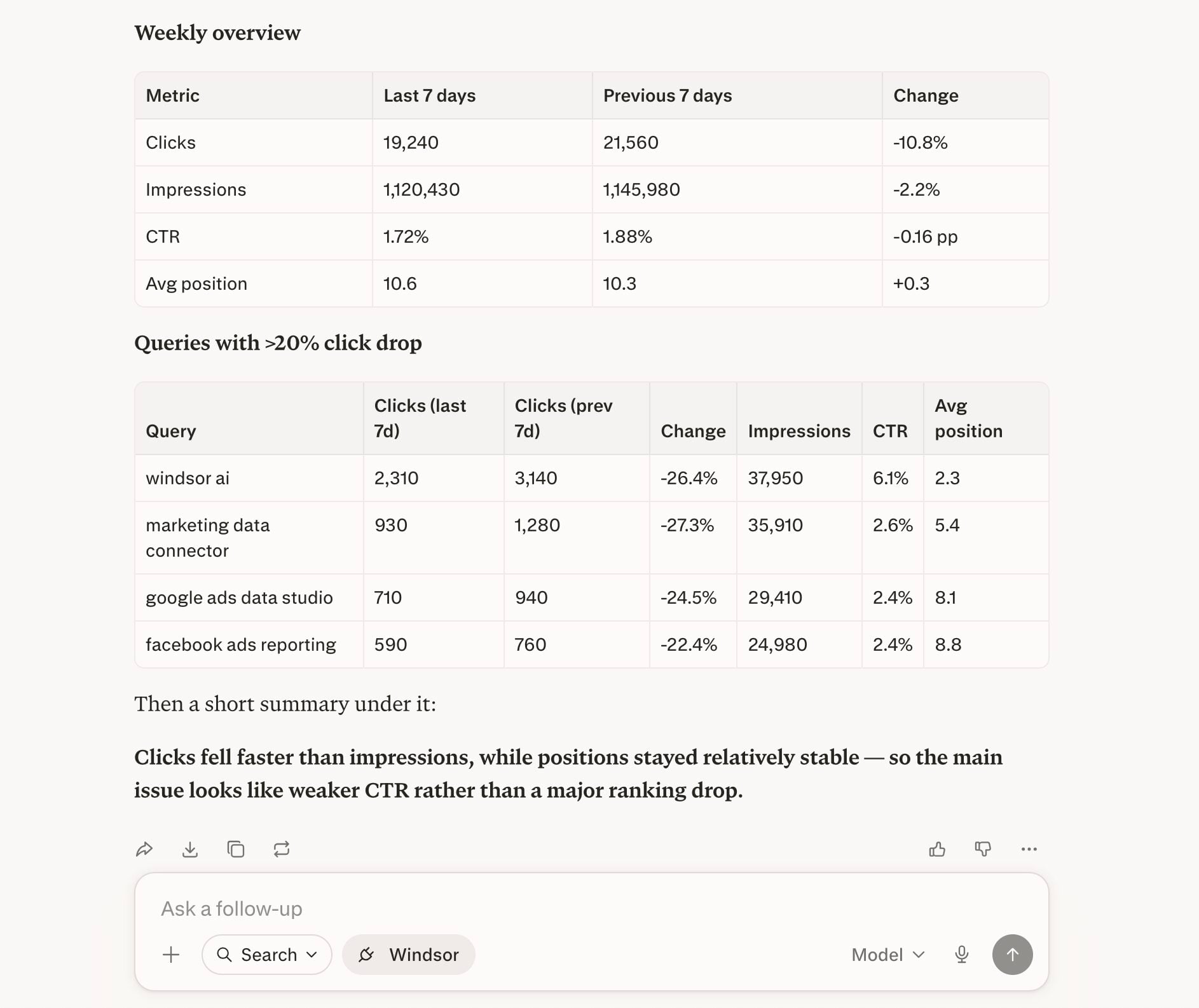
You can now ask questions about your integrated Windsor.ai data.
FAQs
Can I filter by search type: web, image, video, or news?
Yes. The search_type field is available in Windsor.ai and lets you segment data by web, image, video, or news search. This is useful if your site gets significant image or video search traffic that you want to analyze separately from standard web results, or if you want to understand how your content performs across different Google surfaces.
Can Perplexity help me identify content gaps?
Yes, and this is one of the most practical SEO use cases. You can ask Perplexity to surface queries that are generating impressions but have low average positions and low CTR.
Can I analyze multiple GSC properties at once?
Yes. If you have multiple properties connected in Windsor.ai, you can query across all of them or filter by a specific one.
What prompts can I use when analyzing Google Search Console data in Perplexity?
Use these prompts to uncover in-depth insights into your Google Search Console data and cross-channel performance:
-
Show me all non-branded queries where I have an average organic position above 5, and I'm also spending on Google Ads. Rank by paid spend descending, so I can see where I'm paying for clicks I should be winning organically.
-
Combine my GSC data with GA4. For every landing page with more than 500 monthly impressions and a position between 5 and 15, show organic CTR alongside engagement rate and average engagement time. Sort by highest impressions and lowest engagement so I know which pages to rewrite first.
-
Compare my top 100 queries by impression volume this month vs. the same month last year. For queries where position dropped more than 5 spots, flag whether the drop is consistent year-over-year or only appeared in the last 90 days.
-
Group all queries with fewer than 50 monthly clicks into semantic clusters by topic. For each cluster, show how many URLs are capturing impressions and calculate total combined clicks. Surface clusters where 3 or more pages are splitting traffic on the same topic.
-
For my top 20 queries by impression volume, calculate my expected CTR based on my own account's average CTR for each position. Compare it to actual CTR and show the click gap, queries where I'm consistently underperforming my own baseline, sorted by the largest gap first.
Do you have helpful links to get started with integrating Google Search Console and Perplexity using Windsor.ai?
Yes, we have helpful resources to help you get started. You can explore our official documentation and tutorials for seamless Google Search Console to Perplexity integration with Windsor.ai:
Tired of manual Google Search Console data exports? Try Windsor.ai today to automate your reporting


