 Destinations
 Data sources
 AI insights
 About us
 Careers
 Security
 Customer reviews
 Contact us
 Affiliate program
 Solution partners
 Template gallery
 Looker Studio templates
 Power BI templates
 Excel templates
 Google Sheets templates
 Tableau templates
 Facebook Ads templates
 Google Ads templates
 Data fields & Metrics
 AI prompt library & Guides
 Product documentation
 API documentation
 Case studies
 Blog
Blog Data models
 Windsor vs Supermetrics
 Windsor vs Funnel.io
 Windsor vs Fivetran
 Windsor vs Rivery
 Windsor vs Portermetrics
 Windsor vs Coupler.io
Connect HubSpot to Perplexity
Automatically sync your HubSpot data to Perplexity using the Windsor.ai connector.
Identify revenue-driving campaigns, catch at-risk deals, and measure rep performance, all through natural language conversation in Perplexity.
Forget CSVs. Stop copy/paste. Connect in minutes. No code required.
 Sign up with Google
 Free forever plan
No credit card needed
Free forever plan
No credit card needed










Maximize the value of your data with HubSpot to Perplexity integration
Use Windsor.ai to quickly connect HubSpot to Perplexity, skip the manual analysis, and get instant AI-powered insights. Key use cases include:

Calculate true ROAS
Ask Perplexity to match Google Ads spend with HubSpot campaign_revenue and closed won deals to calculate ROAS at the campaign level. See which ads generate paying customers, not just clicks or leads, and shift budget toward what actually drives revenue.

Catch pipeline risk early
Spot stalled deals before they miss the forecast. Perplexity flags opportunities with no recent activity using deal_dealstage, deal_closedate, and deal_notes_last_contacted, and identifies which pipeline stages lose the most deals before they close.

Diagnose email drop-offs
Find exactly which campaigns are losing your audience, and why. Perplexity compares open rate, click rate, and unsubscribes across emails and time periods to identify underperforming content before it costs you more subscribers.

Find your best lead sources
See which channels produce leads that close and which ones stall. Perplexity calculates MQL-to-customer conversion rates by contact_hs_analytics_source so you stop spending budget on sources that fill the top of your funnel but never reach revenue.

Add research to your CRM insights
Combine your pipeline and campaign data with Perplexity’s live research on competitors and market trends. Understand whether a drop in performance reflects an internal issue or a category-wide shift, and optimize based on real context, not guesswork.
Using Windsor.ai to connect data from HubSpot to Perplexity
Connecting HubSpot to AI usually means juggling API keys, custom scripts, or a data warehouse just to get usable data. Windsor.ai connects directly to your HubSpot account and streams your CRM, marketing, and support data into Perplexity in minutes.
Spend your time improving sales and marketing performance, not stitching together different HubSpot reports.















How to connect HubSpot to Perplexity with Windsor.ai
Explore our video tutorial and a step-by-step guide to integrate your data from any source into Perplexity with the Windsor.ai connector.
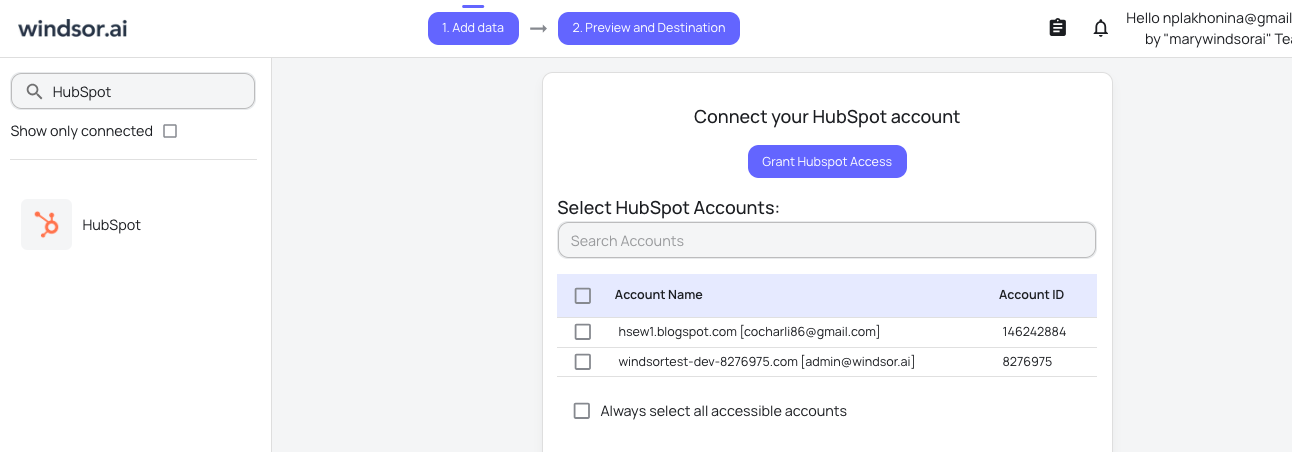
Connect data source in Windsor.ai dashboard
Connect your HubSpot to Windsor.ai. Select the necessary account(s) you want to pull data from and click “Next.”
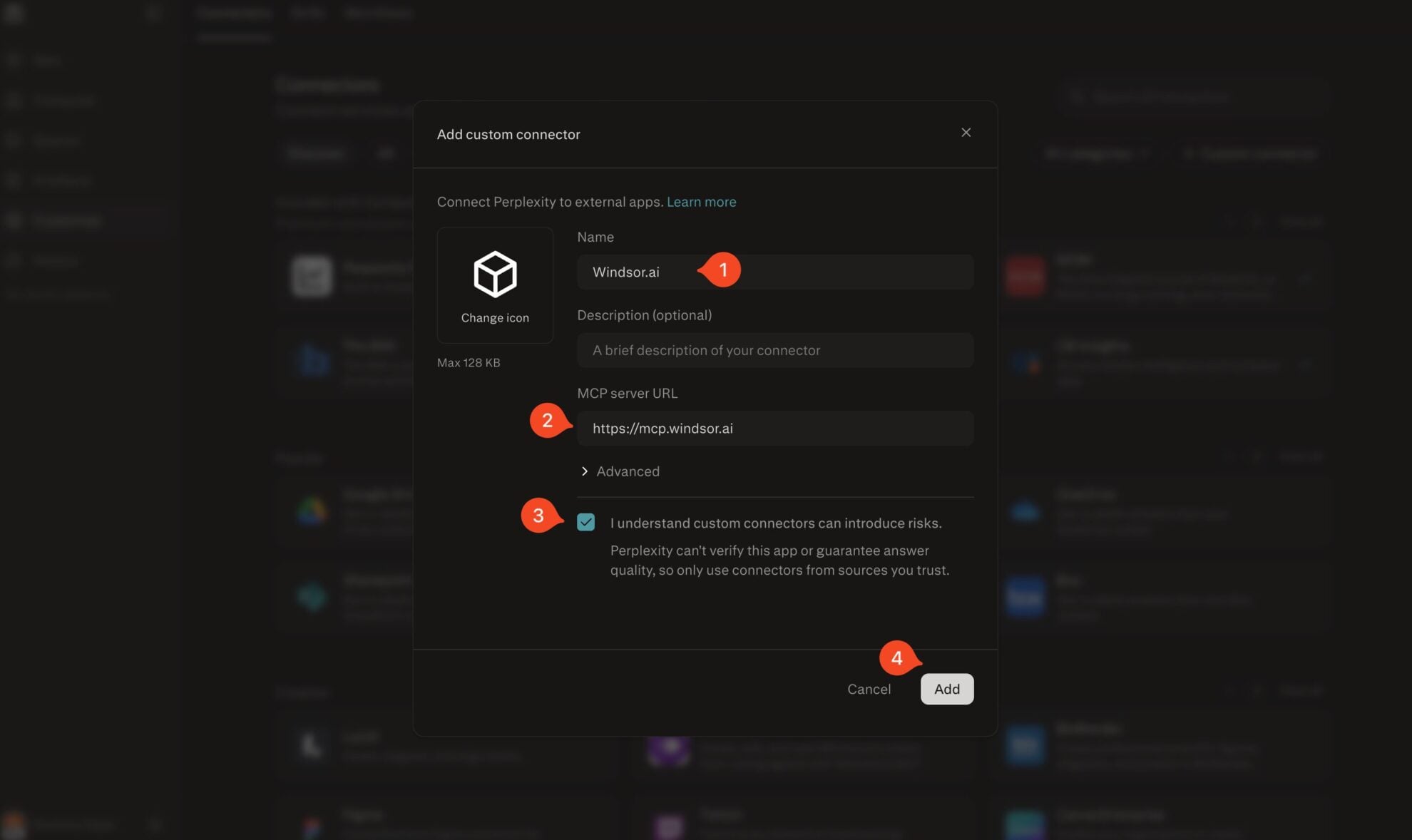
Add Windsor.ai as a custom connector
Go to perplexity.ai/computer/connectors and click + Custom connector. Fill in the details:
- Name: Windsor.ai
- MCP server URL: https://mcp.windsor.ai
Tick ‘I understand custom connectors can introduce risks’ and click Add.
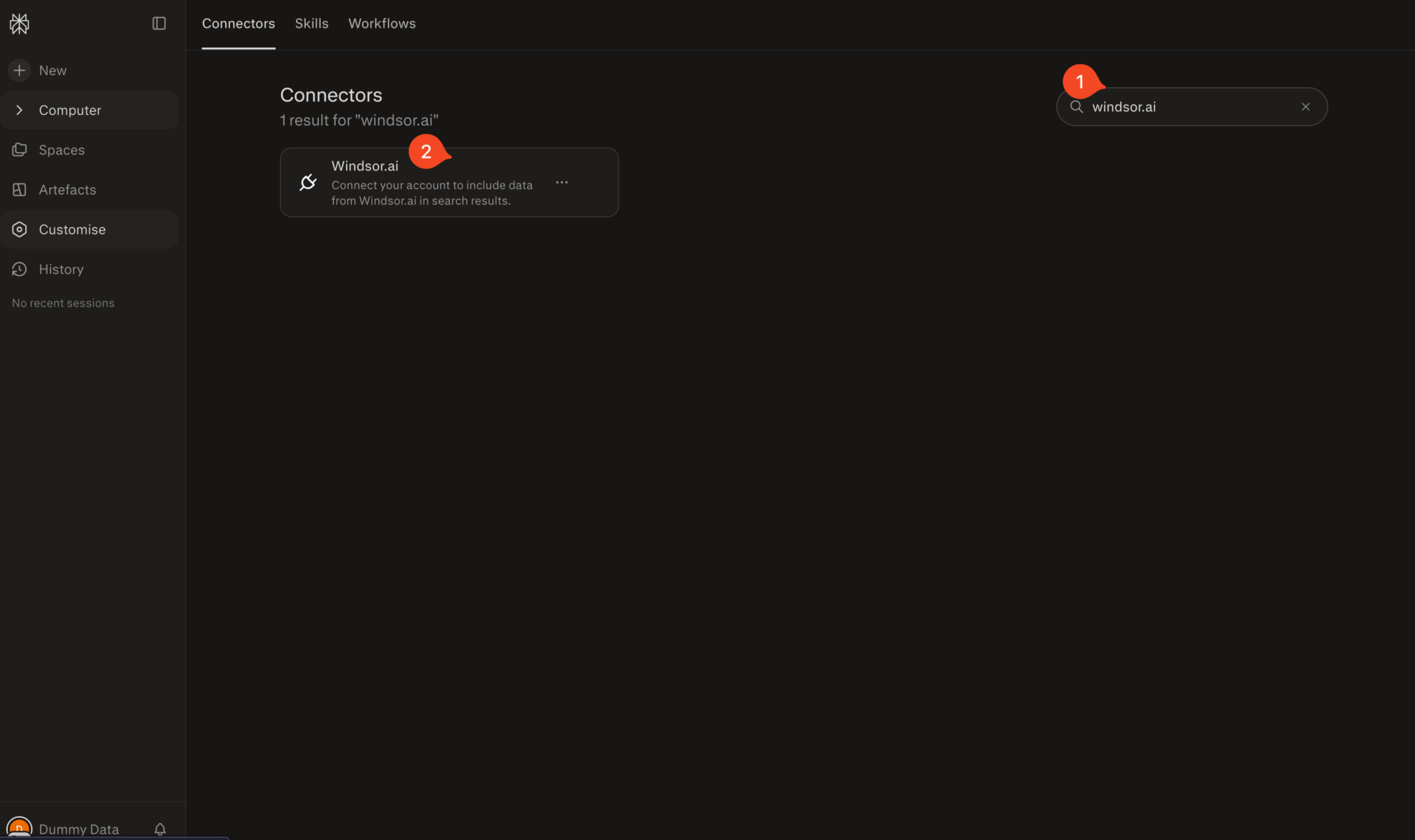
Install the connector
Search for Windsor.ai in the connectors list, click the card, then click Add connector.
Confirm by clicking Allow Access in the pop-up.
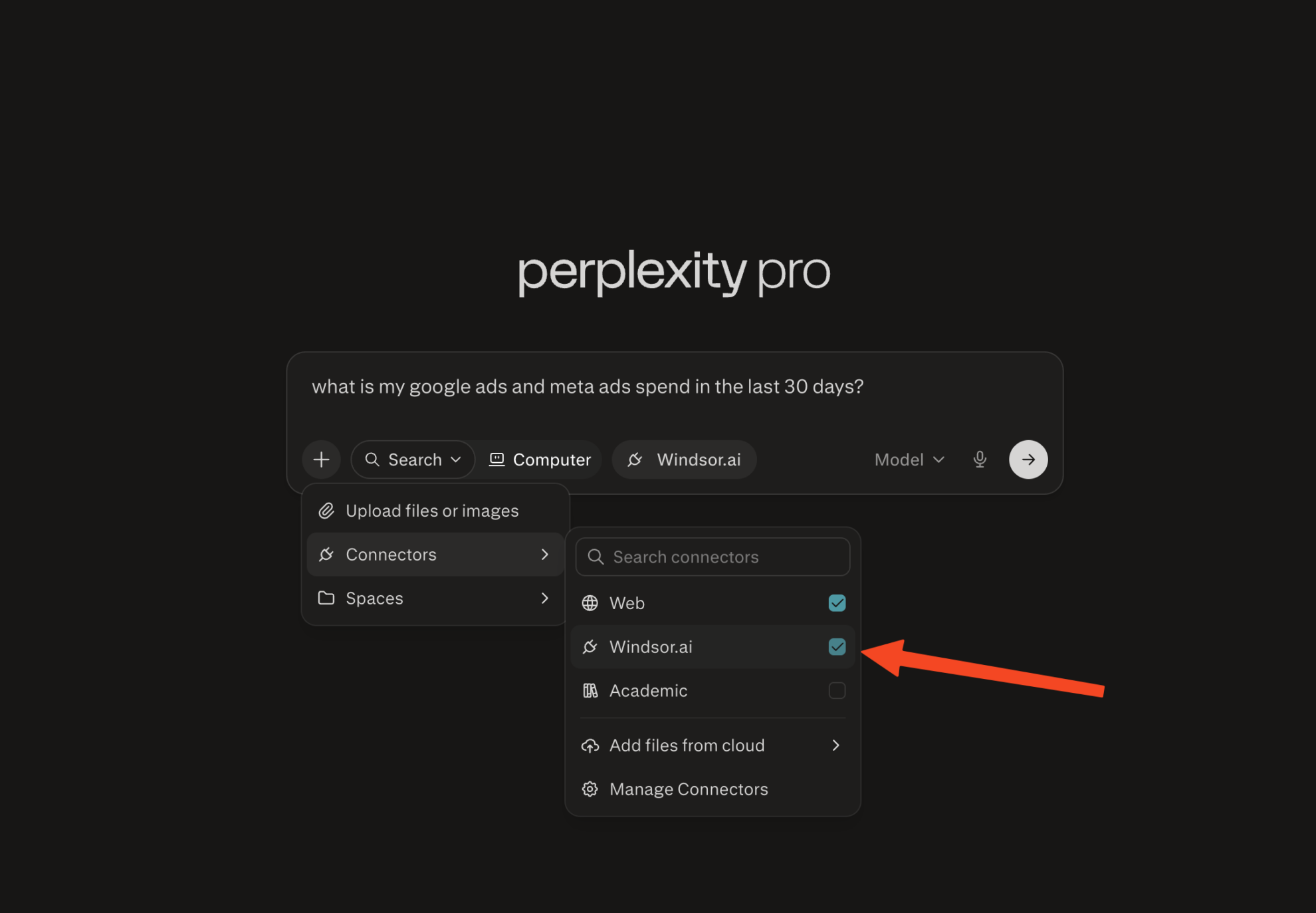
Enable Windsor.ai in your chat
In a new chat, click +, choose Connectors, and check Windsor.ai.
Start querying your data
You can now ask questions about your integrated Windsor.ai data.

FAQs
What can I do with HubSpot data in Perplexity?
Once your HubSpot data is in Perplexity, you can:
- Identify deals with no next step. Flag open opportunities with no task, call, or meeting scheduled before their expected close date.
- Analyze pipeline performance. See which stages lose the most deals, how long opportunities sit in each stage, and where conversion drops.
- Forecast revenue. Combine deal amounts, close dates, and forecast probabilities to project expected revenue for the month or quarter.
- Find top campaigns and outliers. Rank campaigns by closed won revenue and spot which ones generate customers versus those that spend the budget without results.
- Track lead-to-customer conversion. See which sources and channels produce contacts that actually close, and how long each stage takes.
- Monitor email deliverability. Track bounce rates, spam reports, and unsubscribes per campaign to catch list quality issues before they escalate.
- Analyze rep performance. Compare deals closed, call volume, and average deal size across owners to identify top performers and coaching opportunities.
- Track support trends. Monitor ticket volume by category, average resolution time, and SLA breach rate to spot service issues early.
- Measure website-to-lead conversion. Analyze which traffic sources drive the most form submissions and which pages convert visitors into contacts.
How fresh is my HubSpot data in Perplexity?
Each time you run a query in Perplexity, Windsor.ai fetches the latest HubSpot data available through your API, so your insights are always up-to-date.
Can Perplexity help me identify stalled deals?
Yes. Ask Perplexity to show deals with no activity logged in the last X days, flag opportunities past their expected close date, or list deals by time spent in their current stage.
Can I combine HubSpot with other sources in Perplexity?
Yes. Windsor.ai supports HubSpot with 350+ data sources. Merge your CRM data with ad platforms, web analytics, and more for a complete analysis of the customer journey, from first touch to closed revenue.
What prompts can I use when analyzing HubSpot data in Perplexity?
Use these prompts to uncover in-depth insights into your sales and marketing performance:
-
For my main deal pipeline, using the last 90 days of data, show for each stage: the average number of days deals stay in that stage, and the percentage of deals that move to the next stage versus stop or are lost. Highlight any stage where more than 40% of deals stop, and list the 5 largest deals that are currently stuck in those stages.
-
Pull email engagement history for all contacts created in the last 6 months who are currently in the Lead or MQL lifecycle stage. Group by source and calculate average open rate and click rate per source. Flag sources where contacts receive emails but engagement is below 10%; these likely need different nurture content or cadence.
-
Show me all companies with 3 or more associated contacts where the most recent deal activity is older than 60 days and the company lifecycle stage is still Opportunity or Sales Qualified Lead. For each, show company name, number of contacts, total open deal value, last activity date, and assigned owner.
-
For each campaign email sent in the last 3 months, show open rate, click-through rate, and unsubscribe rate. Group by email type (subcategory) and calculate average performance per type. Identify any type where the unsubscribe rate is higher than 0.3%, and show which specific emails in that type are driving it.
Do you have helpful links to get started with integrating HubSpot and Perplexity using Windsor.ai?
Yes, we have helpful resources to help you get started. You can explore our official documentation and tutorials for seamless HubSpot to Perplexity integration with Windsor.ai:
Tired of manual HubSpot data exports? Try Windsor.ai today to automate your reporting


