 Destinations
 Data sources
 AI insights
 About us
 Careers
 Security
 Customer reviews
 Contact us
 Affiliate program
 Solution partners
 Template gallery
 Looker Studio templates
 Power BI templates
 Excel templates
 Google Sheets templates
 Tableau templates
 Facebook Ads templates
 Google Ads templates
 Data fields & Metrics
 AI prompt library & Guides
 Product documentation
 API documentation
 Case studies
 Blog
Blog Data models
 Windsor vs Supermetrics
 Windsor vs Funnel.io
 Windsor vs Fivetran
 Windsor vs Rivery
 Windsor vs Portermetrics
 Windsor vs Coupler.io
Connect Instagram to Copilot Agent
Automatically sync your Instagram data to Microsoft Copilot using the Windsor.ai connector.
Chat with your Instagram data to analyze post and reel results, track follower growth, and turn audience insights into a content strategy that consistently drives reach and engagement.
Forget CSVs. Stop copy/paste. Connect in minutes. No code required.
 Sign up with Google
 Free forever plan









Grow your Instagram presence with AI-powered insights in Copilot Agent
With Windsor MCP, your content performance and audience engagement data flow directly into Copilot Agent so you can ask questions and get instant answers through simple conversation. Discover key benefits and use cases:

Identify top-performing content formats
Copilot can highlight which content format — posts, reels, carousels, or stories — consistently generates the most reach, saves, and engagement. Stop guessing what to create next and let your own data tell you what content to create next.

Detect engagement drops
Highlight weeks where reach or engagement declined and cross-reference with posting frequency and content type. Catch performance dips early and adjust your strategy before they compound into a sustained decline.

Analyze Reels performance in-depth
Go beyond views and track average watch time, total interactions, and shares for every reel. Identify which reels hold attention all the way through and which ones lose viewers early, so you can refine your format and hooks.

Unify data across channels
Windsor.ai supports 350+ paid ads, analytics, and CRM sources, so you can combine organic Instagram performance with any of them in a single Copilot chat. Understand how your content fits into the broader marketing mix and whether organic reach is actually driving sales and engagement.

Create client-ready PowerPoint presentations
Ask Copilot to summarize your monthly Instagram performance and build it directly into a PowerPoint slide deck. Save hours of manual reporting and walk into every client meeting with a polished, data-driven presentation prepared in minutes.
Using Windsor.ai to connect data from Instagram to Copilot
Connecting Instagram to Copilot usually means manual exports or juggling multiple dashboards. Windsor.ai’s connector collects, organizes, and streams your Instagram data into Copilot within minutes, so you can analyze performance in plain language instead of building reports by hand.
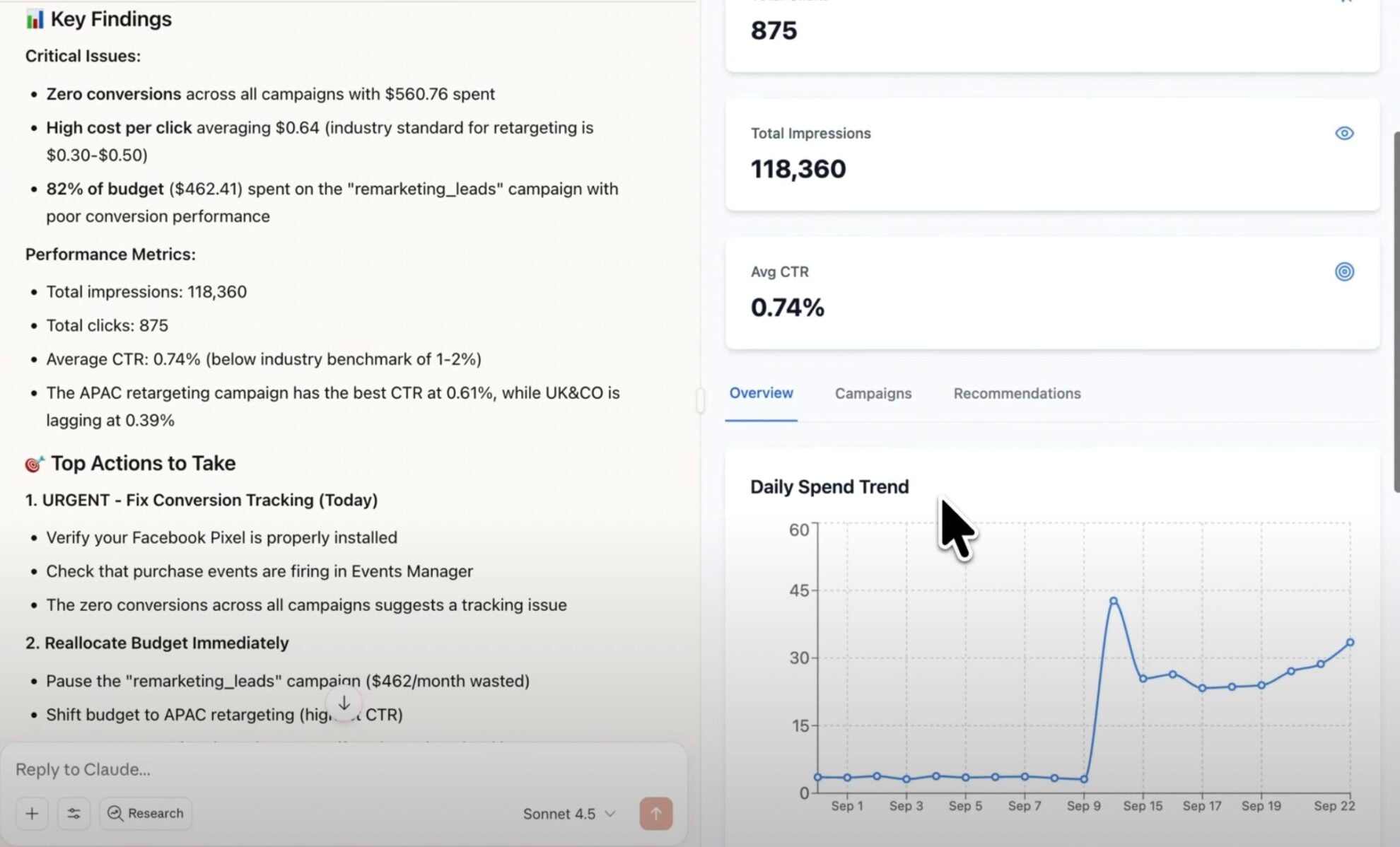
Connect once and start analyzing your social media performance with natural language prompts.
Available actions
Create Carousel Post Publish a multi-image carousel post to a connected Instagram Business or Creator account. Provide 2 to 10 publicly accessible image URLs (JPEG, at most 8 MB each, aspect ratio between 4:5 and 1.91:1) and an optional caption; images are shown in the given order. Video carousel items are not supported. For other formats use create_image_post, create_video_post or create_story.
Publish a multi-image carousel post to a connected Instagram Business or Creator account. Provide 2 to 10 publicly accessible image URLs (JPEG, at most 8 MB each, aspect ratio between 4:5 and 1.91:1) and an optional caption; images are shown in the given order. Video carousel items are not supported. For other formats use create_image_post, create_video_post or create_story.
Create Comment Post a comment on a media object (post, reel) of a connected Instagram Business or Creator account. media_id is an Instagram media object id, as returned by the media_id read field. The comment is public and is attributed to the account. Comments on live videos are not supported, and the media must have comments enabled.
Post a comment on a media object (post, reel) of a connected Instagram Business or Creator account. media_id is an Instagram media object id, as returned by the media_id read field. The comment is public and is attributed to the account. Comments on live videos are not supported, and the media must have comments enabled.
Create Image Post Publish a single image post (feed photo) to a connected Instagram Business or Creator account. Provide a publicly accessible image URL and an optional caption. The image must be a JPEG, at most 8 MB, with an aspect ratio between 4:5 and 1.91:1. For other formats use create_video_post, create_story or create_carousel_post.
Publish a single image post (feed photo) to a connected Instagram Business or Creator account. Provide a publicly accessible image URL and an optional caption. The image must be a JPEG, at most 8 MB, with an aspect ratio between 4:5 and 1.91:1. For other formats use create_video_post, create_story or create_carousel_post.
Create Story Publish a story to a connected Instagram Business or Creator account. Provide exactly one of image_url (JPEG, at most 8 MB) or video_url (MP4 or MOV, at most 100 MB, 3 to 60 seconds long), publicly accessible; a 9:16 aspect ratio is recommended. Stories do not support captions and disappear after 24 hours. For feed posts use create_image_post, create_video_post or create_carousel_post.
Publish a story to a connected Instagram Business or Creator account. Provide exactly one of image_url (JPEG, at most 8 MB) or video_url (MP4 or MOV, at most 100 MB, 3 to 60 seconds long), publicly accessible; a 9:16 aspect ratio is recommended. Stories do not support captions and disappear after 24 hours. For feed posts use create_image_post, create_video_post or create_carousel_post.
Create Video Post Publish a single video post to a connected Instagram Business or Creator account. Instagram publishes all single-video feed posts as Reels. Provide a publicly accessible video URL and an optional caption. The video must be an MP4 or MOV, at most 1 GB, between 3 seconds and 15 minutes long; a 9:16 aspect ratio is recommended. The cover image defaults to the first frame and can be overridden with either cover_url (a publicly accessible JPEG URL) or thumb_offset (frame position in milliseconds), but not both. share_to_feed controls whether the Reel also appears in the main feed (Instagram defaults to showing it there). For other formats use create_image_post, create_story or create_carousel_post.
Publish a single video post to a connected Instagram Business or Creator account. Instagram publishes all single-video feed posts as Reels. Provide a publicly accessible video URL and an optional caption. The video must be an MP4 or MOV, at most 1 GB, between 3 seconds and 15 minutes long; a 9:16 aspect ratio is recommended. The cover image defaults to the first frame and can be overridden with either cover_url (a publicly accessible JPEG URL) or thumb_offset (frame position in milliseconds), but not both. share_to_feed controls whether the Reel also appears in the main feed (Instagram defaults to showing it there). For other formats use create_image_post, create_story or create_carousel_post.
Delete Comment Delete a comment on a media object of a connected Instagram Business or Creator account. comment_id is an Instagram comment id, as returned by the comment_id read field. Works on any comment on the account's own media, including other users' comments. This is permanent; to only restrict visibility use hide_comment instead.
Delete a comment on a media object of a connected Instagram Business or Creator account. comment_id is an Instagram comment id, as returned by the comment_id read field. Works on any comment on the account's own media, including other users' comments. This is permanent; to only restrict visibility use hide_comment instead.
Hide Comment Hide a comment on a media object of a connected Instagram Business or Creator account, leaving it visible only to its author and the account. comment_id is an Instagram comment id, as returned by the comment_id read field. Works on any comment on the account's own media, including other users' comments. Reversible with unhide_comment.
Hide a comment on a media object of a connected Instagram Business or Creator account, leaving it visible only to its author and the account. comment_id is an Instagram comment id, as returned by the comment_id read field. Works on any comment on the account's own media, including other users' comments. Reversible with unhide_comment.
Reply to Comment Reply to a comment on a media object of a connected Instagram Business or Creator account. comment_id is an Instagram comment id, as returned by the comment_id read field. The reply is public and attributed to the account. To comment on the media itself rather than reply to a comment, use create_comment.
Reply to a comment on a media object of a connected Instagram Business or Creator account. comment_id is an Instagram comment id, as returned by the comment_id read field. The reply is public and attributed to the account. To comment on the media itself rather than reply to a comment, use create_comment.
Unhide Comment Unhide a previously hidden comment on a media object of a connected Instagram Business or Creator account, making it publicly visible again. comment_id is an Instagram comment id, as returned by the comment_id read field. Reversible with hide_comment.
Unhide a previously hidden comment on a media object of a connected Instagram Business or Creator account, making it publicly visible again. comment_id is an Instagram comment id, as returned by the comment_id read field. Reversible with hide_comment.














How to connect Instagram to Copilot Agent with Windsor.ai
Explore our step-by-step guide to integrate your Instagram data into Copilot with the Windsor.ai connector.
Connect data source in Windsor.ai dashboard
Connect your Instagram to Windsor.ai. Select the necessary account(s) you want to pull data from and click “Next.”

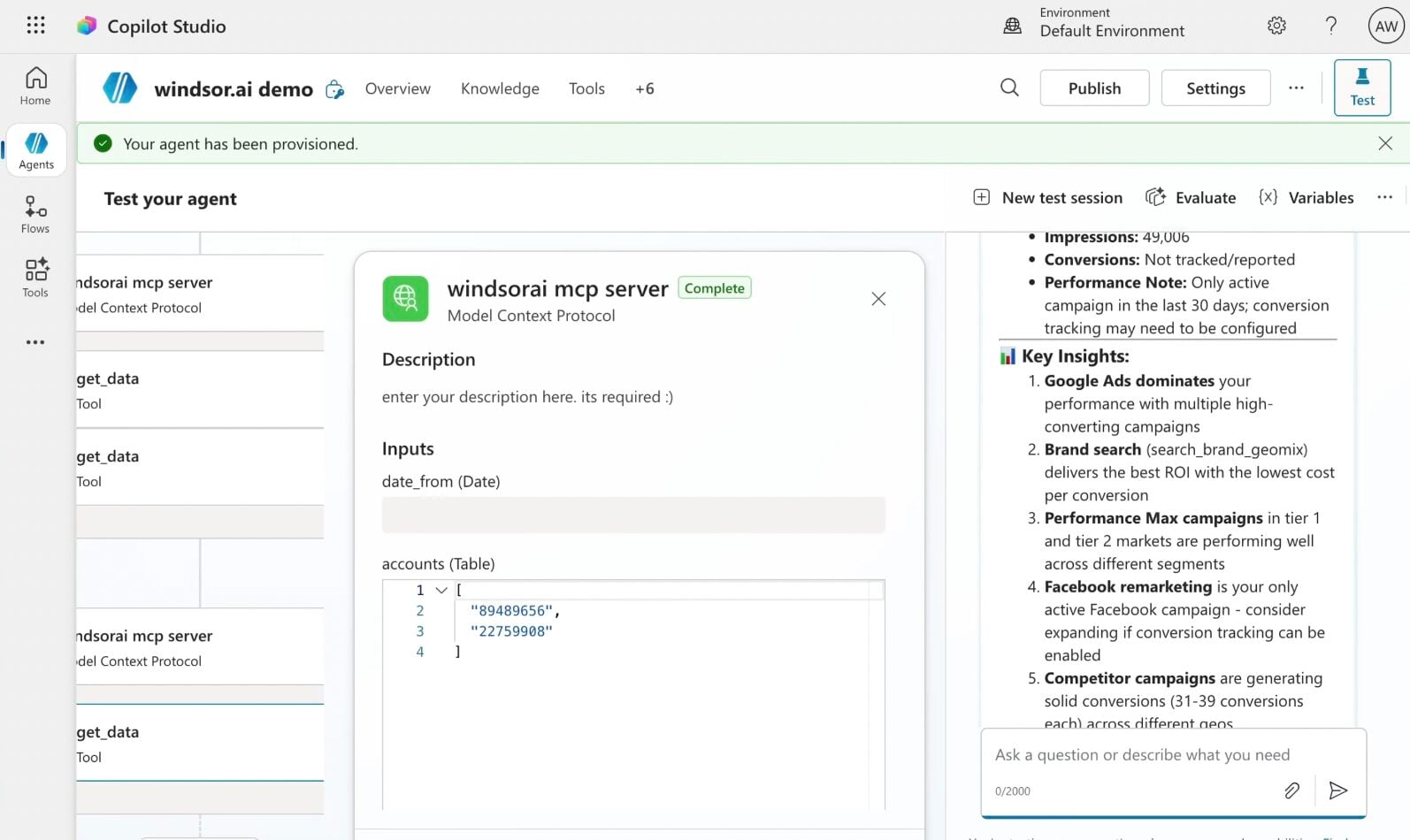
Create a new agent (Windsor MCP) in Copilot
In Microsoft Copilot Studio, create a new agent.
Click + Add tool and select + New tool -> Model Context Protocol.
- Server Name: Windsor MCP
- Server URL: https://mcp.windsor.ai
- Authentication: API Key
- Header name: Authorization

Create a new connection
On the next screen, click the dropdown under ‘Not connected’ and select Create new connection.
⚠️ Important: Enter your Windsor API key with the Bearer prefix.

Confirm credentials and start querying
Start a new chat. Copilot will prompt you to connect to Windsor MCP via the Connections manager. Click Connect -> Submit.
Return to the chat and click Retry in your agent prompt.
You can now ask questions about your integrated Windsor.ai data.
FAQs
Can Copilot moderate comments on my Instagram posts?
Yes. Copilot can post a new comment, reply to a comment, hide or unhide a comment, and delete a comment on your connected account’s own media. Hiding a comment only restricts who sees it and can be undone with unhide; deleting a comment is permanent.
What Instagram data can I analyze in Copilot Agent?
Windsor.ai gives you access to 50 metrics and 48 dimensions from your Instagram account, covering profile reach, accounts engaged, follower growth, engagement, saves, shares, and replies. You can analyze individual post, reel, story, and carousel performance, break down your audience by age, gender, and country, and track content trends over time. Comments data is also available, including like counts and reply counts per comment.
Can Copilot help me identify my best-performing content?
Yes. Ask Copilot to rank your posts, reels, and carousels by engagement, reach, saves, or shares over any time period. You can identify which content formats consistently outperform others, which topics generate the most saves, and which posts drive the highest profile visits.
How fresh is my Instagram data in Copilot Agent?
Windsor.ai retrieves the latest available data directly from the Instagram API each time you run a query, so your analysis is as current as Instagram allows. Most profile and media metrics reflect performance up to the previous day. Note that some lifetime metrics, such as audience demographics, represent your current follower state rather than a historical snapshot, which is a limitation of the Instagram API.
Does this integration support multiple Instagram accounts?
Yes. Windsor.ai supports multiple Instagram business accounts, making it particularly useful for agencies or brands managing several profiles. You can query data from individual accounts or compare performance across them in the same Copilot chat.
Can Copilot help me detect drops in engagement or reach?
Yes. Ask Copilot to compare total interactions, reach, and accounts engaged week over week, and flag any period where performance dropped significantly.
Does this connector include Instagram ad data?
No. This connector covers organic Instagram performance only. For paid campaign data, including ad spend, impressions, and ROAS, Windsor.ai has a separate Facebook Ads connector that covers Instagram ad placements as well. You can connect both and analyze organic and paid performance together in Copilot chat.
Can Copilot analyze which content format performs best?
Yes. Windsor.ai includes a media type field that distinguishes between image, video, carousel album, and reel. Ask Copilot to compare average engagement, reach, and saves across all four formats to identify which content type resonates most with your audience and deserves more investment in your content calendar.
What prompts can I use when analyzing Instagram data in Copilot Agent?
Here are examples of more specific prompts you can use to dive deep into your social media data:
- Compare average engagement rate, reach, and saves across all four content formats (images, videos, carousels, and reels) over the last 90 days. Which format consistently outperforms the others, and what should I prioritize in my content calendar?
- Analyze my reel performance over the last 60 days. For each reel, show total views, average watch time, and total interactions. Identify reels where watch time is high, but interactions are low. What might explain the gap?
- Break down my audience by age group and gender. Cross-reference this with my top 10 performing posts to identify whether my best content aligns with my largest audience segment or if I am reaching a different demographic than expected.
- Show the relationship between posting frequency and weekly reach over the last 90 days. Are there weeks when I posted more but reached fewer people, suggesting audience fatigue, or does higher posting frequency consistently correlate with higher reach?
How much does it cost to integrate Instagram into Copilot using Windsor.ai?
Windsor.ai’s pricing for Microsoft Copilot data integration varies depending on the number of connected accounts and data sources. We offer transparent pricing plans for diversified business needs and budgets, along with a free forever plan, no credit card required, and Windsor MCP included in every plan.
How long does it take to connect Instagram to Copilot?
With Windsor MCP, the integration process takes a few minutes. No technical expertise or coding is required; connecting data to Copilot is simple, straightforward, and accessible to everyone.
Do you have helpful links to get started with integrating Instagram and Copilot Agent using Windsor.ai?
Yes, we have helpful resources to help you get started. You can explore our official documentation and tutorials for Instagram to Copilot Agent integration with Windsor.ai:
Tired of manual Instagram data exports? Try Windsor.ai today to automate your reporting


