 Destinations
 Data sources
 AI insights
 About us
 Careers
 Security
 Customer reviews
 Contact us
 Affiliate program
 Solution partners
 Template gallery
 Looker Studio templates
 Power BI templates
 Excel templates
 Google Sheets templates
 Tableau templates
 Facebook Ads templates
 Google Ads templates
 Data fields & Metrics
 AI prompt library & Guides
 Product documentation
 API documentation
 Case studies
 Blog
 Data models
 Windsor vs Supermetrics
 Windsor vs Funnel.io
 Windsor vs Fivetran
 Windsor vs Rivery
 Windsor vs Portermetrics
 Windsor vs Coupler.io
Connect Instagram to Lovable
Automatically sync your Instagram data to Lovable using the Windsor.ai connector.
Send your live Instagram data to Lovable and build a custom analytics app with a single prompt. Analyze content performance, engagement, and follower growth, and enhance your organic strategy.
Forget CSVs. Stop copy/paste. Connect data in minutes. No code required.
 Sign up with Google
 Free forever plan









Unlock the full value of your Instagram data in Lovable
Windsor MCP streams your Instagram account, post, reel, and story data into Lovable, turning raw social metrics into clear answers, live dashboards, and faster content decisions across your entire organic strategy. Here’s what you can do:

Find top-performing content
Ask Lovable to analyze your posts, reels, and stories and rank them by reach, saves, and shares to surface your best-performing content and highlight winning patterns. Use these insights to optimize your content strategy and post more of what actually resonates.

Increase story retention
Query story exit rates, taps back, and taps forward grouped by content type and day of week. Find the exact story formats that consistently lose viewers and cut them before they train your audience to skip your content entirely.

Find the best time to post
Lovable analyzes reach, watch time, and engagement by day of week to find your golden posting window. Publish your best content when your audience is most active and receptive.

Prove Instagram impact on revenue
Combine Instagram post and reel performance with Shopify orders from the same period. See which specific content brought paying customers, and build your next campaign around the formats that convert, not just the ones that get likes.

Build a client-facing dashboard app
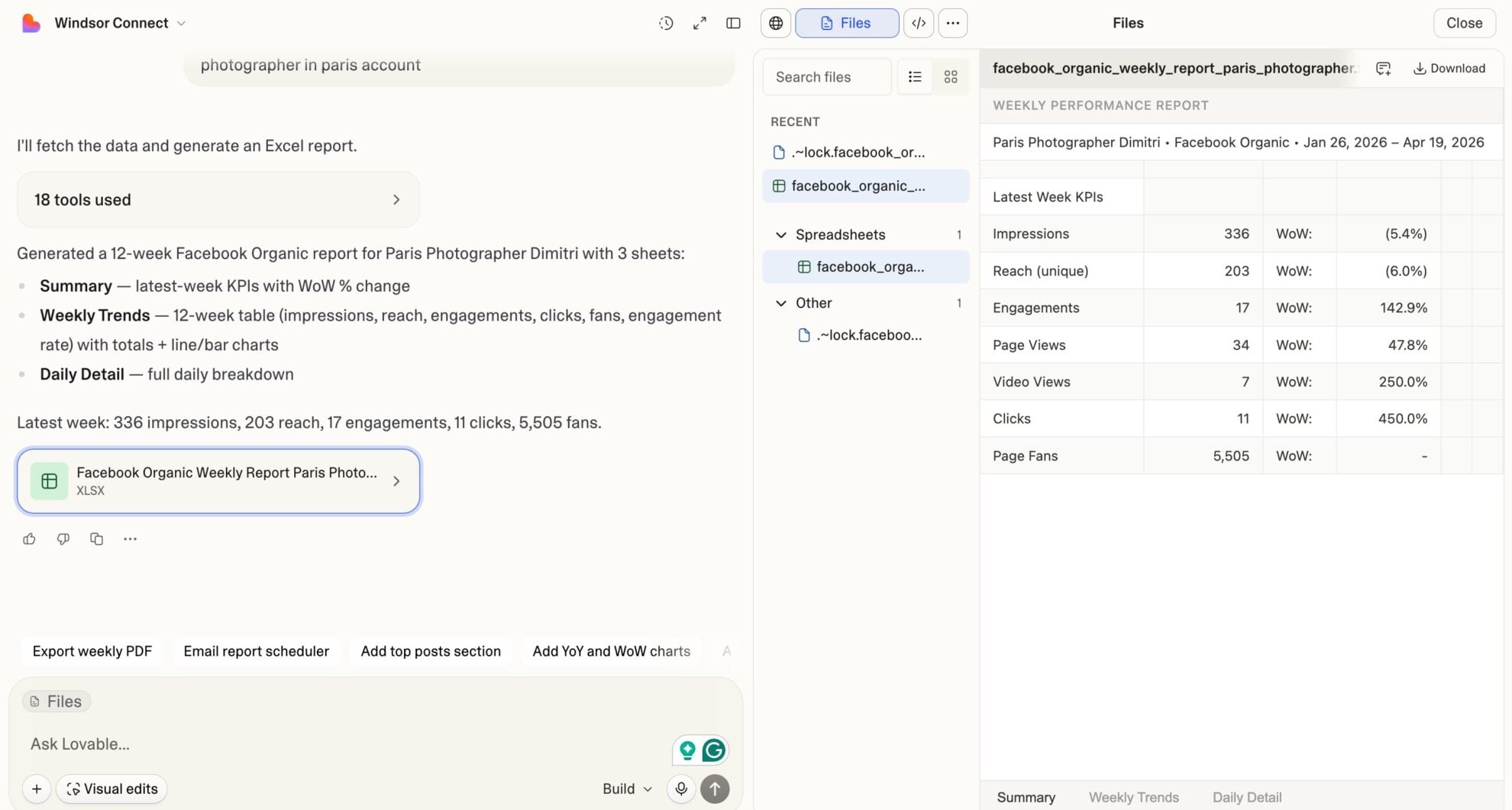
Lovable generates the full app, using live reach, engagement, follower growth, and story metrics. Deliver a branded, interactive dashboard your client can open in a browser without logging into Instagram.
Using Windsor.ai to connect data from Instagram to Lovable
Most ways to sync Instagram data into Lovable require manual exports, data cleanup, and API workarounds. Windsor MCP removes that friction by automatically pulling, organizing, and streaming your reach, engagement, follower growth, and story performance metrics into Lovable.
Ask questions in plain language and build live dashboards to analyze your social media performance in seconds.
Available actions
Create Carousel Post Publish a multi-image carousel post to a connected Instagram Business or Creator account. Provide 2 to 10 publicly accessible image URLs (JPEG, at most 8 MB each, aspect ratio between 4:5 and 1.91:1) and an optional caption; images are shown in the given order. Video carousel items are not supported. For other formats use create_image_post, create_video_post or create_story.
Publish a multi-image carousel post to a connected Instagram Business or Creator account. Provide 2 to 10 publicly accessible image URLs (JPEG, at most 8 MB each, aspect ratio between 4:5 and 1.91:1) and an optional caption; images are shown in the given order. Video carousel items are not supported. For other formats use create_image_post, create_video_post or create_story.
Create Comment Post a comment on a media object (post, reel) of a connected Instagram Business or Creator account. media_id is an Instagram media object id, as returned by the media_id read field. The comment is public and is attributed to the account. Comments on live videos are not supported, and the media must have comments enabled.
Post a comment on a media object (post, reel) of a connected Instagram Business or Creator account. media_id is an Instagram media object id, as returned by the media_id read field. The comment is public and is attributed to the account. Comments on live videos are not supported, and the media must have comments enabled.
Create Image Post Publish a single image post (feed photo) to a connected Instagram Business or Creator account. Provide a publicly accessible image URL and an optional caption. The image must be a JPEG, at most 8 MB, with an aspect ratio between 4:5 and 1.91:1. For other formats use create_video_post, create_story or create_carousel_post.
Publish a single image post (feed photo) to a connected Instagram Business or Creator account. Provide a publicly accessible image URL and an optional caption. The image must be a JPEG, at most 8 MB, with an aspect ratio between 4:5 and 1.91:1. For other formats use create_video_post, create_story or create_carousel_post.
Create Story Publish a story to a connected Instagram Business or Creator account. Provide exactly one of image_url (JPEG, at most 8 MB) or video_url (MP4 or MOV, at most 100 MB, 3 to 60 seconds long), publicly accessible; a 9:16 aspect ratio is recommended. Stories do not support captions and disappear after 24 hours. For feed posts use create_image_post, create_video_post or create_carousel_post.
Publish a story to a connected Instagram Business or Creator account. Provide exactly one of image_url (JPEG, at most 8 MB) or video_url (MP4 or MOV, at most 100 MB, 3 to 60 seconds long), publicly accessible; a 9:16 aspect ratio is recommended. Stories do not support captions and disappear after 24 hours. For feed posts use create_image_post, create_video_post or create_carousel_post.
Create Video Post Publish a single video post to a connected Instagram Business or Creator account. Instagram publishes all single-video feed posts as Reels. Provide a publicly accessible video URL and an optional caption. The video must be an MP4 or MOV, at most 1 GB, between 3 seconds and 15 minutes long; a 9:16 aspect ratio is recommended. The cover image defaults to the first frame and can be overridden with either cover_url (a publicly accessible JPEG URL) or thumb_offset (frame position in milliseconds), but not both. share_to_feed controls whether the Reel also appears in the main feed (Instagram defaults to showing it there). For other formats use create_image_post, create_story or create_carousel_post.
Publish a single video post to a connected Instagram Business or Creator account. Instagram publishes all single-video feed posts as Reels. Provide a publicly accessible video URL and an optional caption. The video must be an MP4 or MOV, at most 1 GB, between 3 seconds and 15 minutes long; a 9:16 aspect ratio is recommended. The cover image defaults to the first frame and can be overridden with either cover_url (a publicly accessible JPEG URL) or thumb_offset (frame position in milliseconds), but not both. share_to_feed controls whether the Reel also appears in the main feed (Instagram defaults to showing it there). For other formats use create_image_post, create_story or create_carousel_post.
Delete Comment Delete a comment on a media object of a connected Instagram Business or Creator account. comment_id is an Instagram comment id, as returned by the comment_id read field. Works on any comment on the account's own media, including other users' comments. This is permanent; to only restrict visibility use hide_comment instead.
Delete a comment on a media object of a connected Instagram Business or Creator account. comment_id is an Instagram comment id, as returned by the comment_id read field. Works on any comment on the account's own media, including other users' comments. This is permanent; to only restrict visibility use hide_comment instead.
Hide Comment Hide a comment on a media object of a connected Instagram Business or Creator account, leaving it visible only to its author and the account. comment_id is an Instagram comment id, as returned by the comment_id read field. Works on any comment on the account's own media, including other users' comments. Reversible with unhide_comment.
Hide a comment on a media object of a connected Instagram Business or Creator account, leaving it visible only to its author and the account. comment_id is an Instagram comment id, as returned by the comment_id read field. Works on any comment on the account's own media, including other users' comments. Reversible with unhide_comment.
Reply to Comment Reply to a comment on a media object of a connected Instagram Business or Creator account. comment_id is an Instagram comment id, as returned by the comment_id read field. The reply is public and attributed to the account. To comment on the media itself rather than reply to a comment, use create_comment.
Reply to a comment on a media object of a connected Instagram Business or Creator account. comment_id is an Instagram comment id, as returned by the comment_id read field. The reply is public and attributed to the account. To comment on the media itself rather than reply to a comment, use create_comment.
Unhide Comment Unhide a previously hidden comment on a media object of a connected Instagram Business or Creator account, making it publicly visible again. comment_id is an Instagram comment id, as returned by the comment_id read field. Reversible with hide_comment.
Unhide a previously hidden comment on a media object of a connected Instagram Business or Creator account, making it publicly visible again. comment_id is an Instagram comment id, as returned by the comment_id read field. Reversible with hide_comment.


How to connect Instagram to Lovable with Windsor.ai
Explore our video tutorial and a step-by-step guide to integrate your Instagram data into Lovable with the Windsor.ai connector.
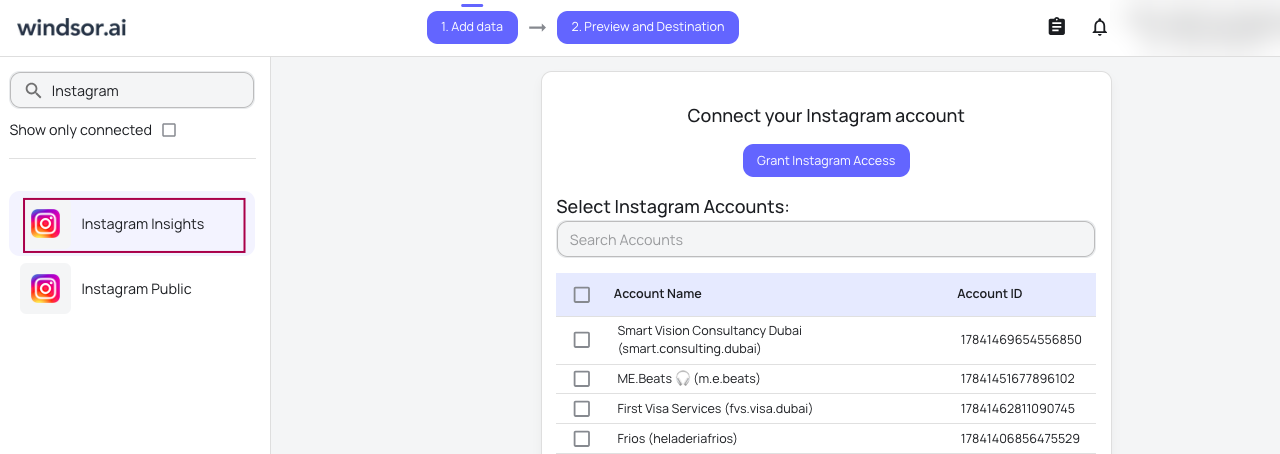
Select your data source
Choose Instagram as your data source and grant access to Windsor.ai.
Select custom connector in Lovable
In Lovable, open Connectors and select Custom MCP.

Add MCP server
Enter the following details:
- Name: Windsor.ai
- URL: https://mcp.windsor.ai/
Click Add & Authorize to save the connector and authorize access to Windsor.ai.

Authorize and start querying your data
Once added, Windsor will appear in your list of connectors. Enable Always allow permissions for faster access.
Open a new chat and start querying your connected data.

FAQs
What can I do with Instagram Insights data in Lovable?
Once your Instagram data is in Lovable, you can:
- Identify your best content: Find out which posts, reels, and stories drive the most reach, saves, and shares.
- Understand your audience: Break down your followers by age, gender, country, and city to create more targeted content.
- Track engagement: Monitor likes, comments, shares, and saves across all content types in one place.
- Monitor follower growth: Track new followers daily and correlate spikes with specific content or campaigns.
- Analyze Stories’ performance: Measure story reach, exits, replies, and swipe-forwards to understand what keeps audiences watching.
- Multi-source analysis: Combine Instagram Insights with 350+ other sources like Facebook Ads, Google Ads, TikTok, LinkedIn, or WooCommerce to measure your full organic and paid social performance together.
How often does Instagram Insights data refresh in Lovable?
With every query, Windsor.ai pulls the latest available data directly through the Instagram API, so every question you ask in Lovable reflects the most up-to-date performance, with no manual refreshes or stale reports.
Can I analyze Instagram alongside other marketing sources in Lovable?
Yes. Windsor.ai supports integrations with 350+ data sources, so you can connect Instagram Insights with Google Ads, Meta Ads, Mailchimp, HubSpot, TikTok, and more to analyze your full marketing performance end-to-end
Can I analyze Instagram reel performance in Lovable?
Yes. Windsor.ai gives you access to reel-specific metrics, including total watch time, average watch time, total interactions, reach, saves, and shares. You can ask Lovable to rank your reels by watch time, compare engagement across formats, or identify which reels drove the most new followers.
What prompts can I use to analyze my Instagram data in Lovable?
Beyond basic performance summaries, you can use more advanced, specific prompts to uncover deeper insights. For example:
-
Show me my follower growth rate week over week for the last 90 days. On weeks where growth accelerated, which posts had the highest reach and shares that week?
-
Compare reel average watch time and reach for reels posted in the morning vs. evening over the last 60 days. Which posting time correlates with higher watch time?
-
How many Shopify orders and total revenue were generated from Instagram in the last 30 days? Show which posts and reels drove the most customers.
-
Show me story exit rate by day of week for the last 30 days. Which days consistently see the highest story drop-off?
-
Compare total interactions per post across the last 3 months grouped by month. Is my engagement trending up, flat, or declining, and which content type is driving the change?
Do you have helpful links to get started with integrating Instagram and Lovable using Windsor.ai?
Yes, we have helpful resources to help you get started. You can explore our official documentation and tutorials for seamless Instagram to Lovable integration with Windsor.ai:
Can I use this to build Instagram reports for clients?
Yes. Agencies and freelancers use Windsor.ai + Lovable to build client-facing social reporting apps. You connect your client’s Instagram account, then describe the dashboard you want in Lovable, and it builds the app (a live webpage with charts and tables your client opens in any browser). Your client gets a live URL they can check anytime, with no Instagram Insights login required.
Tired of manual Instagram data exports? Try Windsor.ai today to automate your reporting


