 Destinations
 Data sources
 AI insights
 About us
 Careers
 Security
 Customer reviews
 Contact us
 Affiliate program
 Solution partners
 Template gallery
 Looker Studio templates
 Power BI templates
 Excel templates
 Google Sheets templates
 Tableau templates
 Facebook Ads templates
 Google Ads templates
 Data fields & Metrics
 AI prompt library & Guides
 Product documentation
 API documentation
 Case studies
 Blog
Blog Data models
 Windsor vs Supermetrics
 Windsor vs Funnel.io
 Windsor vs Fivetran
 Windsor vs Rivery
 Windsor vs Portermetrics
 Windsor vs Coupler.io
Connect Microsoft Clarity to Data Studio
Quickly integrate Clarity with Data Studio using Windsor.ai’s no-code connector.
Centralize Microsoft Clarity metrics in Data Studio and give your marketing team real-time visibility into user behaviour, conversion friction, and on-site campaign performance.
Forget CSVs. Stop copy/paste. Connect data in 2 minutes. No code required.
 Sign up with Google
 Free forever plan
No credit card needed
Free forever plan
No credit card needed










Make the most out of your data with Microsoft Clarity to Data Studio integration
Bring key behavioural metrics into Data Studio via Windsor.ai and gain in-depth insights into website performance, conversion bottlenecks, and UX issues. Core benefits of the integration include:

No-code, automated data sync
Windsor.ai automatically streams your Clarity metrics into Data Studio without scripts, API calls, or manual exports. Dashboards refresh on a schedule, freeing your team from repetitive reporting and keeping data always up to date.

Cross-channel data blending
Blend Clarity’s user behaviour data with insights from GA4, Google Ads, Meta, and 350+ other sources supported by Windsor.ai. This unified view lets you analyze the full customer journey, turning isolated UX signals into actionable marketing decisions.

Deeper UX and conversion insights
Track metrics like sessions, engagement time, scroll depth, rage clicks, and dead clicks alongside your business KPIs in a single dashboard. Use Data Studio’s filters, calculated fields, and segmentation features to spot friction points faster, validate design changes, and prioritise the fixes that have the biggest impact on conversions.
Using Windsor.ai connector to import data from Microsoft Clarity into Data Studio
Manually exporting Microsoft Clarity data is a complex and time-consuming process that requires managing multiple CSV exports, working around API limits, and rebuilding reports every time you need fresh insights.
Windsor.ai removes this friction with a codeless ELT connector that automatically extracts and loads your Clarity metrics into Data Studio. Connect once and analyze behavior data in dynamic, auto-refreshing dashboards.
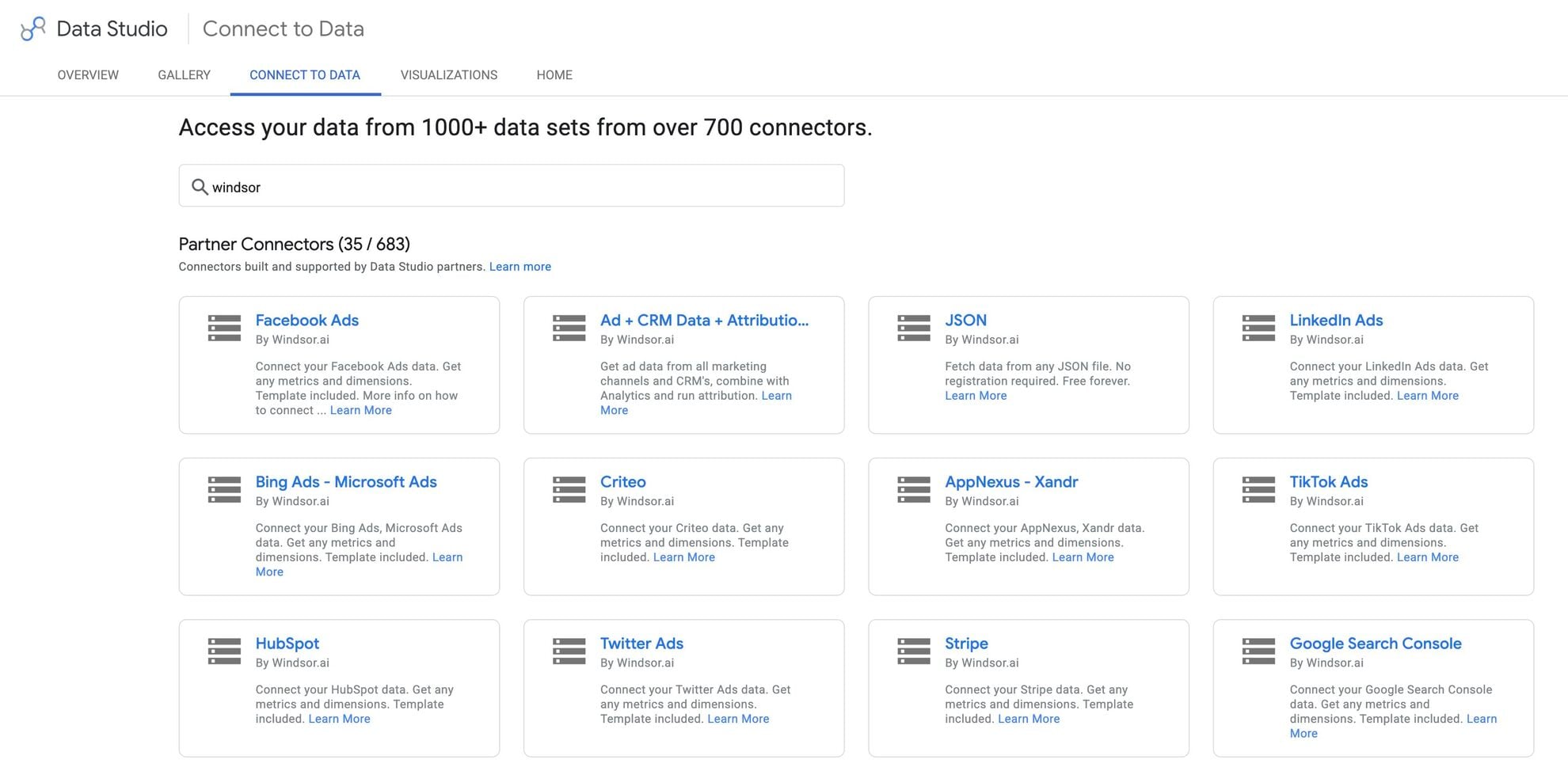














How to connect Clarity to Data Studio in Windsor.ai
To set up the connector, make sure you have the following things in place:
- Clarity account (Visit our privacy policy and terms of use)
- Google account for Data Studio integration
- Active Windsor.ai account
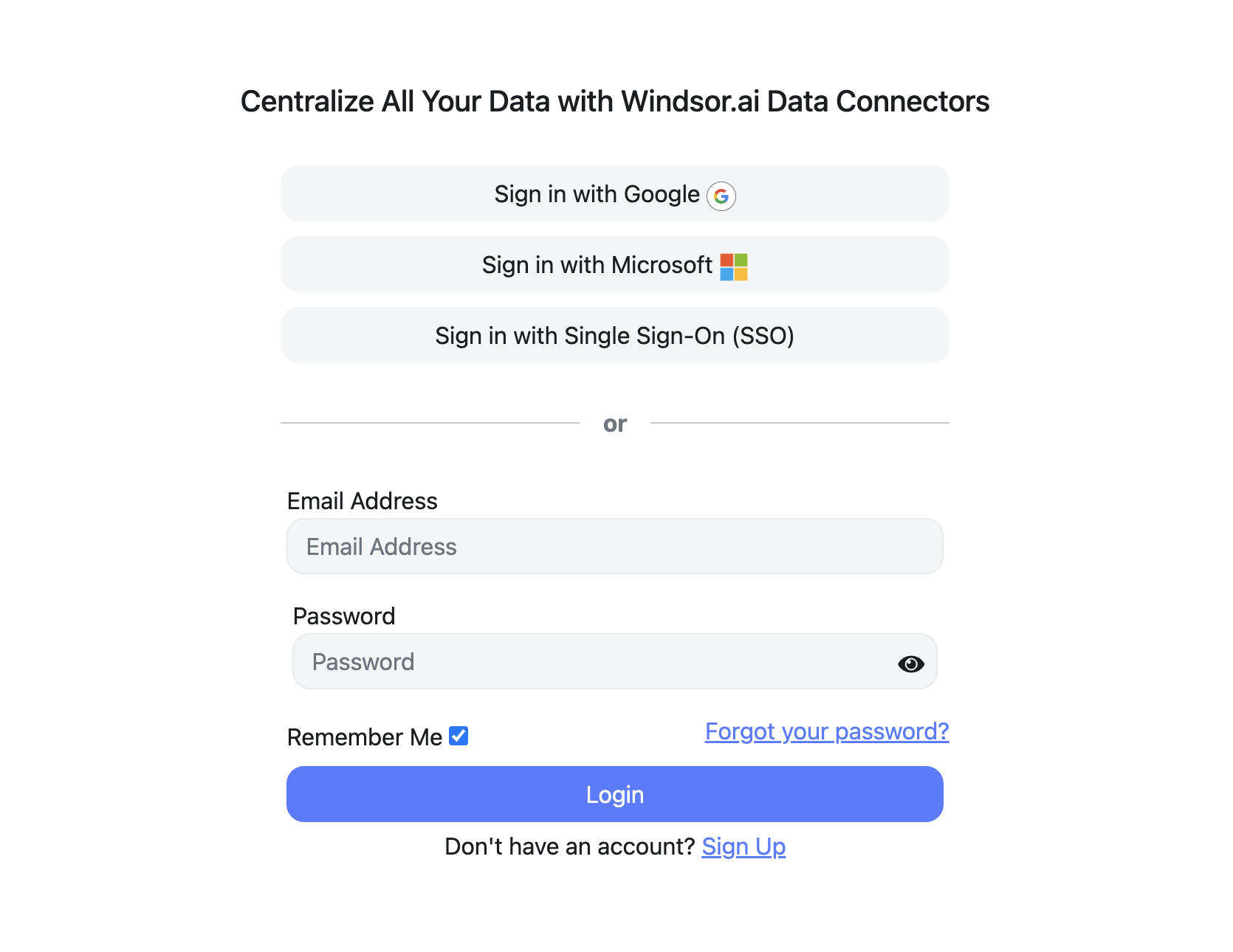
Register and log in to Windsor.ai
Create a new Windsor.ai account or log in if you already have one.
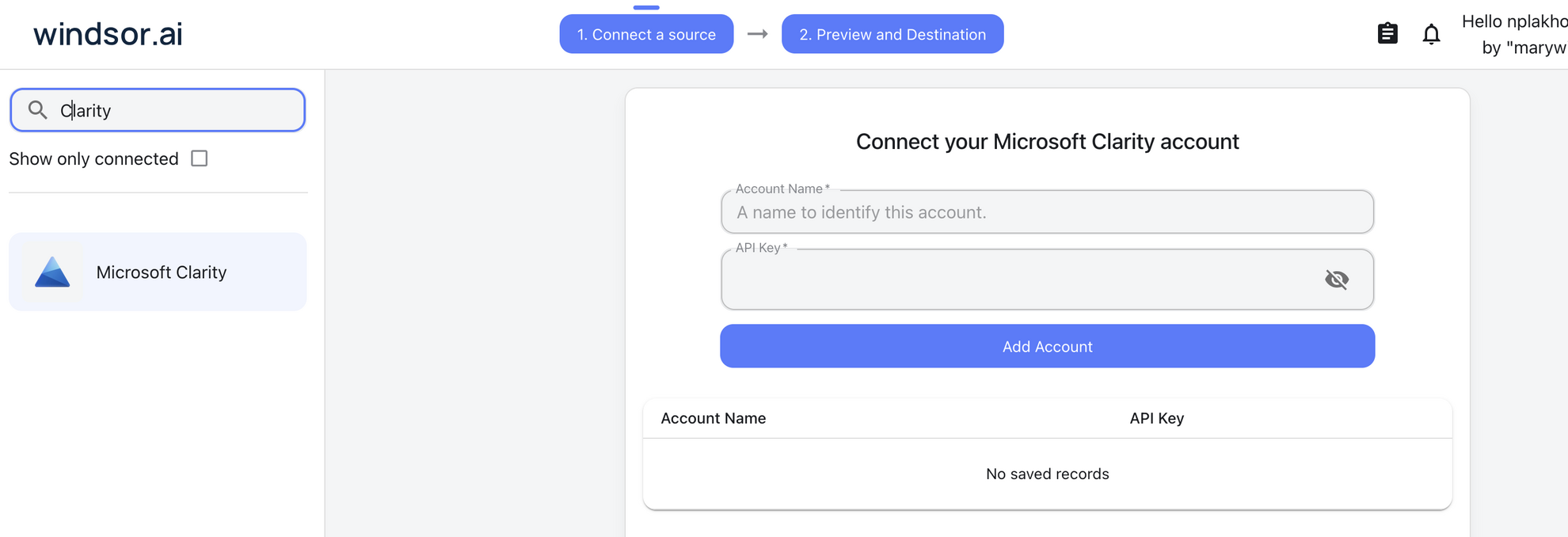
Select your data source
Choose Microsoft Clarity as your data source and grant access to Windsor.ai.
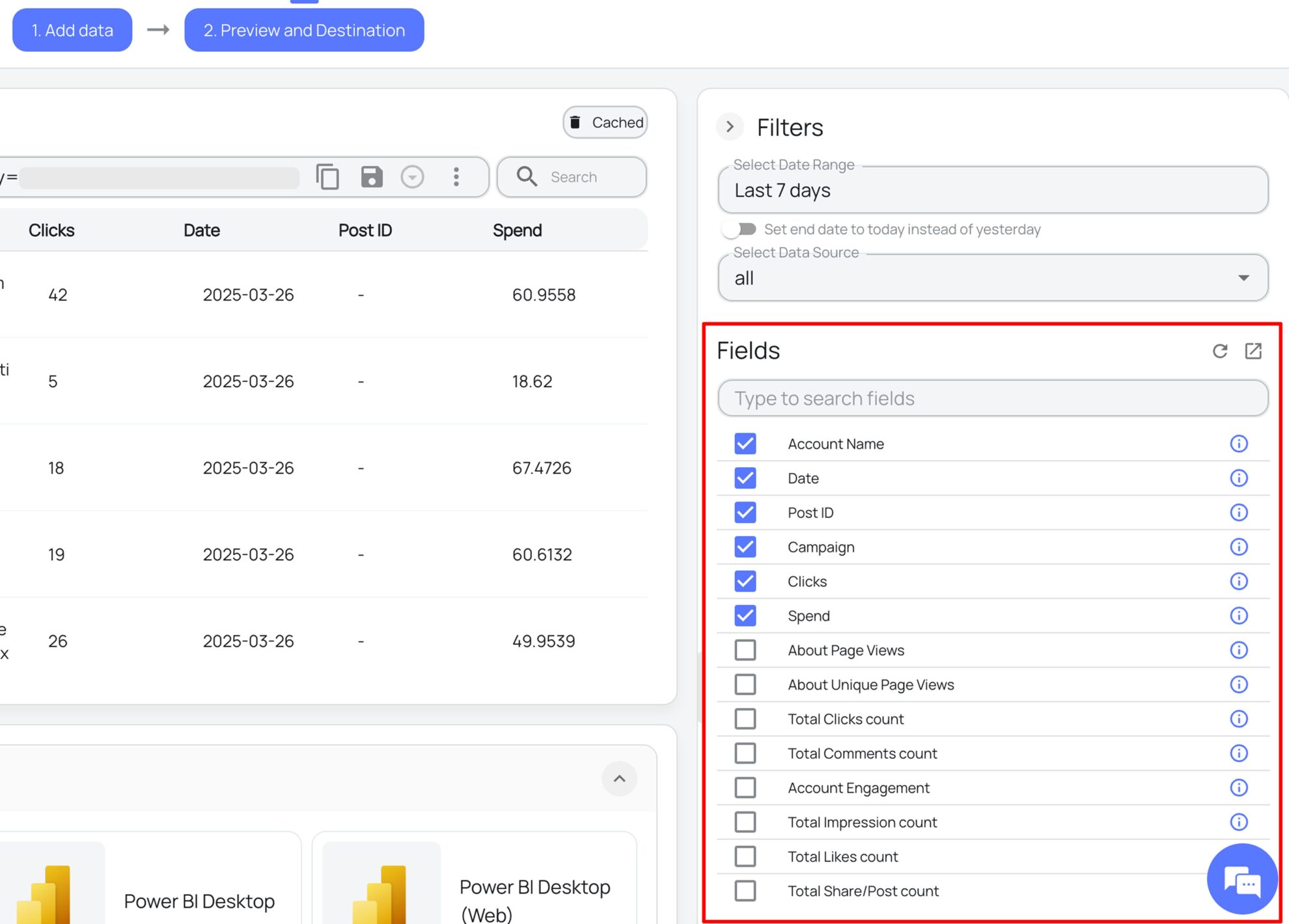
Select the reporting metrics and dimensions
Choose the Microsoft Clarity fields you want to import into Data Studio on the right side.
Select Data Studio as your data destination
Scroll down to the list of data destinations and click Data Studio. Install the Windsor.ai connector by authorizing your account, selecting the required Microsoft Clarity account(s), and clicking Connect → Create Report.

FAQs
What is Data Studio?
Data Studio is Google’s free data visualization and business intelligence platform. It lets you connect data from multiple sources, build interactive reports and dashboards, and share them across your team. With flexible chart types, custom branding, and deep integration with the Google ecosystem, Data Studio is one of the most popular reporting tools for marketing and analytics teams of all sizes.
Do you have helpful links to get started with integrating Microsoft Clarity and Data Studio using Windsor.ai?
Yes, we have helpful resources to help you get started. You can explore our official documentation and ready-to-use templates for seamless Microsoft Clarity to Data Studio integration with Windsor.ai:
How much time do I need to create the Microsoft Clarity and Data Studio integration?
The integration process takes just a few minutes. Once you’ve authorized your Microsoft Clarity account, selected your fields, and chosen Data Studio as the destination, your data is ready to visualize.
How much does it cost to integrate Microsoft Clarity into Data Studio with Windsor.ai?
Windsor.ai’s pricing for Microsoft Clarity to Data Studio data integration varies depending on your use case and data volume. We offer transparent pricing plans tailored to diverse business needs and budgets.
Can I blend Microsoft Clarity data with other channels in Data Studio?
Absolutely. With Windsor.ai, you can combine Microsoft Clarity data with Google Analytics, Google Ads, Meta Ads, CRMs, and e-commerce sources in Data Studio. This allows you to connect user behavior insights with campaign, conversion, and revenue data for a complete view of your marketing performance.
Tired of manual Microsoft Clarity data exports? Get started with Windsor.ai today to automate your reporting


