 Destinations
 Data sources
 AI insights
 About us
 Careers
 Security
 Customer reviews
 Contact us
 Affiliate program
 Solution partners
 Template gallery
 Looker Studio templates
 Power BI templates
 Excel templates
 Google Sheets templates
 Tableau templates
 Facebook Ads templates
 Google Ads templates
 Data fields & Metrics
 AI prompt library & Guides
 Product documentation
 API documentation
 Case studies
 Blog
Blog Data models
 Windsor vs Supermetrics
 Windsor vs Funnel.io
 Windsor vs Fivetran
 Windsor vs Rivery
 Windsor vs Portermetrics
 Windsor vs Coupler.io
Connect Microsoft Dataverse to Data Studio
Easily sync Microsoft Dataverse with Data Studio through the Windsor.ai ETL connectors.
Our platform automates Dataverse reporting, unlocking the full value of the data stored across your Microsoft ecosystem and enabling in-depth analysis.
Forget CSVs. Stop copy/paste. Connect data in 2 minutes. No code required.
 Sign up with Google
 Free forever plan
No credit card needed
Free forever plan
No credit card needed










Leverage advanced analytics with Microsoft Dataverse to Data Studio integration
Windsor.ai seamlessly connects Microsoft Dataverse to Data Studio, turning raw business records into actionable insights and delivering these key benefits for your business:

Automate reporting
With Dataverse metrics automatically flowing into Data Studio, you save time and eliminate manual data prep. Gain instant visibility into your business data and act quickly on real-time insights.

Centralize data across systems
Dataverse holds critical data from CRM, Dynamics 365, and Power Platform apps, but often in silos. Windsor.ai connects this with 350+ other sources in Data Studio, creating a single, unified view of customer journeys, sales pipelines, and operational performance across the business.

Visualize custom KPIs
Visualize your unique business KPIs with Data Studio’s dashboards built on top of Dataverse data. Track metrics that matter most, from lead conversion efficiency to service response times, and drill into detailed insights to identify bottlenecks, optimize processes, and improve decision-making.
Using Windsor.ai connector to import data from Microsoft Dataverse into Data Studio
Most methods for integrating Microsoft Dataverse with Data Studio are time-consuming, costly, or require technical expertise. Windsor.ai removes these barriers with a no-code ETL connector, making the process fast, reliable, and hassle-free.
In just minutes, Windsor.ai syncs your Dataverse data into customizable Data Studio dashboards.
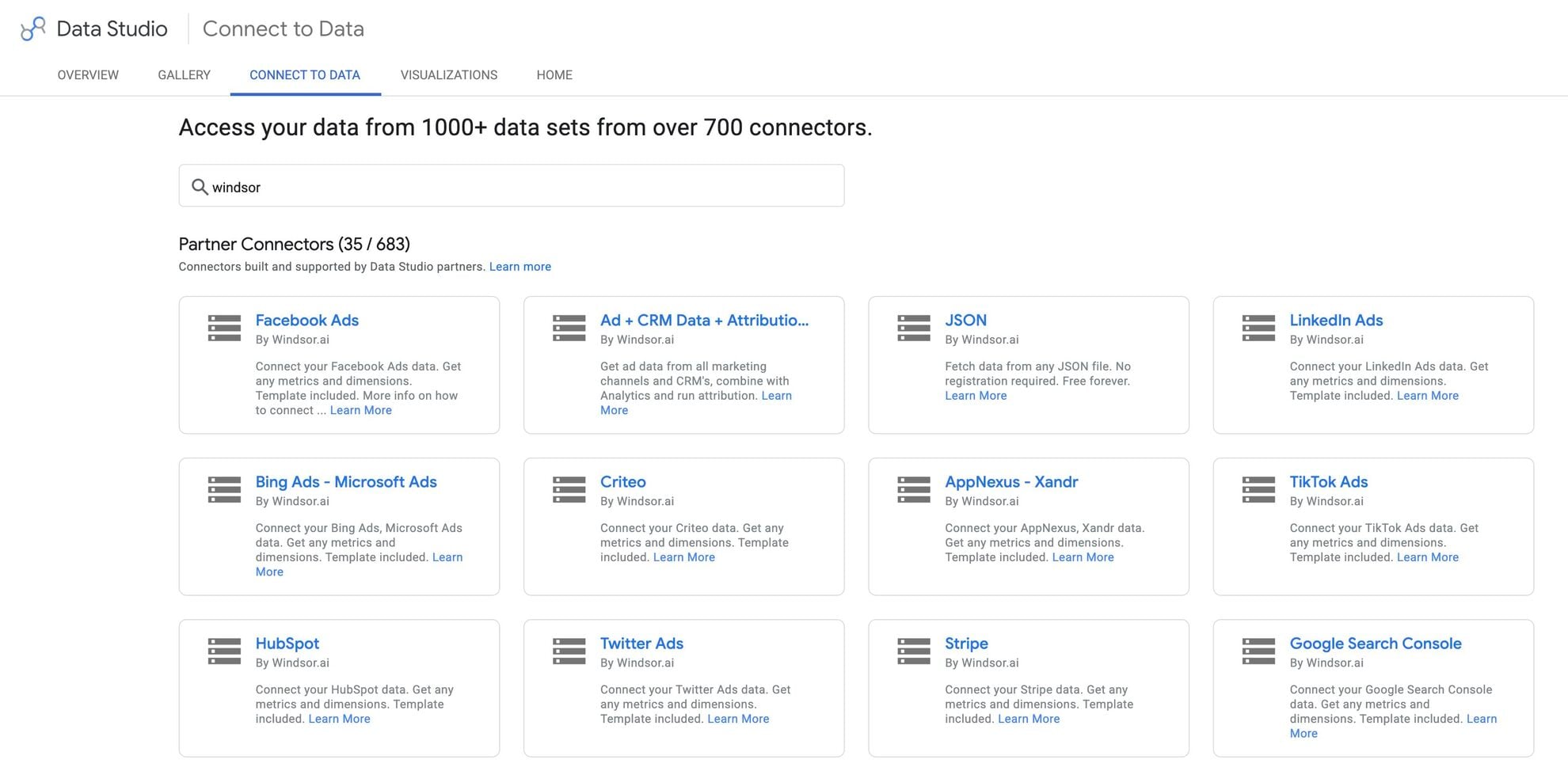














How to connect Microsoft Dataverse to Data Studio in Windsor.ai
To set up the connector, make sure you have the following things in place:
- Microsoft Dataverse account (Visit our privacy policy and terms of use)
- Google account for Data Studio integration
- Active Windsor.ai account
Register and log in to Windsor.ai
Create a new Windsor.ai account or log in if you already have one.

Select your data source
Choose Microsoft Dataverse as your data source and grant access to Windsor.ai.

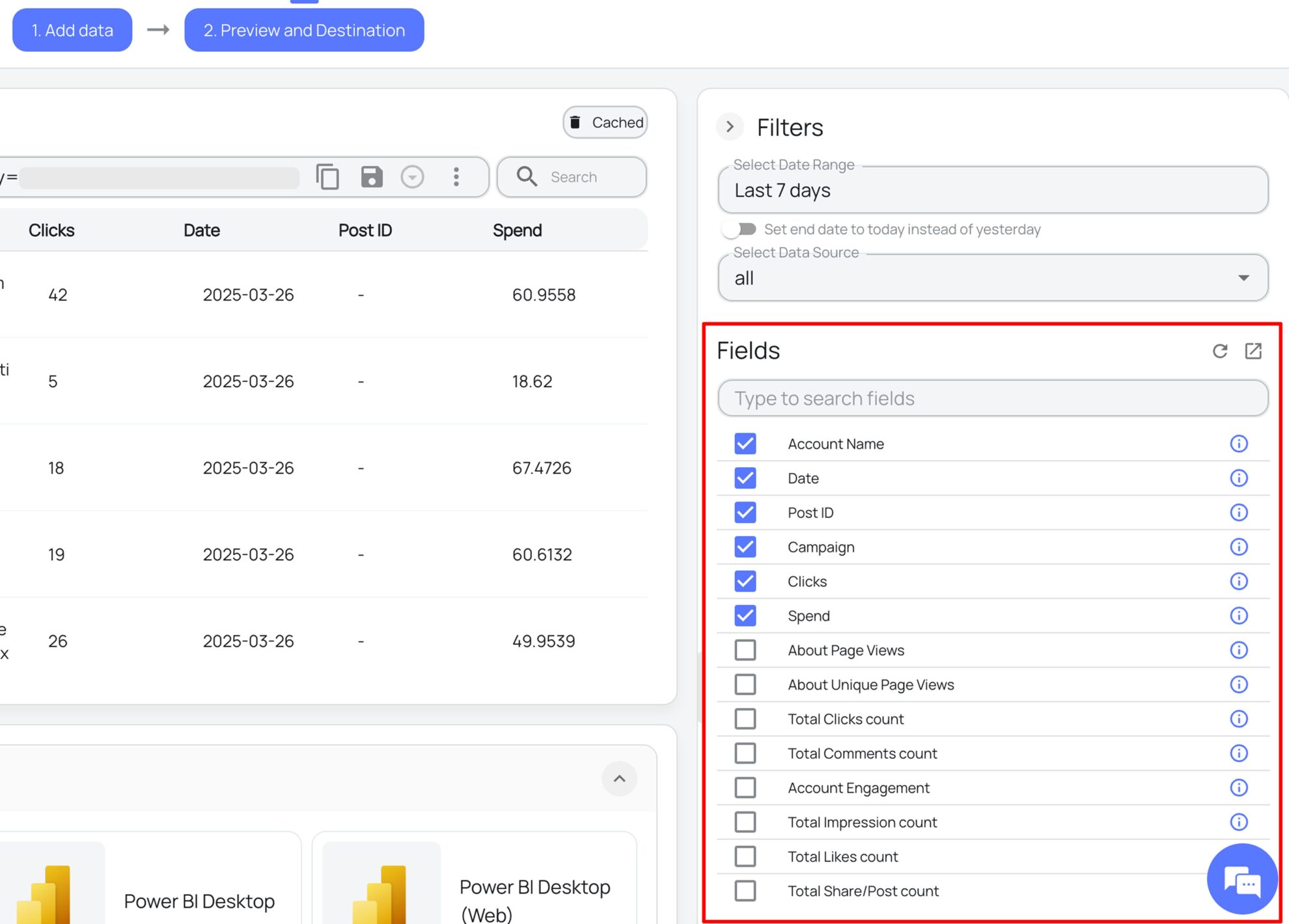
Select the reporting metrics and dimensions
Choose the Microsoft Dataverse fields you want to import into Data Studio on the right side and preview your data before export.
Select Data Studio as your data destination
Scroll down to the list of data destinations and click Data Studio. Install the Windsor.ai connector by authorizing your account, selecting the required Microsoft Dataverse account(s), and clicking Connect → Create Report.

FAQs
What is Data Studio?
Data Studio is a free data visualization and business intelligence platform developed by Google that helps businesses analyze and report their data. Key features of Data Studio include data blending, which allows you to merge datasets from various business applications, and automated reporting through customizable dashboards and dataflows. When integrated with Windsor.ai, Data Studio lets you quickly build powerful, fully automated, and tailored storyboards for comprehensive insights and seamless data analysis across multiple platforms.
Do you have helpful links to get started with integrating Microsoft Dataverse and Data Studio using Windsor.ai?
Yes, we have helpful resources to help you get started. You can explore our official documentation and ready-to-use templates for seamless Microsoft Dataverse to Data Studio integration with Windsor.ai:
How much time do I need to create the Microsoft Dataverse and Data Studio integration?
Using Windsor.ai’s no-code ELT connector, you can integrate Microsoft Dataverse with Data Studio in under 2 minutes, experiencing a quick and stress-free process.
How much does it cost to integrate Microsoft Dataverse into Data Studio with Windsor.ai?
Windsor.ai’s pricing for Microsoft Dataverse to Data Studio data integration can vary depending on your use case and data volume. We offer transparent pricing plans tailored to diverse business needs and budgets.
Tired of manual Microsoft Dataverse data exports? Get started with Windsor.ai today to automate your reporting


