Destinations
 Data sources
 AI insights
 About us
 Careers
 Security
 Customer reviews
 Contact us
 Affiliate program
 Solution partners
 Template gallery
 Looker Studio templates
 Power BI templates
 Excel templates
 Google Sheets templates
 Tableau templates
 Facebook Ads templates
 Google Ads templates
 Data fields & Metrics
 AI prompt library & Guides
 Product documentation
 API documentation
 Case studies
 Blog
 Data models
 Windsor vs Supermetrics
 Windsor vs Funnel.io
 Windsor vs Fivetran
 Windsor vs Rivery
 Windsor vs Portermetrics
 Windsor vs Coupler.io
Connect Pinterest Organic to ChatGPT
Connect your Pinterest Organic data to ChatGPT using the Windsor.ai plugin.
Ask which pins, boards and formats get impressions, saves and outbound clicks, and use the answers to plan what to pin next.
Connect data in minutes. No code required.
 Sign up with Google
 Free forever plan








Increase your reach with Pinterest Organic to ChatGPT integration
With the Windsor.ai plugin, ChatGPT reads your pins, boards and account totals when you ask. Use cases:

Find your most engaging pins
ChatGPT compares pin_impression and pin_click across your pins to show which images, videos and topics get clicked most often.

Find which Pins drive website visits
ChatGPT ranks your pins by pin_outbound_click, so you can see whether the pins with the most impressions also send people to your website.

Optimize Pin SEO and headlines
Ask ChatGPT to review the titles and descriptions of the pins with the most pin_outbound_click and list the words they share. It can then draft new titles and descriptions that use them.

Measure organic impact on conversions
Combine Pinterest Organic with GA4 or a store such as Shopify to see which pins bring sessions, conversions and revenue. Per-pin results need UTM tags on your pin links. Combining sources needs a paid plan. The free forever plan includes 1 data source.
Using Windsor.ai to connect data from Pinterest Organic to ChatGPT
Windsor.ai reads your Pinterest account through Pinterest’s API when ChatGPT asks, so you can compare pins, boards and formats in plain language.
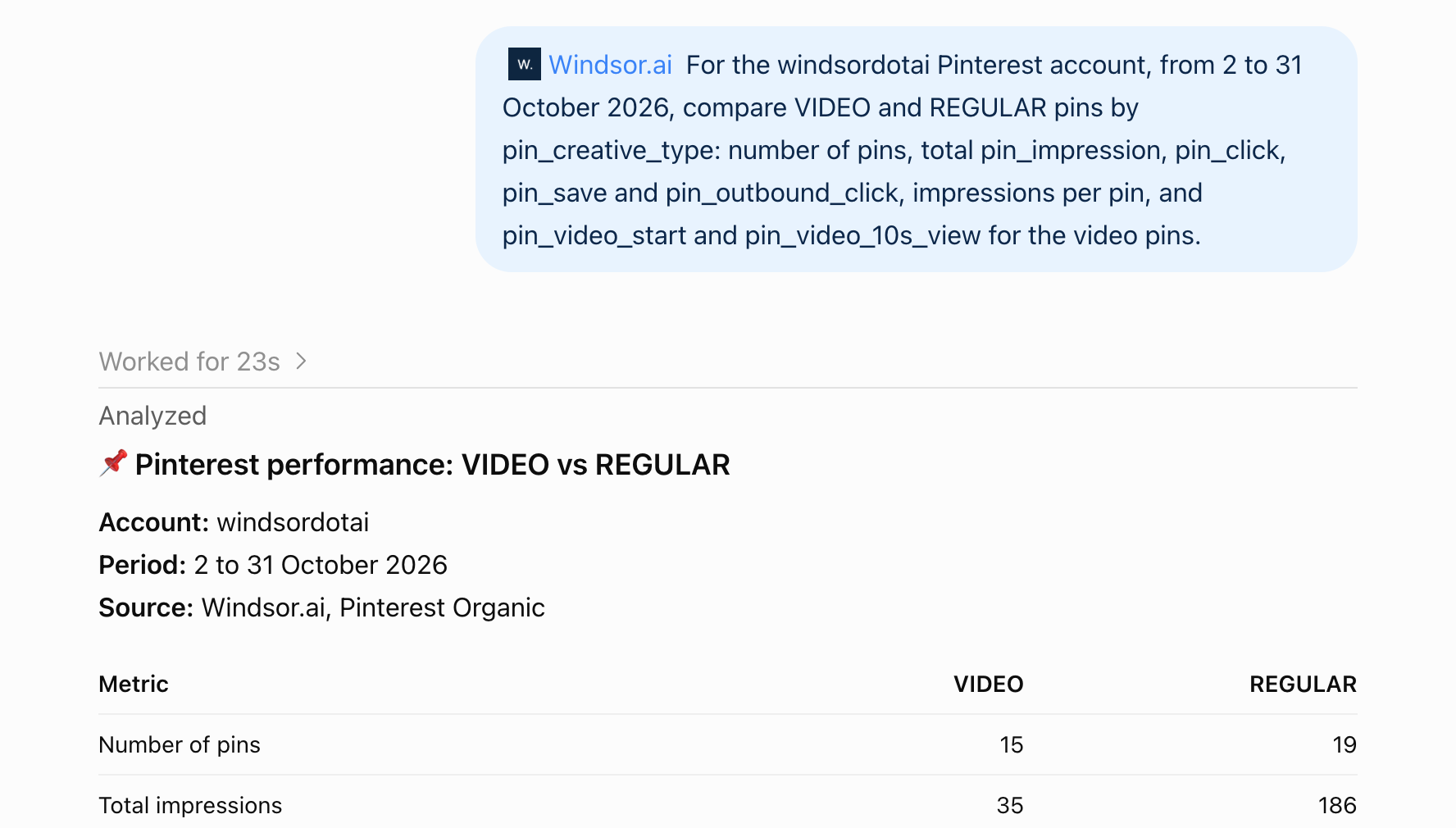
We asked ChatGPT about our own Pinterest account, windsordotai, through the Windsor.ai plugin: “For the windsordotai Pinterest account, from 2 to 31 October 2026, compare VIDEO and REGULAR pins by pin_creative_type: number of pins, total pin_impression, pin_click, pin_save and pin_outbound_click, impressions per pin, and pin_video_start and pin_video_10s_view for the video pins.”
- Image pins: 19 REGULAR pins had 186 impressions, about 10 per pin, and 4 pin clicks.
- Video pins: 15 VIDEO pins had 35 impressions, about 2 per pin, 1 pin click, 5 video starts and 1 view of 10 seconds or more.
- Saves and outbound clicks: none for either type in October.
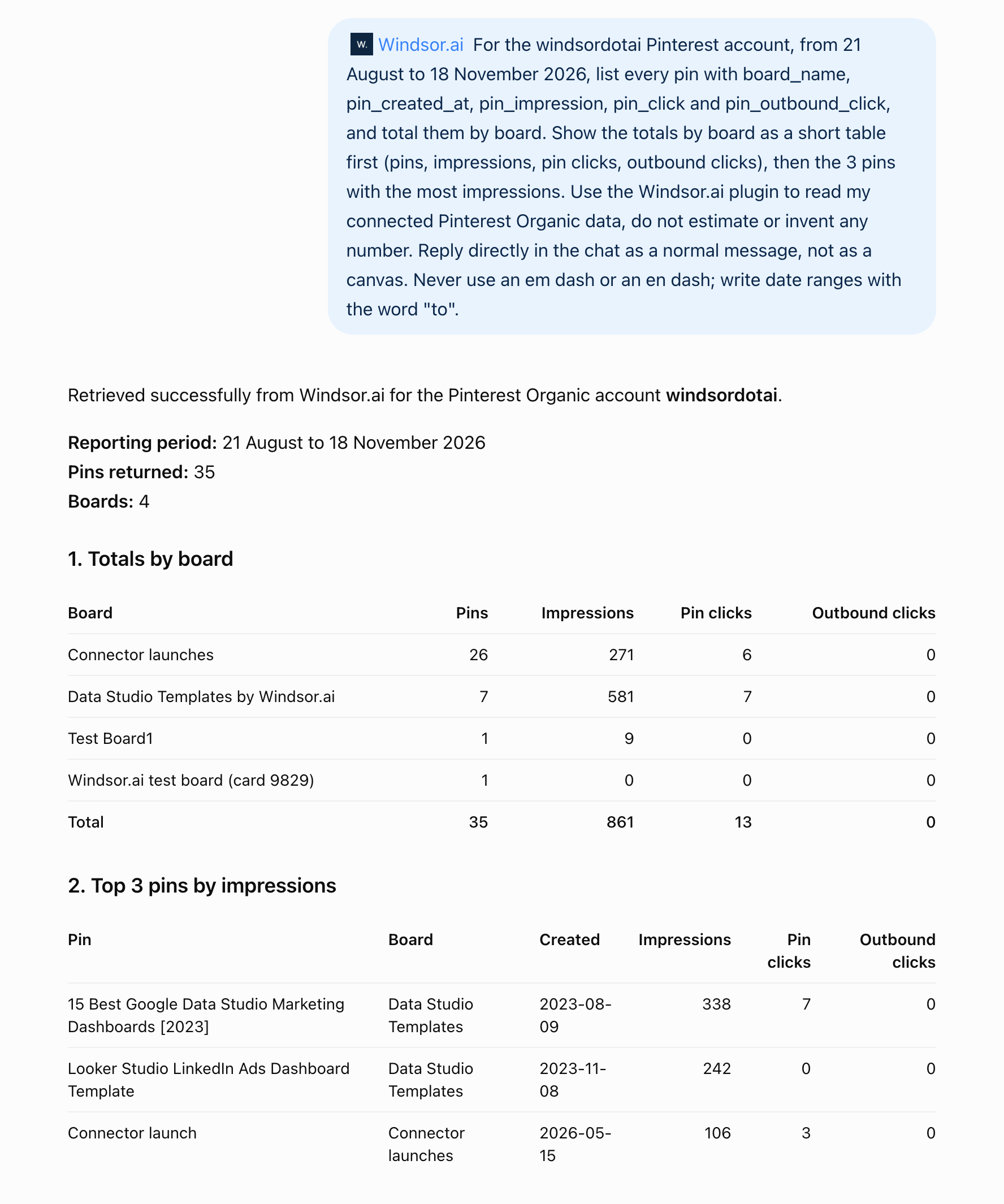
For a longer view, we asked ChatGPT about all pins on the same account for 21 August to 18 November 2026, the 90 days that Pinterest’s API keeps: “For the windsordotai Pinterest account, from 21 August to 18 November 2026, list every pin with board_name, pin_created_at, pin_impression, pin_click and pin_outbound_click, and total them by board.” ChatGPT returned 35 pins on 4 boards.
- Old pins: two pins from 2023 on the Data Studio Templates board had 580 of the account’s 861 impressions and 7 of its 13 pin clicks. The top one, a list of Data Studio marketing dashboards, had 338 impressions.
- New pins: 26 connector launch pins from 2026 had 271 impressions, about 10 per pin.
- Outbound clicks: 0 on all 35 pins in the 90 days.
The setup steps, an example by board and fixes for common errors are in how to connect Pinterest Organic to ChatGPT.
Available actions
Create Board
Create a public board on the connected Pinterest account. Use create_pin with the returned board id to add Pins to it.
Create Pin
Publish an image Pin to a public board of the connected Pinterest account. Provide a publicly accessible image URL, and optionally a title, a description, alt text and a destination link. Get a board_id from the board_id field or from create_board.






How to connect Pinterest Organic to ChatGPT data with Windsor.ai
Explore our video tutorial and a step-by-step guide to integrate your data from any source into ChatGPT with the Windsor.ai plugin. We used ChatGPT’s Free plan. The full steps, with a check of the first answer and fixes for common errors, are in how to connect Pinterest Organic to ChatGPT.
Install the Windsor.ai plugin
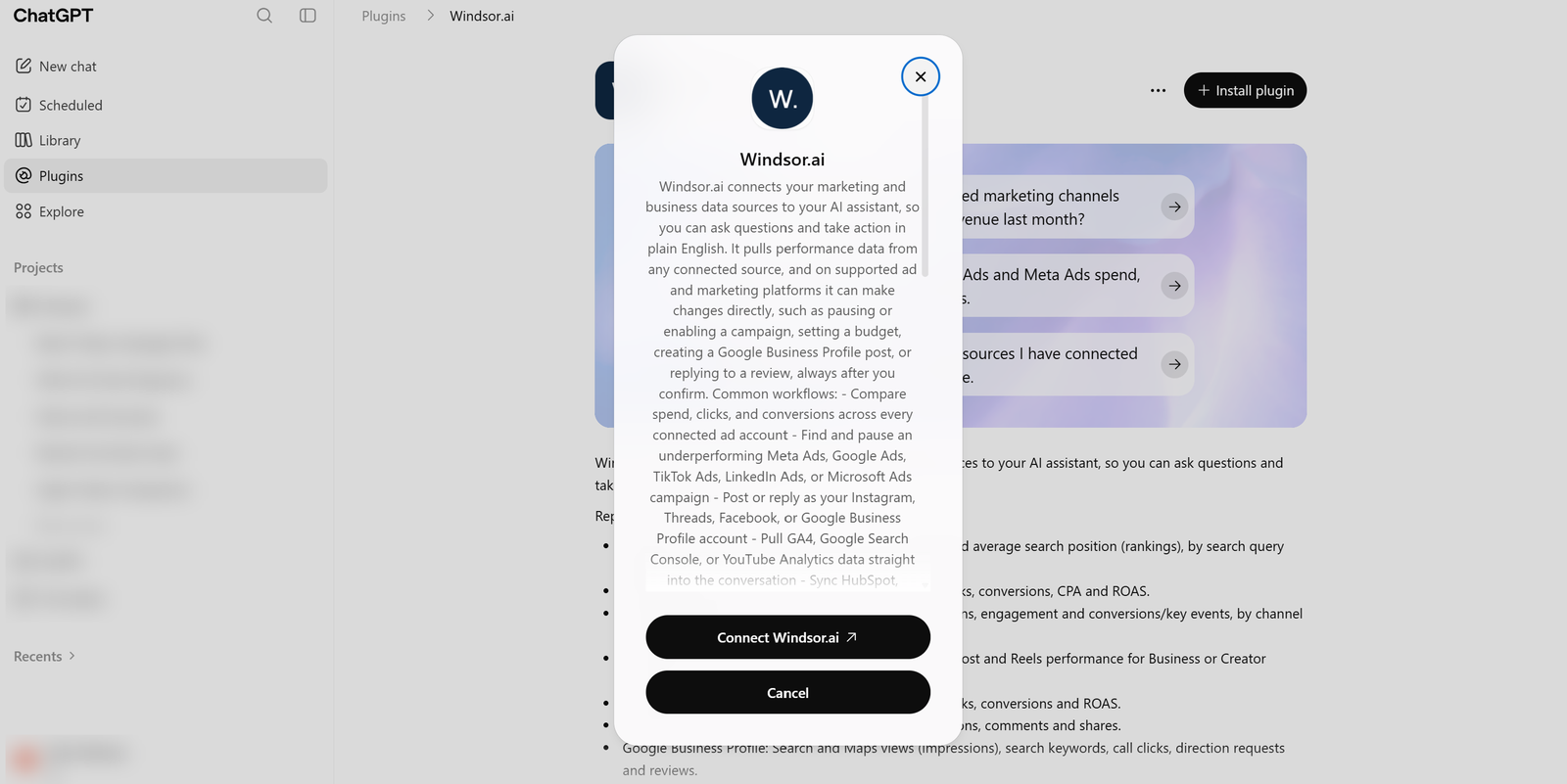
Log in to ChatGPT, select Plugins in the sidebar and search for Windsor.ai, or open the Windsor.ai plugin page. Select Install plugin, then Connect Windsor.ai. Sign in to Windsor.ai and select Back to ChatGPT.
Query your Pinterest Organic data in ChatGPT
Open a new chat and ask about your connected Pinterest Organic data in plain language. Make sure the Windsor.ai plugin is on for the chat: select + and choose Windsor.ai, or type @Windsor.ai.

FAQs
Is there an official Pinterest app for ChatGPT?
No, not as of 19 November 2026. Pinterest announced its own MCP server on 22 September 2026, and its Pinterest MCP page asks developers to sign up for the launch and names Claude, Cursor and VS Code as compatible tools. Until then, Pinterest data reaches ChatGPT through third-party plugins such as Windsor.ai or Supermetrics, a CSV export or a Google Sheet.
Can ChatGPT look at my Pinterest boards?
Yes, for the boards on the account you connect. ChatGPT reads each board’s name, description, privacy setting, pin count and followers, and the pins on it, and you ask about a board by name. For someone else’s board, upload screenshots of its pins to the chat.
What Pinterest data can ChatGPT read?
Pin numbers by day (pin_impression, pin_click, pin_save, pin_save_rate, pin_outbound_click), video pin views and watch time, pin titles, descriptions and links, boards, and account totals such as account_follower_count and account_monthly_views. Windsor.ai has 81 Pinterest Organic fields, 24 metrics and 57 dimensions, listed in the Pinterest Organic field reference. Profile visits, audience demographics and comment text are not part of the connector.
Can I analyze my video Pin performance?
Yes. For each video pin, Pinterest’s API returns video starts (pin_video_start), average watch time (pin_video_avg_watch_time), views of 10 seconds or more (pin_video_10s_view) and views that reached 95% of the video (pin_quartile_95_percent_view), next to the pin’s impressions, saves and clicks. Ask ChatGPT to put them in one table with your image pins to compare the two formats.
How far back can ChatGPT see my Pinterest data?
Pin analytics go back 90 days, which is the limit of Pinterest’s API. The free forever plan covers the last 30 days. To compare longer periods, send the data to Google Sheets or BigQuery with Windsor.ai, which can keep it after the 90 days.
Can ChatGPT create or edit pins?
No. The Pinterest Organic connector has no write actions (write actions list). ChatGPT can draft titles and descriptions for you to post yourself.
How often is Pinterest Organic data refreshed?
Windsor.ai requests the data from Pinterest’s API when ChatGPT asks for it. The same query repeated within 6 hours can return cached data. For fresh numbers sooner, select Clear Cache in Data Preview in the Windsor.ai app.
What prompts can I use to analyze Pinterest Organic data in ChatGPT?
You can use more specific prompts in ChatGPT, for example:
-
Look at the pins with the most outbound clicks this month. Based on their descriptions, suggest 5 keywords to use in new pins.
-
Group my organic data by [Board Name] for the last 90 days. Which board has the highest engagement per pin, and which board has the lowest?
-
Analyze my top 10 posts from Instagram (based on Likes/Comments) and my top 10 pins from Pinterest (based on Saves) from the last 30 days. Which topics in titles and captions, and which formats (image or video), work on both platforms?
-
Compare this month with the previous month. Which boards and topics gained the most impressions and saves, and what should I pin more of next month?
Prompts that cover more than 30 days or combine sources need a paid plan. The free forever plan includes the last 30 days and 1 data source.
How much does it cost to integrate Pinterest Organic into ChatGPT using Windsor.ai?
Windsor.ai has a free forever plan, no credit card required. Paid plans start at $19/month, billed annually, and scale by the number of sources and accounts. See the pricing page.
Which ChatGPT plans can use the Windsor.ai plugin?
We set this up on ChatGPT’s Free plan. OpenAI says plugin availability depends on your plan, region, workspace and the ChatGPT interface you use, and in a Business, Enterprise or Edu workspace an admin can turn plugins on or off.
Do you have helpful links to get started with integrating Pinterest Organic and ChatGPT using Windsor.ai?
Yes:
The step-by-step setup, an example by board and troubleshooting are in how to connect Pinterest Organic to ChatGPT. For promoted pins, see how to connect Pinterest Ads to ChatGPT.
Tired of manual Pinterest Organic data exports? Try Windsor.ai today to automate your reporting