 Destinations
 Data sources
 AI insights
 About us
 Careers
 Security
 Customer reviews
 Contact us
 Affiliate program
 Solution partners
 Template gallery
 Looker Studio templates
 Power BI templates
 Excel templates
 Google Sheets templates
 Tableau templates
 Facebook Ads templates
 Google Ads templates
 Data fields & Metrics
 AI prompt library & Guides
 Product documentation
 API documentation
 Case studies
 Blog
 Data models
 Windsor vs Supermetrics
 Windsor vs Funnel.io
 Windsor vs Fivetran
 Windsor vs Rivery
 Windsor vs Portermetrics
 Windsor vs Coupler.io
Connect Snowflake to ChatGPT
Connect your Snowflake tables to ChatGPT with the Windsor.ai plugin.
Ask ChatGPT for totals from a Snowflake table, such as revenue by product category or by country. Compare them with Google Ads or Meta Ads in the same chat.
Connect in three steps, with no code in Windsor.ai or ChatGPT. A Snowflake admin creates the key pair and a read-only role once.
 Sign up with Google
 Free forever plan







How to use ChatGPT with your Snowflake data
With the Windsor.ai plugin, ChatGPT answers questions from the Snowflake tables you connect in Windsor.ai. You ask in plain language and name the table and columns you mean.

Ask in plain language
Ask ChatGPT for revenue by region, by country or by plan from a Snowflake table. ChatGPT turns your question into a request for the columns, date column, period and filters, and Windsor.ai returns the matching rows from your table. Marketing and finance teams can get a number without writing SQL or waiting for an analyst.

Find what changed and where
When weekly revenue in a Snowflake table falls, ask ChatGPT to compare the last 14 days with the 14 before by region, channel or product category, and name the one that fell most.

Compare Snowflake with your ad platforms
Connect Google Ads or Meta Ads in Windsor.ai as well, and ask ChatGPT to compare ad spend by campaign with the revenue in your Snowflake orders table. A shared column such as campaign name or date lets ChatGPT match the rows. After the first 30 days, a second source needs a paid plan (the free forever plan covers 1 source).

Check a table before you report on it
Ask ChatGPT for daily totals of a column such as revenue or quantity from a Snowflake table for the last 30 days, using the table’s date column, and for the days that are missing or far below the usual level. Days when the table received no new data show up before they reach a report.
How ChatGPT reads your Snowflake data through Windsor.ai
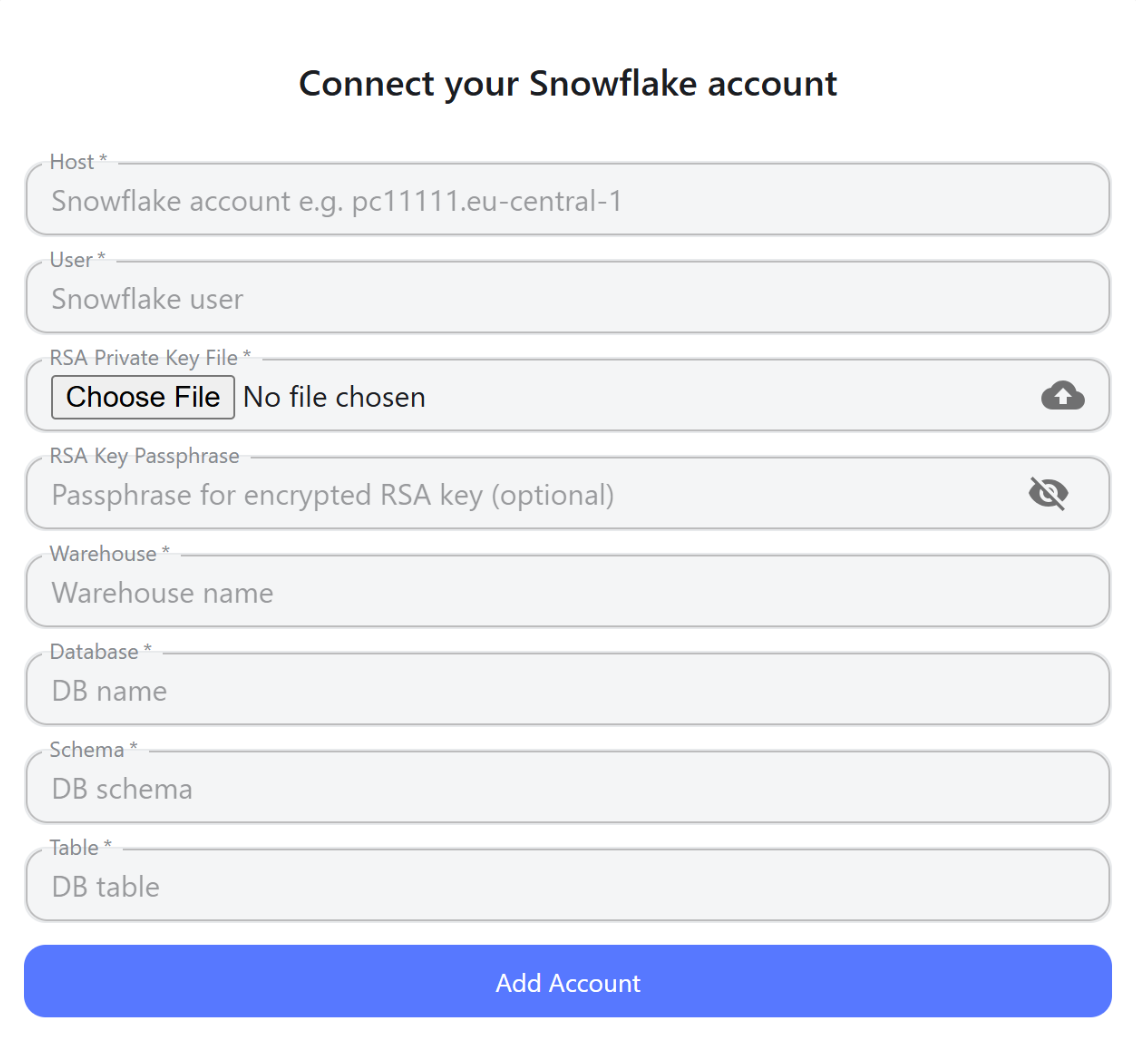
Windsor.ai connects to Snowflake as a Snowflake user that signs in with an RSA key pair. The form asks for the account identifier (host), the user, the private key file and its passphrase if the key is encrypted, and the warehouse, database, schema and table. Each connection covers one table. To use another table, add it the same way. Each Snowflake connection counts as one account on your plan.
Windsor.ai’s queries run on the warehouse you enter in the form and use its credits. Windsor.ai returns one row per record in your table, not summed rows, and keeps each result for 6 hours. A request with no date range returns the whole table.
Name the date column and a period in your question, for example: “From my orders table, show revenue by product category for the last 7 days, using order_date as the date.” A table can have several dates (order date, ship date, load date). Because the rows come back one by one, ask ChatGPT to add them up with code, and compare the total with a Snowflake worksheet the first time. In our test on 19 November 2026, one week of a GA4 sessions table came back as 58 rows, and ChatGPT’s totals by channel matched the worksheet. On the free forever plan, questions reach back 30 days.






How to connect Snowflake to ChatGPT with Windsor.ai
Watch the video tutorial, or follow the ChatGPT setup guide in our documentation.
Install the Windsor.ai plugin
In ChatGPT, select Plugins in the sidebar and search for Windsor.ai, or open the Windsor.ai plugin page.
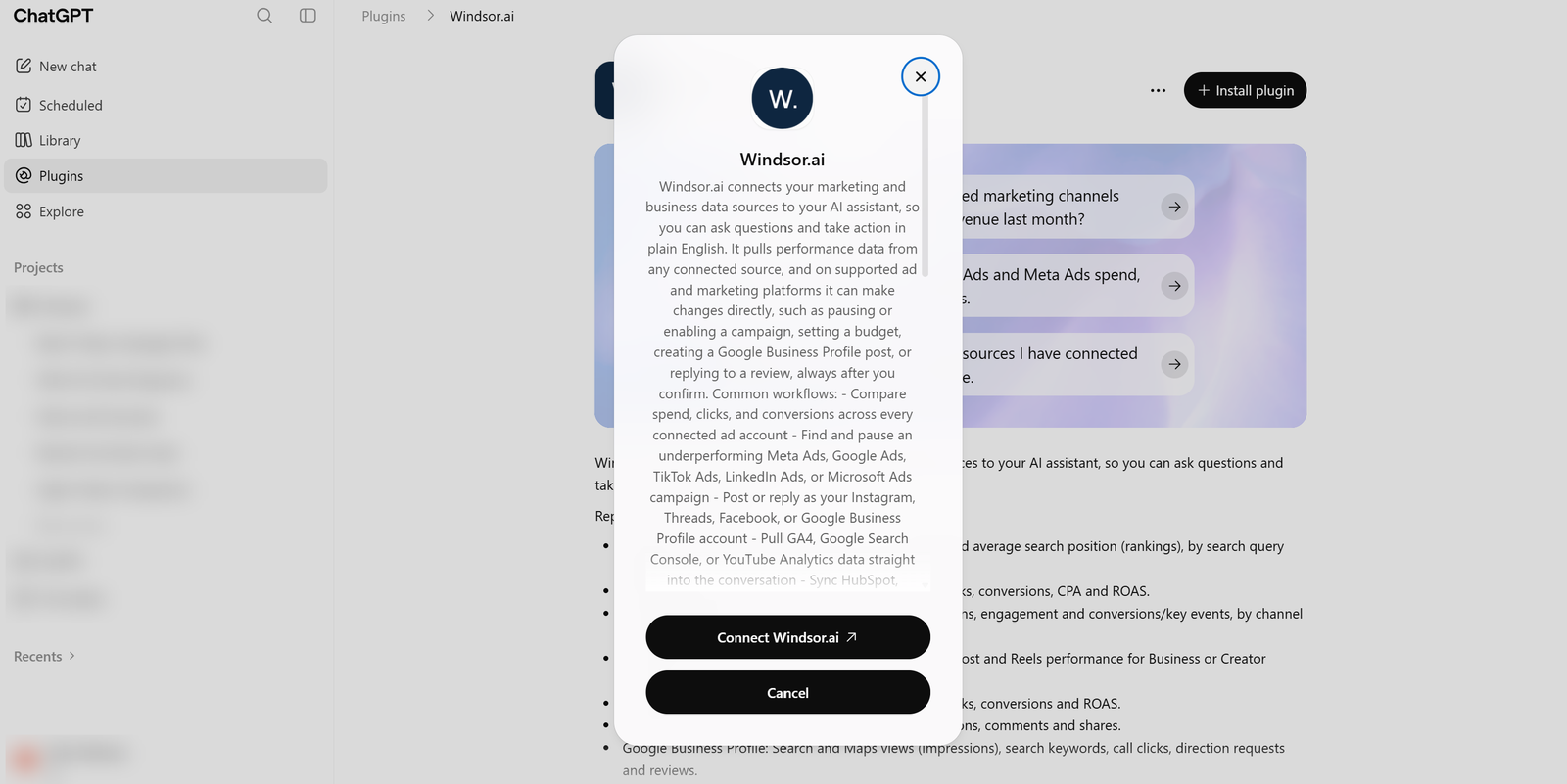
Select Install plugin, then Connect Windsor.ai. Sign in to Windsor.ai and select Back to ChatGPT.
Query your Snowflake data in ChatGPT
Open a new chat, click + and choose Windsor.ai, or type @Windsor.ai. Name the table, the columns and a date range, and ask ChatGPT to add up the rows with code.
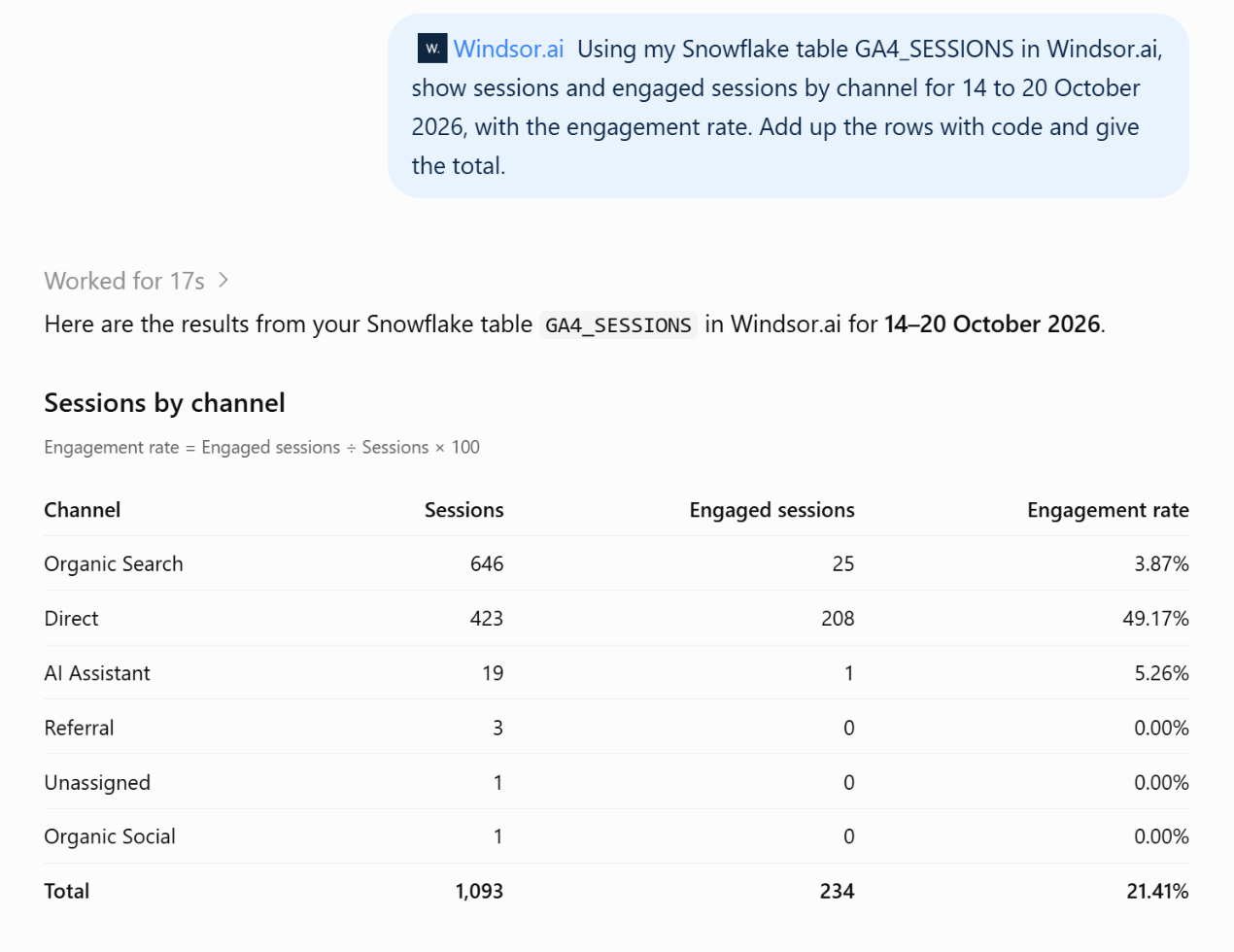
On 19 November 2026 we connected a Snowflake test table of GA4 sessions and asked for sessions and engaged sessions by channel for 14 to 20 October 2026, with the engagement rate. ChatGPT added up the 58 rows with code and answered 1,093 sessions, 234 engaged sessions and a 21.41% engagement rate. Every figure matched a sum in a Snowflake worksheet.
FAQs
Is there an official Snowflake connector for ChatGPT?
Yes, from OpenAI. ChatGPT’s Plugins directory lists a Snowflake plugin with a Template badge. It connects to a Snowflake-managed MCP server that someone with the right Snowflake privileges creates first, and it lists Interactive, Read and Write capabilities. A ChatGPT workspace admin or a Plus or Pro user sets it up (OpenAI’s setup guide). Which one to use depends on what you want ChatGPT to do.
- OpenAI’s Snowflake plugin: you are on Plus, Pro or a ChatGPT workspace, you can create an MCP server in Snowflake and set up OAuth, and you want ChatGPT to query Snowflake with the tools on that server, which can include read-only SQL, Cortex Search and Cortex Analyst.
- Windsor.ai plugin: you want data from chosen Snowflake tables next to Google Ads, Meta Ads, GA4 or any of Windsor.ai’s 350+ sources in one chat. Access is read-only (the Snowflake connector has no write actions).
How does Windsor.ai authenticate to Snowflake?
Windsor.ai signs in to Snowflake with a user name and an RSA key pair. You upload the private key file in the connection form, plus its passphrase if the key is encrypted. Snowflake’s documentation shows how to create the key pair and assign the public key to the user (key-pair authentication). For read-only access, create a dedicated role, for example WINDSOR_READONLY, with USAGE on the warehouse, database and schema and SELECT on only the tables you want ChatGPT to read. Make it the user’s default role, because the form has no role field.
Can ChatGPT change my Snowflake data through Windsor.ai?
No. The Snowflake connector has no write actions. Through Windsor.ai, ChatGPT can read your table but cannot insert, update or delete rows. Windsor.ai reads only what the Snowflake user’s role can see. The full list of sources with write actions is in the write actions documentation.
Can I connect several Snowflake tables, accounts or warehouses?
Yes. Each connection covers one table, so add each table as its own connection, with the account identifier, user and warehouse it needs. Each Snowflake connection counts as one account on your plan. The free forever plan covers 1 account after the first 30 days, and paid plans add more (pricing). Windsor.ai does not join tables inside Snowflake. To combine two tables, add both and ask ChatGPT to match them on a shared column.
Will this use Snowflake compute credits?
Yes. Windsor.ai’s queries run on the warehouse you enter in the form and use its credits, like any other query. Snowflake bills warehouse time per second, with a 60-second minimum each time the warehouse starts. To keep the cost low, give Windsor.ai a small warehouse with auto-suspend on. A question repeated within 6 hours uses the stored result and runs no new query.
How does Windsor.ai handle large Snowflake tables?
Windsor.ai returns the columns, period and filters you ask for, one row per record. A request with no date range returns the whole table, so name a date column and a period on a big table. Windsor.ai has no fixed row cap for Snowflake, but a pull that takes about 3 minutes or more may time out, and a very large result can also be too much for ChatGPT to read. To keep a pull small, use a shorter period, fewer columns or a filter, or point Windsor.ai at a summary table or view in Snowflake. The rows Snowflake scans, and the credits it bills, depend on the table’s size and how it is clustered, not on how many rows Windsor.ai returns.
Can I combine Snowflake with Google Ads or Meta Ads data?
Yes. Connect Google Ads, Meta Ads, GA4, HubSpot or any of the other sources in Windsor.ai as well, and ask ChatGPT to compare them with your Snowflake table for the same period, by date or by a shared column such as campaign name. Testing several sources is free for the first 30 days. After that, the free forever plan covers 1 source, and paid plans start at $19/month for 3 sources (Basic) or $99/month for 7 (Standard), billed annually.
What prompts can I use to analyze Snowflake data in ChatGPT?
In ChatGPT, name the Snowflake table, the columns and the date column, and ask for totals, counts or a comparison. Windsor.ai returns one row per record, so ask ChatGPT to add up or count the rows with code. Try prompts such as:
-
From my orders table, show revenue by country for the last 30 days, using order_date as the date, and the change against the 30 days before. Add up the rows with code.
-
From my order_items table, show units sold by product for the last 14 days, using created_at as the date. Which 10 products sold most?
-
From my orders table, count the rows per day with code for the last 30 days, using order_date as the date, and list the days with no rows or with less than half the daily average.
-
Show my Meta Ads spend by campaign for the last 14 days next to revenue by utm_campaign from my Snowflake orders table, using order_date as the date, where utm_campaign holds the Meta Ads campaign name.
Each prompt except the last reads one table. The comparison with the 30 days before reaches back 60 days and needs a paid plan, and so does combining Snowflake with Meta Ads after the first 30 days.
How fresh is the Snowflake data in ChatGPT?
Windsor.ai reads your Snowflake table when ChatGPT asks and keeps the result for 6 hours. The same question within those 6 hours returns the stored result, even if new rows arrived in Snowflake.
How much does it cost to connect Snowflake to ChatGPT with Windsor.ai?
You can start on Windsor.ai’s free forever plan, no credit card. For the first 30 days it covers up to 10 sources and 15 accounts. After that, the free forever plan covers 1 user, 1 data source and 1 account with the last 30 days of data, and Snowflake can be that source. Paid plans start at $19/month for 3 sources (Basic) or $99/month for 7 (Standard), billed annually. Snowflake bills the warehouse credits separately. See the pricing page for every plan.
Do you have helpful links to get started with integrating Snowflake and ChatGPT using Windsor.ai?
Yes. These pages cover setup, prompts and the Snowflake fields.
- How to connect Snowflake to ChatGPT: setup steps, example prompts and troubleshooting
- Connect Snowflake to Claude: the same connection in Claude
- Connect BigQuery to ChatGPT and PostgreSQL to ChatGPT: other databases in ChatGPT
- Snowflake Field Reference: the fields every Snowflake connection has
- ChatGPT Integration Documentation: the Windsor.ai plugin for any source
Tired of manual Snowflake data exports? Try Windsor.ai today to automate your reporting


