 Destinations
 Data sources
 AI insights
 About us
 Careers
 Security
 Customer reviews
 Contact us
 Affiliate program
 Solution partners
 Template gallery
 Looker Studio templates
 Power BI templates
 Excel templates
 Google Sheets templates
 Tableau templates
 Facebook Ads templates
 Google Ads templates
 Data fields & Metrics
 AI prompt library & Guides
 Product documentation
 API documentation
 Case studies
 Blog
Blog Data models
 Windsor vs Supermetrics
 Windsor vs Funnel.io
 Windsor vs Fivetran
 Windsor vs Rivery
 Windsor vs Portermetrics
 Windsor vs Coupler.io
Connect TikTok Organic to Lovable
Automatically sync your TikTok Organic data to Lovable using the Windsor.ai connector.
Analyze video performance, track follower growth, and turn audience insights into live Lovable dashboards, all with natural language prompts.
Forget CSVs. Stop copy/paste. Connect data in minutes. No code required.
 Sign up with Google
 Free forever plan
No credit card needed
Free forever plan
No credit card needed










Turn your TikTok Organic data into live insights and dashboards in Lovable
Windsor MCP moves your TikTok Organic data into Lovable in minutes, so you skip manual export and jump straight to insights about your organic account performance. Here’s what you can do:

Rank videos by follower conversion
Ask Lovable which videos drove the most new followers using the video_new_followers field. Know exactly which content format, length, or topic turns viewers into subscribers, not just which videos get the most views.

Map audience drop-off
Use video_view_retention_percentage to plot a retention curve for any video. Lovable helps you identify the exact second where most viewers exit, so you can restructure your hook, pacing, or CTA for every future video.

Find your best traffic source
Cross-reference video_impression_sources with video_full_watched_rate and video_average_time_watched. Understand which source delivers the most engaged viewers, then double down on the content format that performs there to maximize watch time and follower conversion.

Find peak posting hours
Use audience_activity_hour to see when your followers are online each hour of the day. Cross-reference with your video publish times and video_views_count to test whether posting at peak activity actually lifts your view count.
Using Windsor.ai to connect data from TikTok Organic to Lovable
Getting TikTok Organic data into Lovable means exports, formatting, and a complex technical setup. Windsor MCP removes that friction entirely by pulling, normalizing, and streaming your data straight into Lovable.
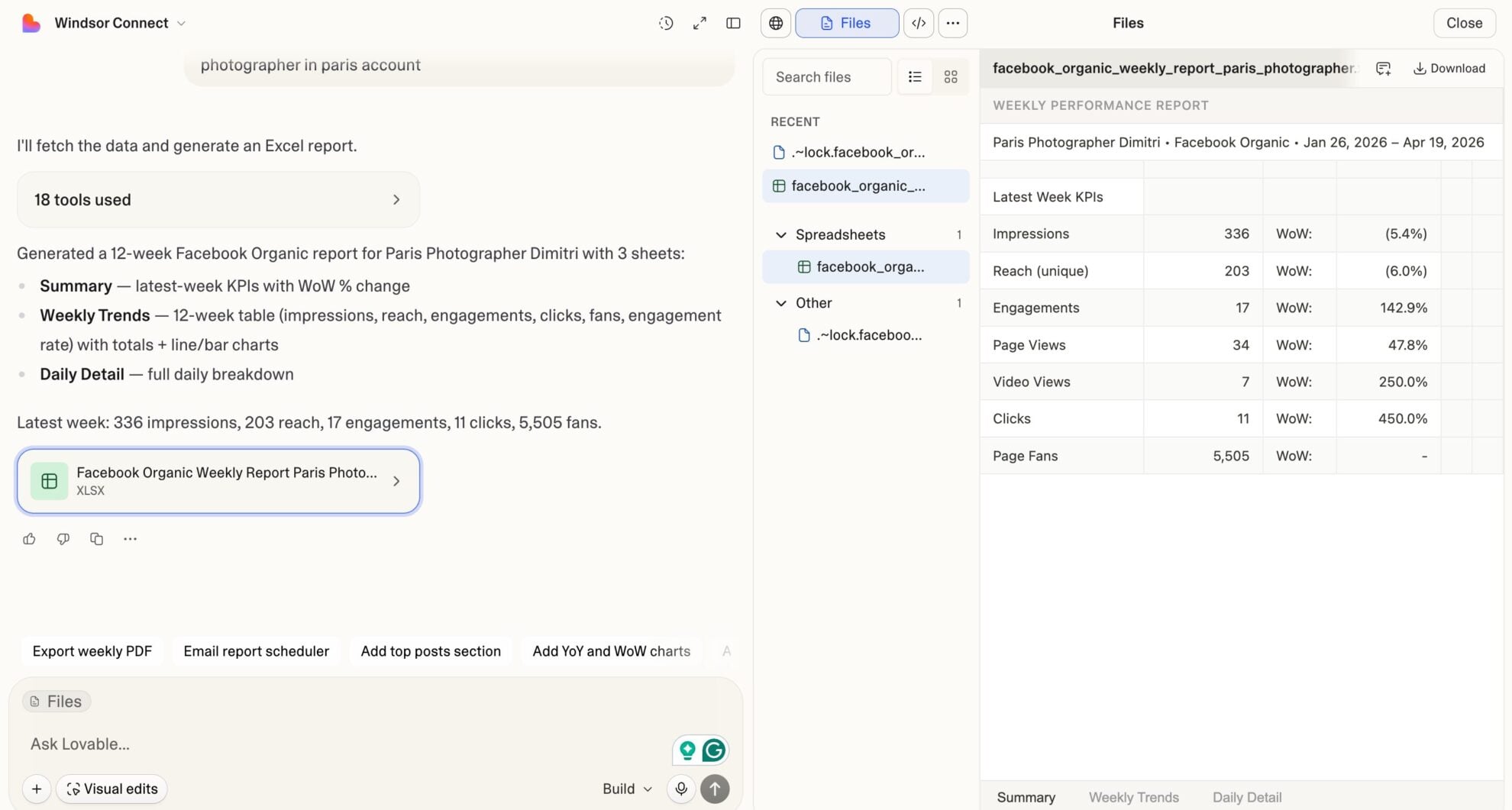
Ask plain‑language questions and get real‑time insights in seconds.














How to connect TikTok Organic to Lovable with Windsor.ai
Explore our video tutorial and a step-by-step guide to integrate your TikTok Organic data into Lovable with the Windsor.ai connector.
Select your data source
Choose TikTok Organic as your data source and grant access to Windsor.ai.

Select custom connector in Lovable
In Lovable, open Connectors and select Custom MCP.

Add MCP server
Enter the following details:
- Name: Windsor.ai
- URL: https://mcp.windsor.ai/
Click Add & Authorize to save the connector and authorize access to Windsor.ai.

Authorize and start querying your data
Once added, Windsor will appear in your list of connectors. Enable Always allow permissions for faster access.
Open a new chat and start querying your connected data.

FAQs
What can I do with TikTok Organic data in Lovable?
Once your TikTok Organic data is in Lovable, you can:
- Track follower growth daily. See exactly how many followers you gained or lost on any given day.
- Analyze video performance. Compare views, watch time, likes, shares, and comments across all your published videos side by side.
- Identify top-performing content. Rank videos by full watch rate or total views to learn what format your audience completes.
- Understand your audience. Break down follower demographics by age group, gender, country, and city.
- Spot peak engagement hours. See when your followers are most active to plan smarter posting schedules.
Can I build a TikTok Organic performance dashboard in Lovable?
Yes. Describe the KPIs you want to track, and Lovable generates a real-time, shareable dashboard with no code or engineering support needed.
Can I track how many followers each video drives?
Yes. The video_new_followers metric shows exactly how many people followed your account after watching a specific video. Lovable helps you identify which content acts as your strongest growth driver, not just get views.
What prompts can I use to analyze my TikTok Organic data in Lovable?
Beyond basic performance summaries, you can use more advanced, specific prompts to uncover deeper insights. For example:
-
For my top 5 videos by reach, show me the impression source breakdown, what percentage of views came from For You, Follow, Hashtag, Search, and Sound. Which source drives the highest full watch rate?
-
Identify which videos drove the most new followers in the past 60 days. Cross-reference the full watch rate and average watch time for those videos. Is there a watch-time threshold that predicts follower conversion?
-
Show me the audience drop-off curve (view retention by second) for my 3 longest videos. At what point do most viewers stop watching, and does the drop-off pattern differ between videos with a full-watch rate above 30% and those below?
-
Compare my follower demographics (age, gender, country) to the actual viewer demographics on my last 10 videos. Identify the biggest gaps: which segments watch my content but aren't following, and which followers aren't watching?
-
Analyze bio link clicks and video website clicks over the past 90 days. Which 5 videos generated the most off-platform traffic? What do those videos have in common in terms of duration, watch time, and traffic source?
Does Windsor.ai support TikTok Ads as well, or only organic content?
Windsor.ai has a separate TikTok (paid) connector for advertising data. The TikTok Organic connector covers your Business Account’s organic content: published videos, follower metrics, audience demographics, and profile engagement. You can connect both through Windsor.ai and analyze them side by side in Lovable.
Do you have helpful links to get started with integrating TikTok Organic and Lovable using Windsor.ai?
Yes, we have helpful resources to help you get started. You can explore our official documentation and tutorials for seamless TikTok Organic to Lovable integration with Windsor.ai:
Tired of manual TikTok Organic data exports? Try Windsor.ai today to automate your reporting


