 Destinations
 Data sources
 AI insights
 About us
 Careers
 Security
 Customer reviews
 Contact us
 Affiliate program
 Solution partners
 Template gallery
 Looker Studio templates
 Power BI templates
 Excel templates
 Google Sheets templates
 Tableau templates
 Facebook Ads templates
 Google Ads templates
 Data fields & Metrics
 AI prompt library & Guides
 Product documentation
 API documentation
 Case studies
 Blog
Blog Data models
 Windsor vs Supermetrics
 Windsor vs Funnel.io
 Windsor vs Fivetran
 Windsor vs Rivery
 Windsor vs Portermetrics
 Windsor vs Coupler.io
Connect Tradedoubler to Claude
Automatically sync your Tradedoubler affiliate data to Claude using the Windsor.ai connector.
Ask Claude plain-English questions about clicks, sales, and commissions, and get instant AI-driven insights on which programs and publishers are actually driving revenue.
Forget CSVs. Stop copy/paste. Connect in minutes. No code required.
 Sign up with Google
 Free forever plan
No credit card needed
Free forever plan
No credit card needed










Turn affiliate clicks into commission insights with Tradedoubler to Claude integration
Windsor MCP streams your live Tradedoubler affiliate data into Claude, so you skip the platform exports and go straight to which programs and publishers are actually profitable. Explore key use cases:

Track true commission earned
Ask Claude to break down total commission, publisher commission, and virtual commission by program to see which affiliate partnerships are actually paying off.

Spot your top-performing publishers
Compare publisher organizations by sales, leads, and EPC to find which partners consistently drive the highest-value conversions.

Audit clicks-to-sales conversion
Calculate conversion rate and lead rate across programs and segments to catch underperforming placements before budget is wasted.

Blend affiliate data with other channels
Combine Tradedoubler performance with Google Ads, Meta Ads, or GA4 in Claude to see how affiliate marketing stacks up against paid channels.
Using Windsor.ai to connect data from Tradedoubler to Claude
Syncing Tradedoubler data with Claude usually means manual exports, data cleanup, or costly affiliate reporting tools, especially when cross-referencing publisher and program data to see true payouts. Windsor.ai removes that friction with an MCP connector that automatically collects, structures, and streams your Tradedoubler data directly into Claude.
Connect in minutes and start asking natural-language questions about commissions, publisher performance, and conversion rates.
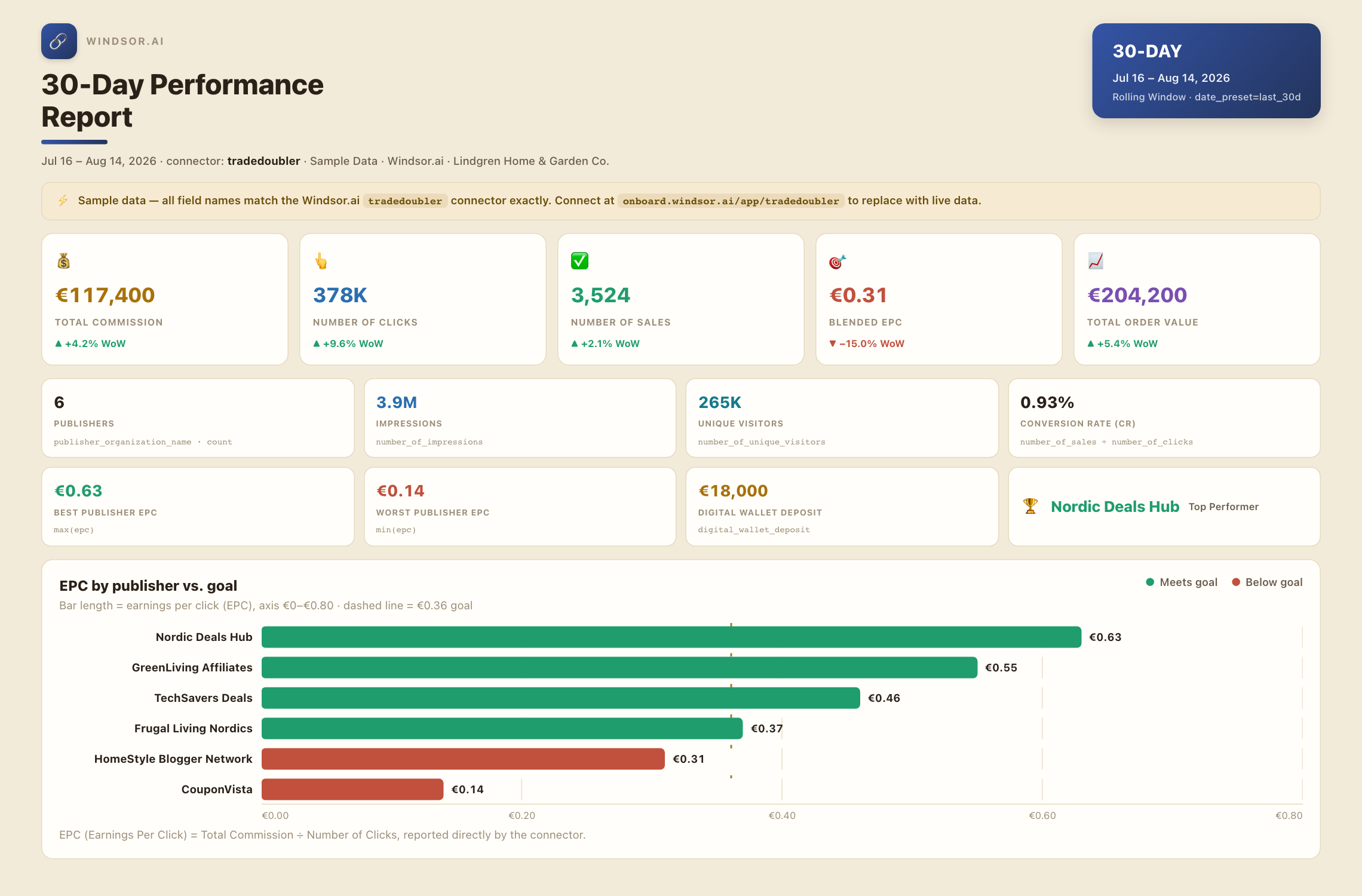














How to connect Tradedoubler to Claude with Windsor.ai
Explore a step-by-step guide to integrate your Tradedoubler data into Claude with the Windsor.ai connector.
Connect Tradedoubler in the Windsor.ai dashboard
Choose Tradedoubler as your data source and grant access to Windsor.ai.

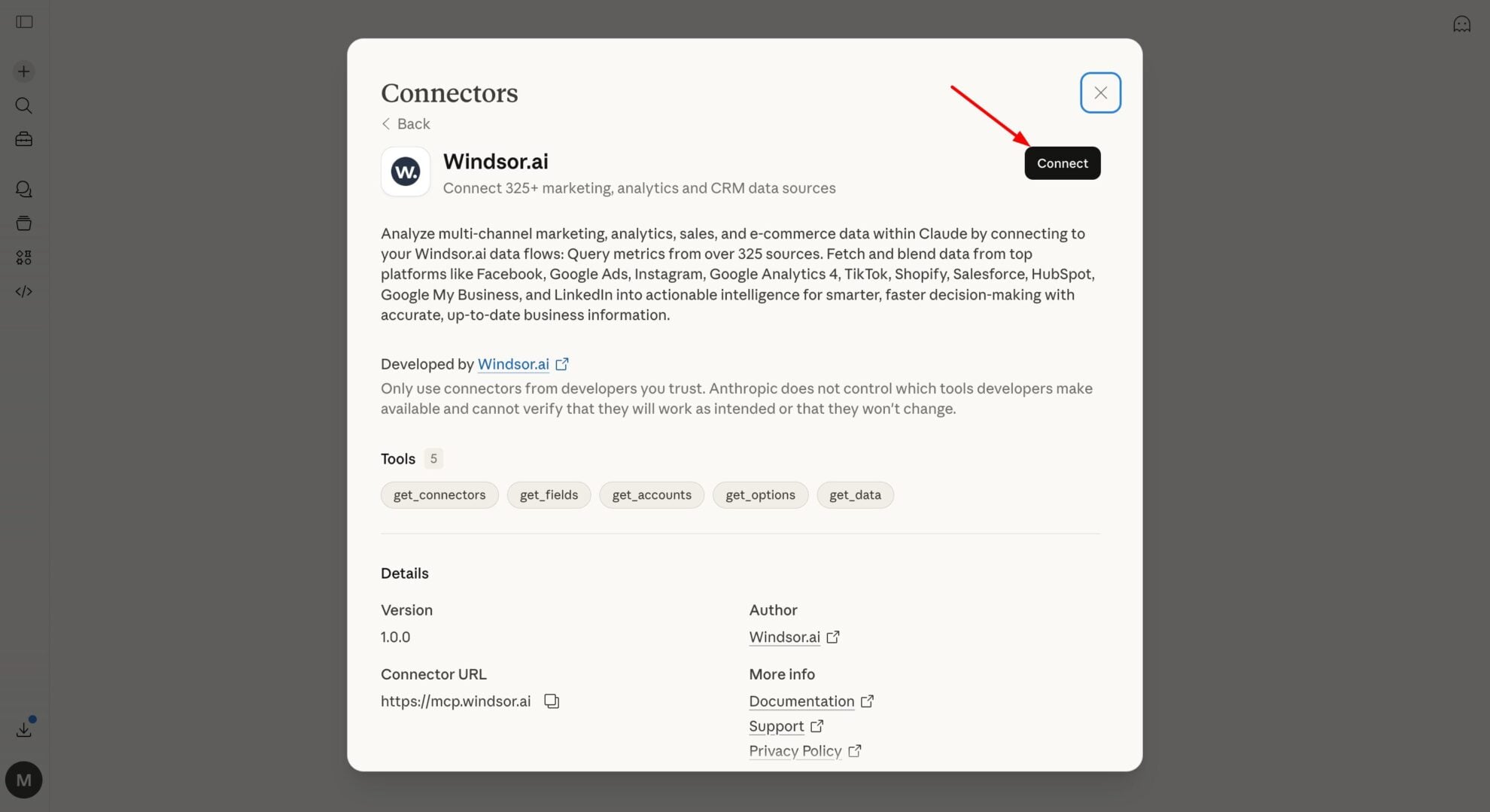
Install the Windsor.ai connector
In Claude, open Customize, then Connectors, search for Windsor and click Add. Sign in to your Windsor.ai account when prompted, and the connector appears in your Connectors list. You can also open the Windsor.ai listing in the Claude directory and click Connect.
Query your Tradedoubler data in Claude
Start a new chat and ask Claude about your Tradedoubler data: summarize performance, compare channels, or run advanced analyses.
FAQs
What Tradedoubler data can I analyze in Claude?
Windsor.ai gives Claude access to all 69 Tradedoubler fields, organized into groups such as:
- Traffic metrics: Number of Clicks, Number of Impressions, Number of Unique Impressions, Number of Unique Visitors, CTR.
- Conversion & revenue metrics: Number of Sales, Number of iSales, Number of Leads, Number of iLeads, Total Order Value, Conversion Rate (CR), Lead Rate (LR), EPC.
- Commission & wallet metrics: Total Commission, Total Publisher Commission, Virtual Commission, per-click/per-sale/per-lead commission breakdowns, Digital Wallet Deposit, Digital Wallet Withdraw.
- Program & publisher dimensions: Program Name, Program Country Code, Publisher Organization Name, Source Name, Segment Name, Custom Category Name, Promotion Type, Account Name.
- Date & metadata dimensions: Date, Week, Month, Year, Data Fetched At, and other date-part breakdowns.
Can Claude calculate true commission payouts, not just gross sales?
Yes. Windsor.ai streams total commission, publisher commission, and virtual commission alongside order value on every row, so Claude can separate what the network reports from what actually lands in your account.
Can Claude tell me which publishers are underperforming?
Yes. The connector includes publisher organization name, source name, EPC, and conversion rate together, so Claude can rank publishers by how efficiently their clicks turn into sales, not just by raw click volume.
What prompts can I use to analyze Tradedoubler data in Claude?
-
Compare click-through rate (CTR) and conversion rate (CR) by source country code over the last 30 days. Which countries convert best after the click?
-
Break down digital wallet deposits and withdrawals by account over the last quarter.
-
Which custom categories generated the most iSales and iLeads in the last 60 days?
-
Show unique visitors versus unique impressions by segment for the last 14 days. Are we reaching new audiences or just repeat traffic?
How much does it cost to integrate Tradedoubler into Claude using Windsor.ai?
Windsor.ai is free to start, no credit card required. Paid plans start at $19/month and scale by the number of sources and accounts. See the pricing page.
Can I combine Tradedoubler data with other channels in Claude?
Yes. Windsor.ai supports 350+ data sources, so you can connect Tradedoubler alongside Google Ads, Meta Ads, or GA4 to compare affiliate performance against your paid channels in one place.
Does this work for both advertiser and publisher Tradedoubler accounts?
Tradedoubler serves both advertisers and publishers, and several commission fields (such as clicks, impressions, and unique-visitor commission) apply only to advertiser accounts. Windsor.ai pulls whichever fields your connected account type actually returns, so Claude only sees data that’s relevant to your role in the network.
Do you have helpful links to get started with integrating Tradedoubler and Claude using Windsor.ai?
Yes, we have helpful resources to help you get started. You can explore our official documentation for seamless Tradedoubler to Claude integration with Windsor.ai:
Tired of manual Tradedoubler data exports? Try Windsor.ai today to automate your reporting


