 Destinations
 Data sources
 AI insights
 About us
 Careers
 Security
 Customer reviews
 Contact us
 Affiliate program
 Solution partners
 Template gallery
 Looker Studio templates
 Power BI templates
 Excel templates
 Google Sheets templates
 Tableau templates
 Facebook Ads templates
 Google Ads templates
 Data fields & Metrics
 AI prompt library & Guides
 Product documentation
 API documentation
 Case studies
 Blog
Blog Data models
 Windsor vs Supermetrics
 Windsor vs Funnel.io
 Windsor vs Fivetran
 Windsor vs Rivery
 Windsor vs Portermetrics
 Windsor vs Coupler.io
Connect Xero to Claude
Automatically sync your Xero data to Claude using the Windsor.ai connector.
Quickly turn your raw Xero data into AI-driven insights and stay in control of your cash flow, costs, and profitability.
Forget CSVs. Stop copy/paste. Connect data in minutes. No code required.
 Sign up with Google
 Free forever plan
No credit card needed
Free forever plan
No credit card needed









Unlock the full potential of your data with Xero to Claude integration
Connect Xero to Claude via Windsor MCP to analyze your financial data with AI and answer key business questions in seconds. Explore key benefits and use cases:

Track weekly budget
Claude aggregates total expenses grouped by tracking category to see which department spent the most this week. It identifies if any region or project is burning through its monthly budget faster than expected.

Prioritize overdue receivables
Using outstanding invoice amounts and due dates, Claude identifies which receivables are most overdue. It then ranks these debtors by total value and drafts personalized follow-up emails based on customer names.

Track lead-to-cash cycle
By combining CRM lead data with Xero invoices, Claude measures how long it takes for a lead to convert into a paid customer and identifies bottlenecks in your revenue cycle.

Get instant answers
Get instant AI insights into your financial performance without building reports or relying on analysts. Query your Xero data using natural language and make faster, data-driven decisions.
Using Windsor.ai to connect data from Xero to Claude
Integrating Xero with Claude usually requires manual exports, costly software, or tedious data cleanup. Windsor.ai automates the process with a connector that collects, normalizes, and streams your financial data directly into Claude.
Connect in a few minutes and start analyzing your cash flow, expenses, and revenue data via natural language.
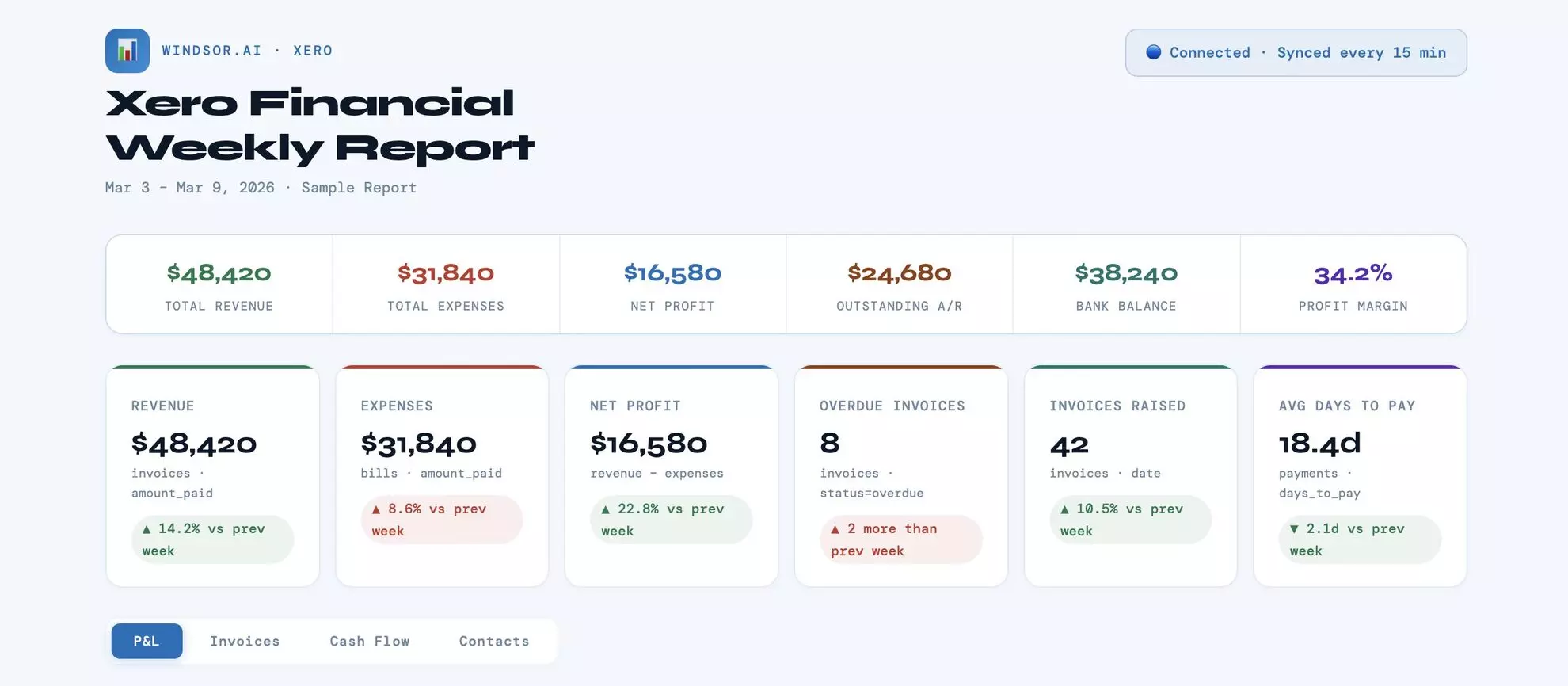














How to connect Xero to Claude with Windsor.ai
Explore our video tutorial and a step-by-step guide to integrate your data from any source into Claude with the Windsor.ai connector.
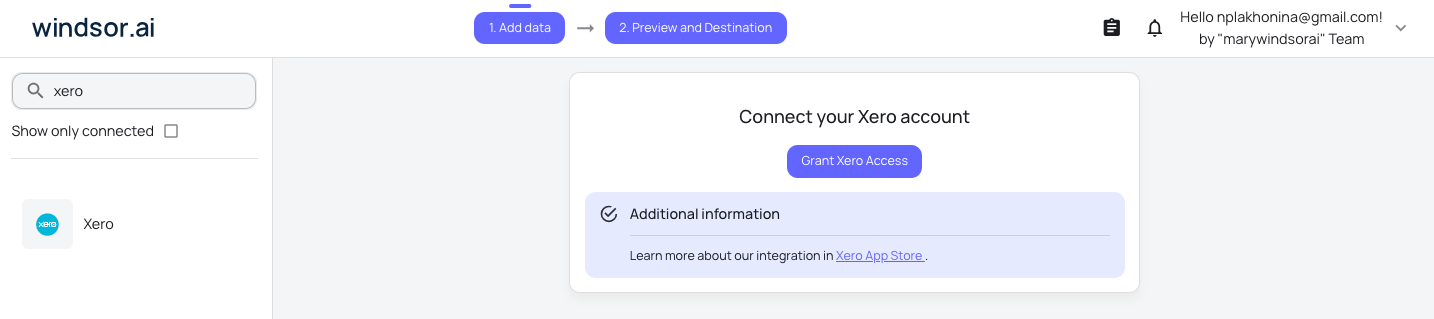
Select your data source
Choose Xero as your data source and grant access to Windsor.ai.
Install the Windsor.ai connector in Claude
In Claude, open Customize, then Connectors, search for Windsor and click Add. Sign in to your Windsor.ai account when prompted, and the connector appears in your Connectors list. You can also open the Windsor.ai listing in the Claude directory and click Connect.

Query your data in Claude
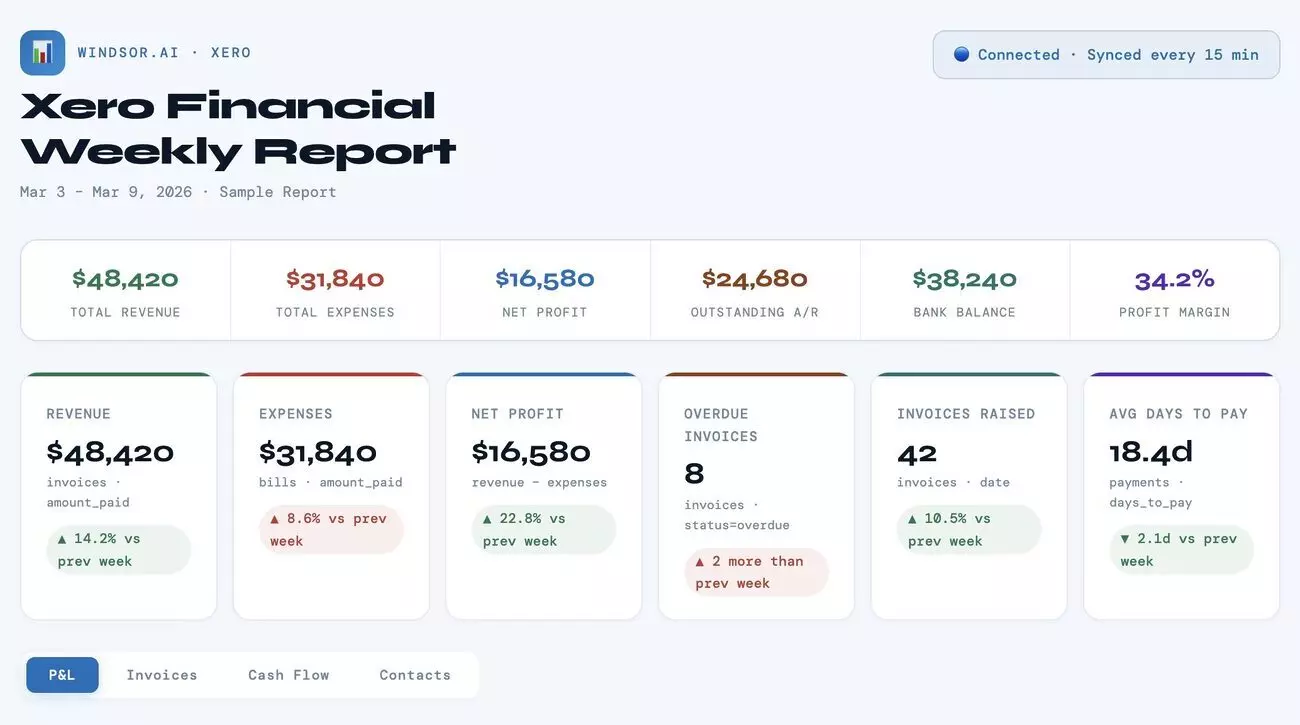
Start a new chat and ask Claude questions about your connected data: summarize KPIs, create client reporting dashboards, or run advanced analyses.
FAQs
What can I do with Xero data in Claude?
Once your Xero data is in Claude, you can:
- Get instant summaries. Convert dense Trial Balance or Profit & Loss data into clear executive summaries for stakeholders in seconds.
- Project runaway. Ask Claude to analyze current bank balances and monthly spending trends to calculate your burn rate and remaining runway.
- Audit expenses. Claude scans thousands of transactions to identify subscription creep and vendor price increases that might go unnoticed.
- Profile debtors. Identify customers who are becoming chronically late by analyzing ‘Average Days to Pay’ over time.
- Run cross-channel analysis. Connect Xero data with 350+ other sources to get a complete view of your business performance and profitability.
Find more details about Windsor MCP for Claude use cases in this guide: https://windsor.ai/how-to-use-windsor-mcp-examples-use-cases/.
Is my sensitive financial data secure?
Windsor.ai uses read-only access, ensuring your Xero data is pulled for analysis in Claude and can never be modified or deleted.
Does Windsor.ai store my Xero login credentials?
No. Authentication is handled securely via Xero’s OAuth 2.0 flow, so Windsor.ai never sees or stores your login credentials.
Can Claude handle different currencies?
Yes. Windsor.ai pulls CurrencyCode and CurrencyRate fields, allowing Claude to provide insights in your base currency or convert foreign totals accurately.
What prompts can I use when analyzing Xero data in Claude?
Use more specific, advanced prompts to extract deeper insights from your Xero data. For example:
-
Analyze invoice dates versus payment dates to calculate average days to pay per customer and identify accounts where payment delays are increasing over time.
-
Review outstanding invoices across currencies to estimate potential gains or losses from exchange rate fluctuations.
-
Compare expected incoming payments with upcoming expenses (including planned and recurring costs) over the next 30 days. Identify periods where cash outflows exceed inflows, factoring in current cash balances.
-
Analyze revenue by customer and show the most valuable accounts. Highlight how revenue is distributed across my customer base.
Can Claude help with cash flow forecasting?
Absolutely. Claude identifies seasonal patterns and payment behaviors in your invoices and bills to project your cash position for the next 30, 60, or 90 days.
How much does it cost to integrate Xero into Claude using Windsor.ai?
Windsor.ai’s pricing for Claude data integration varies depending on the number of connected accounts and data sources. We offer absolutely transparent pricing plans for diversified business needs and budgets.
How long does it take to connect Xero to Claude?
With Windsor.ai’s easy-to-use connector, the integration process takes just a few minutes. No technical expertise is needed; syncing Xero to Claude is simple, straightforward, and completely code-free.
Do you have helpful links to get started with integrating Xero and Claude using Windsor.ai?
Yes, we have helpful resources to help you get started. You can explore our official documentation and tutorials for seamless Xero to Claude integration with Windsor.ai:
Tired of manual Xero data exports? Try Windsor.ai today to automate your reporting


